
What is Cross-Site Scripting (XSS)?
Cross-Site Scripting (XSS) is a code injection attack that allows an attacker to execute malicious JavaScript in another user's browser.
Key idea: The attacker does not directly target the victim, instead they exploit a vulnerable website to deliver the payload.
What Can XSS Do?
With a successful XSS attack, an attacker can:
- Impersonate the victim user
- Perform any action the user is allowed to do
- Access sensitive data (sessions, tokens)
- Steal login credentials (cookie..)
- Deface the website (visual manipulation)
- Inject malicious functionality (trojans, keyloggers)
Actors in an XSS Attack
- Vulnerable Website
- Victim (user)
- Attacker
Types of XSS:
1. Reflected XSS
- Payload is sent via request (URL, form input)
- Reflected back immediately by the server

2. Stored XSS (Most Dangerous)
- Payload is stored in the database
- Automatically executed for every user

3. DOM-Based XSS
- Happens entirely in the browser
- No server-side processing involved
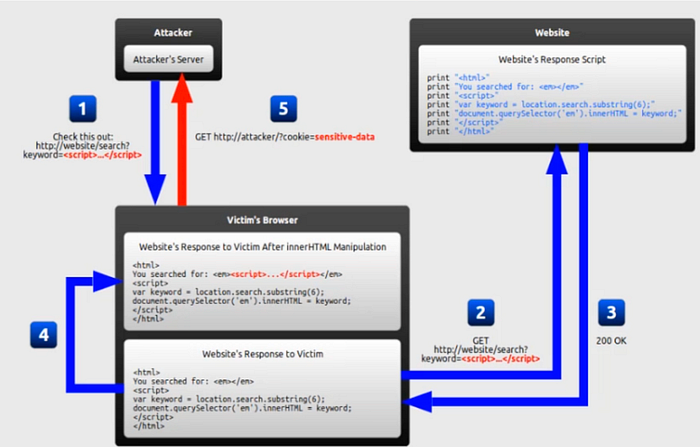
Exploiting Basic XSS (Stored XSS — Level 1)
Normal Input:
Name: <b>Mark</b>
Message: Hello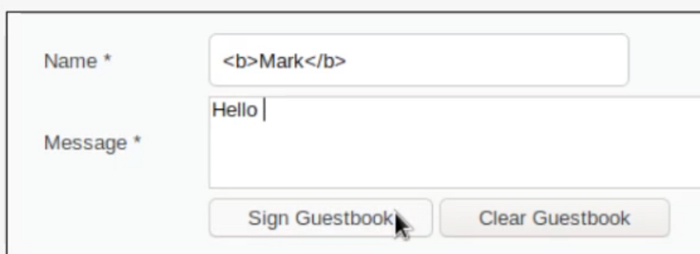
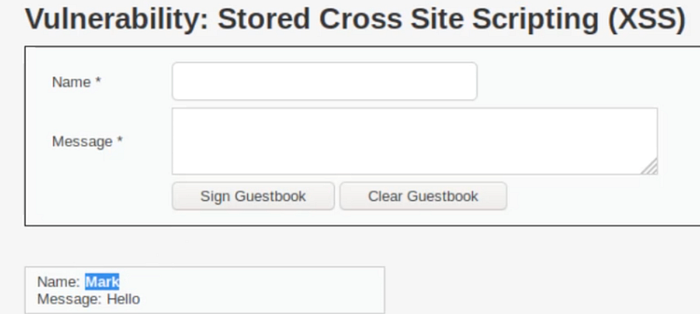
👉 HTML is rendered normally
Malicious Input:
Name: Mark
Message: <script>alert(1)</script>
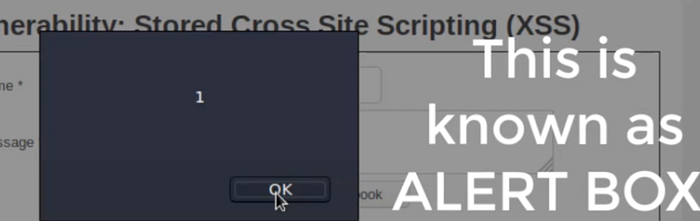
👉 The browser executes the script
Cookie Stealing Example:
<script>alert(document.cookie)</script>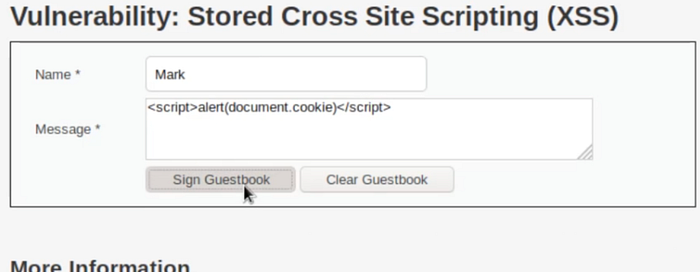
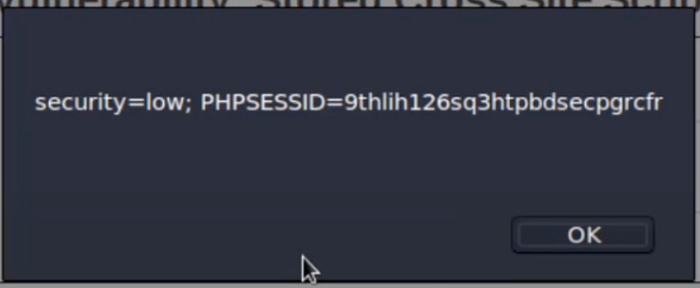
👉 Displays session cookies (in real attacks, sent to attacker server)
Reflected XSS (Level 2)
Payload:
<script>alert(1)</script>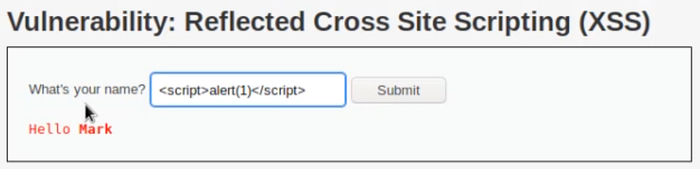
❌ Does NOT work; It dosen't work but why? (we shoud check the source code)
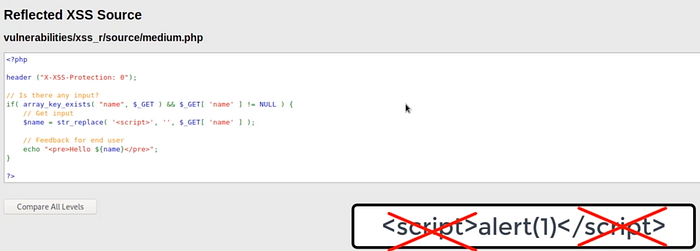
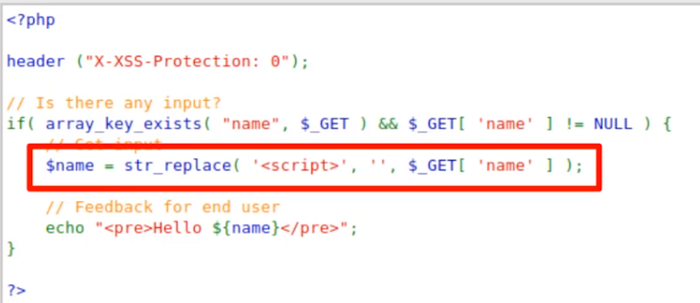
Source Code Analysis
<?php
header("X-XSS-Protection: 0");

// Check if input exists
if (array_key_exists("name", $_GET) && $_GET['name'] != NULL) {
    // Remove <script> tags
    $name = str_replace('<script>', '', $_GET['name']);
    // Output to user
    echo "<pre>Hello ${name}</pre>";
}
?>
Explanation
str_replace('<script>', '', ...)👉R Remoes exact<script>tags- Problem: It is case-sensitive and only matches exact text
Bypass Technique
<sCriPt>alert(1)</scriPT>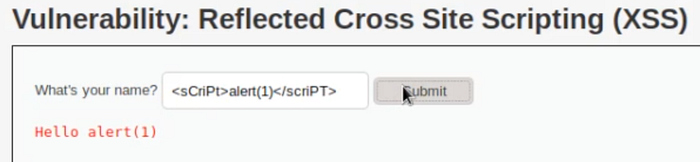

👉 Works because:
- Filter only removes lowercase
<script> - Mixed-case bypasses it
Cookie Payload
<sCrIpT>alert(document.cookie)</ScRiPt>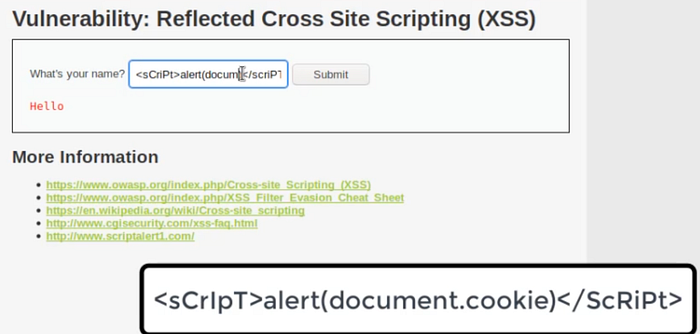

Advanced XSS — Event-Based Injection
What are JavaScript Events?
Events are actions triggered by the user or browser:
onclickonloadonerroroninputonkeypress
👉 These can execute JavaScript without <script> tags
High-Level Filter Bypass
Source Code
<?php
header("X-XSS-Protection: 0");

if (array_key_exists("name", $_GET) && $_GET['name'] != NULL) {
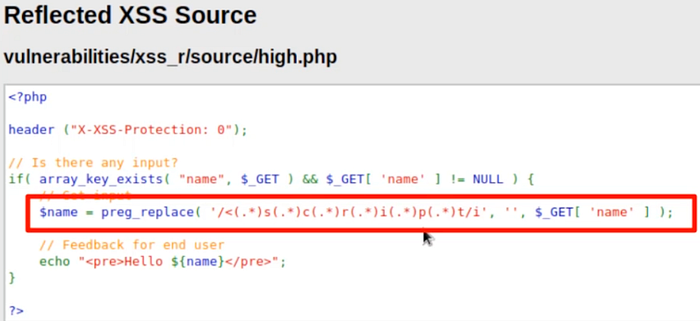
    $name = preg_replace("/<(.*)s(.*)c(.*)r(.*)i(.*)p(.*)t/i", "", $_GET['name']);
    echo "<pre>Hello ${name}</pre>";
}
?>
Explanation
preg_replace(...)uses regex to block:scripteven if letters are separated/i→ case-insensitive 👉 Stronger than previous filter
Still Vulnerable!
Why?
👉 It only blocks <script> tags
👉 But JavaScript can run without script tags
Bypass Payload
<img src=x onerror=alert(document.cookie)>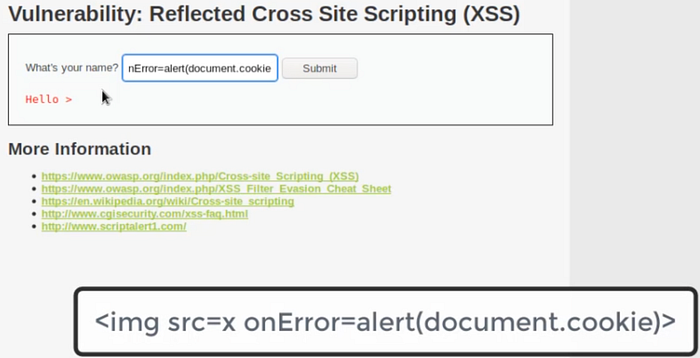
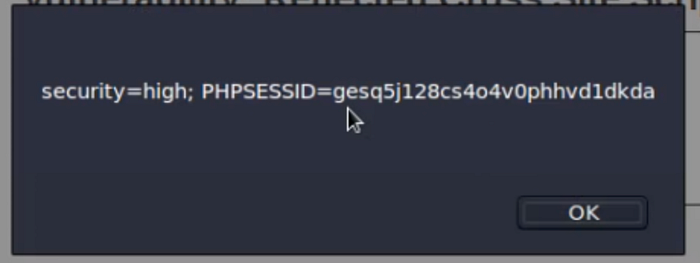
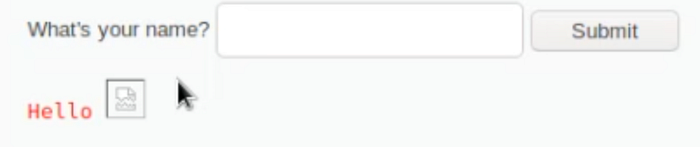
Why it works:
<img>is allowedsrc=xfails → triggers erroronerrorexecutes JavaScript
👉 No <script> needed
🚫 "Impossible Level" — Secure Implementation
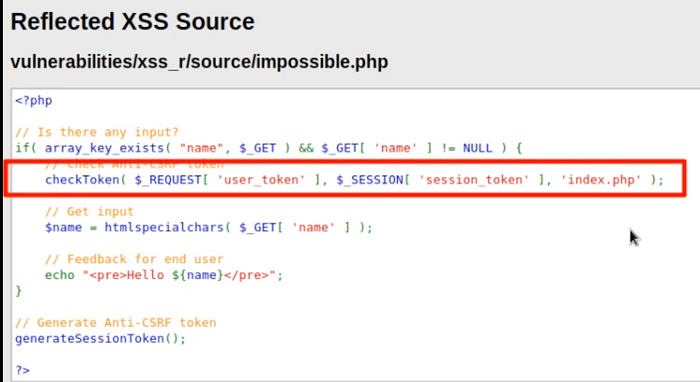
🔍 Source Code
<?php
if (array_key_exists("name", $_GET) && $_GET['name'] != NULL) {
    // CSRF protection
    checkToken($_REQUEST['user_token'], $_SESSION['session_token']);
    // Secure input handling
    $name = htmlspecialchars($_GET['name']);
    echo "<pre>Hello ${name}</pre>";
    // Generate new token
    generateSessionToken();
}
?>
🧠 Explanation
htmlspecialchars()
- Converts special characters:
< → <> → >
> Prevents script execution
CSRF Token
checkToken(...)> Ensures request is legitimate
Output Encoding
- User input is safely displayed
- No JavaScript execution possible
Key Takeaways
- XSS is not just
alert(1) - It can lead to full account takeover
Attack Summary
LevelProtectionBypassBasicNone<script>Mediumstr_replaceCase bypassHighRegex filterEvent injectionImpossibleEncoding❌ Not bypassable
Final Thoughts
A single unvalidated input field can lead to:
- Session hijacking
- Data theft
- Full system compromise
Never trust user input. Always encode output.