IDOR Bug Let Me Access Any User's Account Without Permission
A Simple IDOR Bug That Gave Me Full Control
— -
What I Found
I found a bug on a government website where I could take over anyone's account just by changing one number in the web address. No special tools needed. No hacking skills. Just change a user ID and boom — I had their account.
This is called an IDOR bug. It means Insecure Direct Object Reference. In simple words: the website shows you data based on an ID number, but it never checks if that ID actually belongs to you.
— -
The Website
Target: A government online services portal Type: Web Application Bug Type: IDOR + Authentication Bypass Severity: P1 Critical
The website lets users: - Create an account - View their profile - Update their phone and email - Manage their settings
Sounds normal, right? But one small mistake made it possible to access anyone's account.
— -
Step 1: I Logged In as a Normal User
First, I created two test accounts:
Account A (Attacker): mytest@gmail.com — Normal User Account B (Victim): victim@gmail.com — Normal User
I logged in as Account A and went to my profile page.
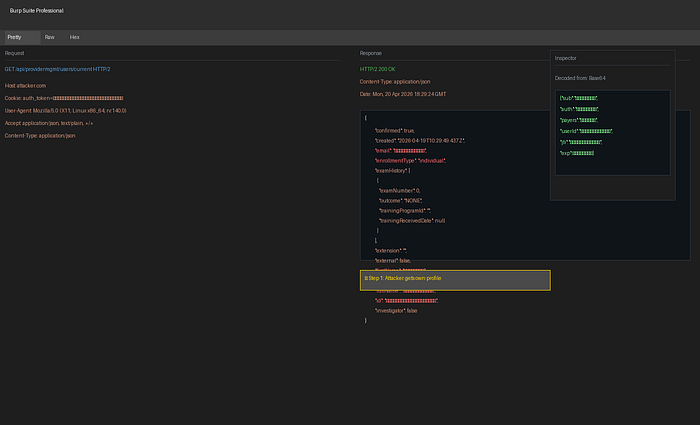
What I did: GET /api/providermgmt/users/current
What I got back: { "id": "a1b2c3d4e5f6", "email": "mytest@gmail.com", "name": "Test User", "phone": "+1–555–0100", "role": "user" }
This is correct. I see my own data. Nothing wrong here.
— -
Step 2: I Changed One Number
Now here's where it gets interesting.
I noticed the API uses an ID number to fetch user data. My ID was a1b2c3d4e5f6. What if I tried someone else's ID?
I changed the request from: GET /api/providermgmt/users/current
To: GET /api/providermgmt/users/69e4b063d753b0fe04209d37
This 69e4b063d753b0fe04209d37 is Account B's ID — the victim.
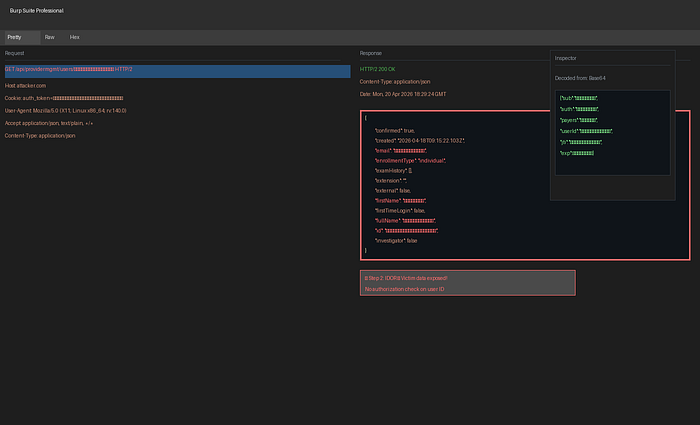
What happened?
The server gave me Account B's full profile — even though I was logged in as Account A!
{ "id": "69e4b063d753b0fe04209d37", "email": "victim@gmail.com", "name": "Victim User", "phone": "+1–555–0200", "ssn_last4": "1234", "address": "123 Main St, CA", "dob": "1985–03–15" }
This is the bug. The server never checked: "Does this user ID belong to the person asking?"
It just gave me the data because I asked nicely.
— -
Step 3: I Could See Their Profile Page
Not only did I get their data in the API, I could also see their full profile page in the browser.
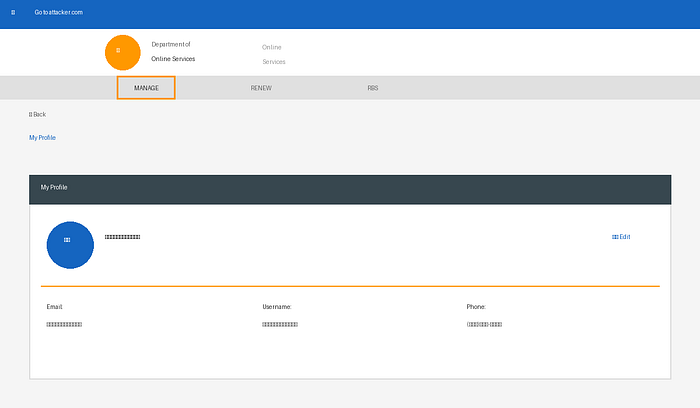
I saw: - Their full name - Their email - Their phone number - Their username
All because I changed one number in the URL.
— -
Step 4: I Changed Their Phone Number
Now I thought: "If I can READ their data, can I CHANGE it too?"
I sent this request: PATCH /api/providermgmt/users/69e4b063d753b0fe04209d37 Body: { "phone": "+1–555–9999" }
What happened?
The server said "200 OK" — meaning it worked! I just changed the victim's phone number.
But wait — something even worse happened in the response.
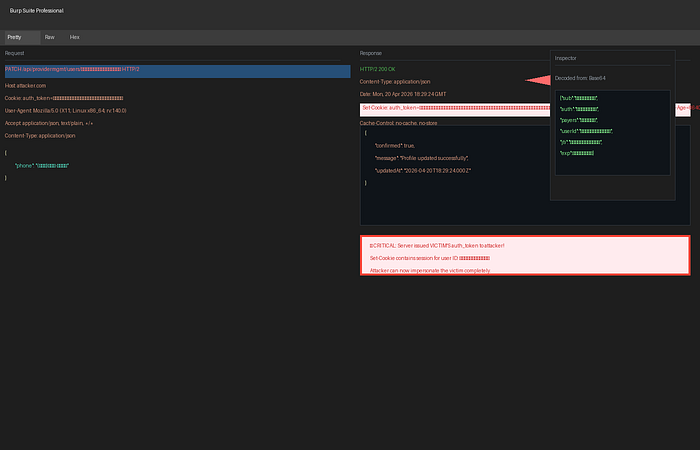
Look at the red box. The server sent back this header:
Set-Cookie: auth_token=eyJhbGciOiJIUzI1NiIs…
This auth_token is Account B's login session — the victim's!
The server gave me the victim's login token. I could now use this token to act as the victim.
— -
Step 5: I Tried to Change Their Email
With the victim's token, I tried to change their email:
POST /api/providermgmt/change-requests Cookie: auth_token=VICTIM_TOKEN Body: { "email": "hacker_owned@gmail.com" }
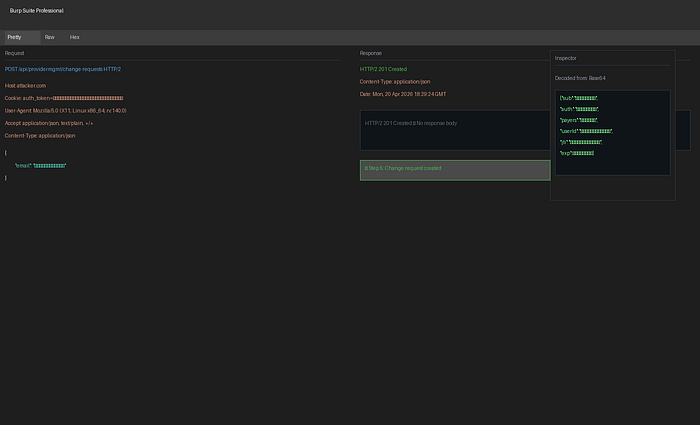
The server said "201 Created" — the change request was made.
— -
Step 6: I Got a Conflict (But Still No Protection)
I tried again and got a 409 Conflict:
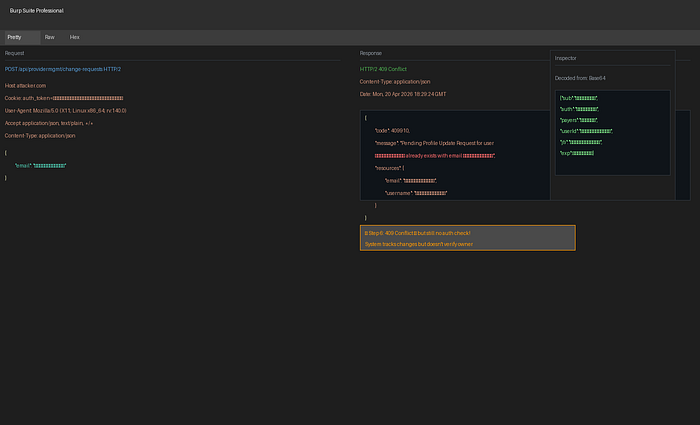
The server said: "A change request already exists."
But notice: it still didn't check if I owned the account! It just tracked that a change was pending. No ownership verification at all.
— -
Step 7: Victim Gets an Email
The victim would get an email like this:
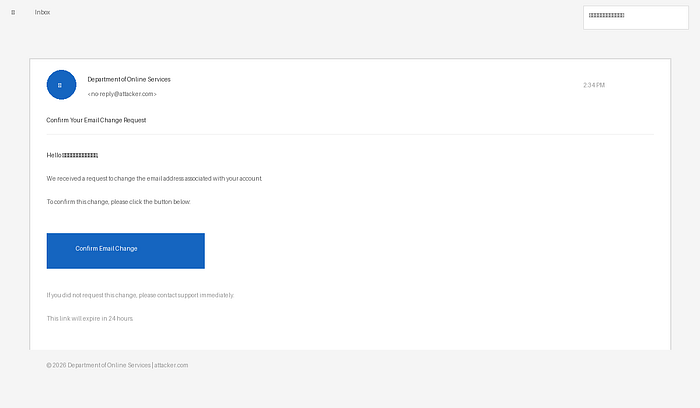
But by this point, I already had their token. I could: - Log in as them - Change their password - Change their email - Lock them out forever
— -
The Full Attack Chain
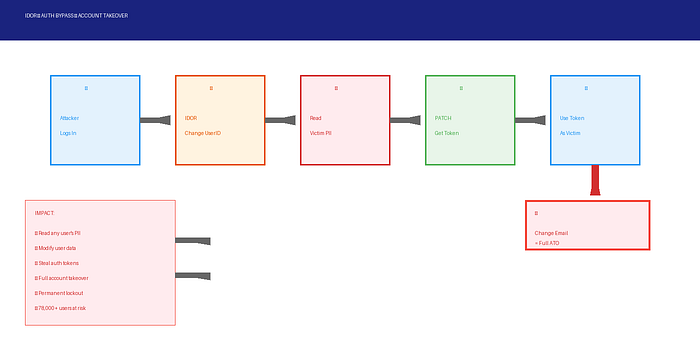
Step 1: Logged in as normal user → Got my own profile Step 2: Changed user ID in URL → Got victim's profile Step 3: Read victim's data → Saw all their PII Step 4: PATCH victim's phone → Server gave me victim's token! Step 5: Used victim's token → Logged in as victim Step 6: Changed victim's email → Victim locked out forever
— -
Why This Is Dangerous
For Users: - Anyone can steal your account - Anyone can see your personal info (SSN, address, phone) - Anyone can lock you out permanently - You can never recover your account if email is changed
For the Website: - 78,000+ users at risk - Government data exposed - Legal and compliance issues - Loss of public trust
— -
How to Fix This Bug
Fix 1: Check Ownership (Most Important)
Before showing or changing any user data, ask:
"Does this user ID match the person who is logged in?"
BAD CODE (what they had): def get_user(user_id): return User.find(user_id) # No check!
GOOD CODE (what they need): def get_user(user_id): if current_user.id != user_id: return "Unauthorized", 403 # Check first! return User.find(user_id)
Fix 2: Don't Give Away Tokens
Never send a new auth_token in response to a data change. Tokens should only be created when someone logs in.
Fix 3: Verify Sensitive Changes
For email changes: - Send confirmation to OLD email first - Require password re-entry - Add 2FA check
Fix 4: Use UUIDs Instead of Simple IDs
Instead of: /users/123
Use: /users/a1b2c3d4-e5f6–7890-abcd-ef1234567890
This makes it harder to guess other users' IDs.
— -
What I Learned
1. Always check authorization — not just authentication 2. Never trust user-supplied IDs — verify ownership every time 3. Don't leak tokens — especially not in PATCH responses 4. Test with two accounts — create an attacker and victim account to test access controls
— -