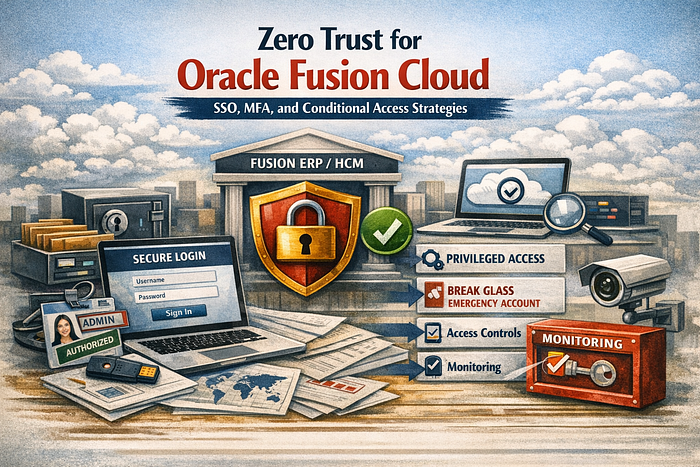

A security practitioner guide to harden Fusion Cloud access using strong federation, risk based MFA, device and network controls, and a resilient break glass model.
Why this matters
Oracle Fusion Cloud is often one of the most sensitive SaaS platforms in an enterprise because it contains financial transactions, supplier data, payroll, and employee personal data. In most real incidents, the attacker does not exploit the application. The attacker uses valid credentials, weak MFA coverage, or a poorly protected admin account. A Zero Trust approach for Fusion focuses on verifying identity continuously, limiting privileged access, and reducing the chance that a stolen credential becomes a full compromise.
This article lays out a practical blueprint for implementing SSO, MFA, and conditional access for Fusion Cloud in a way that supports operations and stands up to audit requirements.
1) A practical Zero Trust access model for Fusion Cloud
A workable Zero Trust model for Fusion Cloud is built around four decisions:
- Who is signing in
- How strongly the user is verified
- From what device and network the user is connecting
- What the user is allowed to do after sign in
For most enterprises, that becomes:
- Centralized identity through your enterprise IdP
- Strong MFA with step up for risky and privileged actions
- Conditional access controls based on risk, device, location, and session context
- Tight admin protection and a controlled break glass process
2) SSO done right for Fusion Cloud
Goals for SSO
- Use the enterprise IdP as the control plane for authentication
- Reduce password usage and prevent local accounts from becoming the weak link
- Standardize sign in policies and logging
Practical implementation checklist
- Enforce federation for the primary user population
- Use consistent user mapping between the IdP and Fusion
- Standardize group to role mapping with clear ownership
- Disable or tightly restrict direct sign in where possible
- Ensure log sources for sign in events and role assignments are retained and monitored
Common pitfalls seen in the field
- Multiple identity sources and inconsistent usernames
- Group mapping that assigns broad roles by accident
- Service accounts that bypass federation and never get reviewed
- SSO rolled out to users, but admins keep local accounts for convenience
A security practitioner tip: treat the SSO cutover as a control change. Document what changes, what stays, and how you will detect and respond to failures.
3) MFA strategy that does not break the business
MFA coverage
A strong baseline is to require MFA for all users, with stricter requirements for:
- Administrators and security roles
- Finance roles that can post, pay, or change supplier bank details
- HR roles that can view compensation, payroll, or bank details
- Users accessing from unmanaged devices or unknown networks
Step up MFA for high risk actions
Even if MFA is enforced at sign in, step up is valuable when risk increases. Triggers often include:
- Sign in from a new device
- Sign in from a new country or impossible travel patterns
- Access to privileged roles
- Access to sensitive workflows such as payroll or payments
Avoid these MFA anti patterns
- One time MFA enrollment with no ongoing enforcement
- Exemptions for executives that are never removed
- MFA only for remote access and not for SaaS
- MFA required for users but not for admins
4) Conditional access for Fusion Cloud that is realistic
Conditional access is where Zero Trust becomes practical. It helps you answer: should this session be allowed, restricted, or blocked.
Common policy building blocks
- Device state: managed and compliant device vs unmanaged device
- Location: trusted corporate ranges vs unknown or risky regions
- Risk: sign in risk and user risk from the IdP security signals
- Application sensitivity: Fusion Cloud is a high value target
- Session constraints: shorter sessions for risky conditions and stricter reauthentication for admins
Recommended policies for Fusion Cloud
- Baseline policy for all users
- Require MFA
- Block legacy authentication patterns if present
- Require modern auth with the IdP
2. Unmanaged device policy
- Require MFA
- Restrict access or require additional verification
- Limit browser sessions if your IdP supports session controls
3. Privileged access policy
- Require phishing resistant MFA where feasible
- Require compliant device
- Restrict access to trusted locations if the business can support it
- Shorter session duration and more frequent reauthentication
4. High risk sign in policy
- Block or require step up based on risk score
- Alert security operations for investigation
A practitioner tip: start with a small number of policies that are easy to explain, then iterate. Excessive policy complexity increases helpdesk volume and leads to exemptions.
5) Admin protection and break glass model
Fusion Cloud administration is powerful. If an admin identity is compromised, the attacker can create persistence by changing roles, workflows, approvals, and integration access.
Admin protection controls
- Separate admin accounts from daily user accounts
- Require strong MFA for admins with stricter conditional access
- Limit who can assign roles and who can create new users
- Review admin assignments frequently and log all changes
Break glass accounts
You need a resilient method to access the tenant if the IdP is unavailable or misconfigured.
Break glass guidance:
- Maintain a small number of emergency accounts
- Store credentials securely with strict access controls
- Do not use break glass accounts for daily work
- Test break glass procedures periodically
- Monitor every break glass sign in with immediate alerts
6) Session management and user experience controls
Even with strong sign in controls, session settings matter.
Practical session controls:
- Reduce session duration for privileged roles
- Require reauthentication for sensitive actions if supported
- Limit concurrent sessions for admins if possible
- Align session timeouts with business risk and user support capacity
Most enterprises find a balance: longer sessions for standard users and shorter sessions for administrators and high risk roles.
7) Monitoring and incident readiness for identity controls
Zero Trust only works if you can detect drift and misuse.
High value alerts to implement:
- Admin role assignment changes
- New users created with privileged roles
- MFA disabled or bypassed
- Sign ins from new countries or unusual locations
- Repeated failed sign ins for high privilege accounts
- Break glass account sign in
- Conditional access policy changes and emergency bypass events
Operationally, you want a small set of alerts that are actionable and tied to runbooks.
Real life use case: credential theft stopped from becoming a payroll incident
The situation
A company rolled out Oracle Fusion HCM and Payroll. Most users were federated through the enterprise IdP, but a few local accounts still existed for HR support and a handful of admins. MFA was enabled broadly, but conditional access was not strict for privileged accounts, and one admin account still used a weaker authentication method due to an older exception.
What happened
A phishing campaign targeted HR staff during an open enrollment period. One HR user entered credentials into a fake sign in page. The attacker tried to sign in to Fusion Cloud from an unfamiliar location and attempted to access payroll related areas.
Two important things happened:
- Conditional access required MFA for the suspicious sign in, and the attacker could not satisfy it
- The attacker pivoted to try the admin account that had a weaker exception, but the admin conditional access policy blocked the sign in because the device was unmanaged and the location was outside trusted ranges
Security operations noticed sign in attempts and elevated alerts tied to high risk sign in conditions. The team contained the incident by resetting the affected user credentials and enforcing stronger policies for the admin population.
Root causes identified
- A policy exception existed for an admin account and it was not reviewed regularly
- Local accounts were still present beyond what was required for break glass
- HR and payroll access was not separated clearly in the role model, increasing potential impact
Corrective actions
- Enforced phishing resistant MFA for all admin accounts
- Required compliant devices for privileged sign ins
- Removed the admin exception and implemented monthly review of privileged policy bypasses
- Tightened break glass controls and monitoring
- Updated access bundles so payroll and bank related roles required stricter approvals and monitoring
Why this is a strong Zero Trust example
No application vulnerability was involved. The outcome depended on identity controls. SSO, MFA, and conditional access prevented valid credentials from becoming data exposure or payroll fraud.
Quick implementation checklist
SSO and federation
- Federate Fusion Cloud sign ins through the enterprise IdP
- Standardize identity mapping and group based role assignment
- Restrict direct sign in paths and local accounts where possible
MFA
- Require MFA for all users
- Require stronger MFA for admins and high risk roles
- Use step up MFA for risky sign ins and sensitive functions
Conditional access
- Require compliant devices for privileged roles
- Restrict privileged access by location and risk
- Apply stronger session controls to admins
Admin and break glass
- Separate admin accounts from daily accounts
- Keep a small number of break glass accounts with strict controls
- Alert on every break glass usage and every privileged role change
Monitoring
- Alert on high risk sign ins, role changes, and policy bypasses
- Send identity telemetry to your SIEM and maintain runbooks