Today's lab was more like an exploration than a task. Instead of just following steps, I tried to understand what's actually happening inside the system when processes run.
🔧 Step 1 — Setting Things Up
I started by enabling process tracking using Command Prompt since I'm on Windows Home edition.
After running the command, I verified whether logging was working. Then I opened Event Viewer and navigated to Security logs.
✅ Good sign: I was able to confirm Event ID 4688 (Process Creation)
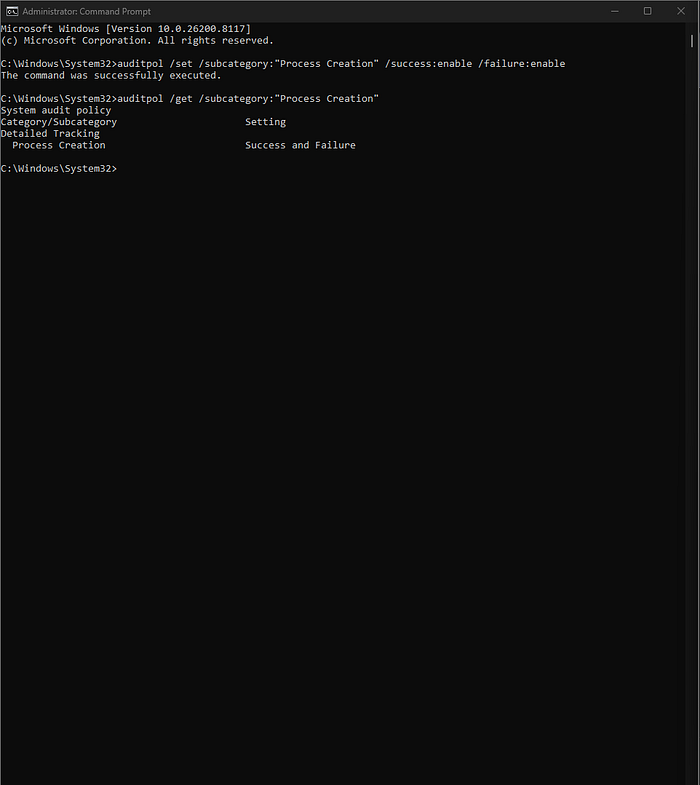
That meant I could continue the lab.
🔍 Step 2 — Creating Activity
To generate some data, I opened a few applications:
- Notepad
- Command Prompt
- Browser
I also:
- Ran some basic commands
- Opened multiple browser tabs
- Switched between applications
The goal here was simple: create enough activity to observe.
🖥️ Step 3 — Observing Processes
Next, I opened Task Manager.
Here, I focused on:
- Process names
- PIDs (Process IDs)
- Number of running processes
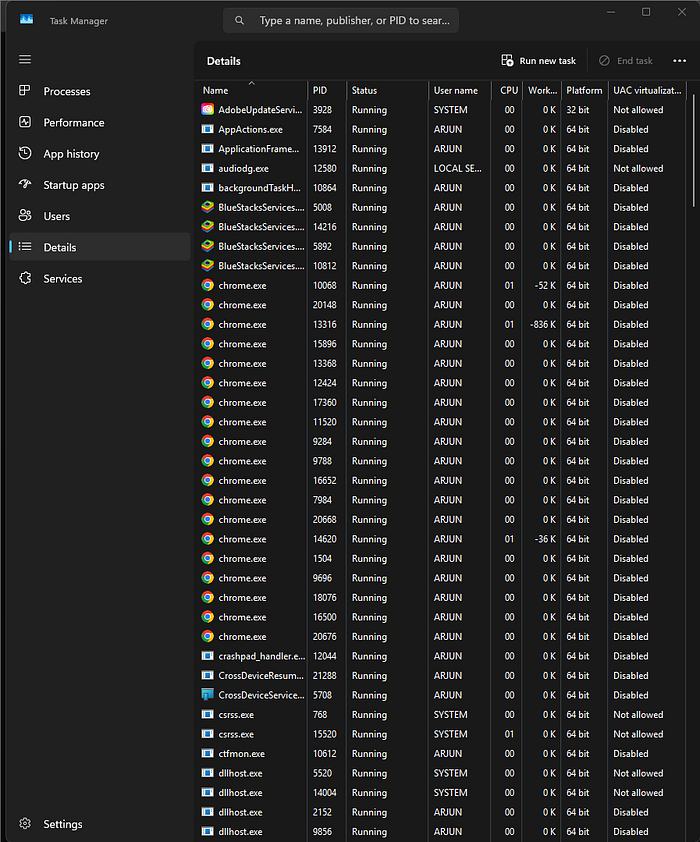
At this stage, I wasn't trying to judge anything — just observing.
🤔 Step 4 — First Suspicion
One thing immediately stood out:
👉 The browser had too many processes
At first, it looked suspicious.
But then I thought logically:
- I had opened multiple tabs
- Modern browsers run each tab as a separate process
So this behavior actually made sense.
✅ Conclusion: Not suspicious — expected behavior
🔎 Step 5 — Checking Logs
Then I moved to Event Viewer.
I searched for:
- Process creation events
I was able to find logs corresponding to the activity I generated earlier.
This helped me connect: 👉 What I did manually 👉 What the system recorded
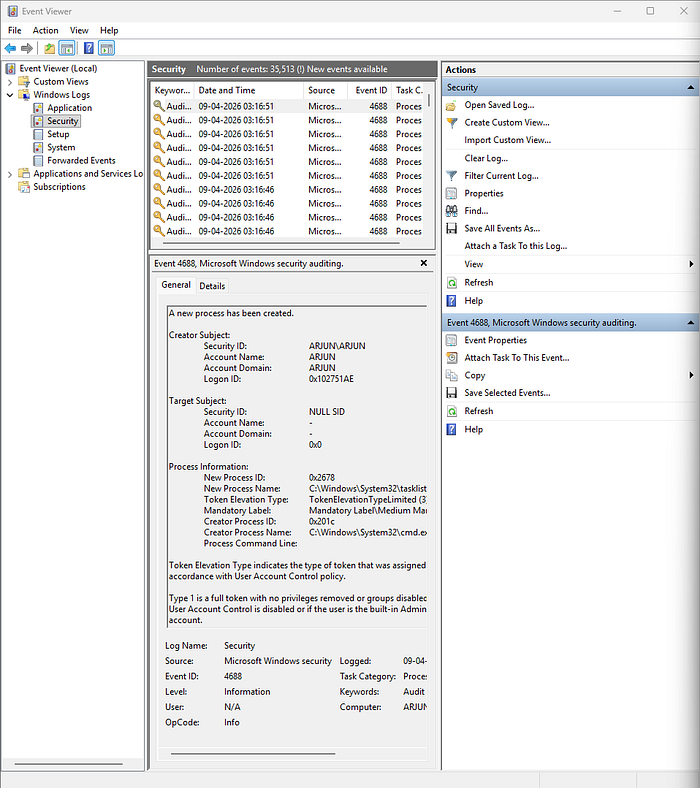
Even though the logs were limited, they were still useful.
🧠 Step 6 — Thinking Like an Analyst
At this point, I asked myself:
- Are these processes expected?
- Do they match my activity?
- Is there anything unusual?
Based on what I observed:
- All processes were related to what I opened
- No unknown or unexpected behavior
⚠️ Limitation Noticed
Since I'm using Windows Home edition:
- I don't have full audit configuration
- Detailed process relationships are not fully visible
So I cannot claim complete visibility.
👉 More accurate conclusion: No suspicious activity observed within available logs
✅ Final Takeaway
This lab wasn't just about tracking processes.
It was about learning:
- How to observe before judging
- How to avoid false positives
- How to connect user actions with system behavior