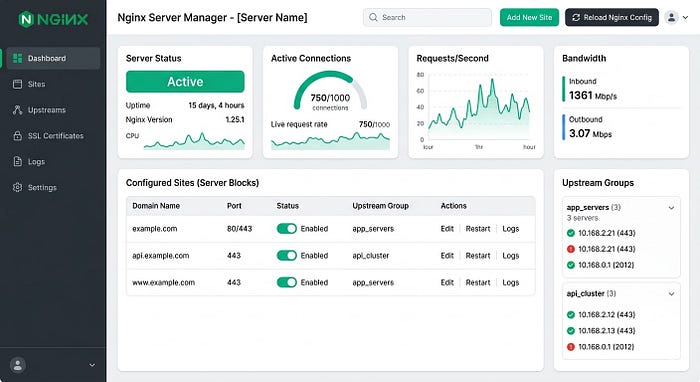
In the world of server management, tools that simplify our lives often come with a hidden trade-off. Nginx UI is a prime example — it's a fantastic web-based dashboard that saves administrators from the "death by a thousand terminal commands," offering a sleek graphical interface to manage configurations and monitor performance.
But a critical new vulnerability, tracked as CVE-2026–27944, has turned this management tool into a potential goldmine for attackers. With a near-perfect CVSS score of 9.8, this isn't just a bug; it's an open invitation for unauthorized data extraction.
What's Happening?
The flaw is strikingly simple and, because of that, incredibly dangerous. Usually, if you wanted to download a full system backup of your server configuration, you'd expect to provide a password, a token, or some form of identity.
However, researchers discovered that the /api/backup endpoint in Nginx UI was left wide open. An attacker doesn't need to log in or provide any credentials to trigger a backup download.
It gets worse. To "protect" these backups, the system uses AES-256 encryption. But in a baffling design choice, the server actually sends the encryption key and the Initialization Vector (IV) right along with the file in the X-Backup-Security HTTP response header.
In short: The server hands you a locked safe and tapes the key to the handle.
The "Keys to the Kingdom" Problem
Why is a backup such a big deal? In the context of Nginx, a "full backup" isn't just a few text files. It is the architectural blueprint of your entire web environment. If an attacker decrypts this backup (which the flaw makes trivial), they gain access to:
- Admin Credentials & Session Tokens: Allowing them to log in as you and change anything they want.
- SSL Private Keys: This lets them impersonate your website or launch "man-in-the-middle" attacks, effectively breaking the trust your users have in your HTTPS connection.
- Internal Infrastructure Maps: The backup reveals reverse proxy routes, upstream services, and virtual hosts. It's essentially a GPS for your internal network.
- Database Credentials: Often buried in configuration files, these secrets can lead to the exposure of your actual user data.
The Bigger Picture: Security 101
This vulnerability highlights a fundamental security principle that we often overlook in the name of convenience: Management interfaces should never be public.
If you can reach your Nginx UI dashboard from a coffee shop without a VPN, so can an attacker. When management tools are exposed to the open internet, a single oversight — like an unauthenticated API endpoint — becomes a catastrophic security gap.
How to Protect Yourself
If you are using Nginx UI, the time to act is now. Here is the checklist:
- Update Immediately: Check for the latest patches from the Nginx UI maintainers and apply them instantly.
- Hide the Interface: Use a VPN, a secure tunnel (like Tailscale or Cloudflare Tunnels), or a private network to access your management dashboard. It should never be accessible via a public IP.
- Implement IP Allowlisting: Even on private networks, restrict access to specific, known IP addresses.
- Audit Your APIs: If you develop or manage tools with API endpoints, ensure that every path requires authentication by default.
CVE-2026–27944 is a stark reminder that while UI tools make administration easier, they also expand your attack surface. Convenience is great, but it should never come at the expense of the "lock" on your front door.
Stay secure, keep your configurations private, and always double-check who has the keys to your backups.