
This is not a theoretical warning.
It has happened to some of the best engineering teams — in production.
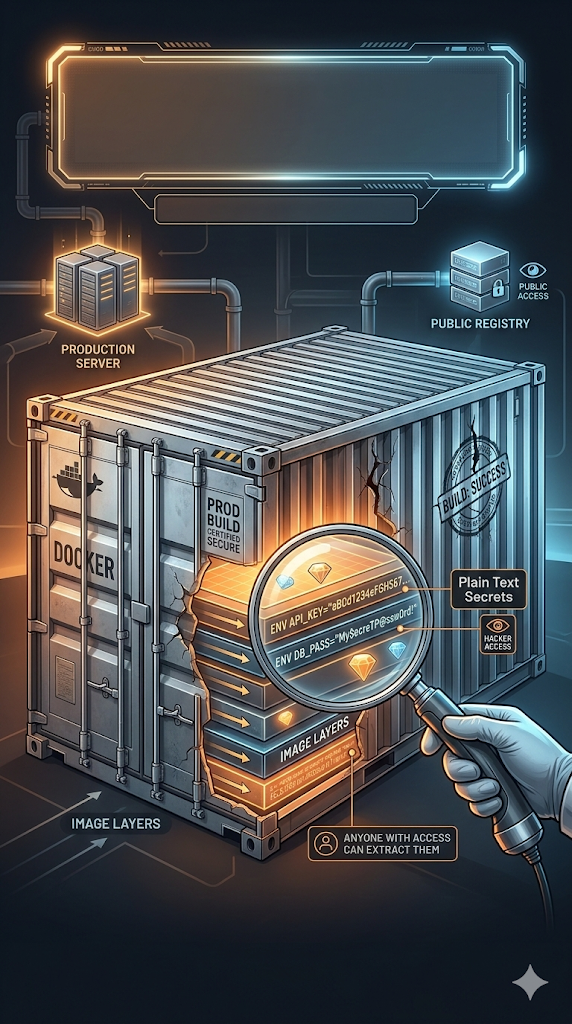
You ship your Docker image thinking everything is secure. But your API keys, database passwords, and cloud secrets are baked directly into the image layers. And anyone with access to that image can extract them in plain text.
Let's break down how this happens — and how to fix it correctly.
The Silent Killer: Hardcoding Secrets in Dockerfile
Many developers write something like this:
ENV DATABASE_URL=postgres://user:password@prod-db:5432/mydb
ENV AWS_SECRET_KEY=AKIAIOSFODNN7EXAMPLE
It feels harmless.
The image is "private," right?
Wrong.
The Dangerous Truth About Docker Layers
Docker images are built in layers. Every instruction in your Dockerfile creates a new layer. Even if you later overwrite or remove a value, the original layer still exists in the image history.
Anyone with access to the image can run:
docker history myapp:latest --no-truncAnd they will see:
- All ENV variables
- All build-time commands
- All embedded secrets
In plain text.
This is not speculation. This is how Docker works.
Why This Is So Dangerous
If your image is:
- Pushed to a registry
- Shared with CI/CD systems
- Used in multiple environments
- Cached in build servers
Then your secrets are silently replicated everywhere. And if someone gains access to the image:
They gain access to your infrastructure.
The Correct Rule: Secrets Never Belong in the Image
Your Dockerfile should never contain secrets.
Clean example:
FROM python:3.11-slim
COPY . .
CMD ["python", "main.py"]
No credentials. No tokens. No keys.
Passing Secrets at Runtime (The Basic Safe Approach)
Instead of embedding secrets during build, pass them at runtime:
docker run --env-file .env myapp:latestThe .env file:
- Is not baked into the image
- Is not stored in image layers
- Is injected only when the container runs
This is significantly safer.
But in production, we can do even better.
Production-Grade Approach: Docker BuildKit Secrets
Modern Docker supports secure secret injection during build using BuildKit.
Here's how it works.
Step 1: Use Secret Mounting in Dockerfile
FROM python:3.11-slim AS builder
RUN --mount=type=secret,id=db_password \
 export DATABASE_URL=$(cat /run/secrets/db_password) && \
 pip install -r requirements.txt
FROM python:3.11-slim
COPY --from=builder /app /app
CMD ["python", "main.py"]
Important detail:
The secret is mounted temporarily at:
/run/secrets/db_passwordIt exists only during that specific RUN command.
It is never written into a layer.
It never appears in docker history.
It never ends up in the final image.
Step 2: Pass the Secret During Build
docker buildx build \
  --secret id=db_password,src=./secrets/db_password.txt \
  -t myapp:latest .
What happens here:
- The secret is available during build
- It is not committed into any layer
- It is not present in the final image
- It cannot be extracted later
This is how you safely handle secrets during image builds.
Why Multi-Stage Builds Matter
Notice this structure:
# Stage 1: Builder
FROM python:3.11-slim AS builder

WORKDIR /app
COPY requirements.txt .
RUN pip install --prefix=/install -r requirements.txt

COPY . .

# Stage 2: Final Image
FROM python:3.11-slim

WORKDIR /app
COPY --from=builder /install /usr/local
COPY --from=builder /app /app

CMD ["python", "main.py"]
The first stage may access secrets temporarily.
The final stage:
- Contains only the application artifacts
- Does not include secret mounts
- Does not include build context
- Does not include sensitive data
This separation is critical in secure container architecture.
The Golden Rules of Container Secrets
- Never use
ENVfor sensitive credentials. - Never hardcode secrets in Dockerfile.
- Never pass secrets via
ARGeither (they also leak in layers). - Use runtime environment variables for simple setups.
- Use BuildKit secret mounts for secure builds.
- In real production systems, use a secret manager (Vault, AWS Secrets Manager, etc.).
Why Even "Private Images" Aren't Safe
Many teams assume:
"The image is in a private registry. It's fine."
But consider:
- CI systems cache layers
- Developers pull images locally
- Backup systems snapshot registries
- Staging environments replicate production images
Every copy increases the attack surface. If the image leaks once, your secrets leak forever.
Final Takeaway
The most dangerous Docker vulnerability isn't a CVE (Common Vulnerabilities and Exposures).
It's this:
Hardcoding secrets into image layers. Because once a secret is inside a layer, it's permanently embedded in the image's history.
Even if you delete it later. Even if you override it. Even if you think it's hidden.
Security in containers isn't about hoping no one looks.
It's about designing your build process so there is nothing to find.