

The transition from a standard security practitioner to a high-tier offensive operator is marked by one thing: the optimization of the interface. In the modern cybersecurity landscape, your desktop is your cockpit. If there is cognitive friction, you've already lost the flow.
This report details the architectural transformation of a vanilla Kali Linux environment into the fsocietyhub workstation — a setup designed for maximum efficiency, psychological dominance, and pure skillsmaxxing.

In our last Tutorial we learned how to automate the full Post Installation Setup Procedure. Now its time to bring some individual touch to our kali workstation.
For configuring your Kali Linux Workspace in a clean and professional way, read my last Article.
1. The Philosophy of Offensive Interface Design
Aesthetics are not just "visuals" — they are performance metrics. A professional-grade interface reduces the mental load required to process complex system states.
- Visual Clarity: High-contrast palettes allow for rapid data ingestion during high-stakes engagements.
- Branding: A highly optimized workstation signals technical mastery. It distinguishes the elite consultant from the "script kiddie."
- God-Mode: We aim for a state where the machine is a seamless extension of the analyst's intent.
2. The Foundation: System Sync & Injection
We reject the "if it ain't broke, don't fix it" mentality. We opt for full system synchronization to eliminate FUD (Fear, Uncertainty, Doubt) caused by outdated kernels.
sudo apt update && sudo apt full-upgrade -y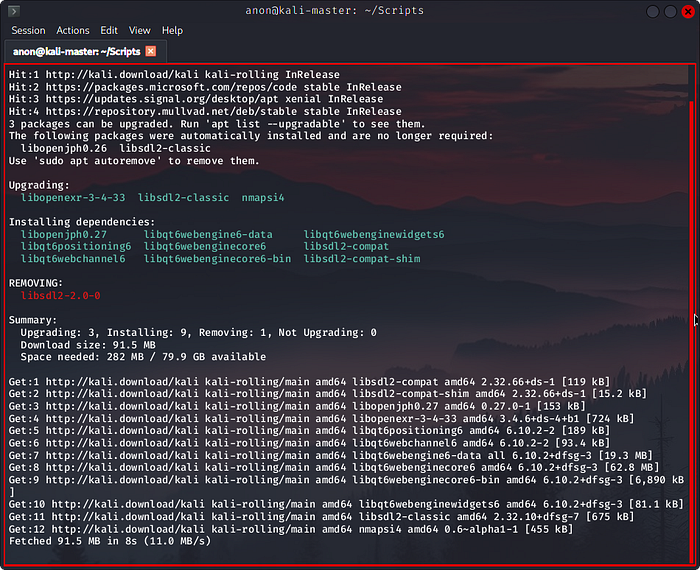
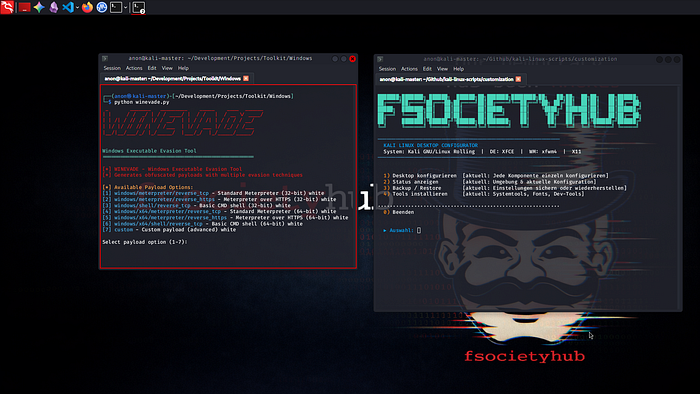
Kali Linux — Custom Desktop
The fsocietyhub Essential Package Stack
| **Package Category** | **Tools Included**       | **Primary Purpose**                                   |
| -------------------- | ------------------------ | ----------------------------------------------------- |
| Window Composition   | picom, nitrogen          | Transparency, shadows, and wallpaper management       |
| UI/Navigation        | rofi, waybar, alacritty  | App launching, status monitoring, and terminal access |
| File & Hardware      | thunar, bluez, blueman   | Lightweight file management and Bluetooth control     |
| Media & Control      | playerctl, pavucontrol   | Audio mixer and hardware media key integration        |
| Graphics & Screen    | scrot, flameshot, arandr | Documentation of findings and display layout          |
3. Typography: The Terminal's DNA
The choice of typeface is the most critical decision in terminal engineering. One syntax error can kill a payload. We use the FiraCode Nerd Font Protocol.
- Ligatures: Transforms standard characters into logical symbols.
- Glyphs: Essential icons for modern status bars.
mkdir -p ~/.local/share/fonts
# Fetch the patched font
curl -fLo "FiraCode Nerd Font.ttf" [Link]
fc-cache -fv
4. Aesthetic Engineering: GTK & Qt Unity
Inexperienced practitioners suffer from visual inconsistency. The fsocietyhub protocol enforces a unified dark aesthetic across both GTK (Thunar) and Qt (Wireshark/VirtualBox) environments.
- GTK: Use
lxappearanceto set Catppuccin-Red-Dark. - Qt: Deploy
qt5ctandkvantum. - Crucial Step: Export the environment variable to prevent "light-mode" flashbangs:
export QT_QPA_PLATFORMTHEME=qt5ct
5. Keyboard-Driven Mastery (The TWM Pivot)
Stacking windows is for office clerks. High-performance analysts use Tiling Window Managers (TWMs) like i3 or Sway.
- Non-overlapping tiles: Maximum screen utilization.
- Pure Keyboard Workflow: Zero reliance on the mouse "meatspace."
- Transparency: Use
picom -bto monitor background Nmap scans through your primary terminal.
6. Automation: The deskenv.sh Bash Script
Manual configuration is a waste of cognitive resources. The deskenv.sh script automates the "maxxing" protocol:
- Desktop Config: Auto-deploys i3/Sway with optimized gaps.
- Status Monitoring: Custom Waybar with VPN/IP readouts.
- Tool Injection: Instant installation of dev-tools and Nerd Fonts.
Final Execution
To ascend to the elite tier, clone the repo and run the automation:
git clone https://github.com/fsocietygit/kali-linux-scripts.git
cd kali-linux-scripts
chmod +x deskenv.sh
./deskenv.sh

Implementation Resources:
- Main Repository: fsocietygit/kali-linux-scripts
- Automated Customization Script: deskenv.sh
fscocietyhub github:
Conclusion
Moving away from the friction of standard environments toward an automated, keyboard-driven cockpit is the ultimate alpha move. WAGMI.