"The app runs. Done."
Security, image size, vulnerabilities — all of that felt like future-me's problem.
But as I started working more with backend systems and cloud deployments, I kept hearing terms like hardened images, CVEs, and secure-by-default containers.
Honestly? At first, they sounded intimidating.
So I did what I usually do when something doesn't click — I broke it down until it made sense to me.
This post is that explanation, written for anyone who's just starting out.
First things first: what is a Docker image?
A Docker image is basically a package that contains:
- Your application code
- The language runtime (Python, Node, Go, etc.)
- System libraries and tools your app needs
When this image runs, it becomes a container.
Most of us start with images like:
- python
- node
- ubuntu
They work great. But they also come with a lot of extra stuff.
The hidden problem with "normal" images
Standard images are built to be general-purpose, not secure by default.That means they often include:
- Shells like bash
- Package managers like apt or apk
- Debugging tools
- Libraries your app never actually uses
At first glance, this doesn't seem bad. But over time, it leads to real issues.
1. Bigger attack surface
More software = more ways something can go wrong.
2. More vulnerabilities
Every extra package can introduce known security issues (CVEs).
3. Slower deployments
Large images take longer to download, start, and deploy.
This is where hardened images come in.
So… what are hardened Docker images?
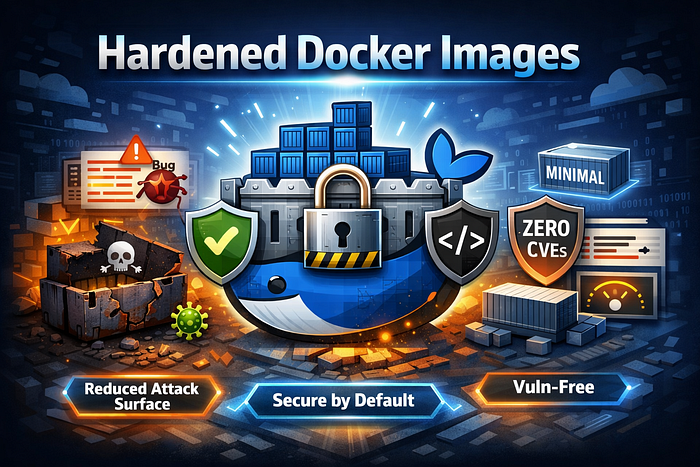
A hardened Docker image is an image that's built with security as a first-class goal.
The simplest way I think about it is this:
A hardened image contains only what the application truly needs to run — nothing extra.
No unnecessary tools.
No unused libraries.
No accidental exposure.
What actually makes an image "hardened"?
Most hardened images share a few key traits:
✅ Minimal by design
They remove anything that isn't required at runtime — often no shell, no package manager.
✅ Fewer (or zero) known vulnerabilities
They're built from patched components and rebuilt regularly when new vulnerabilities are discovered.
✅ Smaller size
Smaller images:
- Pull faster
- Start faster
- Deploy faster
✅ Safer defaults
They usually:
- Run as a non-root user
- Have stricter permissions
✅ Trusted and verifiable
Many hardened images are signed, so you can verify where they came from and that they haven't been tampered with.
The analogy that finally made it click for me
Think of your application as a house 🏠
A normal image is like a house with:
- Lots of unused rooms
- Multiple unlocked doors
- Extra windows you never use
A hardened image is like a house with:
- Only the rooms you need
- Locked doors
- Fewer entry points
Both are houses.
One is just much safer to live in.
What does "vuln-free" mean?
You might hear the term "vuln-free" (short for vulnerability-free).
This simply means:
- The image has zero known vulnerabilities at the time it was built
Important detail I learned the hard way:
Vuln-free does not mean "secure forever."
New vulnerabilities are discovered all the time — which is why continuous rebuilding and updates matter.
Who provides hardened images?
Some companies focus entirely on this problem:
- Chainguard
Builds minimal, signed images that aim to have zero known CVEs at build time.
- RapidFort
Takes existing images and hardens them by removing unused components based on how the app actually runs.
You can also apply hardening practices yourself, but these tools make it much easier at scale.
Why this matters in real-world systems
This isn't just a "security team problem".
Hardened images help with:
- 🔐 Fewer production security issues
- 🚀 Faster CI/CD and deployments
- 📉 Easier compliance and audits
- 🧠 Less noise from constant CVE alerts
In production systems, less risk upfront saves a lot of pain later.
Do beginners need to worry about this?
If you're just learning Docker locally — probably not right away.
But if you're deploying to:
- Kubernetes
- Cloud platforms (AWS, GCP, Azure)
- Production environments
Then understanding hardened images is absolutely worth it, even early in your career.
Final thoughts
I used to think hardened images were an "advanced" topic.
Now I see them as good defaults.
They don't replace writing good code — but they give your application a safer foundation to run on.
If this post helped something click for you, that's a win for me — because that's exactly why I wrote it.