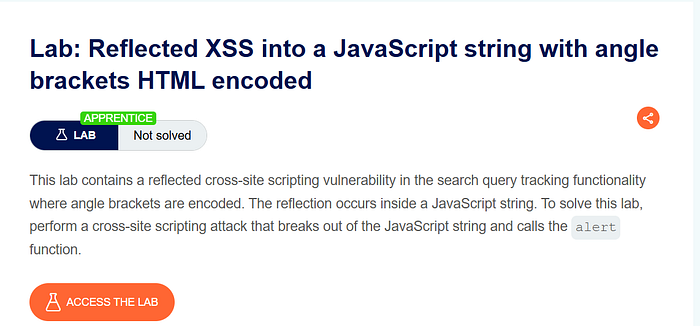

Lab Overview
This lab demonstrates a reflected cross-site scripting vulnerability where user input is inserted into a JavaScript string. Although angle brackets are HTML-encoded, the application fails to properly secure the JavaScript context.
The goal of the lab is to execute JavaScript in the browser by breaking out of a JavaScript string.
At first glance, the application appears safe because it encodes < and > characters. However, the real vulnerability is not in the HTML context, but inside a JavaScript string.
Step 1 — Exploring the Application
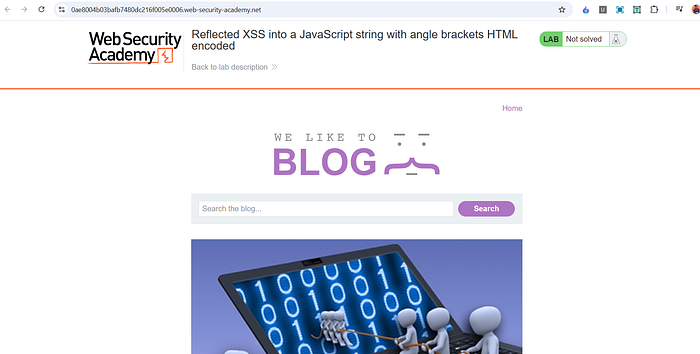
After opening the lab, I explored the page and found a search feature.
To understand how the application handles input, I searched for:
hello
The page responded normally.
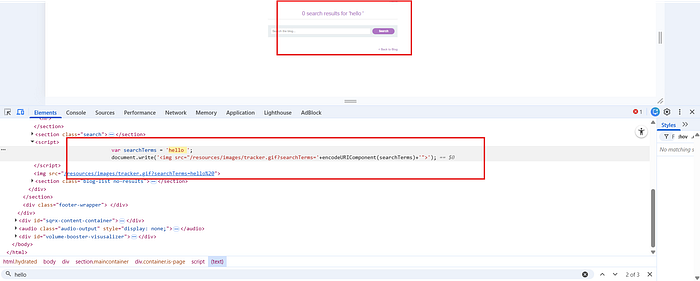
I then opened Developer Tools to inspect where the search term appeared in the DOM.
I found two locations:
- Inside an
<h1>tag:
<h1>0 search results for 'hello'</h1>
- Inside a JavaScript block:
var searchTerms = 'hello' document.write('<img src="/resources/images/tracker.gif?searchTerms='+encodeURIComponent(searchTerms)+'">');
The second location was more interesting because the input was placed inside a JavaScript variable.
Step 2 — Understanding the Vulnerable Context
In the script section, the user input is directly assigned to a variable:
var searchTerms = 'hello'
This means the input is placed inside single quotes inside JavaScript.
Even though angle brackets are encoded, this does not matter here because the injection point is inside a JavaScript string, not inside HTML tags.
If we can break out of the string, we can execute arbitrary JavaScript.
Step 3 — Crafting the Payload
Since the input is inside:
var searchTerms = 'USER_INPUT'
We need to:
- Close the existing string.
- Inject our own JavaScript.
- Prevent syntax errors.
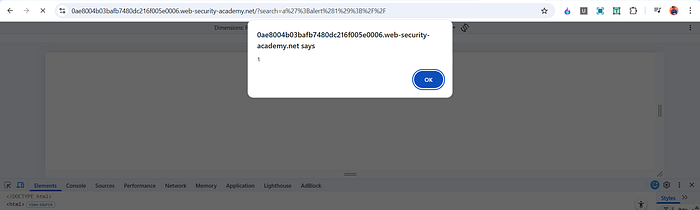
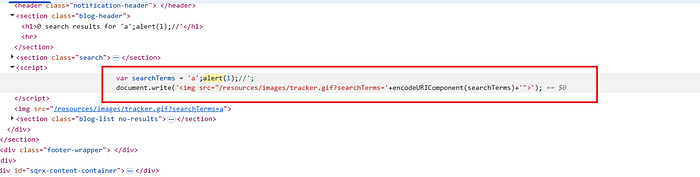
I used the following payload:
a'alert(1);//
When submitted, the script became:
var searchTerms = 'a'alert(1);//'
Here is what happens:
- The first single quote closes the original string.
alert(1);executes as normal JavaScript.//comments out the remaining part of the line to prevent errors.
As soon as the page loaded, the alert box appeared, confirming successful exploitation.
Why This Payload Works
Let's break it down clearly.
Original code: var searchTerms = 'hello'
After injection: var searchTerms = 'a'alert(1);//'
Step-by-step explanation:
'a'closes the original string.alert(1);executes immediately.//turns the rest of the line into a comment.- The trailing quote is ignored because it is inside the comment.
This works because JavaScript executes sequentially. Once we escape the string, we are writing real JavaScript code.
Angle bracket encoding does not protect against this attack because no <script> tag is needed. The injection occurs directly inside a script block.
Why This Is Reflected XSS
This is reflected XSS because:
- The payload is sent through the search request.
- The server reflects it immediately inside the response.
- It is not stored in the database
- The attack works through a crafted URL.
The vulnerability exists because user input is inserted into JavaScript without proper escaping for the JavaScript context.
Impact
If this vulnerability existed in a real application, an attacker could:
- Steal session cookies
- Execute arbitrary JavaScript
- Redirect users
- Modify page content
- Perform actions on behalf of the victim
Since the payload runs automatically when the page loads, no user interaction is required.
Mitigation
To prevent this vulnerability, the application should:
- Properly escape user input before inserting it into JavaScript strings.
- Use safe templating methods that automatically handle context-aware encoding.
- Avoid directly embedding user input inside script blocks.
- Implement a strong Content Security Policy to limit script execution.
Encoding angle brackets alone is not enough. Input must be encoded according to the specific context — HTML, attribute, or JavaScript.
Conclusion
This lab highlights the importance of understanding context in XSS vulnerabilities. Even if HTML tags are encoded, applications can still be vulnerable if user input is placed directly inside JavaScript code without proper escaping.
The key lesson is that security must be context-aware. Protecting against HTML injection does not automatically protect against JavaScript injection.
📬 Stay Connected
If you found this helpful and want to learn more about web security, hands-on labs, feel free to follow me for upcoming posts.
✍️ Follow me for more cybersecurity write-ups 🔗 LinkedIn — codermayank 📸 Instagram — @mayhack_