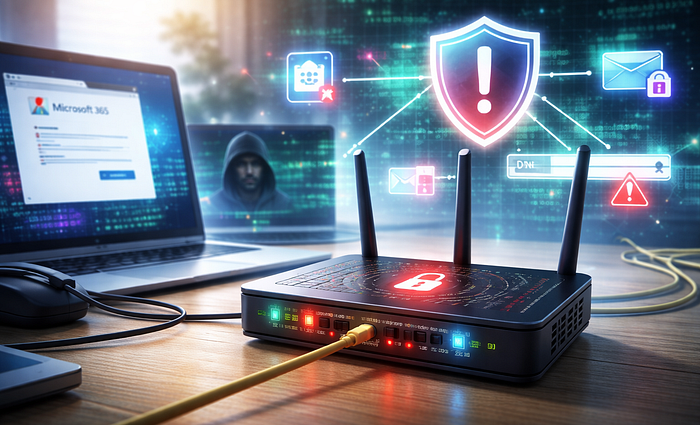

Hackers Are Using Old Routers To Steal Microsoft 365 Access
How DNS hijacking on neglected routers can expose Microsoft 365 logins, email access, and small-business security.
Most people think about cybersecurity in terms of laptops, phones, passwords, and maybe antivirus software. Small businesses often think the same way, just with more devices and a Microsoft 365 subscription layered on top. The router usually gets ignored. It sits in a corner, works quietly, and rarely gets attention unless the internet goes down.
That blind spot is exactly why this recent Russian-linked activity matters.
The UK's National Cyber Security Centre warned on April 7, 2026 that APT28 has been exploiting vulnerable routers to change DNS settings and redirect traffic through attacker-controlled systems. The goal is not just to break internet access. The goal is to quietly place the attacker between the user and the service being accessed, which can expose passwords, OAuth tokens, and other authentication material used for web and email services.
For normal users and small businesses, the practical meaning is simple. A compromised router can quietly send someone to the wrong place, even when the browser looks normal and the user types the correct address.
The Real Problem Is Not Just A Hacked Router
When people hear "router attack," they often picture a hacker shutting down Wi-Fi or stealing bandwidth. That is not the main concern here. In this case, the router becomes a traffic controller for everything behind it, including desktops, laptops, phones, tablets, and sometimes printers or smart devices. The NCSC says attackers modified DHCP and DNS settings on small-office and home-office routers so downstream devices inherited the malicious DNS servers automatically.
That creates a dangerous chain reaction.
A single neglected router can affect every person and every device using that connection. In a house, that could mean a personal laptop, a spouse's phone, and a child's tablet. In a small office, that could mean a receptionist's PC, an owner's laptop, a billing workstation, and employees checking cloud email on mobile phones. The user may do nothing obviously wrong. The router has already poisoned the path.
This matters even more for Microsoft 365 users because email is often the front door to everything else. Once attackers gain access to an email account or steal valid authentication material, they may be able to read messages, intercept invoices, reset passwords, impersonate staff, or pivot into other systems tied to that identity. Microsoft and outside reporting indicate this activity has supported adversary-in-the-middle attacks against Outlook on the web and related authentication flows.
What DNS Hijacking Looks Like In Plain English
DNS is the system that translates a name like outlook.office.com into the numerical destination your device needs. If DNS is trustworthy, the request goes where it should. If DNS is hijacked, the request can be redirected.
Think of DNS like a phone book for the internet. If someone swaps out the page you rely on, you can dial the right name and still reach the wrong number.
That is why router-based DNS hijacking is so effective. The attacker does not always need malware on the computer. The attacker does not always need to trick each victim one by one with a fake email. By changing the router's DNS settings, the attacker can influence where every connected device goes when it tries to reach specific services. The NCSC says this activity enabled adversary-in-the-middle attacks that harvested passwords and authentication tokens.
Krebs on Security, citing Black Lotus Labs, reported that the campaign at one point involved more than 18,000 routers, many of them unsupported or badly outdated SOHO models. The reported method focused on changing DNS settings rather than dropping malware onto the routers.
That detail matters because many home users and business owners still assume danger only exists when a virus gets installed. Router compromise does not need to look like a typical virus problem.
Why Regular Users Should Care
A home user may think, "I do not run a company, so who cares about my router?" That is the wrong question.
The better question is this: what accounts live behind that router?
Personal email, bank logins, shopping accounts, saved browser sessions, cloud documents, family photos, and mobile devices all depend on a trusted network path. If the router is compromised, every login that crosses that path becomes more exposed. Even when attackers are interested in larger targets, broad opportunistic campaigns can still pull ordinary users into the net first. The NCSC said the operation appeared opportunistic at scale, with a wide pool of victims and later filtering for users of intelligence value.
Regular users also tend to keep routers far longer than they should. Plenty of households are still using aging hardware from an ISP handoff, an old electronics-store purchase, or a hand-me-down device that has not seen a meaningful firmware update in years. Once support ends, the device may keep working perfectly from the user's point of view while quietly becoming a security liability.
A working router is not the same thing as a safe router.
Why Small Businesses Should Take This Personally
Small businesses are especially exposed because they often live in the gap between consumer habits and enterprise risk.
A five-person office may rely on a cheap router, a flat network, a shared Wi-Fi password, and Microsoft 365 for everything from email to file sharing and vendor communication. That setup feels normal because it works. It is also fragile.
If attackers can tamper with DNS at the router level, they may not need to defeat every endpoint separately. They can target the network's trust layer instead. For a small business, the damage can be operational, financial, and reputational:
- A stolen mailbox can expose client data.
- A hijacked invoice thread can redirect payments.
- A compromised owner account can unlock cloud files and reset linked services.
- A manipulated login flow can bypass the false comfort of "we have MFA, so we are safe."
Krebs reported that stolen OAuth tokens can be especially valuable because they may be captured after a user already completed multi-factor authentication, giving attackers a path into the account without repeating the full login process.
That is the kind of detail many non-technical business owners never hear explained clearly. They are told to enable MFA, which is still a smart move, but not told that network-layer interference and token theft can still undermine account security.
The Router Has Become A Business System
Many people still treat the router like an appliance. In practice, it is infrastructure.
It decides how every connected device reaches the internet. It hands out settings to other devices. It shapes trust across the entire local network. When it is outdated, badly configured, or unsupported, it stops being a neutral utility and starts becoming an attack surface.
This is the shift more users need to understand. The router is no longer "just the Wi-Fi box." It is part of the security stack, whether people acknowledge it or not.
That does not mean every home office needs enterprise networking gear. It does mean the router deserves the same basic hygiene most people already accept for laptops and phones: updates, password changes, support-life awareness, and periodic review.
Practical Steps Home Users And Small Businesses Can Take Right Now
The good news is that the practical response is not complicated.
- Start with firmware. If the router has not been updated in a long time, update it. If the manufacturer no longer provides updates, replace it. Unsupported networking equipment should not remain in active service just because it still powers on.
- Change the default admin credentials immediately if that has never been done. Use a strong, unique password that is not reused anywhere else.
- Check whether remote management is enabled. If it is on and not absolutely necessary, turn it off. Many small users do not need the router's admin panel exposed beyond the local network.
- Review the DNS settings on the router. If they point to unfamiliar IP addresses or unexpected providers, that is a red flag. The NCSC warning specifically centers on attackers modifying DHCP and DNS behavior on vulnerable routers.
- Rebooting the router may restore function, but it does not fix the underlying risk if the device is still vulnerable or misconfigured. Review settings after the reboot, not just connectivity.
- For small businesses, separate guest Wi-Fi from business devices. Keep employee systems, owner laptops, and back-office machines off the same network used by visitors or unmanaged devices.
- Review Microsoft 365 sign-in activity and account sessions if there is any suspicion of exposure. Reset passwords, revoke active sessions, and review authentication methods where appropriate. If a business suspects token theft or suspicious mailbox activity, it should treat that as a serious incident, not a minor glitch.
- Replace old hardware on purpose, not after a crisis. Unsupported routers are cheap until they become expensive.
A Better Way To Think About Home And Small-Business Security
Cybersecurity advice often fails regular people because it starts at the wrong layer. It starts with jargon, enterprise tools, or dramatic worst-case scenarios. Most users need a simpler framing.
Ask one question: what device quietly affects everything else?
In many homes and small offices, that device is the router.
The current APT28 warning is not just a state-sponsored threat story for government agencies and intelligence circles. It is a reminder that neglected infrastructure creates real exposure for ordinary users and smaller organizations too. Attackers do not always need a flashy exploit on the PC in front of you. Sometimes they just need the forgotten box between you and the internet.
A fast laptop, a patched browser, and strong passwords all still matter. None of them cancel out a compromised path.
Treat the router like part of the system, because it is.