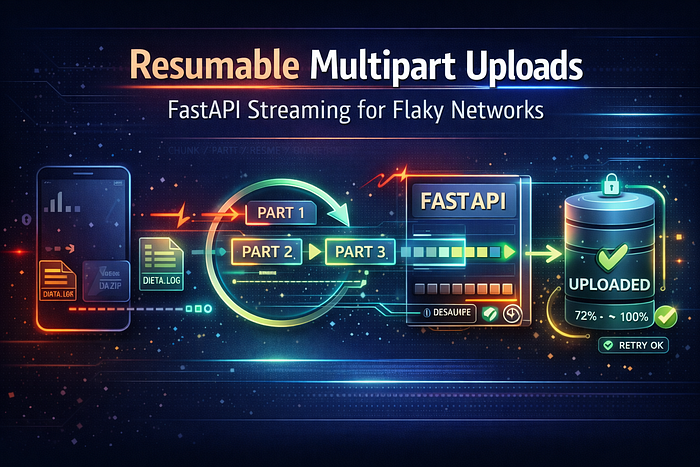

Stop making users restart 600MB uploads from 0%. Stream chunks, persist offsets, and let mobile clients resume safely — even after tunnels, elevators, and spotty LTE.
If you've ever tried uploading a video from a phone while walking through a metro station, you already know the villain: the network doesn't fail politely. It drops. It stalls. It reconnects with a new IP. And your "simple" upload endpoint turns into a rage-click factory.
Let's be real — "just retry the request" is not a strategy when the payload is big.
What you actually want is resumable ingest: the client can send chunks, the server can confirm progress, and a reconnect continues from the last byte written. FastAPI can do this cleanly, but you have to lean on the right primitives: streaming request bodies and upload sessions.
Why normal UploadFile uploads still break under flaky networks
FastAPI's standard file upload flow uses UploadFile, which inherits from Starlette's UploadFile. It provides async read/write methods and is backed by an internal SpooledTemporaryFile—meaning it can keep small uploads in memory and spill larger ones to disk.
That's great for memory safety. But it doesn't solve the "resume" problem.
Because a classic multipart/form-data request is one transaction: if it fails at 93%, the client usually has to restart the whole thing. There's no built-in, universally-supported "continue from byte N" semantics for plain multipart uploads.
So: UploadFile helps you handle large uploads, but it doesn't make them resumable.
The core idea: treat a big upload as a session + many chunks
Here's the architecture that works in practice:
Client (mobile)
  |
  | 1) POST /uploads/init  -> upload_id, chunk_size
  |
  | 2) PUT /uploads/{id}/chunk  (bytes + offset)
  |    retry-safe, idempotent
  |
  | 3) HEAD /uploads/{id} -> current_offset
  |
  | 4) POST /uploads/{id}/complete -> finalize / assemble
  v
FastAPI
  |
  | streams request body -> writes to temp/object storage
  | stores offset in DB/redis
  v
Storage (disk/S3/GCS)
This is basically what resumable upload protocols formalize (more on that soon). The trick is implementing the minimum viable version without buffering the entire request.
Streaming the request body in FastAPI (the "don't buffer me" switch)
Starlette's Request.stream() yields the incoming body as byte chunks without storing the entire body in memory. Important caveat: once you stream it, you can't later call .body(), .form(), or .json() on the same request.
That's perfect for chunk endpoints: you want raw bytes, not form parsing.
A working FastAPI design: init + upload chunk + status + complete
Below is a compact, production-shaped pattern. It uses:
- a server-generated
upload_id - an
Upload-Offsetheader (client says where this chunk should start) - a persistent offset store (Redis/DB in real life; in-memory dict here for clarity)
- streaming writes via
request.stream()
1) Initialize an upload
from fastapi import FastAPI
from pydantic import BaseModel
import secrets

app = FastAPI()

# Demo-only; use Redis/DB in real life
uploads = {}  # upload_id -> {"path": "...", "offset": int}

class InitResponse(BaseModel):
    upload_id: str
    chunk_size: int

@app.post("/uploads/init", response_model=InitResponse)
async def init_upload():
    upload_id = secrets.token_urlsafe(16)
    uploads[upload_id] = {"path": f"/tmp/{upload_id}.bin", "offset": 0}
    return InitResponse(upload_id=upload_id, chunk_size=5 * 1024 * 1024)
2) Query current offset (for resume)
This mirrors the idea in resumable protocols: the client asks "how much do you have?" and continues from there.
from fastapi import Response, HTTPException

@app.head("/uploads/{upload_id}")
async def upload_status(upload_id: str, response: Response):
    meta = uploads.get(upload_id)
    if not meta:
        raise HTTPException(404, "Unknown upload_id")
    response.headers["Upload-Offset"] = str(meta["offset"])
    return Response(status_code=204)
The Upload-Offset concept is explicitly defined by the tus resumable upload protocol, which requires the offset to match server state (or return a conflict).
3) Stream a chunk and advance the offset
from fastapi import Request

@app.put("/uploads/{upload_id}/chunk")
async def upload_chunk(upload_id: str, request: Request):
    meta = uploads.get(upload_id)
    if not meta:
        raise HTTPException(404, "Unknown upload_id")

    expected = meta["offset"]
    got = int(request.headers.get("Upload-Offset", "-1"))
    if got != expected:
        # Client is out of sync; tell them where to resume
        raise HTTPException(
            409,
            detail=f"Offset mismatch. Expected {expected}, got {got}."
        )

    path = meta["path"]

    # Stream bytes directly to disk (or stream onward to object
storage)
    written = 0
    with open(path, "ab") as f:
        async for chunk in request.stream():
            f.write(chunk)
            written += len(chunk)

    meta["offset"] += written
    return {"ok": True, "received": written, "offset": meta["offset"]}
This is the heart of "resumable ingest": chunks are retryable, offsets are authoritative, and the server never needs the whole file in memory. The streaming behavior is guaranteed by request.stream() semantics.
4) Complete (validate size/hash, then finalize)
@app.post("/uploads/{upload_id}/complete")
async def complete_upload(upload_id: str):
    meta = uploads.get(upload_id)
    if not meta:
        raise HTTPException(404, "Unknown upload_id")

    # In production: verify checksum, file type, expected length, etc.
    # Then move to durable storage / enqueue processing.
    return {"ok": True, "path": meta["path"], "bytes": meta["offset"]}
Where "multipart" fits (and why S3/GCS make it even better)
If you control the client, you can send each chunk as:
- raw bytes (
application/octet-stream) like above (simplest) - or multipart form if you need metadata per chunk (but note multipart parsers have their own limits)
In many real systems, the best "multipart" is object storage multipart upload:
- Amazon S3 multipart upload lets you upload parts independently and retry failed parts without restarting the whole object.
- Google Cloud Storage resumable uploads use multiple requests and can return
308 Resume Incomplete, withContent-Rangeguidance to continue.
A very pragmatic production setup is:
- FastAPI creates an upload session (and maybe presigned URLs)
- Mobile uploads parts directly to S3/GCS (resumable by design)
- FastAPI only orchestrates + verifies + triggers processing
This reduces pressure on your API servers and makes flaky networks much less painful.
Guardrails you shouldn't skip (security + reliability)
Streaming is great, but limits still matter
Multipart and large bodies can become a DoS vector if you don't enforce caps. Starlette/FastAPI discussions and advisories highlight multipart size limits and security concerns; for example, Starlette introduced max_part_size defaults (often 1024KB) to mitigate risks.
Tune your server buffering if needed
If you're seeing odd behavior with large bodies, Uvicorn exposes settings like --h11-max-incomplete-event-size (how many bytes to buffer for an incomplete event) which can influence large/fragmented requests.
Make chunks idempotent
Offsets help, but real clients retry. Add:
- a
chunk_idheader (UUID) - a dedupe table keyed by
(upload_id, chunk_id) - or enforce fixed chunk sizes and predictable offsets
When to adopt a standard protocol (tus is the obvious choice)
If you want battle-tested client libraries and consistent semantics, tus exists for exactly this: "resumable and reliable file uploads across the web."
It defines mechanisms like Upload-Offset and conflict handling, and it has popular clients (e.g., Uppy tus) that work well in browsers and mobile webviews.
You can still use FastAPI as the server-side implementation point — or run a tus server alongside it — depending on how much protocol surface you want to own.
Conclusion: make uploads boring, even on terrible networks
Resumable ingest isn't "nice-to-have" when your users are mobile. It's the difference between "upload succeeded" and "why does your app hate trains?"
The recipe is straightforward:
- Use streaming request bodies (
request.stream()) so you don't buffer giant payloads. - Track upload sessions + offsets so retries resume instead of restarting.
- Consider S3 multipart or GCS resumable uploads for durability and scale.
- Add guardrails (size limits, idempotency, auth) so it stays safe under load.
If you implement this, comment with your biggest constraint (mobile only? browser? 2GB videos? background uploads?) — and follow if you want a deeper follow-up on checksums, virus scanning pipelines, and direct-to-object-storage uploads with signed URLs.