The Problem
Standard IDOR tutorials tell you to change id=100 to id=101.
Modern applications don't use integers. They use UUIDs (e.g., 550e8400-e29b...).
You cannot brute-force UUIDs. You must find them.
This guide shows you exactly where to look and how to exploit the leakage.
Step 1: Find the Leak (Recon)
You need a victim's UUID. Since you can't guess it, the application must give it to you.
Target these specific features:
- Public Profiles: Click any user profile. Check the API response, not just the URL.
- Comment Sections: Load comments on a public post. Inspect the JSON for
authorId. - Team Members: Open a public workspace or team page. Look for member lists.
- Activity Feeds: Scroll through "Recent Activity" logs.
Burp Suite Tip:
Send all traffic to Logger++. Add a filter column for UUIDs.
Regex: [0-9a-f]{8}-[0-9a-f]{4}-[0-9a-f]{4}-[0-9a-f]{4}-[0-9a-f]{12}
If you see this regex in a public response, you have a potential key.
Step 2: Find the Sink (Private Data)
Now you need an endpoint that displays private data.
Target these endpoints:
/api/account/api/profile/me/api/settings/api/orders
The Check: Intercept the request. Does it send your UUID?
- If Yes: Can you change it?
- If No: Try adding
?userId=VICTIM_UUIDanyway. (Hidden parameters often exist).
Step 3: The Swap (Verification)
- Copy the Victim's UUID from Step 1.
- Open the Private Request from Step 2 in Burp Repeater.
- Replace Your UUID with Victim's UUID.
- Send.
Success Indicators:
- HTTP Status remains
200 OK. - Response body contains the Victim's email, phone, or API key.
- Response body contains
error: falsebut shows different data.
Real Example
1. The Leak You visit a public blog post. The comments API returns:
Public Profiles: Click any user profile. Check the API response, not just the URL.
Comment Sections: Load comments on a public post. Inspect the JSON for authorId.
Team Members: Open a public workspace or team page. Look for member lists.
Activity Feeds: Scroll through "Recent Activity" logs2. The Sink
 You go to your settings. The request is:
Burp Suite Tip: Send all traffic to Logger++. Add a filter column for UUIDs. Regex: [0–9a-f]{8}-[0–9a-f]{4}-[0–9a-f]{4}-[0–9a-f]{4}-[0–9a-f]{12} If you see this regex in a public response, you have a potential key.
Step 2: Find the Sink (Private Data)
Now you need an endpoint that displays private data.
Target these endpoints:
/api/account/api/profile/me/api/settings/api/orders
Why This Works
Developers assume UUIDs are secret because they are long. They forget that if the app shows the UUID to you, it is not secret. Authorization must check ownership, not just existence.
Checklist for Hunters
- Did I inspect JSON responses on public pages?
- Did I search for UUIDs in the traffic?
- Did I test private endpoints with foreign UUIDs?
- Did I try adding ID parameters to endpoints that don't usually have them?
Ethics
Only test on programs that allow vulnerability reporting. Unauthorized access is illegal.
3. Direct Advice: How to Find This Today
You asked for specific places and methods. Here is the direct workflow.
1. Where to Click (UI Triggers)
Do not just scan. Interact.
- Click every username you see on the dashboard.
- Open every notification in the bell icon.
- Load every tab in the settings menu (even if it looks empty).
- Search for users in the "Invite Team" or "Share" modal.
- Download a public report or invoice sample.
2. What to Search (Burp Suite)
Stop reading every response. Search for the pattern.
- Filter:
Response body matches regex: [0-9a-f]{8}-[0-9a-f]{4}-[0-9a-f]{4}-[0-9a-f]{4}-[0-9a-f]{12} - Filter:
Response body contains: "userId" OR "authorId" OR "ownerId" - Filter:
URL contains: /api/ OR /graphql
3. The "Hidden Parameter" Test
Many developers hide the ID from the URL but still accept it.
- If you see
GET /api/me, tryGET /api/me?userId=VICTIM_UUID. - If you see
POST /api/settings, try adding"userId": "VICTIM_UUID"to the JSON body. - If you see
Cookie: session=xyz, tryCookie: session=xyz; userId=VICTIM_UUID.
4. GraphQL Specifics
If the site uses GraphQL:
- Look for queries like
user(id: "UUID"). - Check if the schema allows you to query
userwithout authentication. - Check if you can query
privateFieldinside a publicuserquery.
5. JavaScript File Analysis
Download the main JS bundles (app.js, main.js).
- Search for
/api/endpoints. - Search for variable names like
currentUserId,authId,ownerId. - Sometimes the frontend code reveals endpoints the UI doesn't show.
6. Multi-Tenant Apps (SaaS)
This is the highest probability target.
- Create two accounts (Attacker & Victim).
- Put them in the same "Organization" or "Workspace".
- Try to access Victim's data using Attacker's session but Victim's
memberId. - BOLA is extremely common in multi-tenant logic.
7. Mobile APIs
- Proxy the mobile app traffic.
- Mobile APIs often expose more data than web APIs (less UI restriction).
- Look for
GET /user/profileendpoints that accept an ID parameter.
Summary Rule
If you can see the ID, you can use the ID.
The only thing that should stop you is the server checking if (request.id == session.id).
Most servers forget to check that.
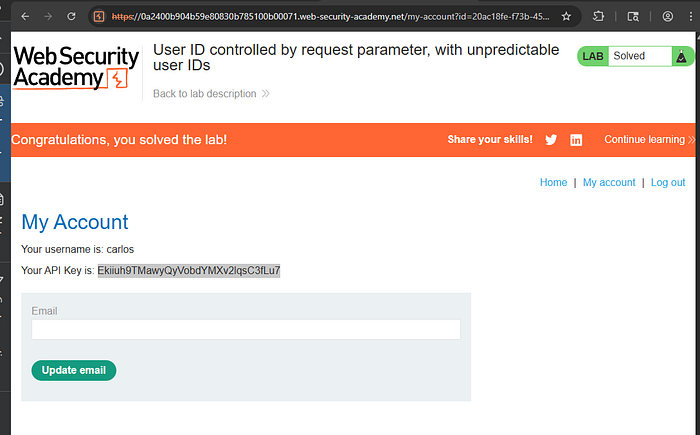
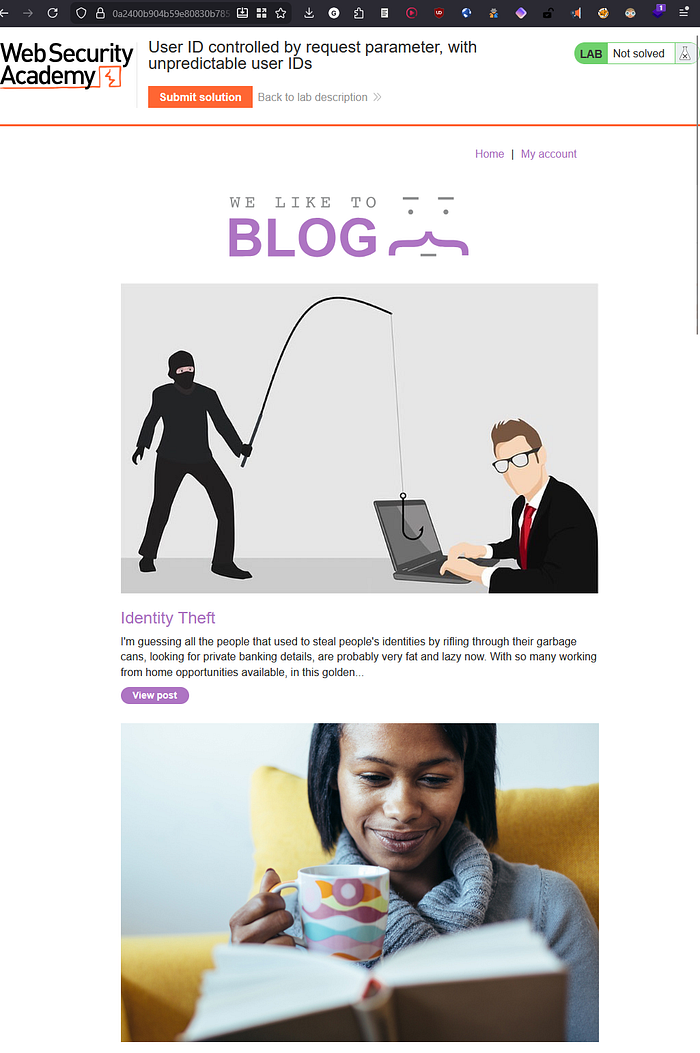
lab Find a blog post by carlos.
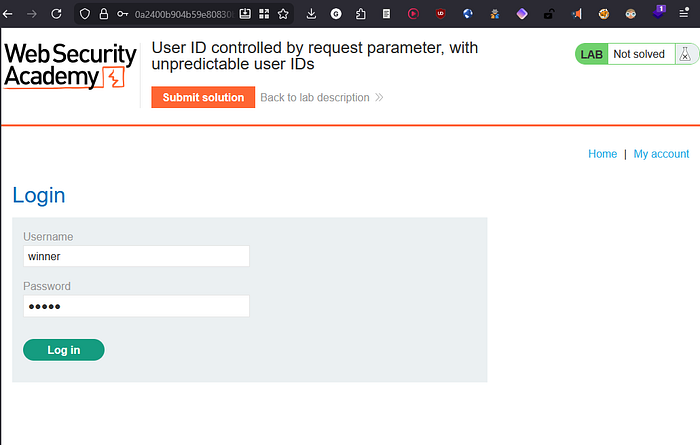
Log in using the supplied credentials and access your account page.
Click on carlos and observe that the URL contains his user ID. Make a note of this ID.
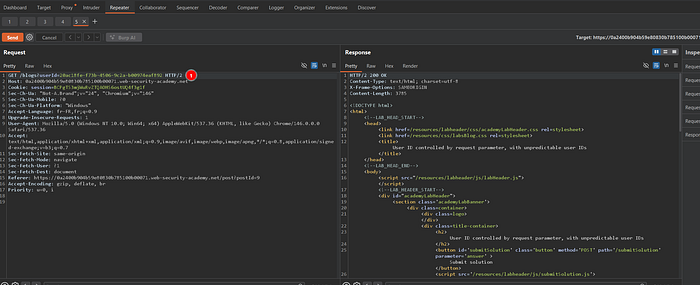
Change the "id" parameter to the saved user ID.
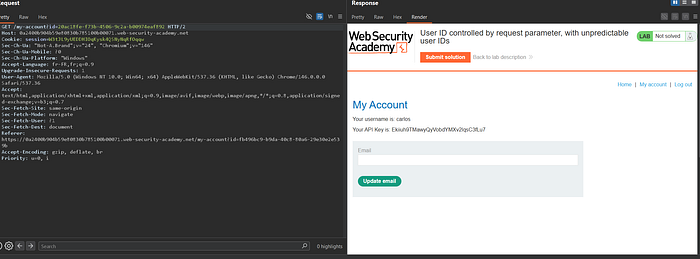
Retrieve and submit the API key.