
1. Introduction
What is an API?
An API (Application Programming Interface) is a way for two software systems to communicate with each other.
When you:
- log into a mobile app,
- order food online,
- check your bank balance,
- or use a cloud service,
your device is constantly sending API requests to backend servers.The frontend (website/mobile app) is only the interface.The real business logic happens through APIs.
Simple Real-World Example
When you open a weather app:
- Your app sends a request:
GET /weather?city=Pune2. Server processes it.
3. Server responds:
{
  "city": "Pune",
  "temperature": "31C"
}
This communication happens through APIs.
2. Why API Security Matters
Modern applications are heavily API-driven.
Today:
- mobile apps use APIs,
- frontend JavaScript applications use APIs,
- cloud platforms use APIs,
- AI tools use APIs,
- IoT devices use APIs.
This means:
APIs often expose the core functionality of applications.
If APIs are insecure:
- attackers may access sensitive data,
- bypass authentication,
- manipulate business logic,
- or compromise backend systems.
APIs Are High-Value Targets
Unlike normal web pages:
- APIs directly expose data and functionality.
- APIs often trust the client too much.
- APIs frequently handle authentication tokens.
Attackers target APIs because they:
- are predictable,
- expose structured data,
- and often lack proper authorization checks.
3. Rise of API Attacks
Traditional web attacks focused mainly on:
- HTML pages,
- forms,
- and browser behavior.
Modern attacks increasingly target:
- mobile APIs,
- cloud APIs,
- microservices,
- GraphQL endpoints,
- backend integrations.
Why API Attacks Increased ?
A. Mobile Applications
Mobile apps communicate almost entirely through APIs.
B. Single Page Applications (SPA)
Modern frameworks like:
- React,
- Angular,
- Vue
depend heavily on APIs.
C. Cloud Infrastructure
Cloud providers expose APIs for:
- virtual machines,
- storage,
- networking,
- automation.
D. Automation
APIs are designed for machine communication.
This makes automated attacks easier.
4. Goal of This Series
This blog series aims to:
- explain OWASP API Top 10 vulnerabilities,
- demonstrate practical exploitation,
- teach beginner-friendly API concepts,
- show how attackers analyze APIs,
- explain how vulnerabilities occur,
- and discuss mitigation strategies.
The labs are solved using the Payatu DVAPI environment.
The focus is:
understanding the logic behind vulnerabilities, not just memorizing payloads.
5. Understanding APIs
Before learning API hacking, beginners must understand how APIs work internally.
6. HTTP Basics
HTTP (HyperText Transfer Protocol) is the communication protocol used by APIs.
APIs mainly work through:
- requests,
- and responses.
Request Structure
An HTTP request contains:
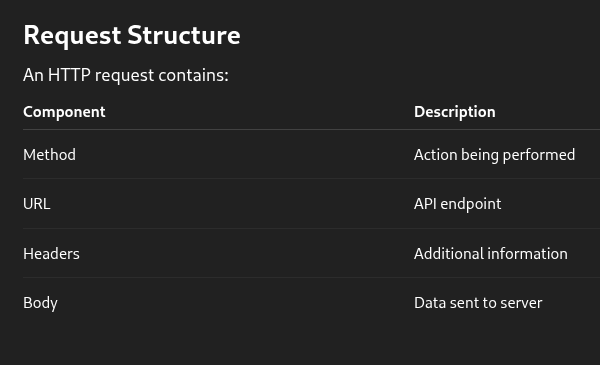
POST /api/login HTTP/1.1
Host: example.com
Content-Type: application/json
{
  "username":"admin",
  "password":"admin123"
}
HTTP Methods
GET :
Used to retrieve data.
Example:
GET /api/usersPOST :
Used to send/create data.
Example:
POST /api/registerPUT : Used to update entire resources.
PATCH : Used to partially update resources.
DELETE : Used to remove resources.
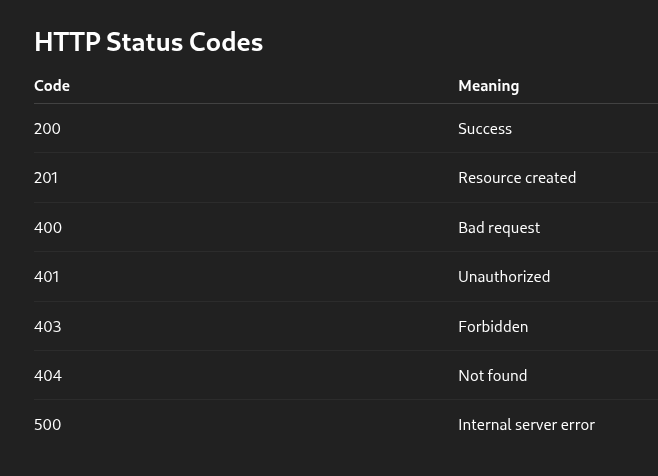
HTTP Status Codes
7. Authentication
Authentication verifies:
"Who are you?"
Authorization verifies:
"What are you allowed to do?"
Beginners often confuse these concepts.
Common Authentication Methods
A. Session-Based Authentication
Server stores session information.
Browser sends:
Cookie: PHPSESSID=xyzB. JWT Authentication
Server issues a token after login.
Example:
Authorization: Bearer eyJhbGc...JWTs are common in APIs.
C. API Keys
Simple secret tokens used for API access.
Example:
x-api-key: 123456Common Authentication Problems
- weak passwords,
- predictable tokens,
- missing MFA,
- insecure JWT validation,
- exposed API keys.
These relate directly to:
OWASP API2: Broken Authentication
8. JSON
Most APIs exchange data using JSON.
JSON = JavaScript Object Notation.
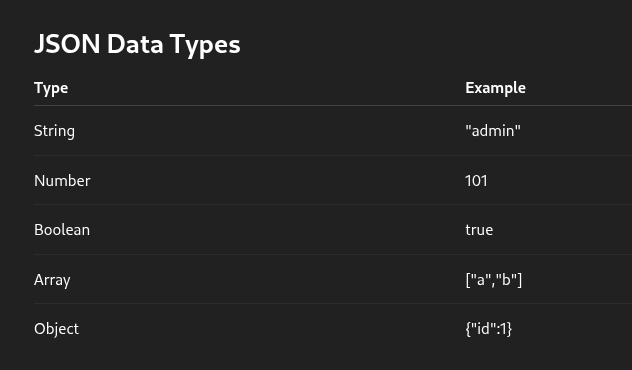
Example JSON Response
{
  "id": 101,
  "username": "vaibhav",
  "role": "user"
}
Nested JSON Example
{
  "user": {
    "id": 1,
    "profile": {
      "email": "test@test.com"
    }
  }
}
Understanding nested objects is critical for:
- API fuzzing,
- authorization testing,
- and property-level attacks.
9. REST APIs
REST (Representational State Transfer) is a common API architecture style.
REST APIs usually:
- use HTTP,
- use JSON,
- use predictable endpoints.
REST Endpoint Examples
ActionEndpointView usersGET /api/usersView one userGET /api/users/1Create userPOST /api/usersDelete userDELETE /api/users/1
REST Characteristics
Stateless
Server does not remember previous requests.
Each request contains all required information.
Resource-Oriented
Everything is treated as a resource:
- users,
- products,
- orders,
- messages.
Why REST APIs Become Vulnerable
Because developers often:
- trust client-side data,
- expose predictable identifiers,
- forget authorization checks,
- misconfigure endpoints.
10. Setting Up DVAPI Lab
DVAPI is a deliberately vulnerable API lab created for API security learning.
It allows safe practice of:
- API exploitation,
- authorization flaws,
- SSRF,
- business logic abuse,
- and more.
Docker Setup
DVAPI commonly runs using Docker.
Docker allows applications to run inside isolated containers.
Install Docker
Linux
sudo apt update
sudo apt install docker.io
Verify Installation
docker --versionRunning DVAPI
Clone the project:
git clone https://github.com/payatu/DVAPI.git
cd DVAPI
Use docker compose to build and run the application:
docker compose up --buildOr:
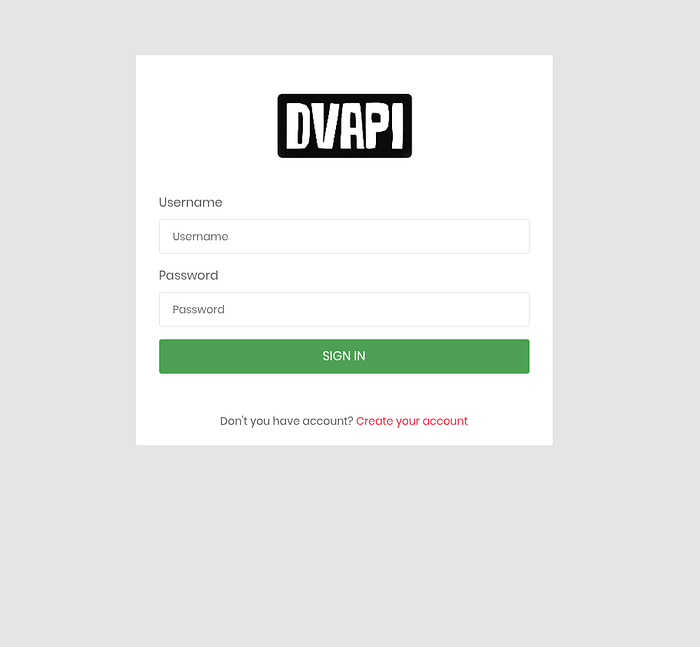
docker compose upAccessing the Lab
Usually:
http://localhost:3000Check documentation for exact ports.
Useful Docker Commands
View running containers
docker psStop containers
docker stop <container-id>Remove containers
docker rm <container-id>11. Tools for API Security Testing
A. Burp Suite
Most important API testing tool.
Used for:
- intercepting requests,
- modifying requests,
- replaying requests,
- analyzing responses.
B. Postman
Useful for:
- organizing API collections,
- testing endpoints,
- understanding request structures.
C. curl
Command-line API testing.
Example:
curl http://localhost:3000/D. Browser DevTools
Useful for:
- inspecting network traffic,
- understanding frontend API calls.
E. jq (Optional)
Useful for formatting JSON responses.
Example:
curl api-url | j