Two-Factor Authentication (2FA) is supposed to be the "gold standard" of account security. But what happens when the application assumes you've passed the second factor without actually checking it?
In this walkthrough, I'll demonstrate a 2FA Simple Bypass — a logical flaw where the server fails to properly enforce the 2FA state before granting access to sensitive pages.
The Strategy: Exploiting Session Persistence
The core of this vulnerability is a broken access control logic. The application validates your password and then "trusts" that you will follow the flow to enter the 2FA code. However, if the session is already initialized after the password check, we might be able to jump straight to the "protected" area.
Step 1: Establishing a Baseline
First, I logged into my own account (wiener:peter) to understand how a successful login flow works.
- Initial Login: Entered my credentials and was prompted for a 2FA code.
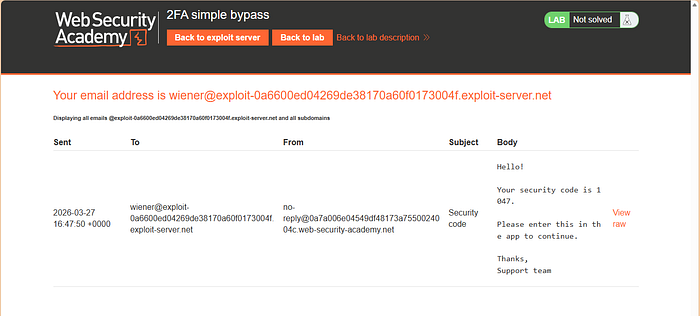
- Retrieve Code: Accessed the email client provided by the lab to find my verification code.
- Identify the Destination: After entering the code, I was redirected to
/my-account?id=wiener.
Crucial Note: I made sure to copy this URL structure. This is the "protected" endpoint we want to reach for the victim.
Step 2: Testing the Victim's Account
Now, the goal is to access Carlos's account (carlos:montoya) without knowing his 2FA code.
- Submit Credentials: I logged in using
carlos:montoya. - The 2FA Wall: The application redirected me to the
/login2page, asking for a verification code I didn't have. - The Bypass: Instead of entering a code, I manually edited the URL in the browser address bar. I changed the endpoint from
/login2directly to/my-account?id=carlosand hit Enter.
The Result: Full Account Takeover
Because the application checked the password but didn't verify if the 2FA step was completed before serving the /my-account page, I was granted full access to Carlos's dashboard.
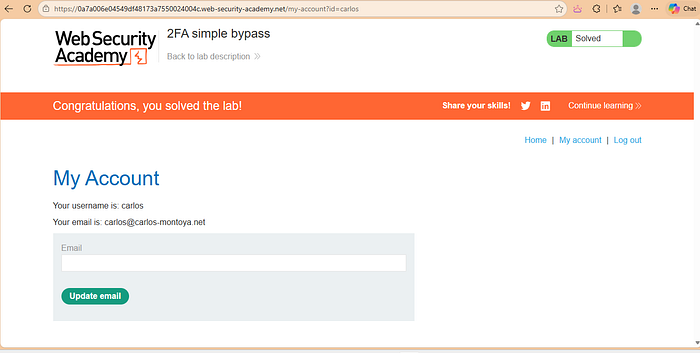
Success: By skipping the 2FA prompt, I accessed Carlos's account directly.
Why Did This Happen? (The Developer's Perspective)
This is a classic Broken Authentication flaw. The server likely set a "logged-in" session cookie immediately after the password was verified, but failed to add a second "2FA-verified" flag to that session.
How to Fix It:
- Enforce State: Ensure that pages like
/my-accountcheck for a specific "MFA_COMPLETED" flag in the user's session. - Sequential Logic: The session should remain in a "restricted" state until the 2FA code is verified. No account data should be accessible until that second factor is confirmed.