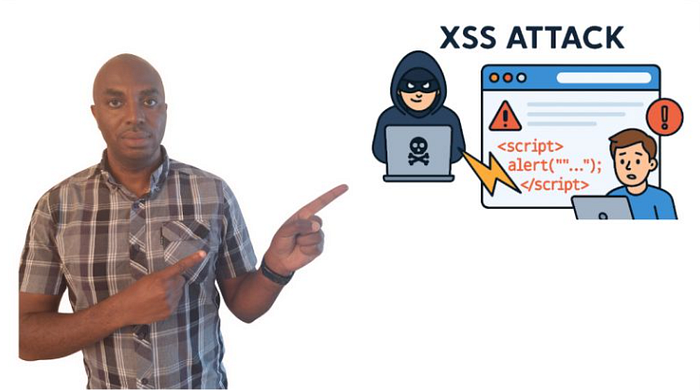

In this project, I discuss and demonstrate a variety of web‑based cyberattacks. To do so, I take on the role of a malicious actor and target different vectors of a mock web application to highlight its vulnerabilities and display the risks posed if exploited. With no further ado, let's get started:
Reflected Cross Site Scripting
The first web‑based attack I'm going to cover is reflected XSS. It exploits data received in an HTTP request and reflects it in the victim's browser.
How it works
An attacker tricks the victim into clicking a link (this can be done through an email campaign or other phishing methods). Once the victim clicks the link, a request is sent to a vulnerable website, and a malicious script executes when the site is visited. The consequences can range from the attacker performing actions in the application using the victim's identity, accessing and modifying the victim's information, or even interacting with other users of the application as the victim.
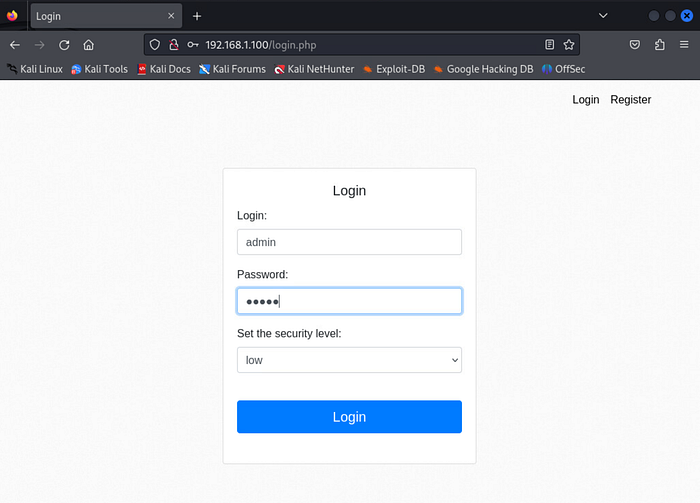
To begin my demonstration, I open a browser and navigate to http://192.168.1.100, which brings me to a login page (again, this is not a live website). I enter preconfigured credentials to access the site.
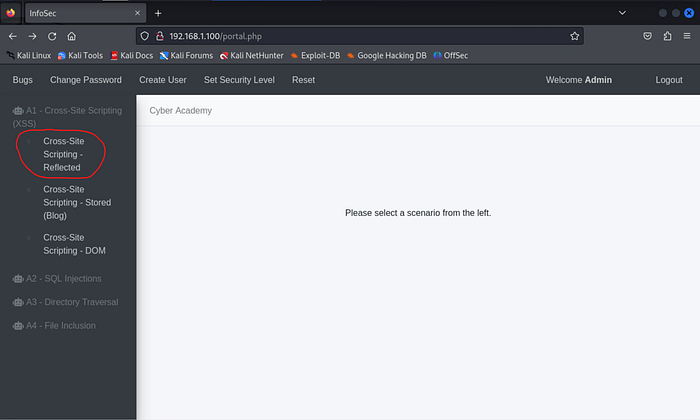
Under the "A1 — Cross‑Site Scripting (XSS)" menu on the left side of the page, I choose "Cross‑Site Scripting — Reflected" to navigate to the portion of the site vulnerable to this exploitation.
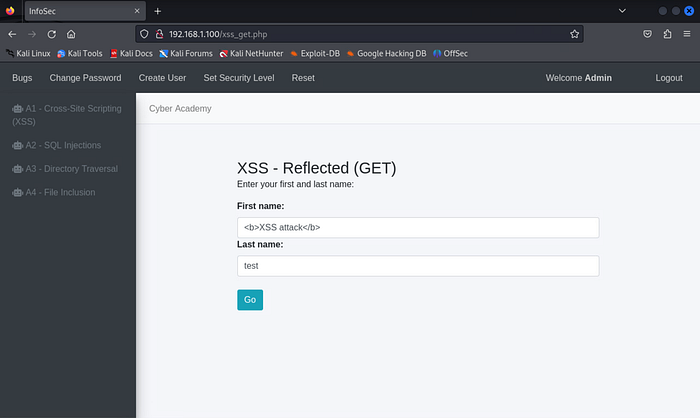
On the next page, I'm presented with two textboxes requesting my first and last name. Instead of providing my name, I enter <b>XSS attack</b> in the "First name" textbox and test in the "Last name" textbox. I then click the "Go" button.
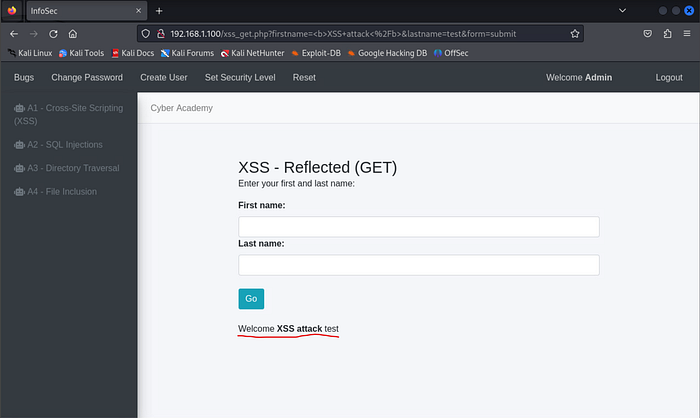
In the highlighted portion of the image, we can see that the website returns "XSS attack test" as if that were my actual first and last name. This tells me the site is vulnerable to XSS attacks because the HTML tags are not being properly filtered (specifically, it allows the < > special characters).
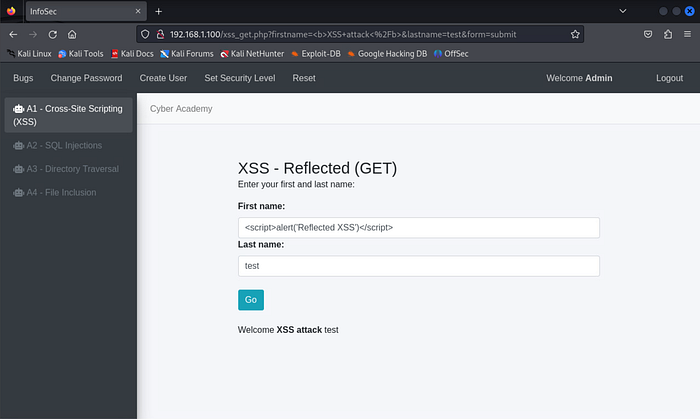
Now that I know an XSS vulnerability exists, I want to test specifically for its reflected variation. To do this, I enter the following JavaScript code into the "First name" textbox and click "Go":
<script>alert('Reflected XSS')</script>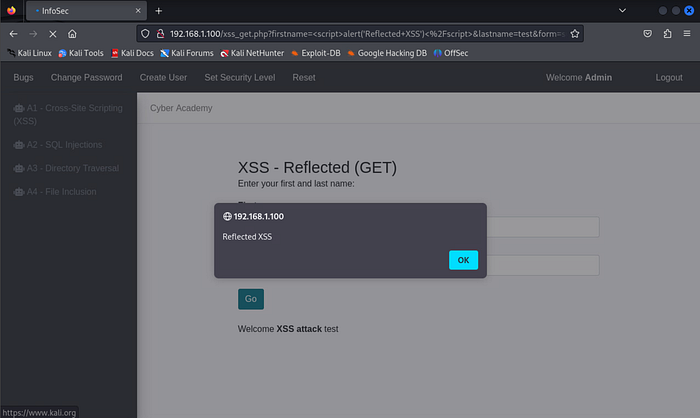
We now see that the JavaScript successfully executes and reflects the message "Reflected XSS", confirming the site is vulnerable to reflected XSS. The best way to prevent this vulnerability is to encode user input before displaying it on the page.
Stored Cross Site Scripting
Next, I discuss and demonstrate the stored variation of XSS, which tends to be more persistent. This version occurs when an attacker is able to store malicious scripts on a target server, causing those scripts to execute every time a user loads the affected page.
How it works
An attacker includes a malicious link in a website's comments section. When clicked, it can hijack the user's account or collect user data. These links are often crafted to look legitimate to bait users into clicking them.
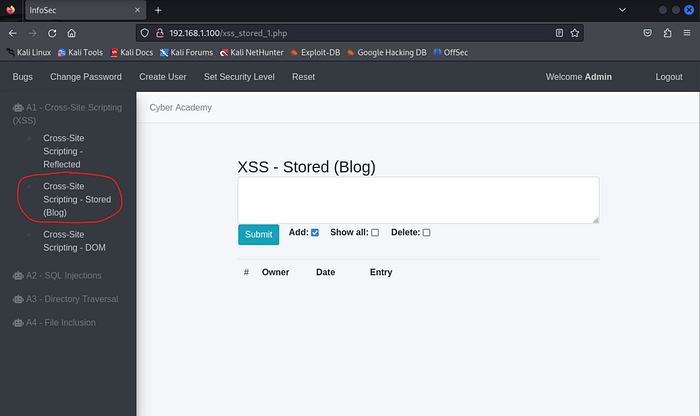
To reach the vulnerable portion of the mock website, I choose "Cross‑Site Scripting — Stored" under the "A1 — Cross‑Site Scripting (XSS)" menu. This loads a blogging page with a large textbox for entering content.
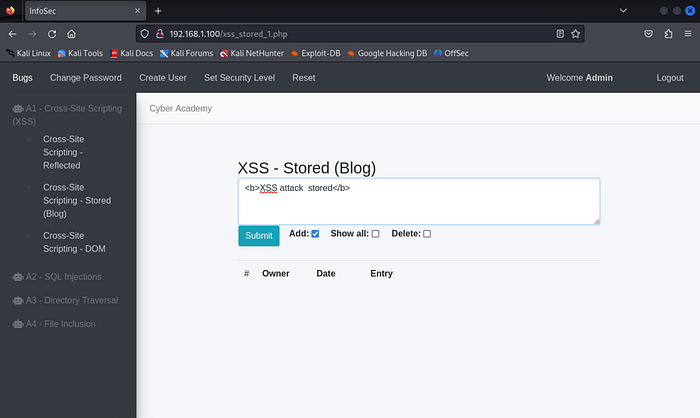
Just as I did in the reflected XSS demonstration, I enter the following HTML code to verify whether this page is vulnerable to XSS:
<b>XSS attack – stored</b>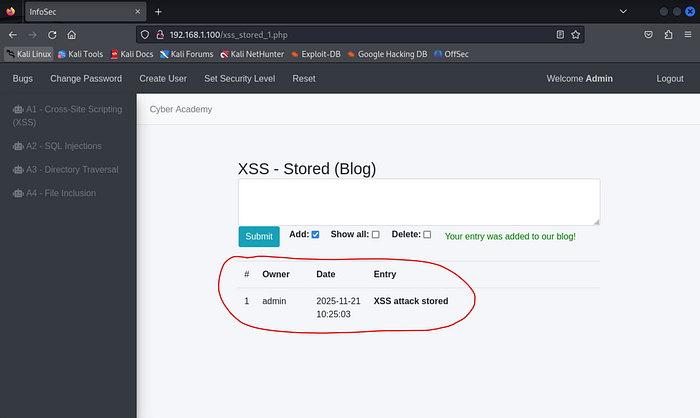
After clicking "Submit," we again see the HTML tags were not filtered, indicating the page is vulnerable.
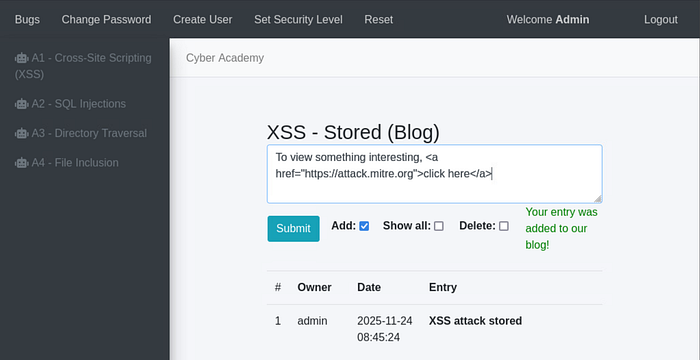
Now that I know XSS vulnerabilities exist here, I escalate my test by posting a hyperlink to a potentially malicious site:
To view something interesting, https://attack.mitre.orgclick here</a>(For the record, attack.mitre.org is not malicious.)
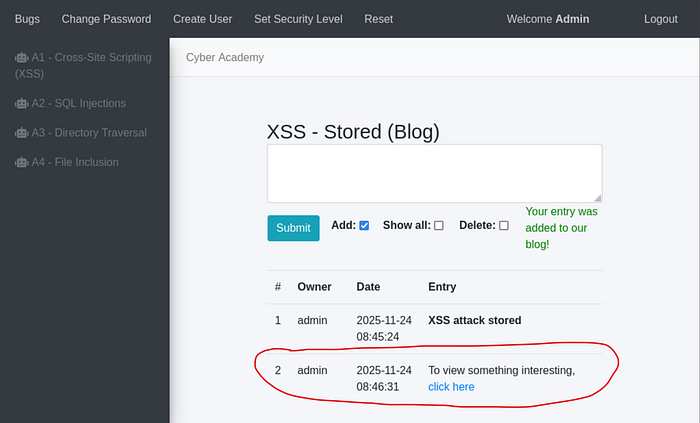
The highlighted portion of the image shows the hyperlinked "click here." Another user could click it and be redirected to any malicious site an attacker chooses.
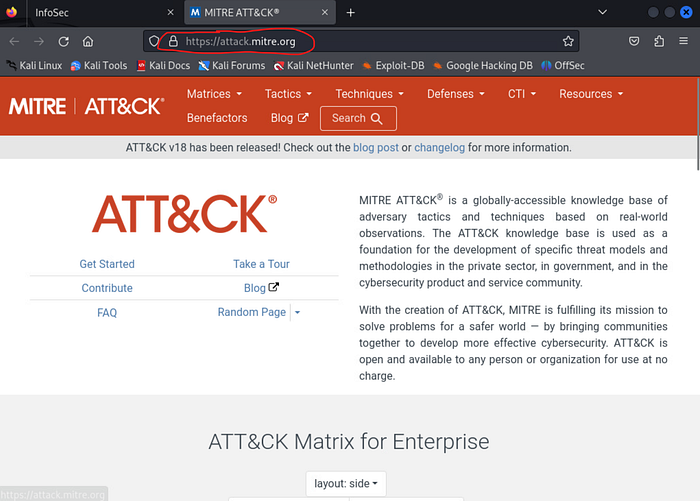
As mentioned earlier, clicking this particular example simply takes users to the MITRE ATT&CK framework's main page — something every cybersecurity professional should be familiar with. In a real scenario, the site administrator should remove the comment and restrict the associated account from posting further content.
DOM-Based Cross Site Scripting
DOM‑based XSS modifies client‑side code by altering the DOM environment. Unlike reflected and stored XSS, where malicious input originates from the server, DOM‑based XSS is generated client‑side through JavaScript.
The Document Object Model (DOM) is an API that represents how browsers render HTML and XML documents. It defines a document's structure and allows JavaScript to manipulate HTML elements.
How it works
These attacks occur by identifying a DOM source and a DOM sink. • A DOM source is typically user‑controlled input passed into a function by the application. • A DOM sink is the function that takes that data and executes it to modify HTML, enabling the XSS attack.
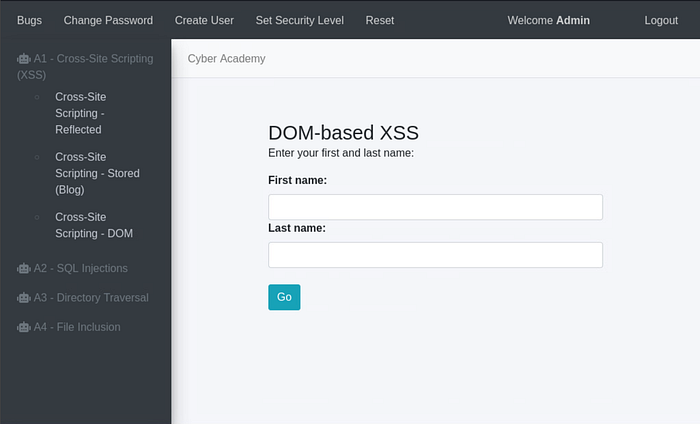
To proceed, I choose "Cross‑Site Scripting — DOM" under the "A1 — Cross‑Site Scripting (XSS)" menu. This brings me to a page that looks very similar to the reflected XSS example.
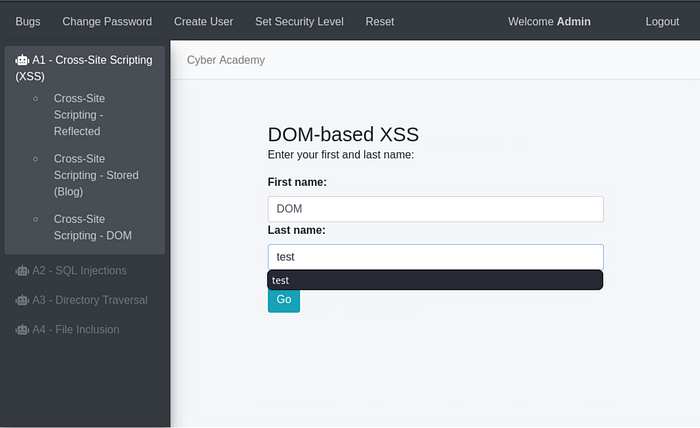
I enter DOM as the first name and test as the last name, then click "Go."
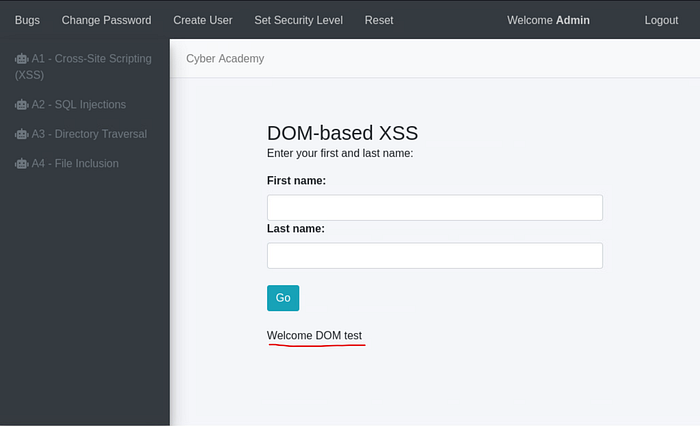
Visually, it appears that "DOM" and "test" were simply passed as normal input. However, the GET request visible in the URL shows these values being pulled client‑side.
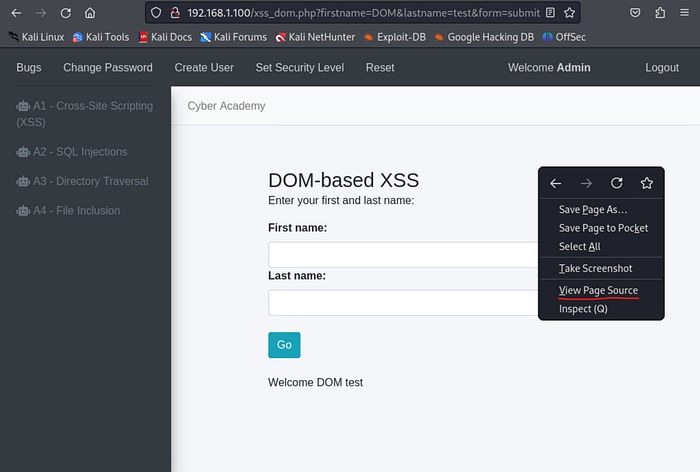
By right‑clicking the page and selecting "View Page Source," I begin searching for the DOM sink.
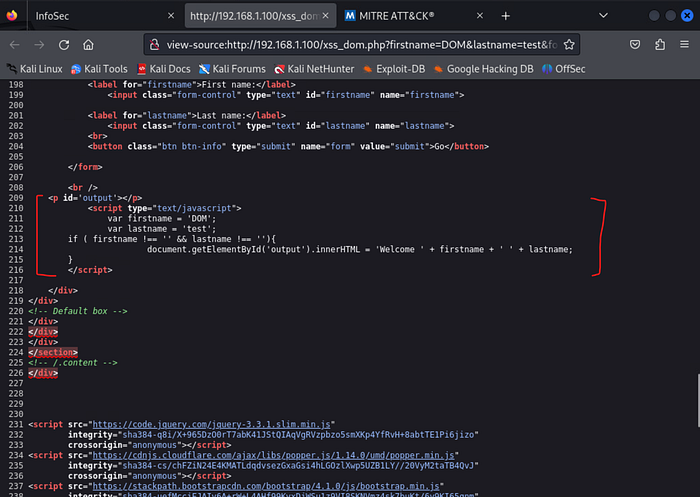
Examining lines 209–216, I can see the script displaying "Welcome DOM test." The script pulls data from the GET request and inserts it into the site using innerHTML(), making innerHTML() the sink.
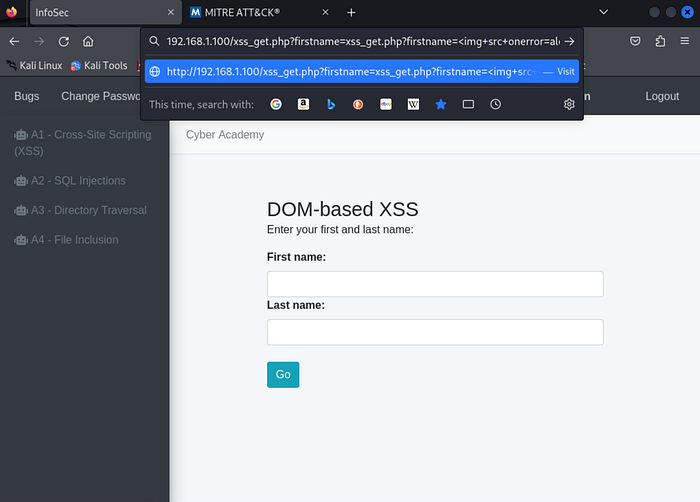
To prove the page is vulnerable, I modify everything after the first "/" in the URL to:
xss_get.php?firstname=<img src onerror=alert('DOM')>&lastname=test&form=submit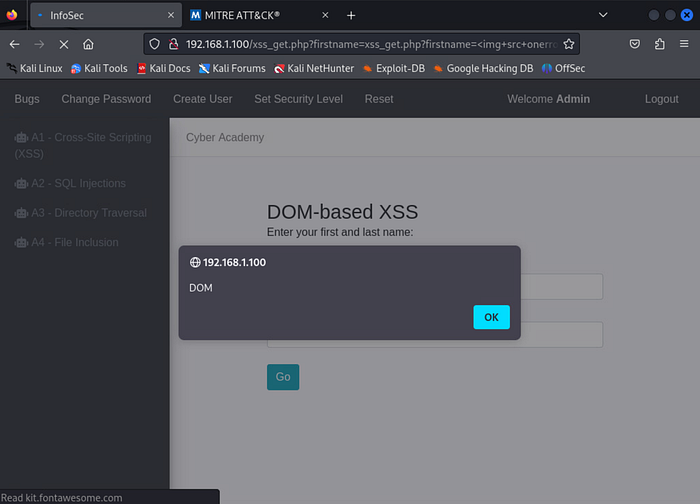
We can now see that part of the sink information is now displayed on the screen, proving that DOM-based XSS vulnerability is present on this page.
SQL Injections
SQL injection is a web security vulnerability that allows an attacker to inject malicious SQL statements into a database query. This enables unauthorized access to data such as other users' information.
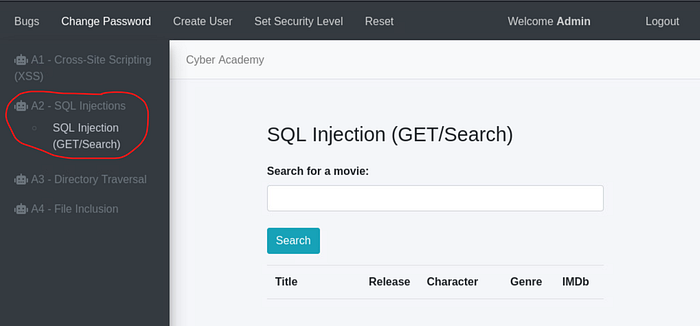
To test for this vulnerability, I navigate to the "A2 — SQL Injection" menu and choose "SQL Injection (GET/Search)."
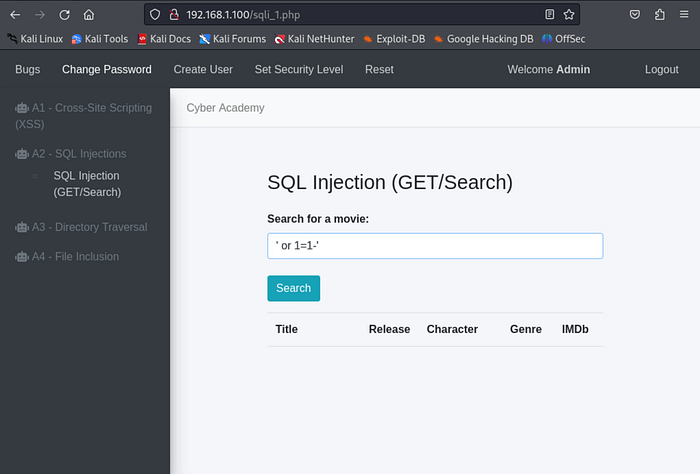
I use a common tactic by entering the following into the textbox:
'or 1=1-This works because 1=1 is always true.
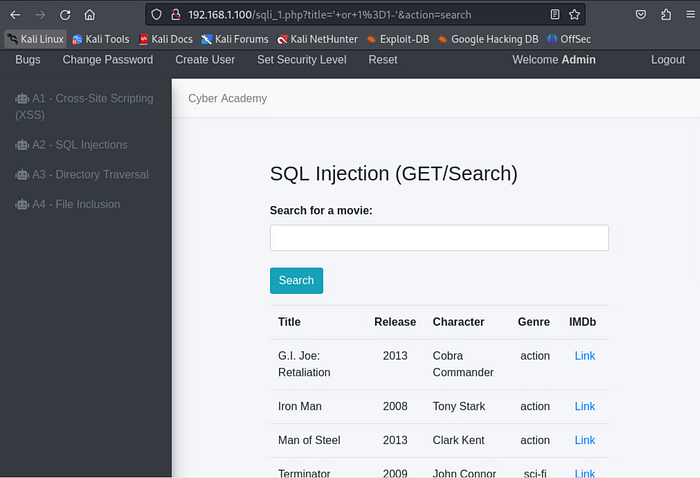
If character input is not properly sanitized, the query returns all entries from the table. The best way to mitigate SQL injection is strong input sanitization, such as escaping special characters and thoroughly testing for injection vulnerabilities before a web application goes live.
Directory Traversal
Directory traversal is a web security vulnerability that allows an attacker to access restricted directories on a server. These directories may contain sensitive files like application code, credentials, or OS files.
How it works
A directory traversal attack bypasses access control lists (ACLs) and escapes the root directory, granting access to sensitive files outside the web server's intended scope.
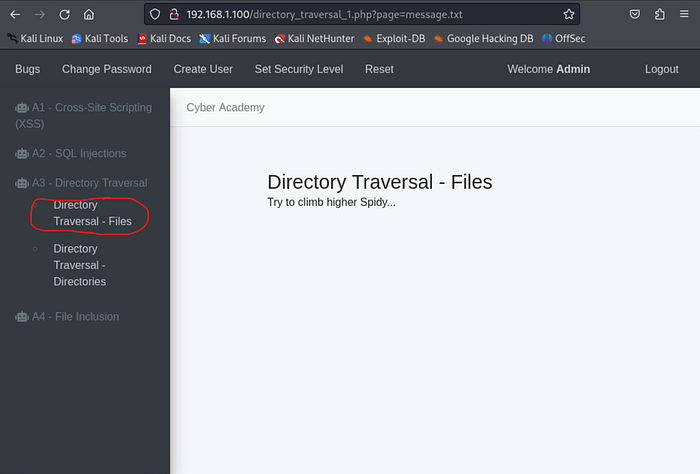
To test this, I open the "A3 — Directory Traversal" menu item and click "Directory Traversal — Files." Although there appears to be no input field, the URL reveals the site loads a file called message.txt.
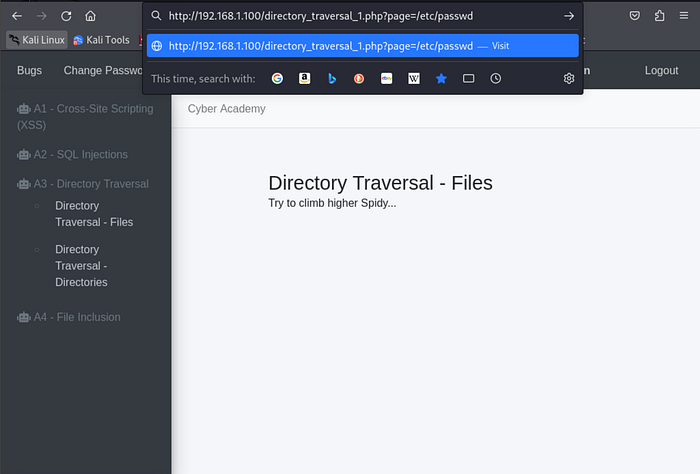
Now what if I were to hypothesize that this webpage utilizes the LAMP stack (Linux-Apache-MySQL-PHP) as its backend technology and replace "message.txt" with an internal Linux directory? I test the theory that this site uses the LAMP stack and replace "message.txt" in the URL with:
/etc/passwd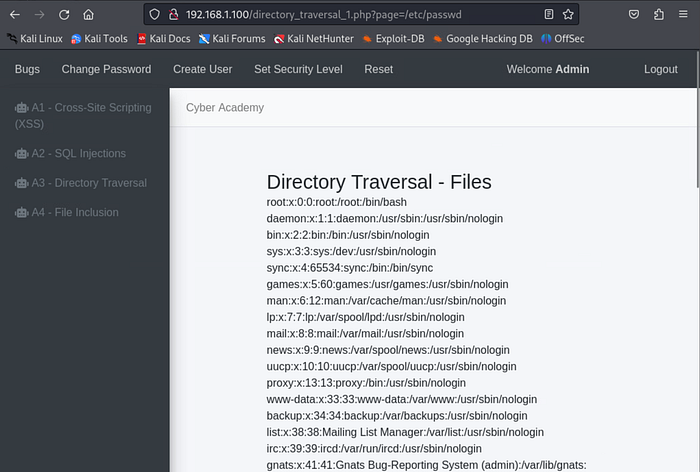
Voilà! This file stores internal user information for Linux systems. The page returns a listing of user and service accounts; information no regular end user should have access to.
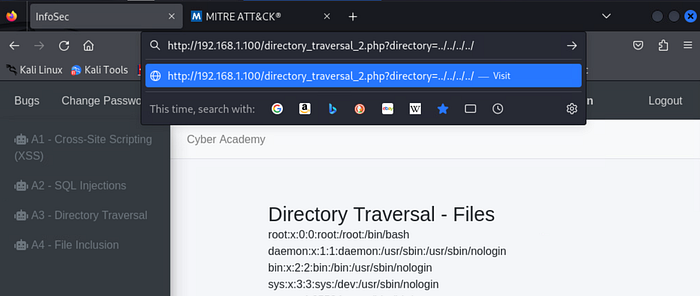
Next, I attempt to enumerate backend directories. I choose the "Directory Traversal — Directories" menu option and modify the URL to:
http://192.168.1.100/directory_traversal_2.php?directory=../../../../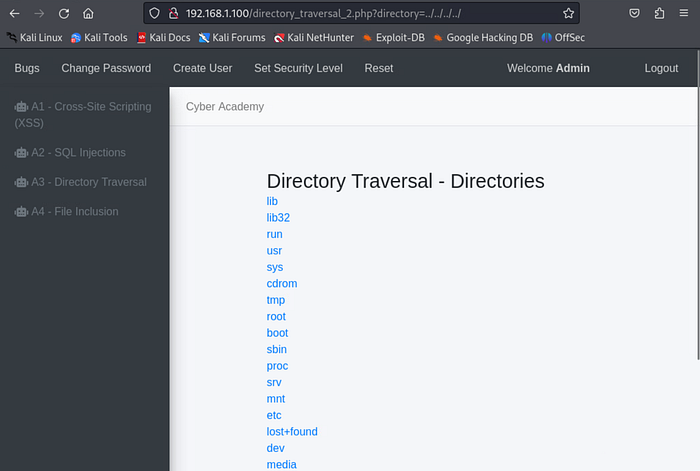
This reveals a full list of directories on the server. One can imagine the sensitive data that could be accessed with this vulnerability.
File Inclusion
File inclusion attacks occur when unvalidated input parameters are passed to server‑side functions that access files. An attacker may modify the filename in an HTTP request to include malicious scripts, potentially executing code, performing XSS, causing DoS, manipulating data, or accessing sensitive information. Local File Inclusion (LFI) allows attackers to include files that exist on the server.
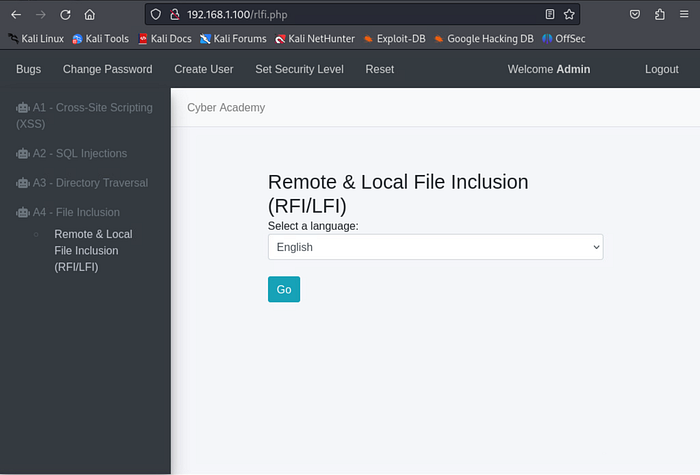
I navigate to the final area of the mock site: "Remote & Local File Inclusion (RFI/LFI)" under the "A4 — File Inclusion" menu. A dropdown menu appears for choosing a language.
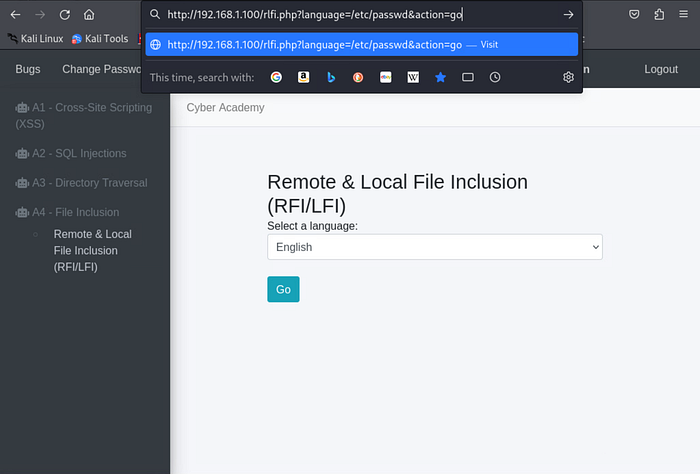
In the above image, we can see in part of the URL that there is a portion which says "language=". The variable (language code) that comes after it changes depending on language I chose from the drop-down menu and click the "Go" button (this is represented as "action=go" at the end of the URL). This tells me that the URL is calling to some external source for the page's output. What if I were to replace the variable that comes after "language=" with an internal directory (now that I know for sure a Linux operating system is being ran on the backend)? I replace the language parameter with:
/etc/passwdwhich sets it to call this internal directory instead of whatever file it uses to identify language codes. I also make sure that "action=go" remains in the URL and hit the enter key. This ensures that I get the same response as I would if I were to have clicked the "Go" button but of course we know there isn't an "/etc/passwd" option to choose from on drop-down menu.
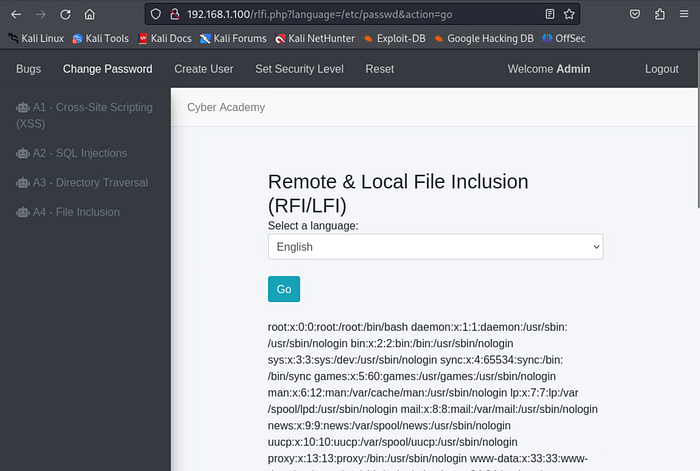
BOOYAH! We've got user and service account information at our fingertips once again! In this case, the include() function copies the contents of the /etc/passwd file and displays it on the website.
Conclusion
These are only a few examples of common web vulnerabilities to watch for when protecting a public‑facing asset. Some effective controls to reduce risk include:
- Web application firewalls
- Input validation and sanitization
- Identity and access management for internal resources
You can watch the video walkthrough of this same project by clicking the link below. Until next time, take care of yourself and…SHOW YOUR WORK!!! 😉
Project 07 — Web Application Attacks: XSS, SQL Injections, Directory Traversals, and File Inclusion