
Hello, my name is Singkhon. After completing the eJPT course, I would like to share my methods and approaches for solving each CTF problem. If you have any questions or would like to contact me, please leave a comment below.
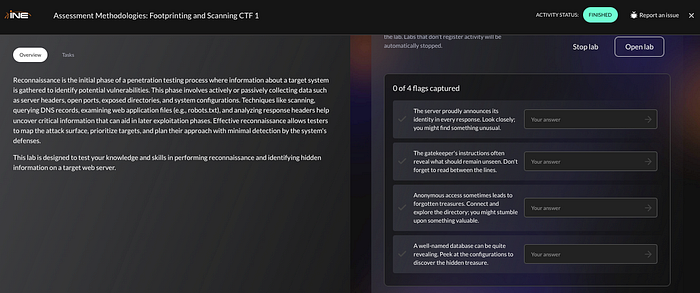
Q1. The server proudly announces its identity in every response. Look closely; you might find something unusual.
Let's perform a scan with Nmap to gather information about the target. Run this command in the terminal: `nmap -sC -sV target.ine.local`
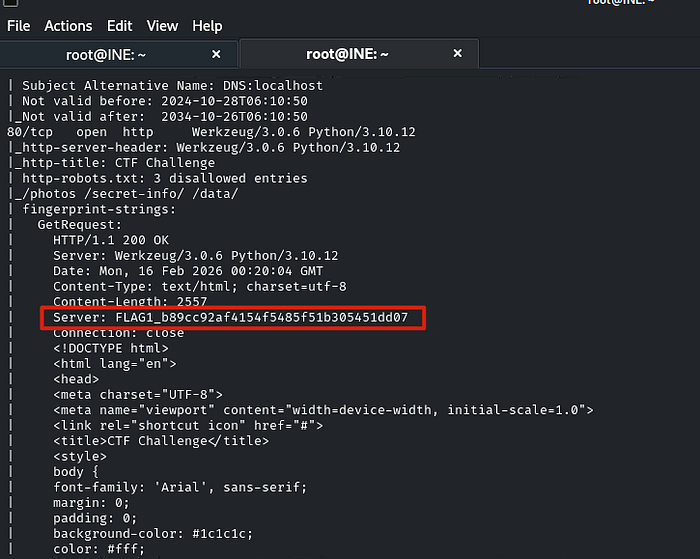
From the Nmap results, if we look closely, we can immediately find the first flag.
FLAG1_b89cc92af4154f5485f51b305451dd07Q2. The gatekeeper's instructions often reveal what should remain unseen. Don't forget to read between the lines.
From the Nmap results, we know there are some hidden paths, including /photos, /secret-info, and /data.
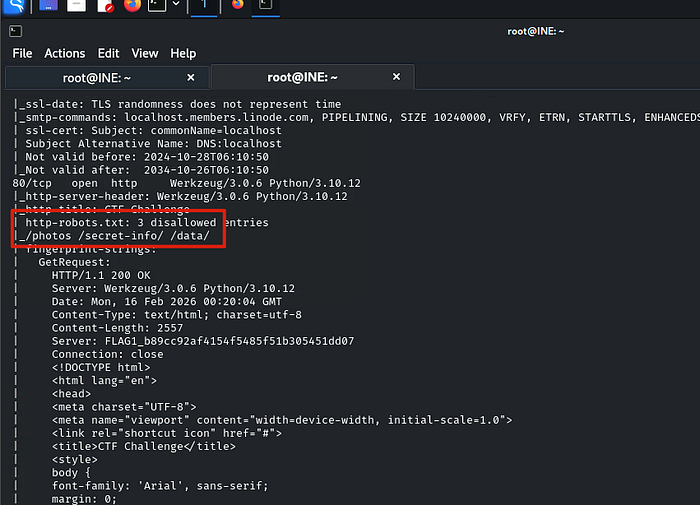
What looks suspicious is /secret-info. Let's take a look. We found a file named flag.txt that had been uploaded there.
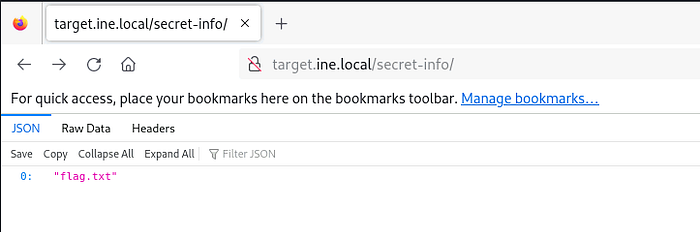
Then we need to get that file, so we expand the path with /flag.txt.
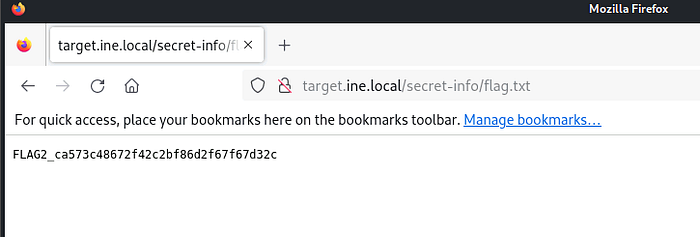
There we go.!!
FLAG2_ca573c48672f42c2bf86d2f67f67d32cQ3. Anonymous access sometimes leads to forgotten treasures. Connect and explore the directory; you might stumble upon something valuable.
The results from Nmap in the first task show that FTP can use anonymous credentials, so let's give it a try.
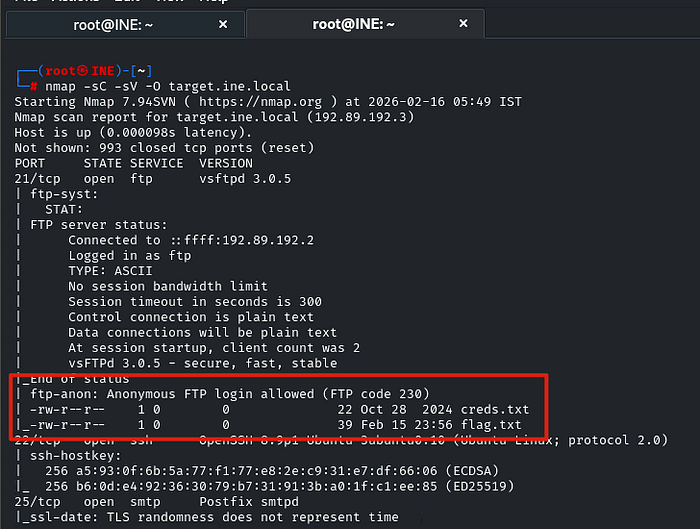
Use this command to access FTP with anonymous credentials: `ftp target.ine.local`. Then type `anonymous` in the username field and press Enter in the password field.

We've made it in!! Now use the `ls` command to list the files and the `get` command to download them.
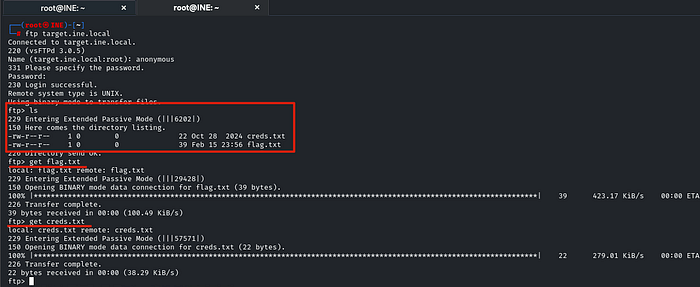
There are two files: creds.txt and flag.txt. The creds.txt file might be useful later, so I downloaded both. Then we type `exit` to exit FTP and use the `cat` command to display the flag file.
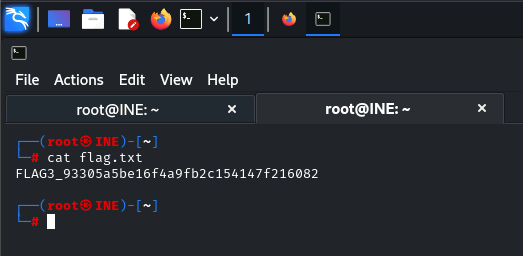
FLAG3_93305a5be16f4a9fb2c154147f216082Q4. A well-named database can be quite revealing. Peek at the configurations to discover the hidden treasure.
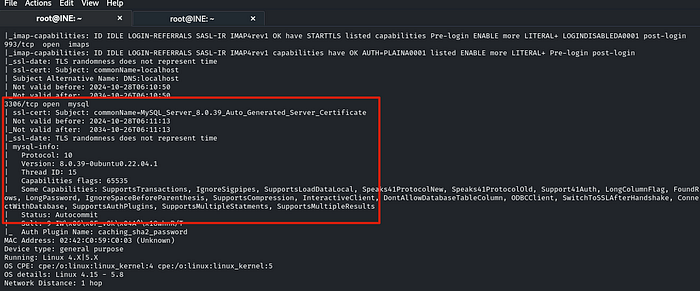
The results from Nmap in the first task show that the target has opened port 3306, which is MySQL.
Before we start using MySQL, let's examine the creds.txt file we found in the previous project using the `cat` command.
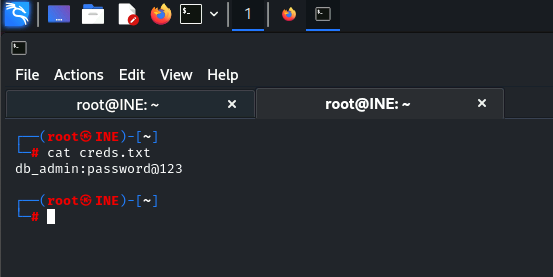
This might be credentials for your MySQL database. Let's try it. Type this command to start MySQL: 'mysql -h target.ine.local -u db_admin -p' Then type 'password@123' for the password.
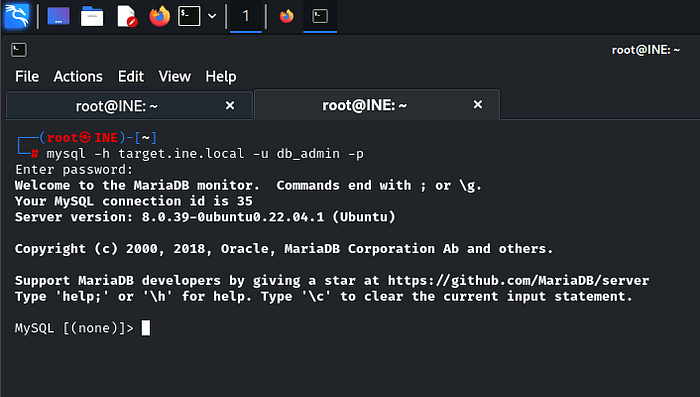
We've made it in!! Now let's find some useful information. Try typing the command 'show databases;' to see if any databases exist.
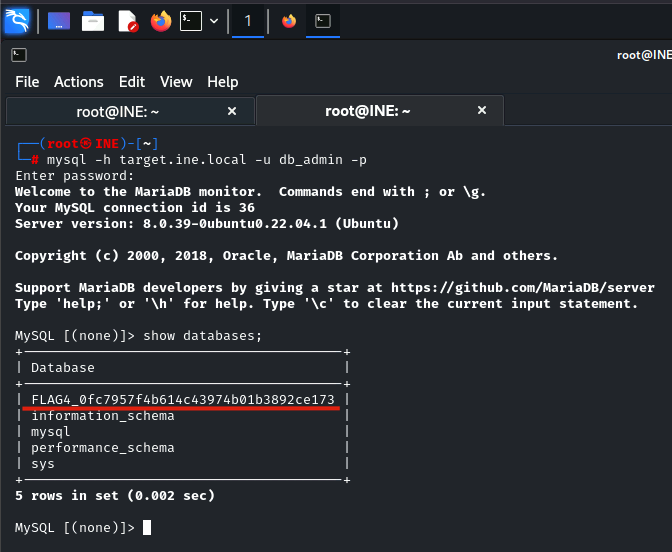
The final flag appeared immediately!!
FLAG4_0fc7957f4b614c43974b01b3892ce173This CTF shows that Nmap results are extremely valuable. Nmap is typically used during the initial phase to gather information about the target. Therefore, understanding Nmap commands is essential for a penetration tester.