
Hello everyone! 👋 I'm back with another certification journey. It has been quite some time since my last post, and in this blog I'm excited to share my complete experience with the Certified Ethical Hacker Practical exam.
In this article, I'll walk you through my preparation strategy, the learning resources I used, the exam structure, and my overall experience during the certification. I'll also share some practical tips and useful resources that may help anyone planning to take this exam.
What is C|EH Practical?
The Certified Ethical Hacker Practical is a hands-on examination that evaluates a candidate's ability to apply ethical hacking concepts using various cybersecurity tools and techniques. During the exam, candidates are presented with multiple scenario-based challenges where they need to analyze the environment and identify the required answers.
The exam duration is 6 hours, and it usually contains around 20 practical challenges. To successfully earn the certification, candidates generally need to solve 14 or more questions correctly. Each question describes a particular scenario and often provides certain hints that guide candidates toward the task they need to perform.
One interesting aspect of the exam is that it is open book, meaning candidates can refer to their notes or search online resources during the exam. Because of this, having organized notes and familiarity with commonly used security tools can be very helpful.
The exam mainly focuses on topics from the CEH curriculum, including:
- Reconnaissance techniques — Footprinting, scanning, and enumeration
- System hacking concepts
- Network and perimeter security testing
- Web application security testing
- Mobile security concepts
- Cryptography basics
- Steganography techniques
- Basic malware analysis concepts
Exam Environment
The exam is conducted by EC-Council and is remotely proctored to maintain exam integrity.
Important details about the exam setup include:
- The exam session is monitored using GoToMeeting, where candidates must keep their camera, microphone, and screen sharing enabled throughout the exam.
- The lab environment is hosted on the Aspen iLabs platform, where candidates interact with virtual machines (browser Based) to complete the challenges.
Two systems are typically provided: -Windows 11 (attack machine) -Parrot OS (attack machine) Candidates can request a short break of about 15 minutes during the exam after informing the proctor.
My Preparation Strategy
My preparation for the Certified Ethical Hacker Practical exam was mostly self-paced and based on learning from multiple resources. Instead of relying on a single course, I explored different online courses that I purchased, along with YouTube tutorials, cybersecurity articles, and documentation related to various tools and techniques used in penetration testing.
While studying from these resources, I also made personal notes containing important commands, tool usage, and quick references. These notes helped me during revision and were useful while practicing different labs.
Hands-on practice played a major role in my preparation. I spent time solving labs and practicing on platforms like Try Hack Me && Hack The Box, which helped me improve my enumeration and problem-solving skills. I also focused on getting comfortable with common tools such as Nmap, Burp Suite, sqlmap, Hydra, John and Hashcat.
Before attempting this certification, I had already completed the eJPT v2 from INE. Since that exam also focuses on practical concepts, it helped me build a strong foundation in areas like scanning, enumeration, and exploitation. Because of this prior experience, the CEH Practical exam did not feel overly difficult, and I was already familiar with the general approach needed for solving scenario-based challenges.
Tools I Used During the Exam
While preparing for the Certified Ethical Hacker Practical exam, I made sure to practice with a variety of commonly used penetration testing tools. Being familiar with these tools helps a lot during the exam because most of the challenges require scanning systems, enumerating services, exploitation, Priv's Esc, analyzing files, extracting hidden data, or cracking hashes.
Some of the tools I prepared with and used during practice include:
- Nmap
- Metasploit Framework
- Hydra
- John the Ripper
- Hashcat
- HashCalc
- MD5 Calculator
- sqlmap
- Nikto
- WPScan
- Wireshark
- Dirb
- Gobuster
- Enum4linux
- dnsenum
- hping3
- Responder
- OpenStego
- Steghide
- Snow
- StegImage
- CrypTool
- BCTextEncoder
- VeraCrypt
- HxD
- PEStudio
- BinText
- WinMD5
- OWASP ZAP
- Detect It Easy (DIE)
- OpenVAS
- Aircrack-ng
- Android Debug Bridge
- PhoneSploit
- njRAT
- ProRAT
- Theef
- Wig
- BillCipher
- SSH
- SMBclient
- Adb
Having prior practice with these tools makes it easier to approach different types of challenges during the exam, since each scenario may require a different technique or workflow. The key is understanding which tool to use for a specific task and how to use it efficiently.
My CEH Practical Exam Experience : My 6-Hour Journey
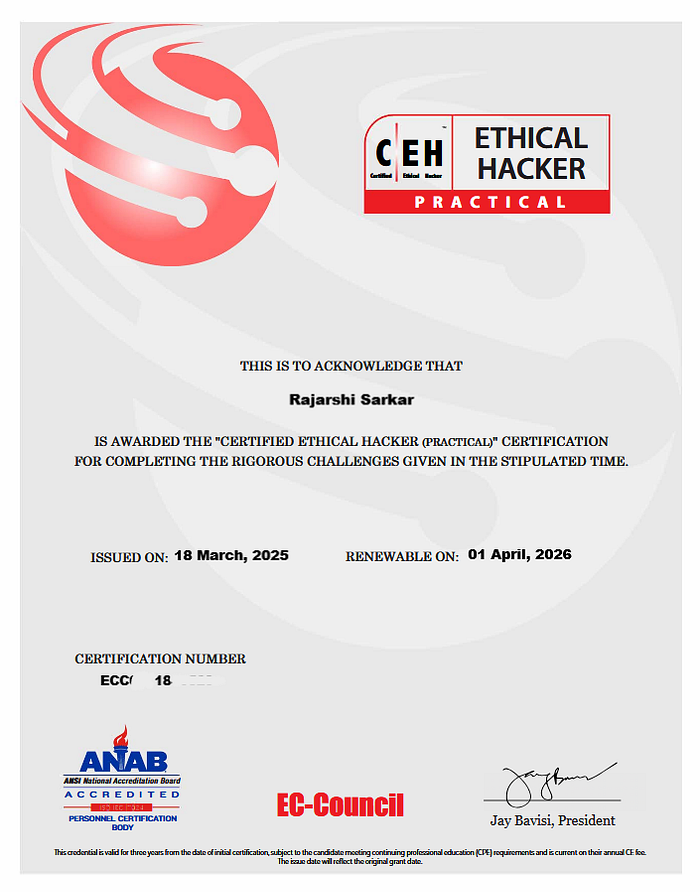
My Certified Ethical Hacker Practical exam was scheduled for 18 March 2025, and I had booked the slot around 10 days in advance. I chose a midnight slot (12:00 AM — 6:00 AM) because that time is usually quiet and distraction-free. When everyone around is asleep, it becomes easier to concentrate fully on the tasks without interruptions.
Before the exam, I felt confident about my preparation. I had already organized my personal notes, tool commands, and references, so if I forgot any command or syntax, I could quickly check my notes during the exam. However, as most people know, everything feels perfect before the exam begins, but when the actual moment arrives, a little nervousness is always there.
Another reason for that nervousness was the proctored environment. During the exam, the proctor has access to camera, microphone, and screen sharing, which means your entire session is monitored. Knowing that someone is observing the whole exam process can make you feel a bit pressured, especially if it is your first time giving a remotely proctored certification exam. Fortunately, my proctor was very professional and supportive, which made the overall experience much more comfortable.
I joined the session about 15 minutes before the exam to make sure everything was ready. I had already installed GoToMeeting, which is used for the exam proctoring. However, around 10 minutes before the exam time, I still hadn't received the proctor's meeting link. Even after checking my inbox and spam folder, there was nothing there. By 12:07 AM, I was starting to get slightly worried, so I quickly sent an email to EC-Council explaining that my exam was scheduled but I hadn't received the meeting link yet.
Interestingly, almost immediately after sending the email, the GoToMeeting invitation arrived, and I was able to join the session.
Once I joined, the proctor started the standard verification process. This included:
- A 360-degree room scan using the webcam
- Enabling screen sharing, microphone, and camera
- Verifying my internet connection and system setup
After all checks were completed, the proctor allowed me to start the exam.
When the exam officially began, my first step was to scan the target subnets and identify active systems. One small tip I would like to share: "during the exam many candidates usually perform all their scans only from Parrot OS using Nmap. However, the lab environment also provides a Windows 11 machine, and you can use Zenmap (the graphical version of Nmap) there."
Instead of scanning everything from a single machine, you can divide the work — for example, scan one subnet from Parrot OS using Nmap and another subnet from Windows using Zenmap. Running scans in parallel can help save valuable time, especially since the virtual machines in the browser environment can sometimes be a bit slow.
The systems were working fine, but they were a bit slow, especially the Parrot OS machine. Since the exam environment runs inside a browser-based virtual lab, it took some time to get used to it.
During the first hour, I was not able to capture any flags. That moment was quite frustrating because I already knew the concepts and tools required, but due to nervousness and the slightly slow environment, my mind wasn't working as clearly as usual.
To reset my focus, I took a moment to drink some water and carefully re-read the questions. After that, I started approaching the tasks more calmly, and slowly I began solving them one by one.
As the exam progressed, I managed to solve several questions successfully. However, after solving around 12 questions, I again felt a mental block. A few challenges were not working the way I expected, and it felt like I might be missing something small in my approach.
After about four hours into the exam, I decided to take a short break of around 7 minutes. I drank some water, walked a little, and thought about what I might be doing wrong. That short break really helped clear my mind.
When I returned to the desk and resumed the exam, things started making more sense again, and I was able to continue solving the remaining challenges. Eventually, I had already achieved enough correct answers to pass the exam.
By that time, since it was early morning, I was starting to feel a bit sleepy as well. There were still 3–4 questions left where I believed I had performed the correct steps, but the submitted flags were still being marked as incorrect. "Another important thing to remember is that each question allows only three flag submission attempts." If all three attempts are incorrect, the answer field gets locked, and you won't be able to submit another flag or attempt that question again.
So it's always a good idea to double-check the flag and its format before submitting.
After trying twice, I informed the proctor about the issue. The proctor checked the question on their end and told me to wait while they verified it. After some time, they confirmed that everything looked correct from their side and asked me to try again. However, the flag still wasn't getting accepted, and at that point my mind was already quite tired from the long session.
Since I had already achieved the required passing score, I decided to finish the exam and submit it.
The moment I submitted the exam, the screen displayed "CONGRATULATIONS 🎉R&quo;, confirming that I had successfully passed the certification. It was a really satisfying moment.
The proctor then guided me on where I could access my digital certificate and badge, and also mentioned that I could share my achievement on LinkedIn.
At that moment, I genuinely felt proud of myself because I had prepared mostly on my own, practiced consistently, and successfully completed the certification through my own effort. It was a rewarding experience and an important milestone in my cybersecurity learning journey. 🚀🔐
Tips for Future Candidates
Based on my preparation and exam experience with the Certified Ethical Hacker Practical, here are some practical tips that may help anyone planning to attempt this certification:
1. Focus on understanding tools and when to use them You don't necessarily need extremely deep theory for this exam, but you should clearly know which tool is used for which task. Being comfortable with tools like Nmap, Metasploit Framework, John, Hydra, sqlmap, Wireshark, Steghide, Veracrypt, BCTextEncoder, Aircrack-ng, Android Debug Bridge, PhoneSploit, xfreerdp, and tools related to malware analysis such as njRAT, PeStudio, BinText, HXD can make solving many challenges during the exam much easier.
2. Practice labs before the exam Hands-on practice is very important. It's a good idea to practice some hands-on labs before the exam. Solving around 15–20 labs on TryHackMe can be quite helpful to get comfortable with common tools and workflows. Since the exam is scenario-based, you mainly need to think logically and understand what the question is asking. In many cases, useful hints are already present in the question itself. So the key is to "be familiar with the tools and know when and how to use them."
3. Read the question carefully and look for hints Most questions contain useful hints inside the scenario description. If you read the question carefully, it often gives you clues about which technique or tool should be used to solve it.
4. Don't panic during the exam The exam duration is 6 hours, which is usually enough time if you stay calm. In my case, there were moments where I felt nervous, and that caused me to make small mistakes. Staying calm and thinking logically can save a lot of time.
5. Be careful with flag submissions Each question allows only three attempts to submit the flag. If you submit incorrect answers three times, the question gets locked and you won't be able to attempt it again. So always double-check the flag format before submitting.
6. Pay attention to the flag format pattern Sometimes the exam hints at the format of the flag using patterns like:
" AAaaNN** "
Where:
AA → Two uppercase letters aa→ Two lowercase letters NN → Two numbers ** → Two special characters
Understanding this format can help you verify whether your extracted flag is correct before submitting it.
7. Manage your time wisely If a question feels difficult or you get stuck, it's better to move to another question and come back later. Solving easier questions first helps build confidence and ensures you secure enough points to pass.
Final Thoughts
Completing the Certified Ethical Hacker Practical was a rewarding experience for me. The exam provides a good opportunity to apply various cybersecurity tools and techniques in a practical environment. It helps build confidence in areas like reconnaissance, enumeration, web testing, password cracking, and basic security analysis, making it a solid starting point for anyone beginning their journey in cybersecurity or penetration testing.
However, clearing CEH Practical does not mean you have mastered the field. Many people assume that passing CEH means they now have a very strong foundation in cybersecurity. In reality, CEH works more as an introduction to practical security concepts and common tools, while the field itself is much broader and requires continuous learning, deeper practice, and real-world experience.
As you continue in this journey, you will encounter certifications at different levels. Certifications such as eLearnSecurity Certified Professional Penetration Tester or OSCP are often considered intermediate-level, while advanced certifications like OSED, OSCE3, or OSEE demand significant practical experience and deeper technical understanding.

The image above represents this idea quite well — sometimes we celebrate milestones like CEH, but soon realize that there are many more levels and challenges ahead in this field.
So my advice is simple: treat CEH as the beginning of your cybersecurity journey, not the destination. Keep practicing, keep learning, and keep exploring.
More learning experiences and updates will be coming soon.
Stay tuned for the next update.
— Rajarshi Sarkar 🔐🚀