
What inside 🤔
Methodology — Commands — Theory — Ai Tools — Techniques
Recon & OSINT (Passive + Active + OSINT Tools)
Subdomain Enum, Port Scanning, Web Crawling
All OWASP Top 10–2025 Edition (Theory + Example)
XSS, SQL, IDOR, SSRF, CSRF, XXE, CMD Injection, LFI & RFI
JWT, OAuth, API Security, GraphQL, Business Logic
AI LLM Security — Claude, Chatgpt, Gemini, Grok
Prompt Injection, RAG Attacks, Model Inversion
Burp Suite Deep Dive + Nuclei + Automation Scripts
Cloud Security (AWS, GCP, Azure metadata exploits)
WAF Bypass — Rate Limit Bypass — Vuln Chaining
CVSS 4.0 Scoring — Report Writing — HII Bugcrowd Tips
Before Testing any platform :
- Authorization First
- Scope Matters
- Ethical Testing only
Never test without explicit written permission from the program.
Index:
Section 1:
- Cover and Introduction
- Table of Content
- Bug Bounty Fundamentals and Lifecycle
- Setting Up Your Hacking Environment
- Essential Linux Command for Recon
- Passive Recon Overview and Checklist
- WHOIS, DNS, & Certificate Transparency
- Google Dorking — Full Operator Guide
- Github Dorking — Secret Hunting
- Shodan & Censys — IoT Discovery
- theHarvester, Hunte.io, Linkedin OSINT
- Subdomain Enum Strategy Overview
- Subfinder & Amass Deep Dive
- Assetfinder, DNSx, Puredns
- Port Scanning — Nmap Basics
- Advanced Nmap, Masscan & High-Value ports
- Web Crawling & Ffuf Fuzzing
- Gobuster & Parameter Discovery
- OWASP Top 10 2024 (Reference)
- XSS — Reflected & Stored (Theory + Examples)
- DOM XSS & Blind XSS (Theory + Examples)
- OWASP Top 10 2025 — Update List
- XSS Filter Bypass Techniques
- SQL Injection — Basic (Theory + Examples)
- Blind SQL & SQLmap (Theory + Examples)
- IDOR
- Vertical Privilege Escalation
- CSRF — Theory and POC Examples
- SSRF Basic (Theory + Examples)
- SSRF Advanced & Filter Bypasses
- File Upload Vulns (Theory + Examples)
- XXE Injection (Theory + Examples)
- Command Injection (Theory + Examples)
- Path Traversal | LFI | RFI
- Open Redirect & Chaining
- HTTP Request Smuggling
- JWT Attack's (Theory + Examples)
- OAuth Vulnerabilities
- Authentication Testing
- Session Management
- Business Logic Flaws
- API Security Testing & OWASP API Top 10
- GraphQL Security
- Cloud Security — AWS S3
- Cloud Metadata — GCP | Azure
- Burp Suite Deep Dive
- Nuclei Templates & Custom
- Recon Automation Pipeline
- WAF Bypass Techniques
- Rate Limit Bypass
- Chaining Vulnerabilities
- AI LLM Security Overview — OWASP LLM Top 10
- Prompt Injection (Theory + Examples)
- AI Models Claude, Chatgpt, Gemini, Grok
- RAG Attacks & System Prompt Leakage
- Report Writing Guide
- Writing Business Impact Statements
- CVSS 4.0 Scoring Guide
- Platforms: Hckerone , Bugcrowd, Intigriti
- Mindset & Key Takeways
- page Quick Reference Cheatsheet
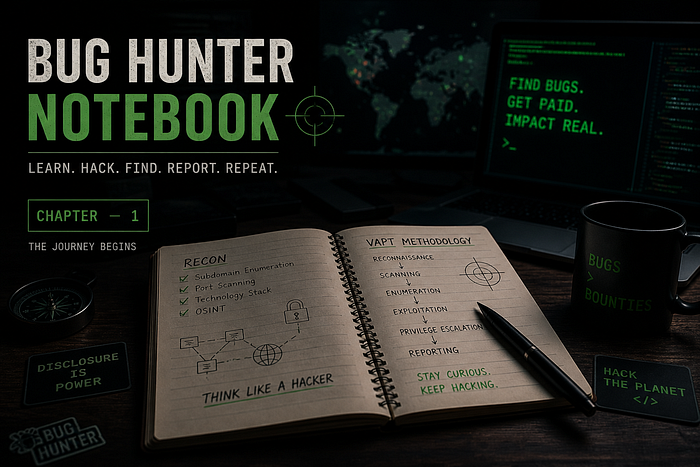
CHAPTER 1- FOUNDATIONS
Bug Bounty Fundamentals
Theory: What is Bug Bounty Hunting?
Bug Bounty programs are organized security testing initiatives where organizations invite security researchers to find and responsibly disclose vulnerabilities. In exchange researches earn monetary rewards (bounties) based on severity.
How it Differs from Pentesting
Pentest:
Contracted scope, Fixed time, Full report to client
Bug Bounty:
Ongoing, Crowdsourced, Individual findings, public/Private Programs
CVD(No Bounty):
Coordinate Disclosure without financial reward
The Bug Bounty Lifecycle- Step by Step
- Choose Program — Read scope, rules, Past reports, rewards
- Reconnaissance — Passive + Active intel gathering
- Enumeration — Map all endpoints , params, Services
- Vulnerability Discovery — Test each surface systematically
- Exploitation — Prove impact — working POC
- Documentation — Screenshot, Capture traffic, write notes
- Report Writing — Clear, Technical, Reproducible
- Submit & Response — Answer triage questions promptly
- Fix Verification — Confirm patch works (if asked)
- Reward + Disclosure — Coordinate Public release timeline

Setting Up your Hacking Environment
Theory : Why kali Linux?
Kali Linux is Debian Based, Pre-loaded with 600+ security tools saves setup time — subfinder, Nmap, Burp, Sqlmap all ready to go.
Step-by-step : install Essential tools
# step 1: Update system first (always!)
sudo apt update && sudo apt upgrade -y

# Step 2: Install go (needed for most recon tools)
# Remove old Go (optional)
sudo rm -rf /usr/local/go
# Download latest Go
wget https://go.dev/dl/go1.26.2.linux-amd64.tar.gz
# Extract
sudo tar -C /usr/local -xzf go1.26.2.linux-amd64.tar.gz
# Add PATH
echo 'export PATH=$PATH:/usr/local/go/bin' >> ~/.bashrc
# Reload shell
source ~/.bashrc
# Verify
go version


# Step 3: Install latest recon tools
go install github.com/projectdiscovery/subfinder/v2/cmd/subfinder@latest
go install github.com/owasp-amass/amass/v4/...@master
go install github.com/projectdiscovery/httpx/cmd/httpx@latest
go install github.com/projectdiscovery/nuclei/v3/cmd/nuclei@latest
go install github.com/ffuf/ffuf/v2@latest
go install github.com/tomnomnom/assetfinder@latest

# Step 4: Python tools
pip3 install theHarverster sqlmap --break-system-packages

# Step 5: Clone Seclists wordlists
git clone https://github.com/danielmessler/SecLists ~/SecLists
Burp Suite Setup (step by step)
- Download from portswigger.net community edition (Free)
- Install FoxyProxy Extension in Firefox Chrome
- Set proxy 127.0.0.1:8080 in FoxyProxy
- Go to http://burpsuite Download CA Cert
- Firefox settings Certificates Import CA cert
- Enable FoxyProxy All Traffic now goes through Burp!
Always start Burp before browsing target Capture everything.
Essential Linux Commands
Theory: Why Linux Mastery Matters
Bug hunting is 70% data processing — sorting, filtering, piping results. The faster you manipulate text, the faster you find bugs.
Grep — Pattern Searching
grep 'error' logfile.txt              # search for 'error'
grep -i 'password' file.txt          # case insensitive
grep -r 'api_key' /var/www/          # recursive in dir
grep -n 'admin' subs.txt             # show line numbers
grep -oE 'https?://[^"]+' page.html  # extract all URLs
grep -E '(ERROR|WARN)' log.txt       # regex OR match
grep -v 'debug' log.txt              # exclude 'debug'
Awk / Sed / Cut — Data Extraction
awk '{print $1}' file.txt            # print 1st field
awk -F'/' '{print $3}' urls.txt     # extract domain part
awk '!seen[$0]++' file.txt          # deduplicate (fast!)
cut -d',' -f1 data.csv             # extract CSV column 1
sed 's/http:/https:/g' urls.txt    # replace all http→https
sed -n '5,10p' file.txt           # print only lines 5-10
Sort / Uniq / Pipes — Power Combos
sort subs.txt | uniq                     # sort + deduplicate
sort subs.txt | uniq -c | sort -rn      # count occurrences
cat a.txt b.txt c.txt | sort -u > all.txt   # merge 3 files
Real-world pipeline example:
cat live_subs.txt | httpx -silent | tee probed.txt | \
nuclei -severity critical,high -o vulns.txt
Curl — HTTP Requests
curl -v https://target.com                 # verbose
curl -H 'Cookie: session=ABC' URL         # with headers
curl -X POST -d 'user=a&pass=b' URL       # POST body
curl -k https://target.com                # ignore SSL
Thank you for reading this chapter. In the next chapter, we'll dive deeper into the next phase of this journey. Stay tuned for the upcoming blog where things get even more interesting.
🙋♂️ About Me
I'm Gourav Kumar, a cybersecurity enthusiast and bug bounty hunter passionate about web application security and responsible disclosure. Follow me for more write-ups, bug hunting stories, and security tips.
Thank you for reading! Stay connected: LinkedIn: linkedin.com Portfolio: portfolio.com YouTube: SpiderGK