When I first started bug bounty hunting, I had a mental checklist.
XSS. SQL Injection. IDOR. Open Redirect.
I'd open a target, run through the obvious stuff, find nothing, and move on. Repeat. Repeat. Repeat. No results.
It took me a while to realize something important — the hunters who consistently find bugs aren't just better at finding XSS. They think differently. They look at how the application behaves, not just how it handles inputs.
Some of the most impactful vulnerabilities in bug bounty programs aren't the textbook ones. They're the ones hiding in logic, in timing, in trust — in the gaps between how a system was designed to work and how it actually works.
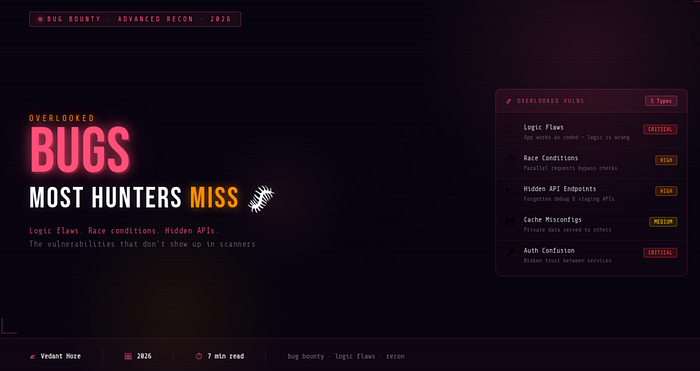
Here are five bugs that most beginners overlook completely — and why they matter more than you'd think.
🧠 #1 — Logic Flaws
Logic flaws are my favourite class of vulnerability — and the hardest to explain to beginners.
Here's the thing: the application isn't broken. The code works exactly as written. But the logic itself is flawed.
Real examples:
- Accessing premium features without paying
- Bypassing purchase quantity limits
- Reusing a one-time discount code multiple times
- Skipping steps in a multi-step verification process
- Completing a purchase without actually being charged
These bugs happen because developers build applications assuming users will follow a specific, expected workflow. Attackers simply break that assumption — by skipping steps, repeating steps, or doing things in the wrong order.
Why beginners miss them: Scanners can't find logic flaws. Automated tools have no idea what the intended behavior of your application is. You have to understand how the system is supposed to work first — then deliberately try to use it in ways it wasn't designed for.
How to find them: Before testing anything, spend time just using the application normally. Understand the workflow. Then ask — what happens if I skip this step? What if I do this step twice? What if I go backwards?
⏱️ #2 — Race Conditions
Race conditions are one of those vulnerabilities that sound complex but are actually straightforward once you understand the concept.
They happen when multiple requests are processed simultaneously and the application fails to handle the overlap correctly.
A simple scenario:
- You send 50 identical requests at exactly the same time
- The server processes them all in parallel
- A security check that should only pass once — passes multiple times
What this can lead to:
- Double withdrawals from a bank balance
- Using a coupon code 50 times instead of once
- Bypassing a payment restriction
- Redeeming a reward multiple times
Why beginners miss them: Most beginners test one request at a time. Race conditions only appear when you send multiple requests simultaneously — which requires intentional testing, not normal browsing.
How to find them: Burp Suite's Repeater has a "Send group in parallel" feature specifically for this. Find any action that should only happen once — a coupon redemption, a reward claim, a payment — and send 20–50 parallel requests at the same time. Watch the responses carefully.
Because race conditions can cause real financial impact, they're often rated as high severity bugs — which means better payouts.
🔌 #3 — Hidden API Endpoints
Modern web applications are built on APIs — and during development, teams create a lot of endpoints.
Testing endpoints. Debug endpoints. Staging endpoints. Old API versions. Internal-use endpoints. And sometimes — these endpoints never get properly locked down before the application goes live.
What kinds of things hide here:
/api/v1/admin/users— an old admin endpoint still accessible/api/debug/config— a debug endpoint exposing configuration data/api/internal/export— an internal data export endpoint- Older API versions (
/v1/,/v2/) that have weaker security than the current version
Why beginners miss them: These endpoints don't appear in the main interface. You won't find them by clicking around the website. They only reveal themselves if you go looking.
How to find them:
- Open the browser DevTools Network tab and watch all API calls while using the app
- Check JavaScript files — endpoints are often hardcoded in the frontend code
- Use tools like
ffuforferoxbusterto brute-force common API paths - Check the Wayback Machine for old versions of JS files that may reference removed endpoints
Finding a forgotten admin API endpoint that still works is an instant high-severity finding.
💾 #4 — Cache Poisoning & Cache Misconfigurations
Caching makes websites faster — content gets saved and served quickly without hitting the server every time. But when caching is misconfigured, it can serve the wrong content to the wrong people.
The vulnerability: If sensitive, user-specific data gets cached and then served to other users — that's a serious problem.
Real examples of what gets cached incorrectly:
- A user's profile page with personal details
- An authenticated dashboard served to unauthenticated users
- Private account information returned to a different user's session
- Admin panel responses cached and served publicly
Why beginners miss them: Cache issues are invisible during normal testing. You're always logged in as yourself, so you see your own cached data. You have to specifically test whether your authenticated responses are being stored and served to others.
How to find them:
- Check response headers for
Cache-Control,X-Cache,Age, andVary - Look for
X-Cache: HITon responses that should never be cached (authenticated pages, personal data) - Try accessing authenticated URLs while logged out — sometimes cached content is still served
- Test from a different browser/device/IP to confirm
🔑 #5 — Authentication Confusion
Modern applications are rarely a single system. They're a collection of services — a frontend, a backend, an API layer, third-party integrations, microservices — all talking to each other.
And when multiple services communicate, they have to trust each other somehow. That trust is where things can break.
What authentication confusion looks like:
- An application trusts a token without properly verifying it
- Session data is shared across services that shouldn't share it
- A weak authorization check assumes that if you reached a certain endpoint, you're already verified
- JWT tokens with weak signatures or the
nonealgorithm accepted - Tokens from one service being accepted by a completely different service
Why beginners miss them: These vulnerabilities don't appear from testing a single input field. They require understanding how different parts of the system communicate — and then testing the boundaries between them.
How to find them:
- Capture and inspect every token the application uses — JWT, session cookies, API keys
- Try using tokens from one part of the application in a different part
- Check JWTs at jwt.io — look for weak algorithms (
HS256with a guessable secret, oralg: none) - Test what happens when you send a modified or expired token — does the application reject it properly?
🗺️ How to Start Thinking Differently
The common thread across all five of these vulnerability classes is the same — they require you to think about behavior, not just inputs.
Instead of asking "what happens if I put a special character here?" start asking:
- "What is this feature supposed to do?"
- "What assumptions did the developer make?"
- "What happens if I break those assumptions?"
- "How do different parts of this system talk to each other?"
- "What happens if this process doesn't go the way the developer expected?"
That shift in thinking — from input-testing to behavior-testing — is what separates beginners who never find bugs from hunters who find them consistently.
🏁 Final Thoughts
XSS and SQL Injection are important. Learn them. Practice them.
But don't stop there.
The bug bounty hunters who stand out aren't the ones who run the same scanner on every target. They're the ones who slow down, think carefully, and look at the gaps between how systems are designed and how they actually behave.
The most interesting bugs are usually hiding in plain sight — in the logic, in the timing, in the trust. You just have to know how to look for them.
Start asking better questions. The bugs will follow. 🐛
Found this useful? Follow for more bug bounty and cybersecurity content from someone still in the trenches. 🙌
☕ Support My Work
If you enjoy my cybersecurity blogs and want to support my work, you can buy me a coffee here: Buy me a Coffee
Your support helps me keep writing about bug bounty, cybersecurity, and ethical hacking.