Lab →ProfileHub →IDOR in User Profile API
So I was poking around a developer networking platform for a security challenge, and stumbled on a pretty juicy bug. Turned out any logged-in user could pull the admin's private notes, API key, and role — just by changing a number in a URL. Classic IDOR. Let me walk you through exactly what I did.
First, I just… looked around
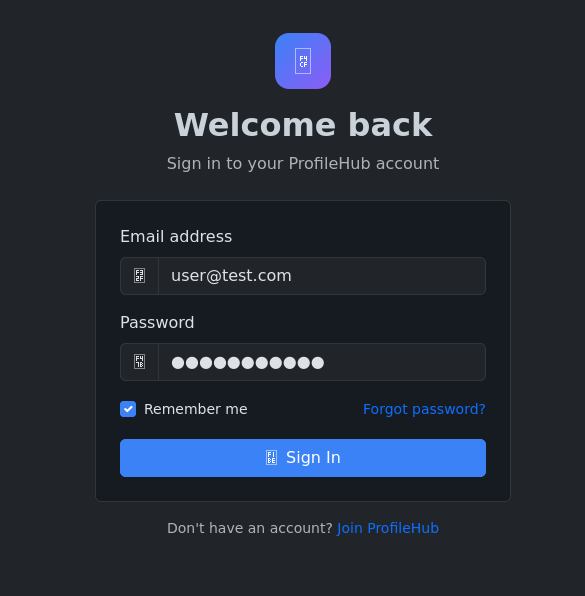
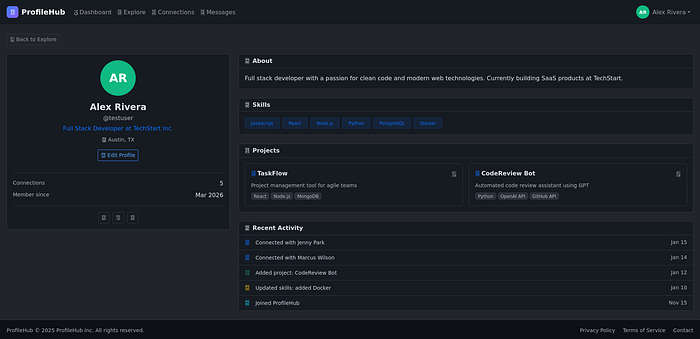
Logged in with user@test.com / password123 and clicked around like a normal user would. Checked profiles, connections, messages. Nothing crazy yet — just getting a feel for how the app works before I start breaking things.
Then DevTools told me something interesting
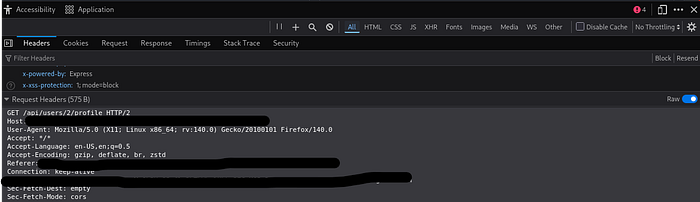
Went to someone's profile page and opened DevTools → Network tab. While the page was loading, I noticed it was quietly making a fetch call in the background:
GET /api/users/2/profileThat /2/ caught my eye immediately. Anytime I see a number like that in an API endpoint, my first thought is — what happens if I change it?
The API was way too generous
Clicked on that request and checked the Response tab. The page only showed the projects — but the API was returning a whole lot more than that:
FieldWhat it isprivate_notesPrivate notes — this is where the flag livesapi_keyThe user's full API keyinternal_roleWhether they're a user or adminemail / phoneContact info never shown on the profile
The frontend was just quietly ignoring most of this. But it was all sitting right there in the response, plain as day.

Changing the ID to 1 was literally all it took
No fancy exploit. No special tool. I just swapped the 2 for a 1:
curl -b 'connect.sid=<your-session>' \
     http://TARGET:8080/api/users/1/profile
And the admin's full profile came right back. Private notes, API key, internal role — everything.
Why did this even happen?
Here's the vulnerable code. See if you can spot the problem before I point it out:
router.get('/api/users/:id/profile', requireAuth, async (req, res) => {
  const userId = req.params.id;
  const user = db.prepare(
    'SELECT id, username, email, private_notes, api_key, internal_role ...
     FROM users WHERE id = ?'
  ).get(userId);

  res.json(user); // sends EVERYTHING to ANYONE
});
requireAuth checks that someone is logged in. That's it. It never asks "okay but should this person be able to see that user's private data?" So the moment you're authenticated, you've got access to every single user's sensitive info. Just increment the ID.
The fix is pretty straightforward
You just need to check if the person asking actually owns the profile. If they do, give them everything. If they don't, only send back the public stuff:
router.get('/api/users/:id/profile', requireAuth, async (req, res) => {
  const userId = req.params.id;
  const isOwner = req.session.userId === parseInt(userId);

  let user;
  if (isOwner) {
    user = db.prepare('SELECT * ... FROM users WHERE id = ?').get(userId);
  } else {
    // strangers only get the public stuff
    user = db.prepare('SELECT id, username, bio, projects ... FROM users WHERE id = ?').get(userId);
  }

  if (!user) return res.status(404).json({ error: 'User not found' });
  res.json(user);
});
What I took away from this
The frontend hiding data means nothing. If the server sent it, I can read it — DevTools, curl, Burp, whatever. "We just don't display it" is not a security model.
Being logged in and being authorized are two completely different things. Mixing them up is exactly what caused this.
Sequential IDs are a gift to attackers. Going from 2 to 1 took me about three seconds.
And honestly — just poke at your own API. Open DevTools on your own app, find any request with an ID in it, and change the number. If you get someone else's private data back, you've got a problem.
Hope this was helpful — follow for more CTF writeups and security stuff.