
Difficulty : Easy
Note : All of the content and images are from https://tryhackme.com/
Room : https://tryhackme.com/room/dsicyber1013n3
Enjoy.
Task 1 Introduction
Become the Defender
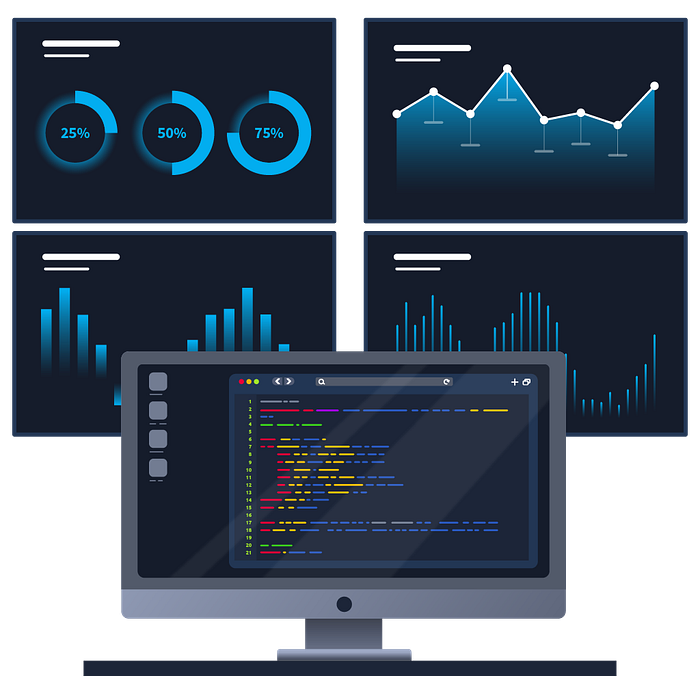
Defending an organisation is no easy task. In this room, you'll be working alongside Cassidy within the Security Operations Centre (SOC) — the central hub for defending an organisation.
As you'll come to discover, there are many parts and responsibilities within a defensive security team.
Are you ready to get stuck in?
Answer the questions below
Q1.) What does the acronym "SOC" stand for?
Answer : Security Operations Centre
Task 2 Phase 1 : An Attack Begins
An Attack Begins
You sit down at your new workstation and are greeted by FakeBank's security dashboard.
Security Operation Centres use a variety of tools (such as a monitoring dashboard) to gain an overall picture of what is happening within the organisation's digital landscape. These dashboards capture activity across devices, the network, and more.
Setting the Scene
It's a Monday, the start of your new career in defensive security. You enter the SOC of FakeBank, an up-and-coming banking institute and are greeted by Cassidy, who will be helping you get up to speed with things.
It looks like you've joined at the perfect time. Currently, someone is making hundreds of attempts to log in to FakeBank's systems. Press the green "View Site" button below to start investigating.
View Site

You'll need to…
1. Open the monitoring dashboard by pressing the green button above
2. Take a look at the alert in front of you
3. Reveal the information within the alert to answer the question below.
Why you're doing this
The monitoring dashboard shows a history of what has happened on FakeBank's systems. Tools like the monitoring dashboard are able to understand what happens day-to-day, to build what is called a baseline. When events deviate from this regular activity, the SOC team is alerted.
However, it's all well and good knowing that something bad is happening, we need to understand exactly what is happening, and who, to stop this.
Answer the questions below
Q1.) Review the "Suspicious Login" alert. What username is being used?
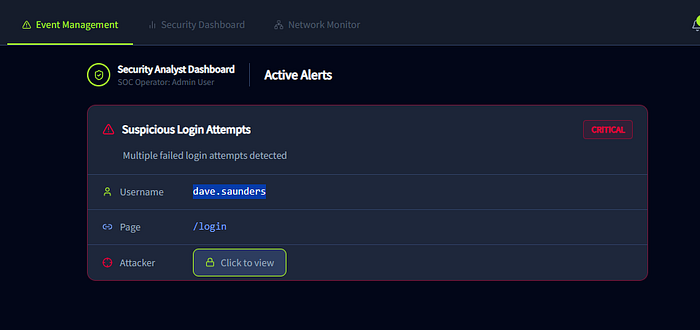
Answer : dave.saunders
Task 3 Phase 2 : Stopping the Attack
Stopping the Attack
Now that we have confirmed that an attack is indeed happening. Using the information we discovered in the previous task, we can immediately stop the attacker in their tracks.
For the defensive security team, stopping an attack — or incident — is a high priority. The sooner we can stop the attacker, the less harm that will come to the organisation.
Stopping an attacker can be harder than it sounds. Modern attackers are smart, and often change their behaviour if they know they have been spotted. What stopped them once may not stop them again.
Protecting FakeBank
Cassidy now wants to begin stopping the attacker by disabling the dave.saunders account. Time is running out before the attacker finds the correct password. Press the green "View Site" button below for this portion.
View Site

You'll need to…
1. Open the practical by clicking on the green "View Site" button above
2. View the usernames on the "Account Management" page
3. Disable the account dave.saunders by pressing the padlock next to the username
4. Once done, a green success message will appear. Provide the value of this message in the question below.
Why you're doing this
We can see that the attacker is targetting this specific username. Submitting random passwords until one works. This is known as bruteforcing, and it's only a matter of time before the attacker manages to find the correct password.
As a member of the defensive security team, if we can disable dave.saunders before the attacker logs in, we are stopping the incident from becoming much more severe. Especially for a bank, unauthorised access to an account can lead to serious penalties for the organisation. Being proactive is the name of the game in defensive security.
Answer the questions below
Q1.) Lock the dave.saunders account by clicking the padlock icon next to the name. What value (flag) has appeared once this was done?
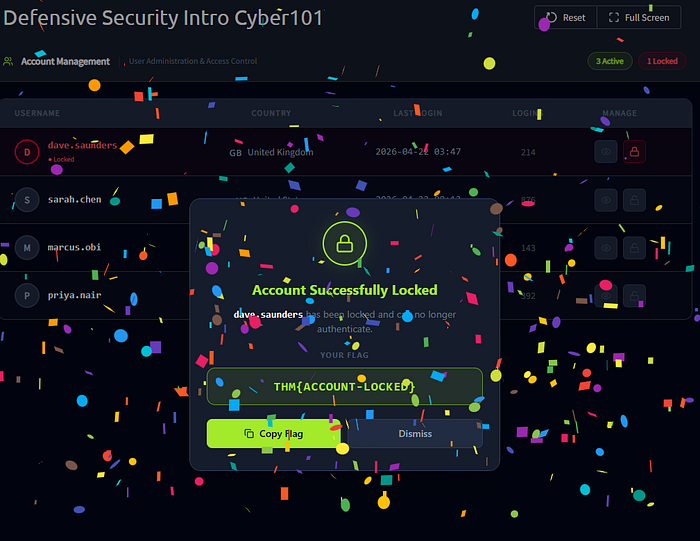
Answer : THM{ACCOUNT-LOCKED}
Task 4 Phase 3 : Investigating the Attacker
Investigating the Attacker
Phew, that was close. Great job on stopping the attacker.
Remember from task 3: the monitoring dashboard suggested that this attacker may be the notorious ShadowFigures group, which is targeting banking organisations like FakeBank.
It turns out, it's not this group's first time. In defensive security, we share information about attackers. This is known as threat intelligence.
Now that dave.saunders has been locked, what will ShadowFigures try next?
Creating Threat Intelligence
For this portion of the room, we will be using FakeBank's threat intelligence system to note what ShadowFigures has just done.
The key to good threat intelligence is keeping it updated. Cassidy wants you to update FakeBank's systems to include what just happened. Press the green "View Site" button below to get started.
View Site

You'll need to…
1. Open the practical by clicking on the green "View Site" button above
2. Search for "ShadowFigures"
3. Update the intelligence report with what we have discovered.
4. Once done, a green success message will appear. Use the value of that to answer the question below.
Why you're doing this
The monitoring dashboard shows a history of what the attacker is trying to find on our website. You will see that the dashboard has captured the attacker trying many attempts to access hidden pages, very quickly.
Once we know what the attacker is trying to achieve, we can then begin to take measures to stop the attacker and then finally fix the problem that allowed this attack in the first place.
Answer the questions below
Q1.) Update FakeBank's systems to include what page and username ShadowFigures tried to hack.
A green success message will appear. What is the value (flag) of that?
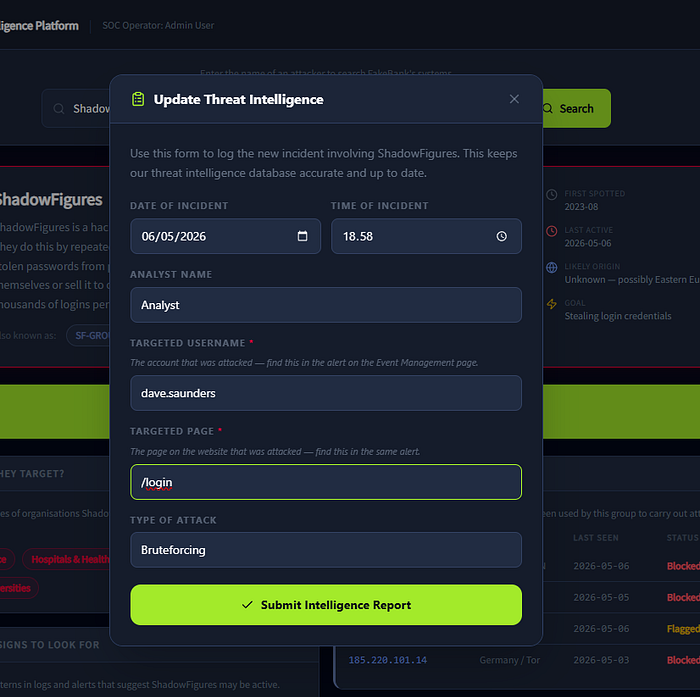
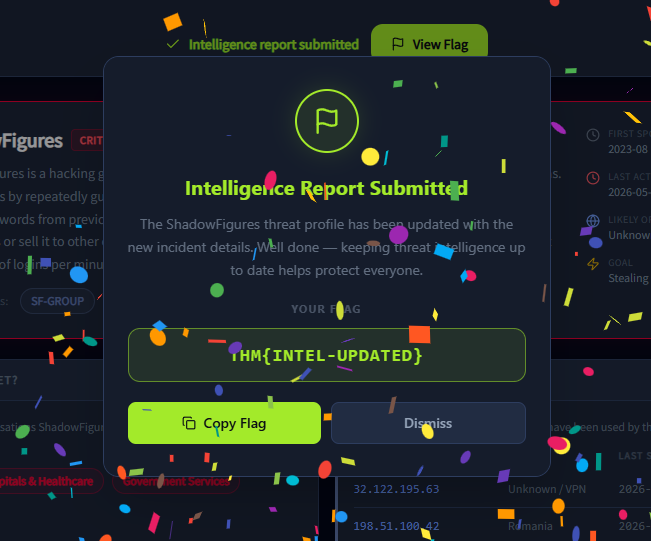
Answer : THM{INTEL-UPDATED}
Task 5 Phase 4 : Submitting Your Report
Incident Reports
Great, your colleagues thank you for updating FakeBank's systems about ShadowFigures.
But there is one last step for us to do. We need to create an incident report of what has just happened. We use these reports in defensive security to summarise what has just occurred and use them as training opportunities.
Submitting an Incident Report
Thankfully, FakeBank has another tool that lets us create an incident report based on what we have already done.
Deploy this part of the practical by clicking the green "View Site" button below to fill out your incident report.
View Site

You'll need to…
1. Open the practical by clicking on the green "View Site" button above
2. Within the incident report, enter both the username that we previously locked and the page that the attacker was trying to access.
3. Once you've submitted your report, return to the room.
Why you're doing this
Incident reports allow us to reflect, train, and detail this attack. This is helpful for us in defensive security — could we have done something quicker, or better? But also for other members within the organisation, such as improving our defences.
Moreover, if the attack became something much more serious, law enforcement and government officials would need to be able to see what we had done when.
Answer the questions below
Q1.) What is the identifier of the incident report that you submit?
This looks like SOC-2026-XXX
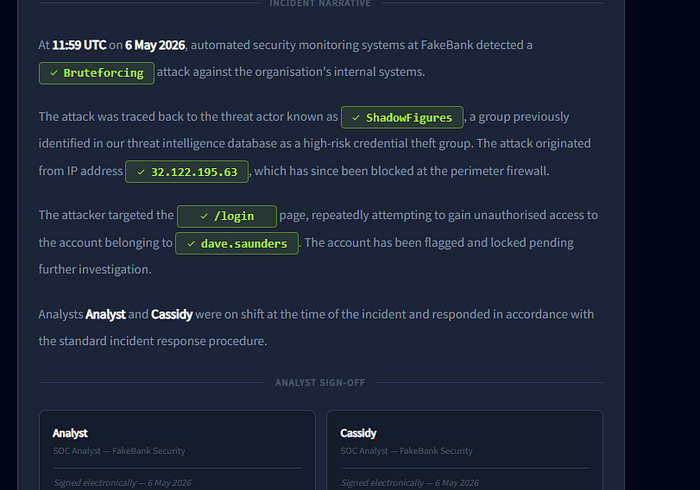
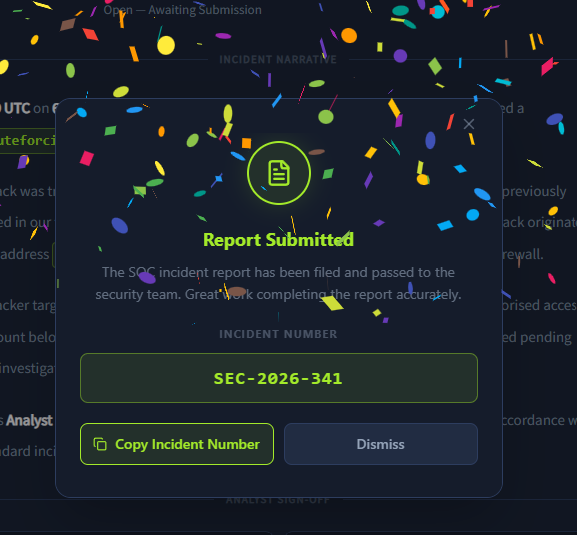
Answer : SEC-2026–341
Thanks for reading my blog sir ;)
Lawvye