

Learning Objectives:
- Understand the detail of Server-Side Request Forgery (SSRF)
- Learn the impact of SSRF and the way to improve our security system out of SSRF
— — — — — — — — — — — — — — — — — — — — — — — — — — — — — — — —
This room consists of 8 tasks: 1. What is an SSRF? 2. SSRF Examples 3. Finding an SSRF 4. Defeating Common SSRF Defenses 5. SSRF Practical
I will walkthrough each room with my own answer method
===============================================================
- Task 1: What is an SSRF?
As mentioned, we will dive deeper into what an SSRF is, what kind of impact they can provide, as well as discover some SSRF vulnerabilities examples.
SSRF itself stands for Server-Side Request Forgery, which is a vulnerability that allows a malicious user to cause the webserver to make an additional or edited HTTP request.
There are 2 types of SSRF, such as Regular SSRF and Blind SSRF. Regular SSRF means the data is returned to the attacker's screen. While, the Blind SSRF means it occurs, but no information is returned to the attacker's screen.
Q1) What does SSRF stand for?
Answer: Server-Side Request Forgery
Q2) As opposed to a regular SSRF, what is the other type?
Answer: Blind
===============================================================
- Task 2: SSRF Examples
In this task, we will immediately see what SSRF examples look like and figure out the way to exploit them :)
Q1) What is the flag from the SSRF Examples site?
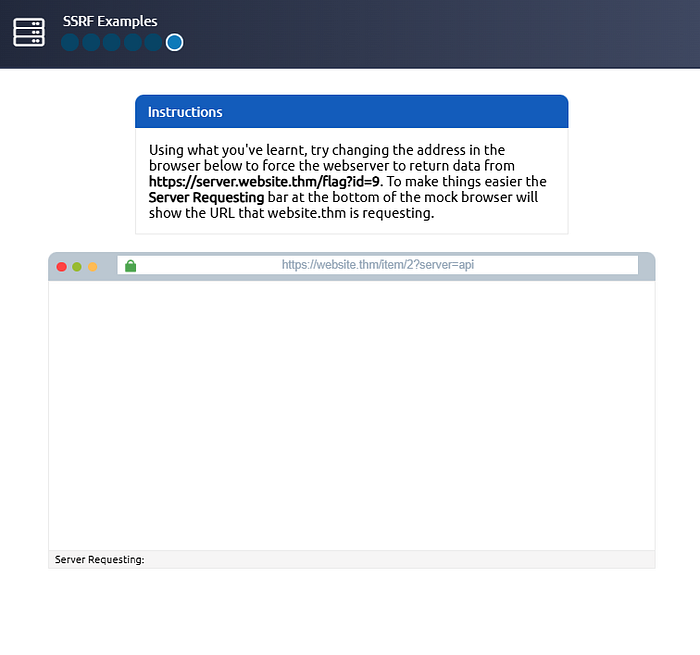
In this question, we will take payload "&x=" to ignore the rest of the URL
And we can simply search this URL to get the flag "https://website.thm/item/2?server=server.website.thm/flag?id=9&x="
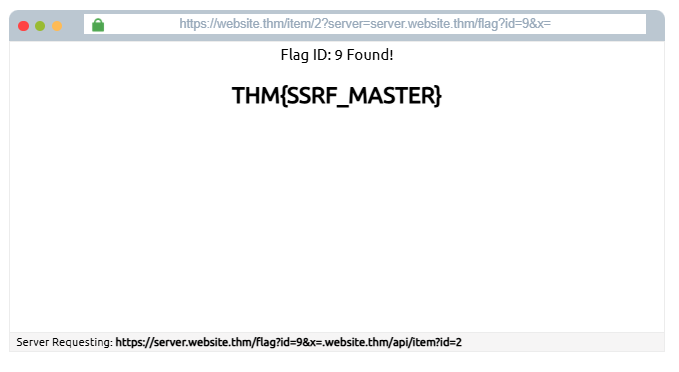
And yep, we successfully get the flag!
Answer: THM{SSRF_MASTER}
===============================================================
- Task 3: Finding an SSRF
We can spot potential SSRF vulnerabilities in web application in various ways. And in this task, we will see the most 4 common places to look for
- Full URL used in the address bar

- Hidden field in a form

- A partial URL like just a hostname

- Only the path in the URL

Some of these examples of course will require some trial and error attempt for us to find the working payload. Even, if we are working with Blind SSRF where no output is reflected back to us, we need to use another HTTP external tool to monitor the requests, such as requestbin.com or Burp Suite's Collaborator
Q1) Based on simple observation, which of the following URLs is more likely to be vulnerable to SSRF?
https://website.thm/index.phphttps://website.thm/list-products.php?categoryId=5325https://website.thm/fetch-file.php?fname=242533.pdf&srv=filestorage.cloud.thm&port=8001https://website.thm/buy-item.php?itemId=213&price=100&q=2
Answer: 3
===============================================================
- Task 4: Defeating Common SSRF Defenses
The security-savvy developers are sometimes aware of this SSRF vulnerabilities risks. That's why they will implement checks in their applications to make sure the requested resource meets specific rules. There are two approaches to this, such as deny list and allow list.
Deny List
means all requests will be accepted unless it was specified in a list or matching a particular pattern. Sometimes, the deny list is employed to protect sensitive endpoints, IP address or domains, like the localhost and 127.0.0.1 . However, the attacker may still be able to trespass this by using the alternative localhost references such as 0, 0.0.0.0, 0000, 127.1, 127.*.*.*, etc, even they can still use the subdomains that have a DNS record which resolves to the IP Address 127.0.0.1, such as 127.0.0.1.nip.io.
In addition, in a cloud environment, it could be beneficial to block access to the IP address 169.254.169.254, since it contains metadata for the deployed cloud server, including the sensitive information.
Allow List
means all request get denied unless they are stated on a list or matched a particular pattern. For instance, if the parameter must begin with https://website.thm , then the attacker could quickly create a subdomain on an attacker's domain name, such as http://website.thm.attackers-domain.thm
Open Redirect
If both bypasses above don't work, we could try one more trick, which is Open Redirect. It is an endpoint on the server where the website visitor gets automatically redirected to another website address. Actually, this endpoint was created to record the number of times visitors have clicked on this link just for advertising/marketing purposes. However, if the rule is not strict enough, for example just allow the URL with the beginning of https://website.thm/, the user could still utilize this vulnerability to redirect the internal HTTP request to an attacker's domain.
Q1) What method can be used to bypass strict rules?
Answer: Open Redirect
Q2) What IP address may contain sensitive data in a cloud environment?
Answer: 169.254.169.254
Q3) What type of list is used to permit only certain input?
Answer: Allow List
Q4) What type of list is used to stop certain input?
Answer: Deny List
===============================================================
- Task 5: SSRF Practical
In this task, we will be provided the practical exercise to apply the SSRF knowledge we have learnt so far through provided THM, afterwards we need to find the flag to answer the question below!
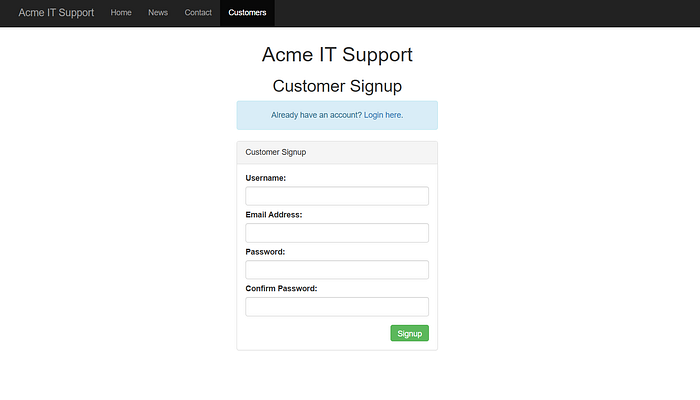
At first, we need to create a new account, then log in with the created account
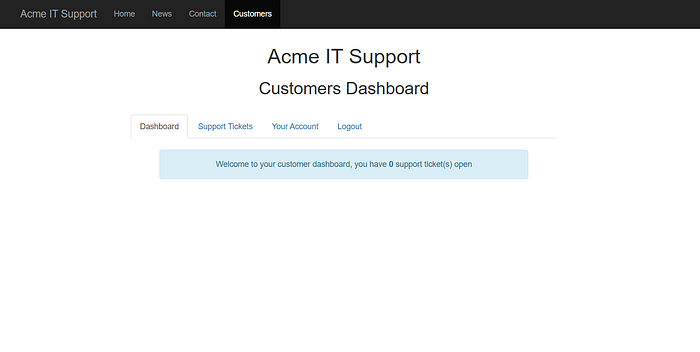
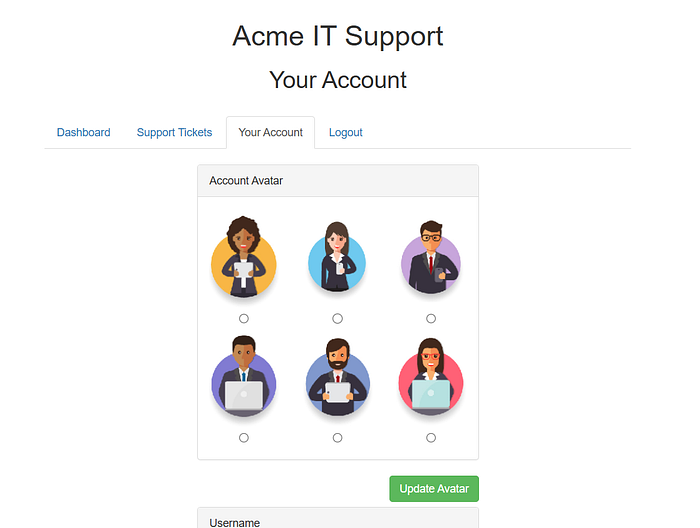
And as we can see on the image above, that will be the interface of our homepage. Now, let's navigate to "Your Account" tab and analyze the Account Avatar thing..
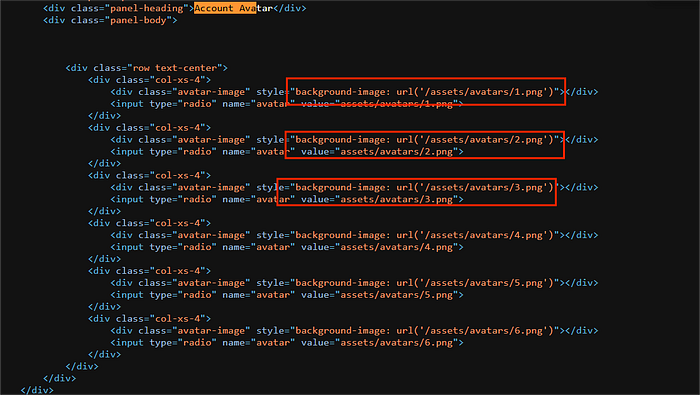
Afterwards, let's take a look at the page source code, and see some links corresponded to each avatar image, like the image below
Once updated, we can see the current avatar image value

where the value is based on base64 encoded value. Now, let's try change the value of one of the avatar, then we select it afterwards.

Let's try to change to "private", and here's the result
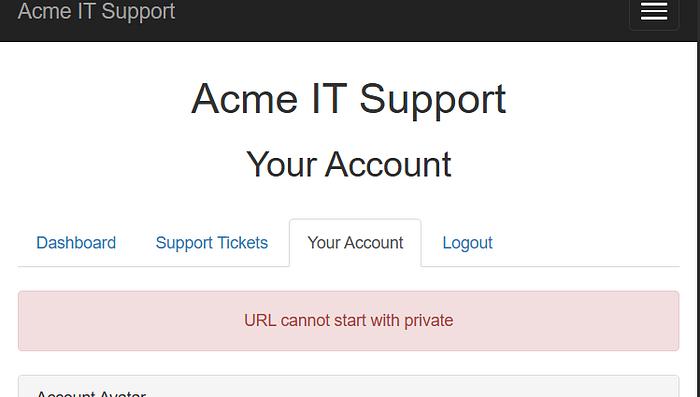
We can assume that, the URL cannot start with private, but there are lots of trick to manipulate the filter, such as x/../private


And yep, we successfully get the base64 value, and we can decode it. I assume this will be the flag for our answer

And yep! we get the flag!
Q1) What is the flag from the /private directory?
Answer: THM{YOU_WORKED_OUT_THE_SSRF}
===============================================================