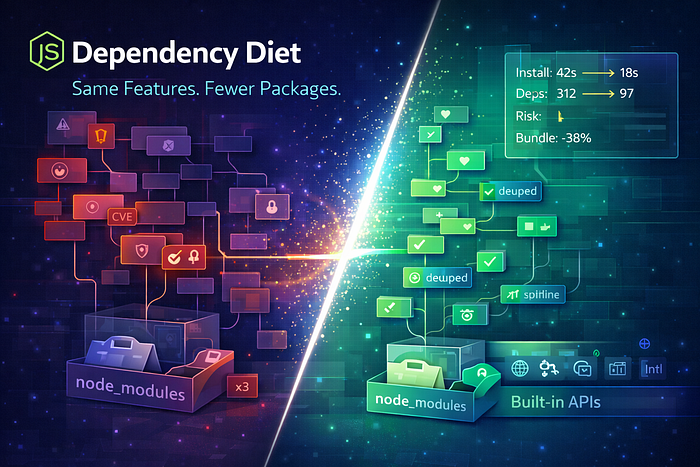

Learn a practical Node.js dependency diet: audit packages, replace heavy libs with native APIs, dedupe, shrink bundles, and reduce supply-chain risk.
Let's be real: the average Node.js project isn't a codebase. It's a package museum.
You add one tiny feature — parse a query string, format a date, generate a UUID — and suddenly you've pulled in 40 transitive dependencies, 6 postinstall scripts, and a new weekly security advisory.
And here's the awkward truth: a lot of those packages aren't "bad." They're just unnecessary now.
Node and the JavaScript ecosystem matured. Built-ins got better. Tooling improved. What used to require a library in 2017 might be a one-liner in 2026.
So this article is a practical playbook: how to put your Node.js codebase on a dependency diet — cutting packages without losing features, without breaking builds, and without turning refactors into a year-long religion.
Why Fewer Dependencies Is a Performance and Security Feature
Cutting dependencies isn't minimalism for the sake of vibes. It has real outcomes:
- Faster installs (less download + less extraction + fewer scripts)
- Smaller deploy artifacts (especially in serverless and containers)
- Less supply-chain risk (fewer maintainers, fewer compromised packages)
- Fewer breaking updates (you own the code you ship)
- Simpler debugging (you can actually read the implementation)
You might be wondering: But isn't re-implementing risky? Yes — if you re-implement blindly. This guide is about surgical swaps, not rewriting the world.
Architecture Flow: How Dependencies Become "Weight"
Here's the dependency weight pipeline most teams accidentally create:
Feature request
   |
   v
Add small package
   |
   v
Transitive dependencies (10–200)
   |
   v
Install scripts + native builds
   |
   v
Bundle/Deploy size grows
   |
   v
Security surface grows + update churn
A dependency diet reverses the flow:
Audit usage
   |
   v
Replace with built-ins / small utilities
   |
   v
Deduplicate + pin + prune
   |
   v
Smaller, safer, faster project
Step 1: Audit Like a Doctor (Not Like a Minimalist)
Before deleting anything, get clarity.
H3) Questions to answer
- Which packages are actually imported in runtime code?
- Which are dev-only?
- Which are transitively pulled but unused?
- Which have known vulnerabilities or high churn?
- Which are "one-function dependencies"?
Practical tools / commands (conceptual)
- List dependency sizes
- Find duplicates
- Detect unused dependencies
- Inspect transitive dependency trees
Even if you don't remember exact commands, the workflow is simple: measure first, cut second.
Step 2: Target the "Big Four" Weight Classes
Most dependency bloat comes from predictable categories.
1) Date/time libraries
If you're using a heavy date library for:
- ISO formatting
- parsing timestamps
- relative time display
…you can often use built-in Intl.DateTimeFormat and a tiny helper.
2) Utility mega-libraries
If you import a whole library but use 3 functions, you're paying rent for an empty apartment.
3) HTTP clients
In modern Node, fetch is a first-class option for many use cases. If your HTTP library exists only to do simple GET/POST + JSON, it's a prime diet candidate.
4) Validation / schema libs
Some are worth keeping (because correctness matters), but many projects keep two validators, or keep a heavyweight one for only a couple endpoints.
The goal isn't "no libs." The goal is fewer, more deliberate libs.
Step 3: Replace Common Packages With Built-Ins (Safely)
Here are high-confidence swaps that work in many Node projects.
H3) UUID generation
If you're using a UUID library for v4:
import { randomUUID } from "node:crypto";

const id = randomUUID();
Feature parity for most apps. Less dependency surface.
H3) Deep clone (when you truly need it)
Many apps use deep clone as a default tool… and that's a smell.
If you just want a structured copy of JSON-friendly data:
const copied = structuredClone(original);If you need custom behavior (Dates, Maps, class instances), don't pretend deep clone is safe. Handle that explicitly.
H3) Query string parsing
For URLs and query params:
const url = new URL("https://example.com?a=1&b=two");
const a = url.searchParams.get("a");
No extra packages. Clear behavior.
H3) "Is this empty?" utility packages
These are usually replaceable with explicit checks that are clearer:
const isEmptyArray = (x) => Array.isArray(x) && x.length === 0;
const isEmptyObject = (x) => x && typeof x === "object" && !Array.isArray(x) && Object.keys(x).length === 0;
Yes, it's boring. Boring wins here.
Step 4: The "Dependency Swap" Rule That Prevents Breakage
The dangerous moment is not removing a package. It's removing it while your app depends on hidden behavior.
So use this rule:
Make dependencies replaceable before you remove them.
H3) Wrap third-party APIs behind your own interface
Instead of importing libraries everywhere, centralize them.
Example: src/lib/http.ts and src/lib/dates.ts
- All calls funnel through your wrappers
- You can swap implementations without touching the entire codebase
- Tests stay stable
This is the key to "diet without feature loss." You keep behavior stable while changing the engine underneath.
Step 5: Contract Tests for Behavior (Yes, Even for "Small" Utilities)
If you want to cut dependencies safely, test behavior the way users experience it.
Example: Date formatting contract test
import test from "node:test";
import assert from "node:assert/strict";

function formatDateISO(d) {
  // Your future implementation lives here
  return new Date(d).toISOString().slice(0, 10);
}

test("formatDateISO outputs YYYY-MM-DD", () => {
  assert.equal(formatDateISO("2026-01-27T10:20:30Z"), "2026-01-27");
});
Now you can replace a date library with confidence, because you've frozen the contract.
You might be wondering: Isn't this overkill? Not when the dependency diet is the change. Tests are the seatbelt.
Step 6: Deduplicate and Prune Transitives (The Invisible Weight)
A surprising amount of bloat is duplicated versions of the same dependency across your tree.
What to do:
- dedupe installs
- align versions (especially in monorepos)
- remove nested dependencies by upgrading parents
- avoid "pinning chaos" unless necessary for security
This reduces install time and vulnerability surface without changing your code.
Step 7: Avoid the "Diet Trap" (Where You Lose Real Value)
Some dependencies are worth the weight. Seniors know when not to be clever.
Keep a dependency if:
- it encodes complex, error-prone logic (e.g., parsing)
- it's a core security boundary (auth, crypto — prefer battle-tested)
- you would end up maintaining a buggy clone
- it's stable, widely used, and well audited
A dependency diet isn't anti-library. It's anti-accident.
Case Study: The One-Liner That Saved a Deployment
A team had a serverless Node API that cold-started slowly. They assumed it was "just serverless."
The real issue: their node_modules was huge, with multiple native optional dependencies pulled in by packages they barely used.
They did two things:
- replaced several "micro-helpers" with built-ins
- removed a heavy utility library used for three functions
Cold start improved. Deploy artifact shrank. The biggest win wasn't speed — it was the reduction in surprise failures during install and build.
Less stuff. Less drama.
Conclusion: A Lean Dependency Tree Is a Competitive Advantage
A Node.js project with fewer dependencies:
- ships faster
- patches faster
- breaks less
- costs less to run
- and is easier to reason about when something goes sideways
Start small:
- pick one "one-function" dependency
- wrap it behind a local interface
- write 2–3 contract tests for behavior
- swap to built-ins
- delete the package
- repeat
CTA: If you paste your package.json dependency list (or the top 20), I'll suggest a realistic "diet plan": what to cut first, what to keep, and what to replace with built-ins—without losing features.