June 3, 2026
It Looked Normal. That Was the Problem.
What Browser-in-the-Browser (BITB) attacks look like in real phishing investigations — and why users still fall for them even when they…

S
3 min read
What Browser-in-the-Browser (BITB) attacks look like in real phishing investigations — and why users still fall for them even when they follow security advice.
Notes from phishing and malware incident response work.
Before I started working on phishing and malware incident response cases, I had a fairly simple mental model of phishing.
The urgency in the tone.
A suspicious link.
A fake login page.
Something that usually felt "off" if you looked closely enough.
That's also how phishing is often still taught.
But the more real cases I've looked at, the more that assumption has started to break down.
Because sometimes in phishing investigations, nothing looks wrong at all.
And that's where Browser-in-the-Browser (BITB) attacks start to matter.
Why this matters more than it looks like
Phishing is not a new problem.
But it is still one of the most effective ones.
Reports like the FBI Internet Crime Complaint Center (IC3) consistently show phishing and credential theft among the most reported cybercrime types.
The Verizon Data Breach Investigations Report (DBIR) also continues to highlight stolen credentials as one of the most common initial access paths in real breaches.
So the problem itself isn't new.
What is changing is how normal the attack flow now looks to users.
What Browser-in-the-Browser (BITB) actually is
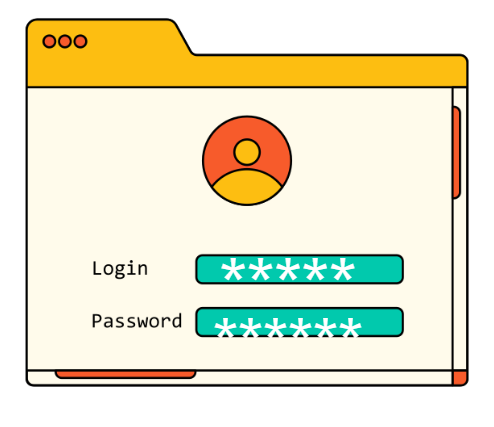
A Browser-in-the-Browser attack is a phishing technique where attackers simulate a browser window inside a webpage.
Instead of redirecting the user to a real Microsoft, Google, Okta, or other login page, the attacker shows a fake login window that looks like a real authentication popup.
From a user's point of view, it can look like:
- a normal login popup window
- a real address bar
- trusted branding (Microsoft, Google, etc.)
- a standard SSO / OAuth login flow
But none of it is real.
There is no separate browser window.
It is just a webpage built using standard web technologies (HTML, CSS, JavaScript).
When credentials are entered, they go directly to attacker-controlled infrastructure.
Why people still fall for it
This is the part that stood out to me while reviewing phishing-related investigations.
A lot of users don't describe anything suspicious afterward.
They usually say things like:
"It looked normal." "It was the usual login page." "Nothing felt off."
And that's the key point.
Because BITB isn't trying to look unusual.
It is designed to look routine.
Most users today are used to logging into multiple systems every day — email, internal tools, dashboards, cloud apps. That repeated exposure makes the login experience feel automatic.
So when something visually matches that expectation, it doesn't trigger suspicion easily.
Not because users are careless, but because the experience is familiar.
What it looks like in real incident response
BITB attacks are rarely obvious at the start of an investigation.
They usually surface indirectly.
A typical investigation might begin with:
- a suspicious login event
- MFA prompts the user didn't initiate
- impossible travel alerts
- a new mailbox forwarding rule
- an unfamiliar OAuth application
Only later does the phishing source get identified.
By that point, credentials have already been used.
One pattern I've noticed in these cases is user confidence.
Many users genuinely believe they followed the correct steps.
They checked the page. They saw familiar branding. They assumed it was legitimate.
That consistency shows up often enough that it becomes part of the investigation pattern itself.

Why BITB works
BITB doesn't rely on technical exploitation.
It relies on expectation.
Most phishing awareness training still focuses on visible cues:
- inspect the URL
- look for spelling mistakes
- verify the domain
- watch for suspicious design
These are still useful.
But BITB reduces the effectiveness of those checks by copying what users are already trained to trust.
The login flow looks correct. The branding looks correct. The interaction feels normal.
At that point, the decision becomes less about verification and more about recognition.
And recognition is not always reliable under time pressure.
How detection actually happens
From an incident response perspective, BITB is rarely detected at the point of interaction.
It usually becomes visible later through identity behavior such as:
- sign-ins from unusual locations
- impossible travel alerts
- repeated or suspicious MFA prompts
- unexpected OAuth consent grants
- mailbox rule creation or modification
- unusual cloud application access
In most cases, identity logs tell the story long after the phishing page is gone.
The phishing interface itself is often just the entry point, not the detection point.
The bigger pattern I keep noticing
Across phishing investigations, BITB or otherwise, one pattern shows up repeatedly:
Users often believe they did everything correctly.
That part matters.
Because it shifts the discussion away from "users making mistakes" and more toward something else.
The gap between:
What users are trained to recognize and what attackers can realistically imitate today.
That gap is getting harder to ignore.
Final thought
Browser-in-the-Browser attacks don't succeed because they are highly technical.
They succeed because they look normal enough not to trigger doubt.
And from what I've seen in phishing incident response work, that is becoming more common across different attack types — not just BITB.
Nothing looked suspicious. Nothing felt wrong. Everything looked familiar.
And that is usually the point.
The problem isn't always that users don't notice phishing.
Sometimes it's that nothing gives them a reason to question what they're seeing in the first place.
©