
This hands-on project explores vulnerability scanning through practical implementation. We'll install Nessus on a Kali Linux virtual machine and perform security assessments on two different targets: Metasploitable 2, which contains intentional security flaws, and a fresh Windows installation. The goal is to understand how security professionals identify and address system vulnerabilities before malicious actors can exploit them.
Understanding Vulnerability Scanning
Vulnerability scanning systematically examines computer systems, networks and applications to find security weaknesses. Think of it as a health checkup for your digital infrastructure , it reveals where your defenses might be weak, whether that's outdated software, improper configurations, or known security gaps that hackers could leverage.
The scanning workflow generally follows four stages:
Asset Discovery maps out everything connected to your network, every computer, server, and device that needs protection.
Scanning examines each system, checking which ports are accessible, what services are running, and which applications are installed, then searches for vulnerabilities in each component.
Analysis cross-references everything discovered against databases of known security issues to identify real threats.
Reporting compiles findings into actionable intelligence, rating each vulnerability by severity and suggesting specific fixes.
How Nessus Finds Vulnerabilities
Nessus, created by Tenable, has become an industry standard for automated vulnerability detection. It streamlines the complex process of identifying security risks across entire networks.
The Discovery Process
Nessus begins by mapping the network landscape, scanning designated IP address ranges to find active devices. Once it locates systems, it probes deeper to catalog accessible ports, active services, and installed applications.
Detection Methods
With the network mapped, Nessus systematically checks each system against its extensive vulnerability database. This database catalogs known security flaws, dangerous configurations, and obsolete software versions. The scanner can operate in two modes: credentialed scans use administrative access to thoroughly inspect system internals, while non-credentialed scans perform external assessments that identify surface level exposures without requiring login access.
Risk Assessment
Nessus evaluates each discovered issue, assigning severity ratings from low to critical based on potential impact and exploitation difficulty. The scanner identifies various security concerns: missing security updates, improperly configured network ports, vulnerable service versions, weak authentication mechanisms, and potential malware infections.
Documentation and Remediation
The final output includes comprehensive reports detailing every vulnerability found, which systems are affected, and specific remediation steps. These reports are customizable, allowing security teams to filter by severity or system type to tackle the most urgent issues first. Each vulnerability entry includes practical guidance, whether that means applying specific patches, adjusting configurations, or upgrading software versions.
Nessus offers extensive customization options, supporting scheduled automated scans, custom security policies, and integration with broader security ecosystems. Organizations of all sizes rely on it to maintain strong security postures by proactively identifying and resolving vulnerabilities.
Lab Objectives
This exercise develops practical familiarity with vulnerability scanning tools and teaches the systematic process of identifying security weaknesses and determining appropriate countermeasures.
Technical Requirements
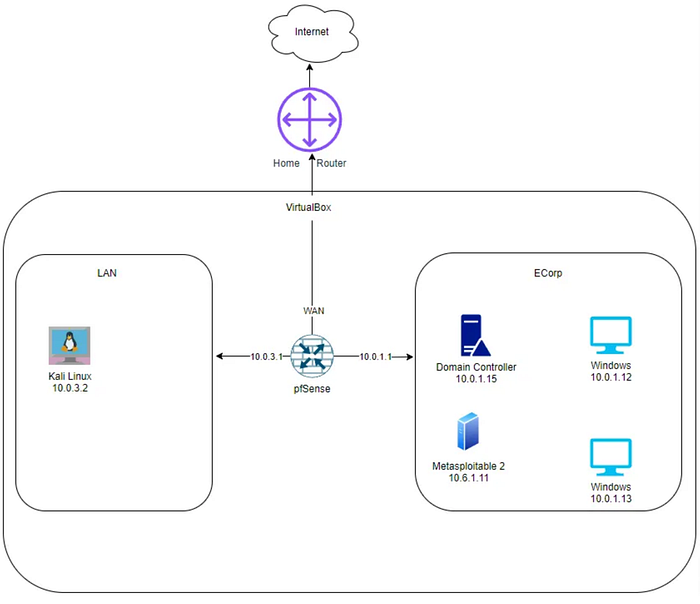
The lab environment runs on VirtualBox, requiring Nessus installation on the Kali Linux virtual machine before beginning the scanning exercises.
From the Kali Linux VM, run the curl command below to download Nessus.
curl --request GET \
  --url 'https://www.tenable.com/downloads/api/v2/pages/nessus/files/Nessus-10.9.2-ubuntu1604_amd64.deb' \
  --output 'Nessus-10.9.2-ubuntu1604_amd64.deb'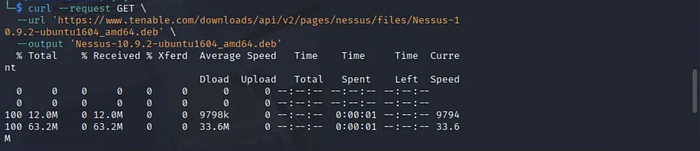
Run the command below.
sudo dpkg -i Nessus-10.9.2-ubuntu1604_amd64.deb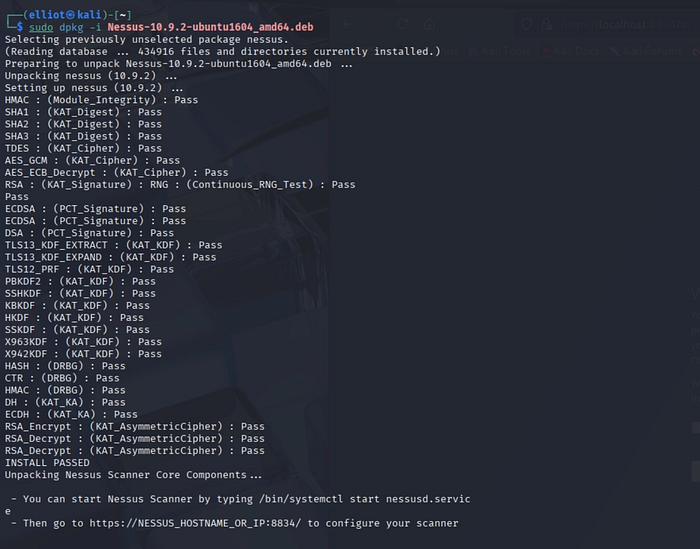
After installation, start the nessus service using the command below.
sudo systemctl start nessusd.serviceCheck the status by running the command below.
sudo systemctl status nessusd.service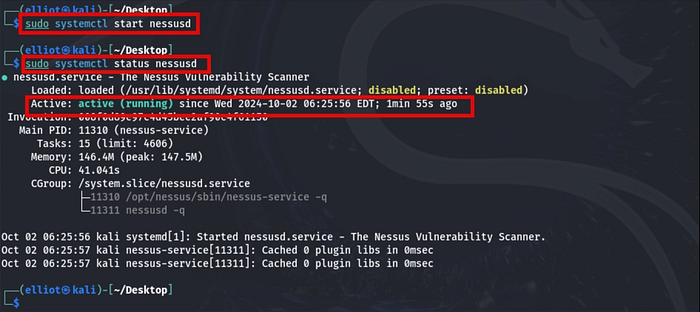
Navigate to the Nessus login page on the browser of the Kali Linux VM, choose "Register for Nessus Essentials", and select Continue.
https://kali:8834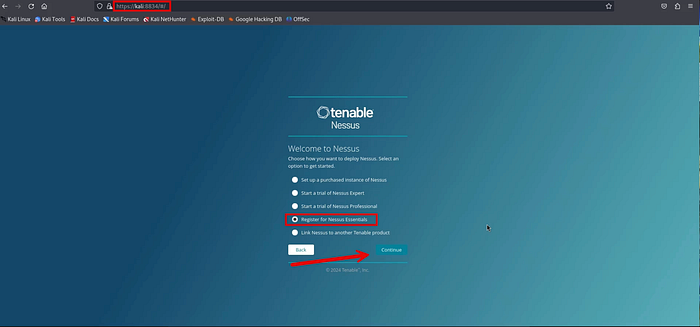
Fill out the form and select Register to receive the activation code.
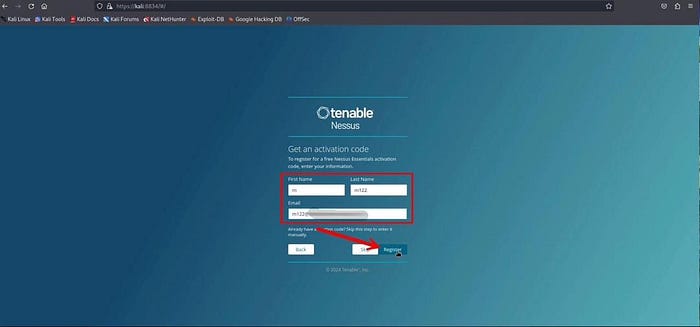
You will receive the activation code.
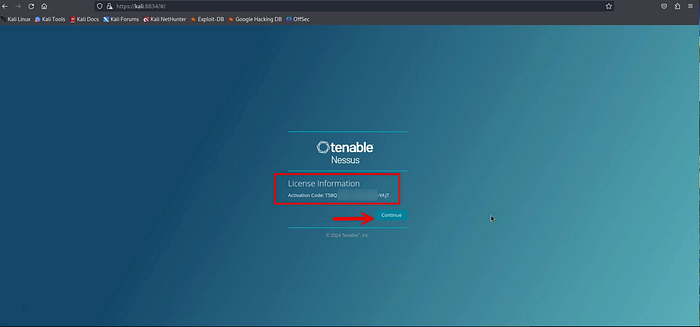
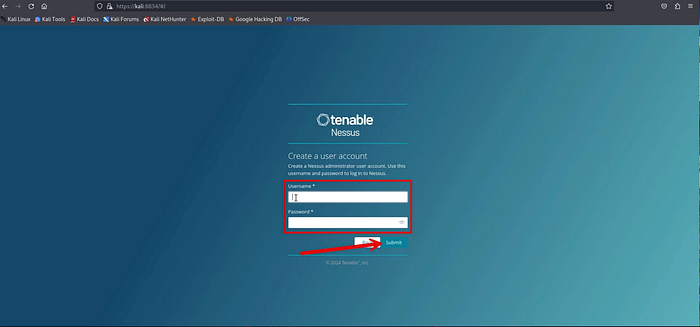
Create a user account.
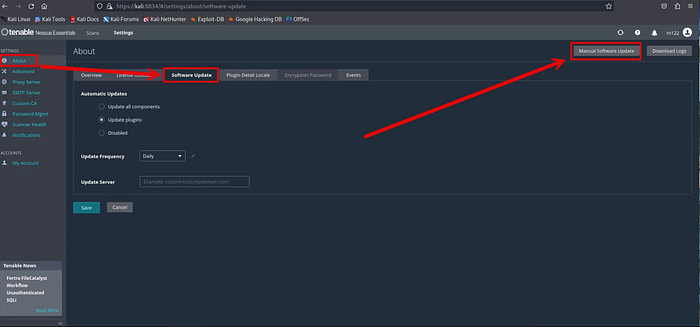
Once the Nessus dashboard opens, go to About → Software Update → and Manual Software Update
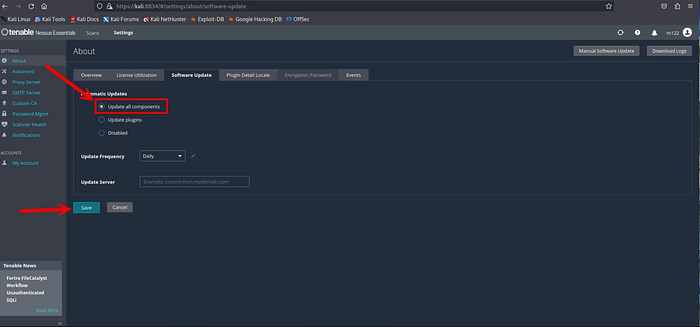
Select the Update all components button and select Save
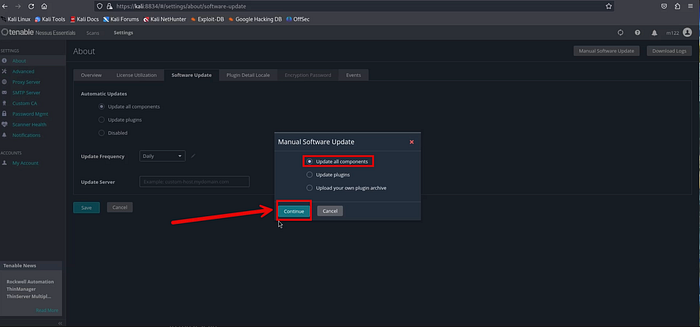
Downloading updates may take around 20–30 minutes, as Nessus retrieves the plugins needed for scanning.
After the update finishes, open the Scans tab. You'll be asked to define your scan targets, either a single IP address or an IP range. In this example, the scan targets the CYBER_RANGE VLAN subnet (10.6.6.0/24).
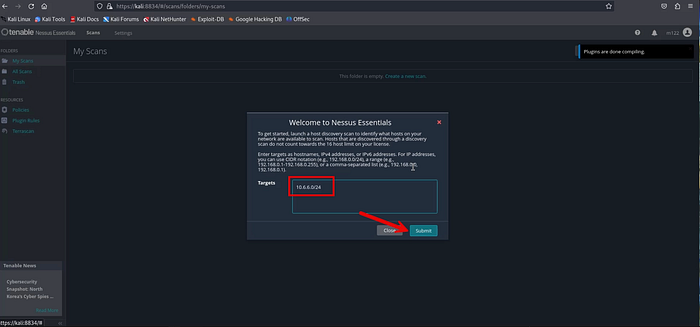
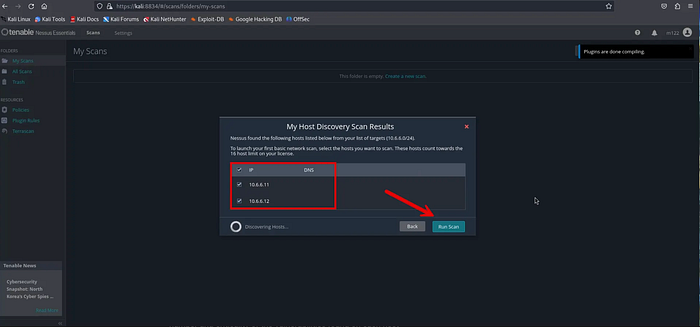
From the view below, there are two active hosts detected within the selected IP range. Choose both IP addresses as scan targets, then launch the scan to assess the two systems simultaneously.
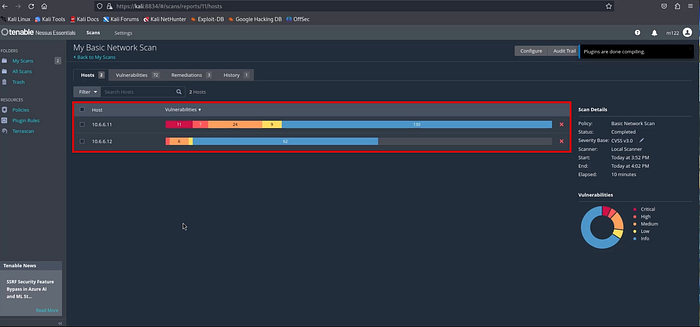
The scan may require about 20 to 30 minutes to finish, depending on the target systems and enabled plugins. Once completed, the results display the total vulnerabilities identified on each host along with their severity levels, helping you quickly gauge the overall risk posture of the systems.
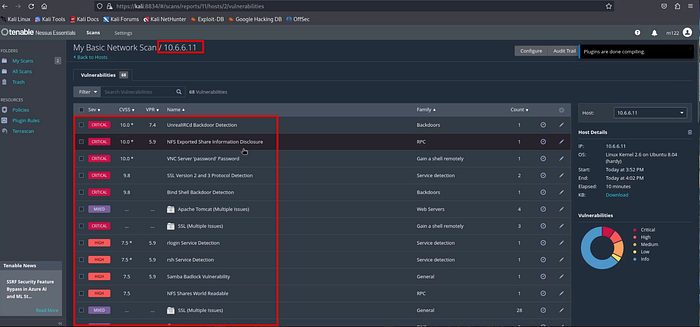
You can double click the host to see a detailed description of each vulnerability.
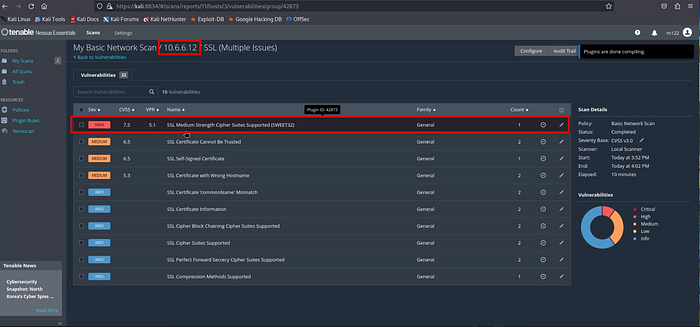
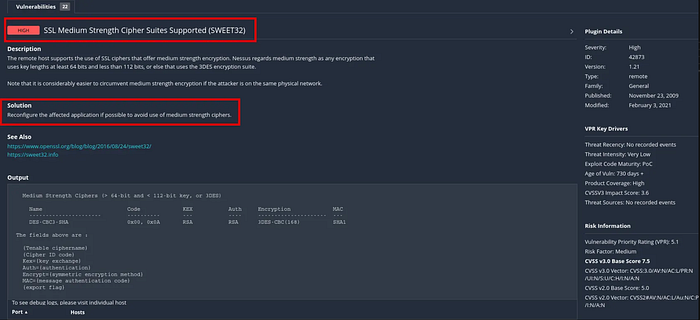
Double clicking a vulnerability opens a detailed view with a full explanation of the issue and recommended remediation steps. The example shown below comes from the clean Windows virtual machine, illustrating how Nessus provides context and guidance even on newly installed systems.
Conclusion
You have successfully installed and executed a vulnerability scan within your lab environment, gaining practical insight into how security professionals identify system weaknesses. This hands-on demonstrates the value of proactive security assessments and the importance of regularly evaluating your network for potential risks. To deepen your understanding, continue experimenting with different scan configurations, targets, and policies to observe how results vary across systems and scenarios.