
Hey Hackers, I am Parth Narula. A penetration tester, bug hunter, red teamer and overall a security researcher. I live for those moments where a bit of out-of-the-box thinking cracks open a critical vulnerability.
I came across a bug that looked very small in the beginning. It started from a Self XSS inside my own profile settings, and finally turned into a Stored XSS through a public profile feature.
The testing started from the signup page of the application: https://redacted/sign-up
While creating an account, I noticed an input field called artist name. These types of fields are always worth testing because names are usually reused in many places. They can appear in emails, profile pages, search results, dashboards, notifications, and sometimes even inside admin panels.
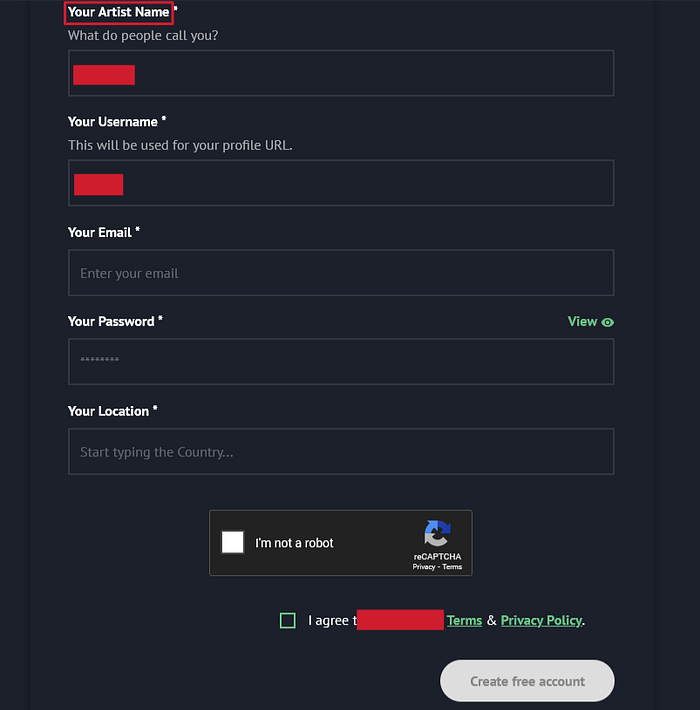
So I inserted a simple HTML injection payload in the artist name field.
"'<h1>${{7*7}}</h1>The payload was not very advanced. It was just a basic test to check how the application handled HTML tags and special characters. After completing the signup process, I received a confirmation email from the application.
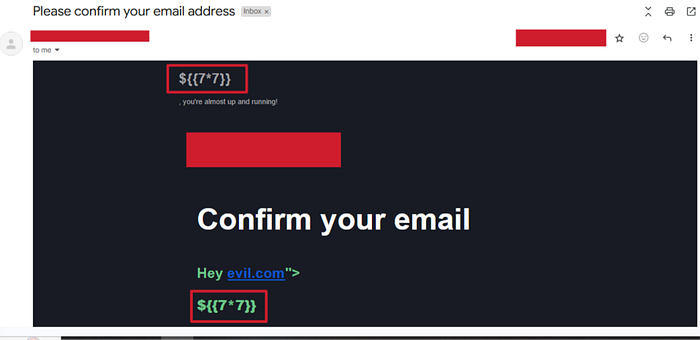
That is where the first issue appeared.
The HTML payload was rendered inside the email body. This confirmed that the artist name value was being inserted into the email template without proper handling. At this stage, the finding was an email based HTML injection.
It was not the final impact, but it was a good signal. If user controlled input is rendered unsafely in one place, there is always a chance that the same input is reused unsafely somewhere else too.
After seeing the HTML injection in the email, I moved to the profile settings page at https://redacted/artists/settings/my-profile to check how the same artist name field behaved after account creation.
I updated the artist name again, but this time I used a basic XSS payload:
<img/src/x onerror=prompt(document.cookie)>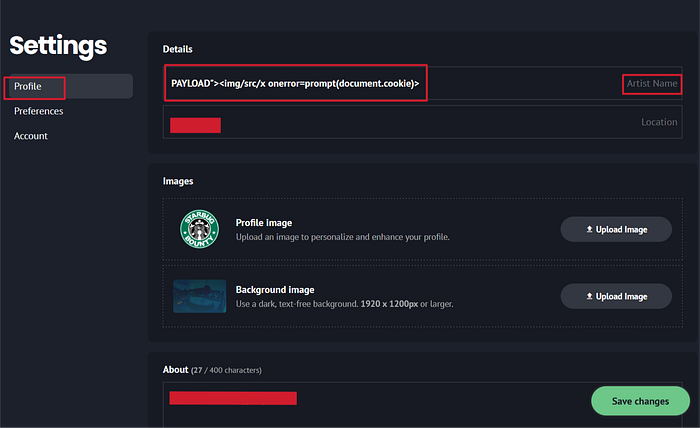
After saving the profile and refreshing the page, the payload executed inside my own profile settings. The popup appeared in my own session.
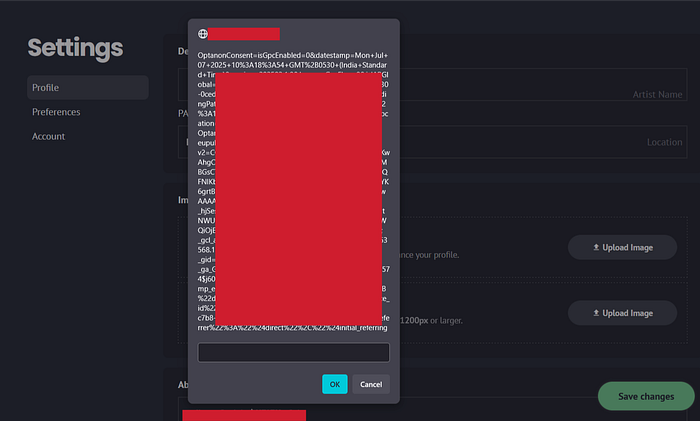
At this point, the bug looked like a normal Self XSS. The payload was stored in my profile, but it was only executing when I opened my own settings page. From a normal impact point of view, this was still limited because I was only triggering the payload against myself.
But I did not stop there, because profile fields are rarely used in only one place. An artist name is not just a private setting. It is the type of value that can appear across the application wherever the user profile is shown.
So the next step was to check the public profile page at https://redacted/artists/{username}/profile
I opened the public profile to see if the artist name payload was visible or executed there. At first, nothing happened. The payload did not execute on the public profile page.
This made the issue look even more like a limited Self XSS. The payload was stored, but it was not executing in the public view. If I had stopped here, the finding would have remained low impact.
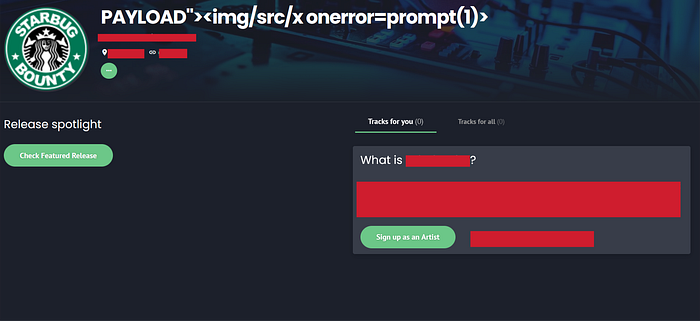
But while testing profile based bugs, it is important to check how different settings change the public view. Many applications do not show all profile data by default. Some fields only appear when a specific feature is enabled.
That is when I noticed the Open to Collaboration option.
Inside the account settings, there was a feature called Open to Collaboration. By default, it was set to: Not interested
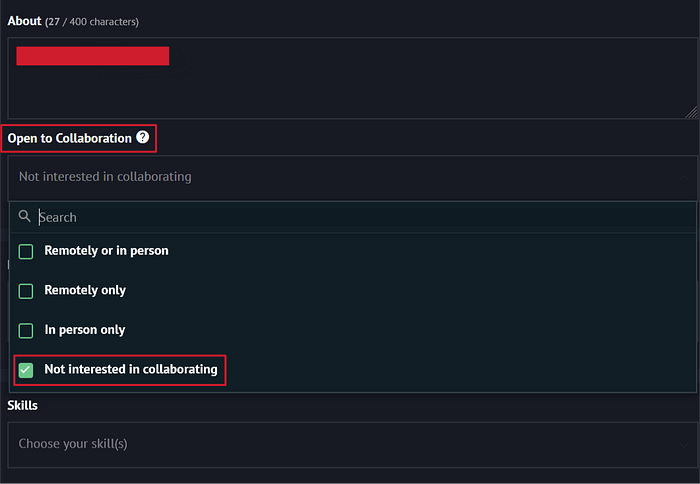
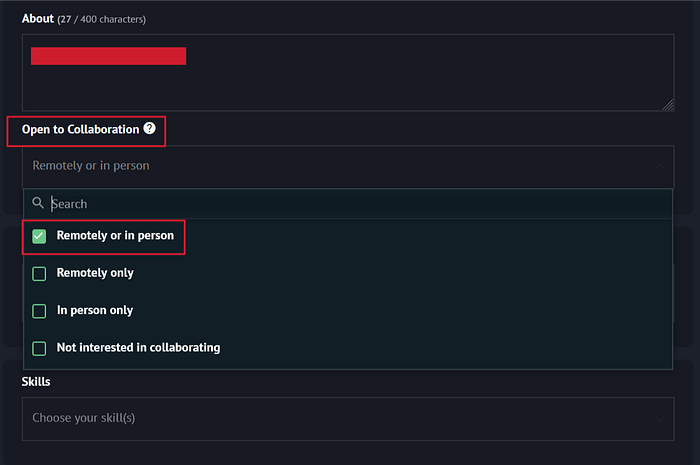
I changed it to Remotely or in person and save the settings.
https://api.redacted.co/v1/artists/:id

{
  "changeType": "PROFILE",
  "fullname": "PAYLOAD_HERE",
  "collaborationStatusId": "REMOTE_OR_IN_PERSON"
}
This looked like a simple profile visibility feature. I wanted to see if enabling it changed anything on the public profile. After saving the setting, I visited the public profile again.
This time, the profile page was different. A new people group icon appeared on the top right side of the public profile. Since this icon was added only after enabling collaboration, I clicked on it to understand what information it displayed.
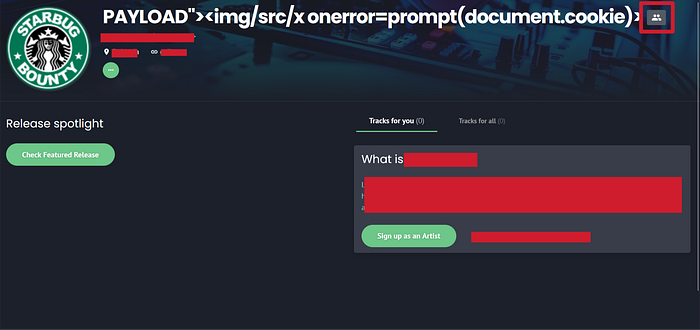
As soon as I clicked it, the XSS payload executed.
This was the turning point. The same payload that was earlier executing only inside my own profile settings was now executing from the public profile through the collaboration feature.
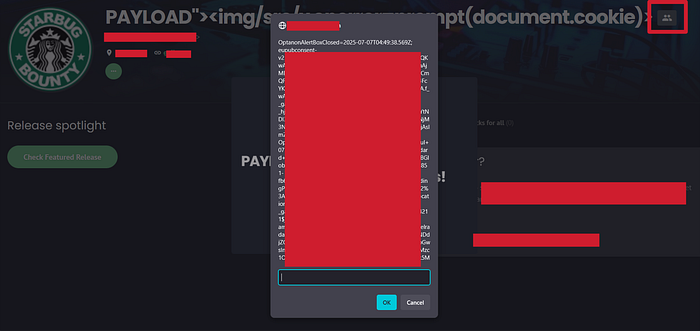
So the issue was no longer just Self XSS. The payload was stored in the profile and became reachable from a public area of the application. Any user who visited the profile and clicked the collaboration icon could trigger the payload. That changed the impact completely.
Lesson Learned
- Don't ignore low-impact injection: Like HTML Injection or Self-XSS. These often look harmless but can reveal deeper flaws in how user input is handled, especially when reflected in places like emails or profiles.
- Always test input across different render contexts: Emails, profiles, dashboards, etc. A field vulnerable in one area might be reused elsewhere in ways you don't expect.
- Utilize app features: Small app features (like "Open to Collaboration") can change where data appears and that can turn a Self-XSS into a critical Stored XSS if the input gets reflected somewhere shared.
- Impact is everything: A bug isn't truly low-severity until you've tested its full reach.
Hope you learn something new. Follow for more amazing articles and give claps if you like this one :)
Need expert pentesting services? visit https://scriptjacker.in or let's collaborate on your next project! 🤝
Want to learn from my experiences? Check out my articles on https://blogs.scriptjacker.in