

Reflected Cross-Site Scripting (XSS) occurs when user input is immediately returned in the server's response without proper validation or encoding. The malicious script is reflected back to the browser and executed in the user's session, allowing attackers to run arbitrary JavaScript, steal session cookies, or manipulate web content.
In this walkthrough, we will test and exploit Reflected XSS in DVWA across different security levels to see how weak input validation leads to script execution.
Low
Always start by testing the normal functionality of the application before attempting to break it.
The application asks for a name and provides a simple text input field. Enter a normal value such as:
John Doe
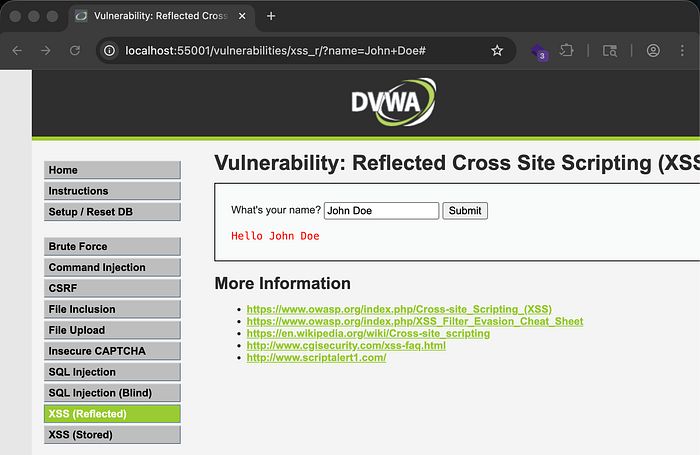
After submitting the input, the application responds with Hello John Doe. Since the application reflects user input in the response, this already hints at a possible reflected XSS vulnerability.
To test for XSS, first check if HTML injection is possible. Enter:
<h1>John Doe</h1>
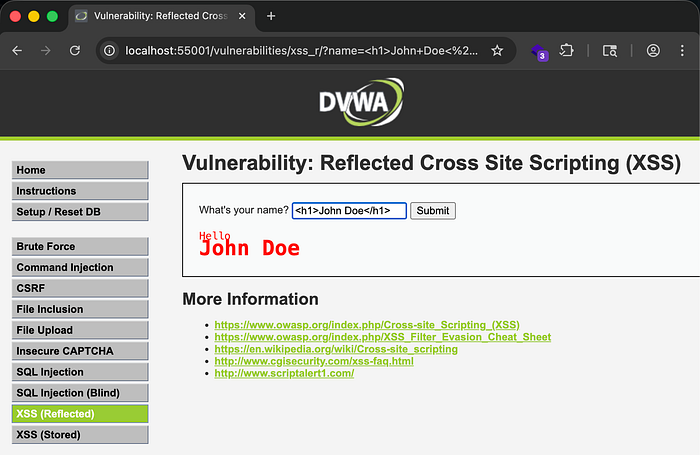
After submitting the input, the response changes significantly. The name appears larger and bold because it is wrapped inside an HTML tag. This confirms that the application renders user input directly in the HTML response, which proves HTML injection is possible.
You can go further and attempt to render an image from the application's directory:
<img src="../../dvwa/images/logo.png">
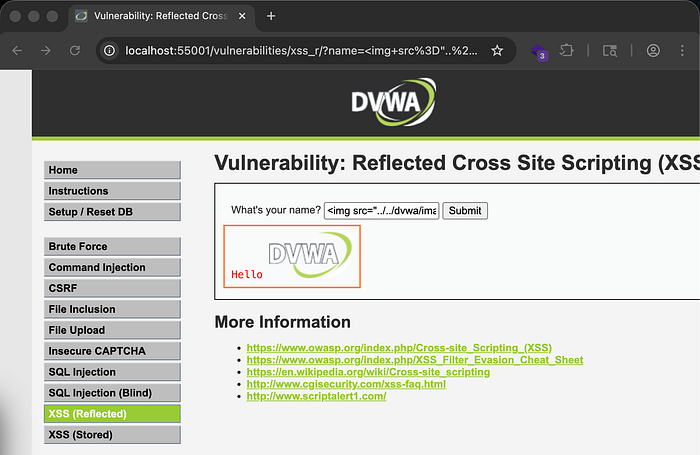
The image renders successfully, confirming that user input is placed directly into the HTML page without filtering.
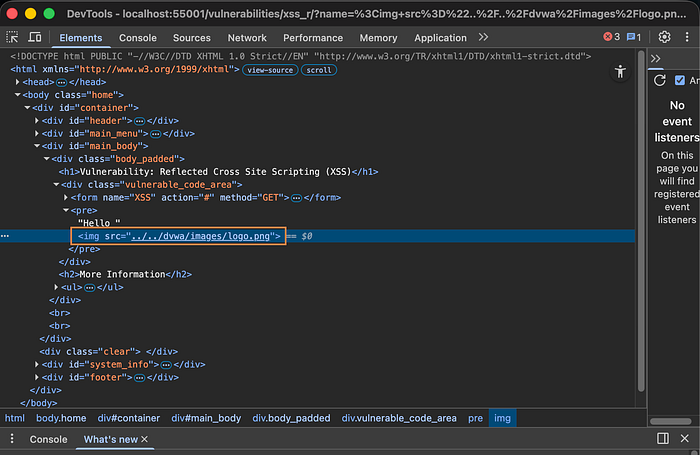
To verify this, right-click the page and select Inspect. You will see that the user input is inserted directly into the HTML response without sanitization.
Now move from HTML injection to JavaScript injection.
Since the input is in an HTML context, inject a script tag:
<script>alert(1)</script>

The application displays an alert box with the value 1, confirming that JavaScript execution is successful and the application is vulnerable to reflected XSS.
When reviewing the application code, you will notice that the application checks for the name parameter in the URL and directly places it into the response without any filtering or sanitization.
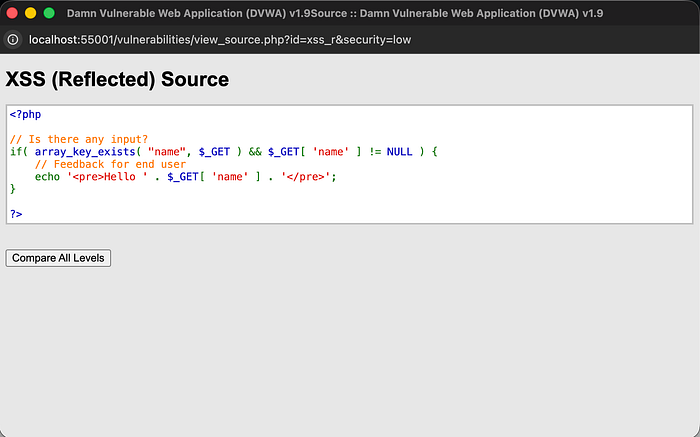
This creates a direct pathway for reflected XSS.
Medium
Again, start by testing the normal functionality using a simple name like John Doe.
Since the application reflects input in the response, test HTML injection again:
<h1>John Doe</h1>

The HTML is still rendered, confirming that input is still reflected.
Now test JavaScript injection:
<script>alert(1)</script>
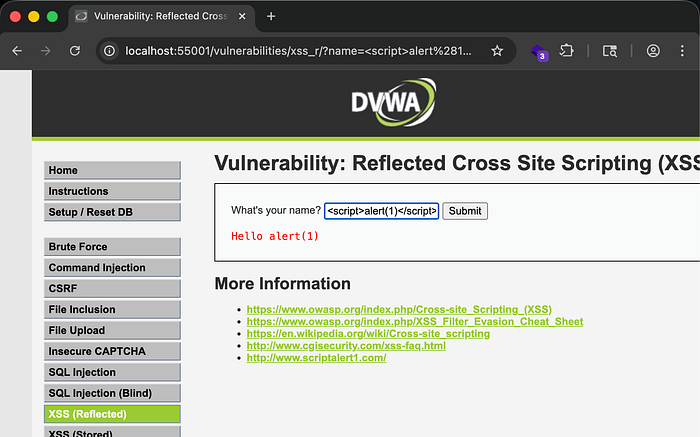
This time, the script does not execute. Instead, the application displays alert(1) in the response.
This suggests that the application is attempting to filter script tags.
To understand what is happening, intercept the request and response using Burp Suite.
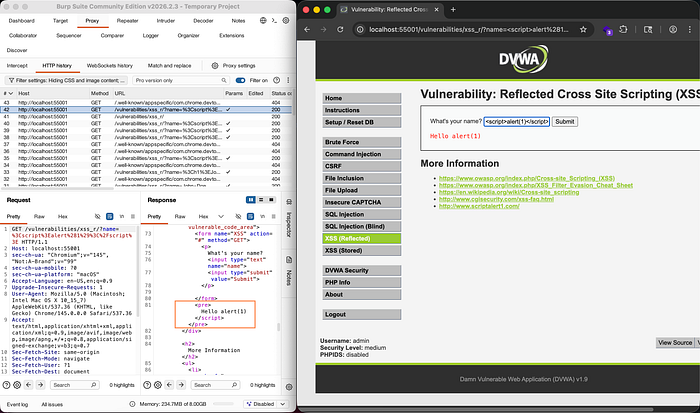
Inspecting the response shows that the <script> tag is removed before the response is returned. The application is stripping the script tag as a basic security mechanism.
To bypass this, consider that the filtering logic may not be recursive.
Try nesting the script tag inside another script tag:
<script<script>>alert(1)</script>
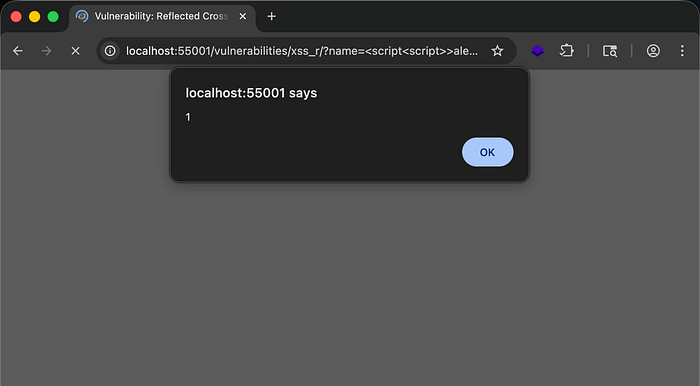
The script executes successfully and displays the alert box.
Another bypass technique is changing the letter casing:
<sCripT>alert(1)</script>
This works because some filters only match exact lowercase strings.
When reviewing the application code, you will see that it checks for the string <script> and replaces it with an empty string before sending the response. Since the filtering is simple string replacement, it can be bypassed easily.
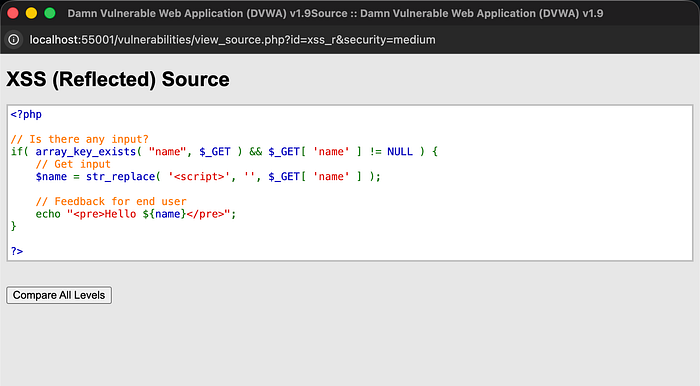
This demonstrates how weak filtering logic fails to prevent XSS.
High
Start again by testing normal functionality using John Doe.
Since input is reflected, test HTML injection again by rendering an image:
<img src="../../dvwa/images/logo.png">
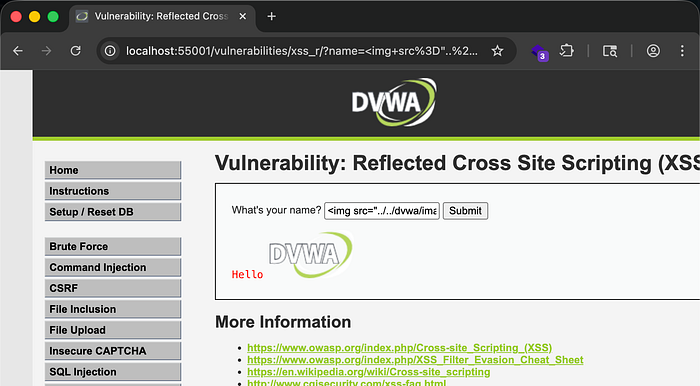
The image renders successfully, confirming that HTML injection is still possible.
Now attempt JavaScript injection:
<script>alert(1)</script>
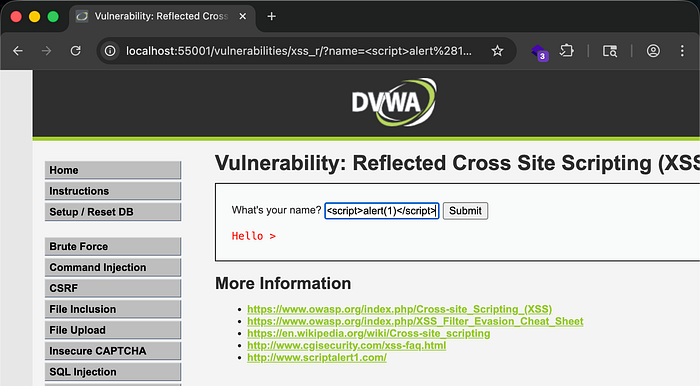
The application filters the entire input and returns only:
hello >
This shows that stronger filtering is in place.
However, HTML injection still works, which means JavaScript can still be executed through HTML attributes.
HTML allows JavaScript execution inside attributes such as event handlers.
Try:
<img src=x onerror=alert(2)>
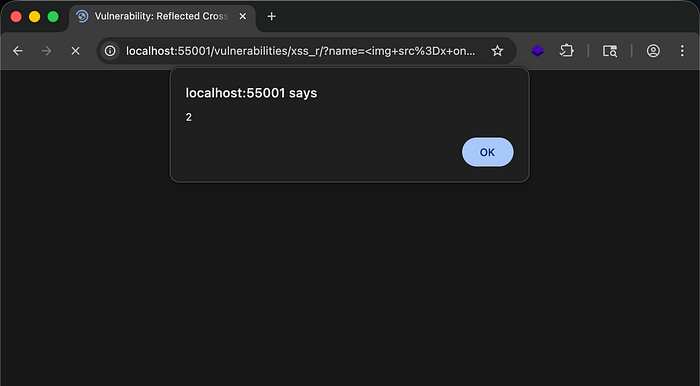
Since the image source does not exist, an error occurs and the onerror event executes the JavaScript. The alert box appears with the value 2, confirming successful XSS execution.
Reviewing the application code shows that it attempts to remove characters such as /, <, and different cases of the letters in script before sending the response.

However, JavaScript execution does not rely only on the <script> tag. Event handlers such as onerror, onclick, and others can still execute JavaScript, making this filtering approach ineffective.
What you can do to protect your apps from this..
- Implement proper output encoding before reflecting user input in the browser.
- Use contextual encoding such as HTML encoding, attribute encoding, and JavaScript encoding where necessary.
- Avoid directly inserting user input into HTML responses.
- Use secure frameworks or templating engines that automatically escape user input.
- Implement strict input validation and allowlists instead of relying on string replacement filters.
- Deploy a Content Security Policy (CSP) to restrict script execution and reduce XSS impact.
- Use security testing tools such as Burp Suite to regularly test for XSS vulnerabilities.
- Conduct regular secure code reviews to ensure user input is properly sanitized and encoded.
- Proper input handling and output encoding are the most effective ways to prevent reflected XSS vulnerabilities in web applications.