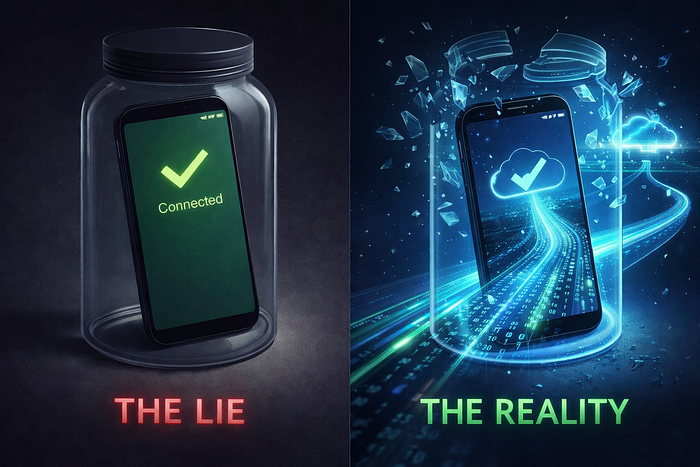

If you ask a Junior Developer to check for internet in Flutter, they will install connectivity_plus and write this:
final result = await Connectivity().checkConnectivity();
if (result == ConnectivityResult.mobile) {
  // "We are online!"
  // (Spoiler: You probably aren't.)
}
If you do this in a production app — especially an offline-first one — you are building a trap.
In the fintech app or any application you trust, this exact logic causes thousands of failed sync attempts. Users stare at a "Syncing…" spinner while standing in coffee shops, confusing a strong Wi-Fi signal with an actual internet connection.
Here is the deep technical breakdown of why connectivity_plus lies to you, and the Socket-Level Health Check architecture we replaced it with.
The OSI Model Problem (Layer 1 vs. Layer 3)
To understand why your app is failing, you have to look at what connectivity_plus is actually doing under the hood.
- On Android: It wraps
ConnectivityManager. - On iOS: It uses
NWPathMonitor.
These APIs operate primarily at the Link Layer. They answer the question: "Is the hardware radio turned on, and has it successfully negotiated a link with a router/tower?"
They do not check the Network Layer or Application Layer.
This creates three common "False Positives" in production:
- The Captive Portal: You are connected to Starbucks Wi-Fi. The link is up. You have an IP address.
connectivity_plusreturnsConnectivityResult.wifi. But until you sign in on the web portal, all your API packets are being dropped. - The Dead DNS: Your ISP's DNS server is down. You have a 4G connection, but you can't resolve
api.yourbackend.com. - The Corporate Firewall: You are on office Wi-Fi, but port 443 is blocked for non-managed devices.
In all three cases, connectivity_plus says True. Your app tries to sync. The request hangs until it times out (30s+). The user assumes your app is broken.
The Solution: The "Double-Check" Pattern
You cannot trust the OS. You must trust the network.
To fix this, we moved to a Socket-Level Check using internet_connection_checker (or a raw Socket.connect implementation).
Instead of asking "Is the cable plugged in?", we ask "Can I actually reach Google?"
Here is the code that actually works in production:
import 'dart:io';

Future<bool> hasRealInternet() async {
  try {
    // We look up Google's DNS IP, then actually try to open a socket to it.
    // This proves packets can flow all the way to the outside world.
    final result = await InternetAddress.lookup('google.com');
    if (result.isNotEmpty && result[0].rawAddress.isNotEmpty) {
      // The crucial step: try to connect to port 53 (DNS) or 443 (HTTPS)
      final socket = await Socket.connect(result[0], 443, timeout: const Duration(seconds: 2));
      socket.destroy(); // Close immediately, we only needed to know it connected.
      return true;
    }
    return false;
  } on SocketException catch (_) {
    // If the socket fails to connect, we know we are offline.
    return false;
  }
}
This check verifies that:
- DNS resolution is working.
- Packets can leave the device.
- Packets can return from the outside world.
The Architecture: "The Network Guard"
However, you cannot just run hasRealInternet() in a loop. Opening sockets consumes battery and data.
The "Senior" approach is to combine passive monitoring with active verification. We built a NetworkInfo class that sits between our Bloc and the Data Layer.
The Logic:
- Listen to
connectivity_plusstream for hardware changes (low battery cost). - When the radio state changes to
Connected, trigger a single Socket Check. - Debounce the check (don't ping more than once every 2 seconds) to prevent "retry storms."
abstract class NetworkInfo {
  Future<bool> get isConnected;
}
class ProductionNetworkInfo implements NetworkInfo {
  final InternetConnectionChecker connectionChecker;
  ProductionNetworkInfo(this.connectionChecker);
  @override
  Future<bool> get isConnected => connectionChecker.hasConnection;
}
Why We Don't Use HTTP HEAD Requests
Some developers suggest sending a HEAD request to your own backend. Don't do this for connectivity checks.
- Latency: A full HTTP handshake (TLS + Headers) is slow. A raw socket ping to
8.8.8.8is nearly instant. - Server Load: If you have 100,000 users and they all lose internet, when they come back online, they will DDOS your server with health checks.
- Independence: If your backend is down, your app should know it has internet (even if it can't reach your server).
Summary
Offline-first engineering is about paranoia.
connectivity_plustells you if the Door is open.- Socket Checks tell you if the Road is clear.
If you are building for production, stop checking the door. Check the road.