https://shuffler.io/
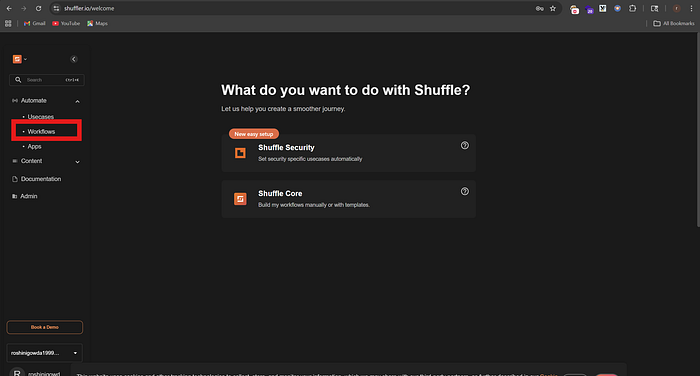
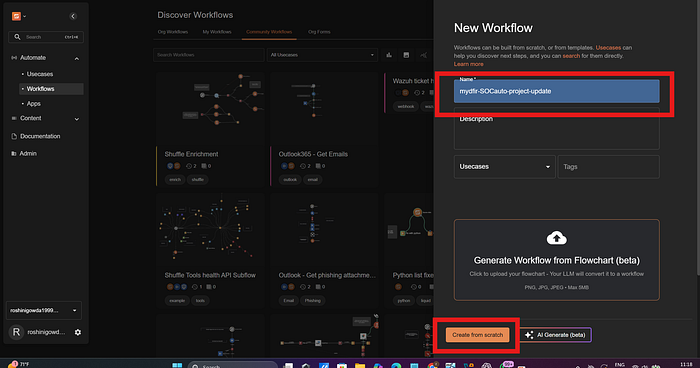
create an account >>click workflow>create workflow
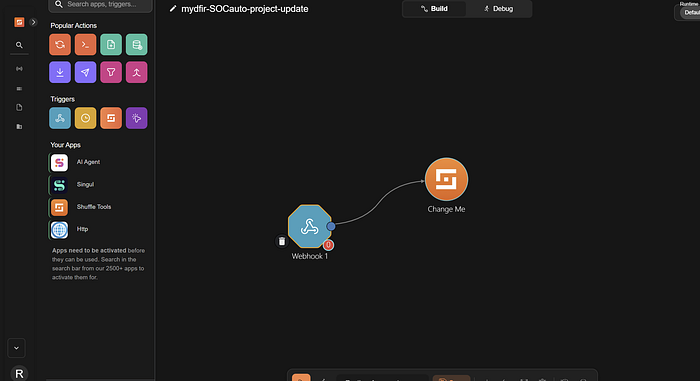
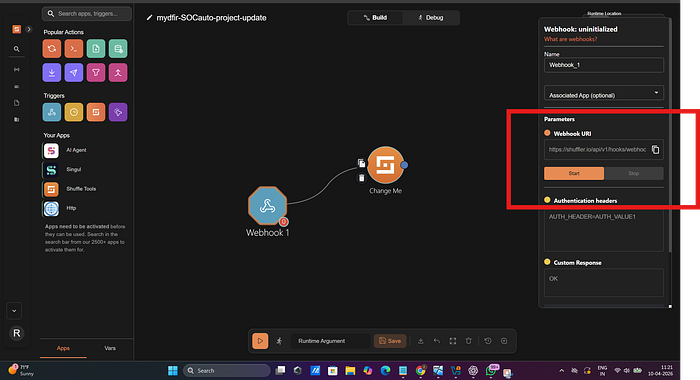
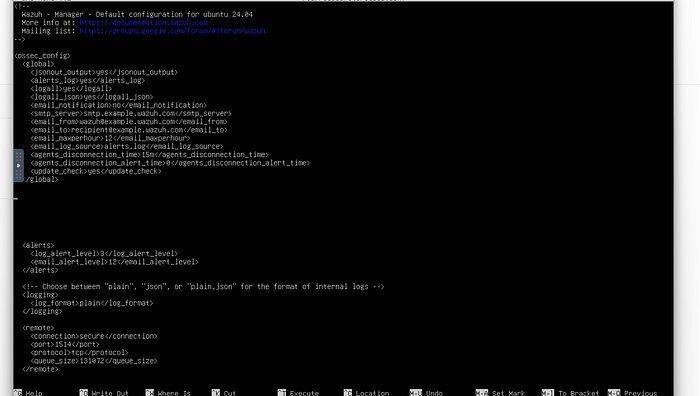
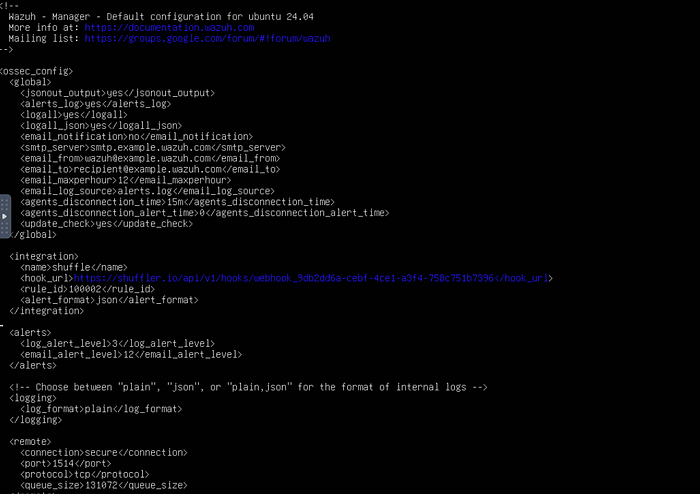
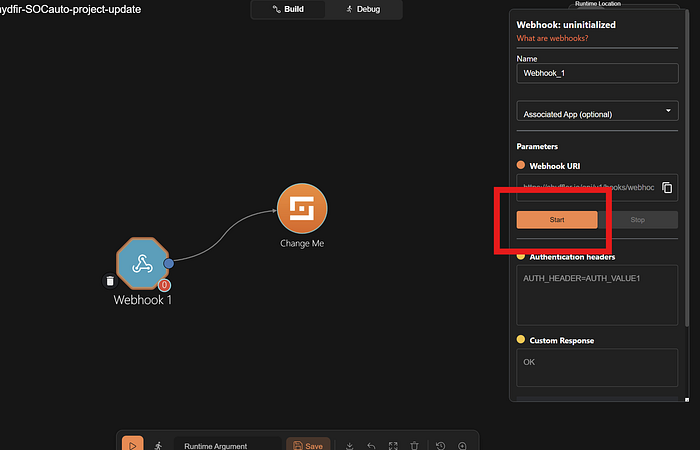
try dragging the webhook account from triggers and attach to changeme>click on webhook and copy the webhook uri which would be shown in the side of you're screencopy webhook uri to modify the wazuh manager tomodify ossec.conf file and update pointing towards this uri of webhookin ssh> nano /var/ossec/etc/ossec.conf >>when this page opens between global and alert paste the below commands<integration>
<name>shuffle</name>
<hook_url>paste you're webhook uri </hook_url>
<rule_id>100002</rule_id>
<alert_format>json</alert_format>
</integration>
ctrl+x ,y,enterthen restart wazuh manager by running this below command
systemctl restart wazuh-manager.service
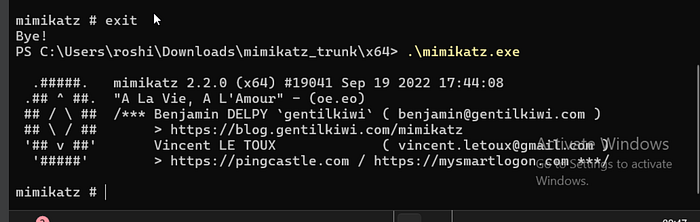
click on start to listen any events that come in which has ruleid 100002so now let's go back to window's VM and regenerate the mimikatz alert in powershell
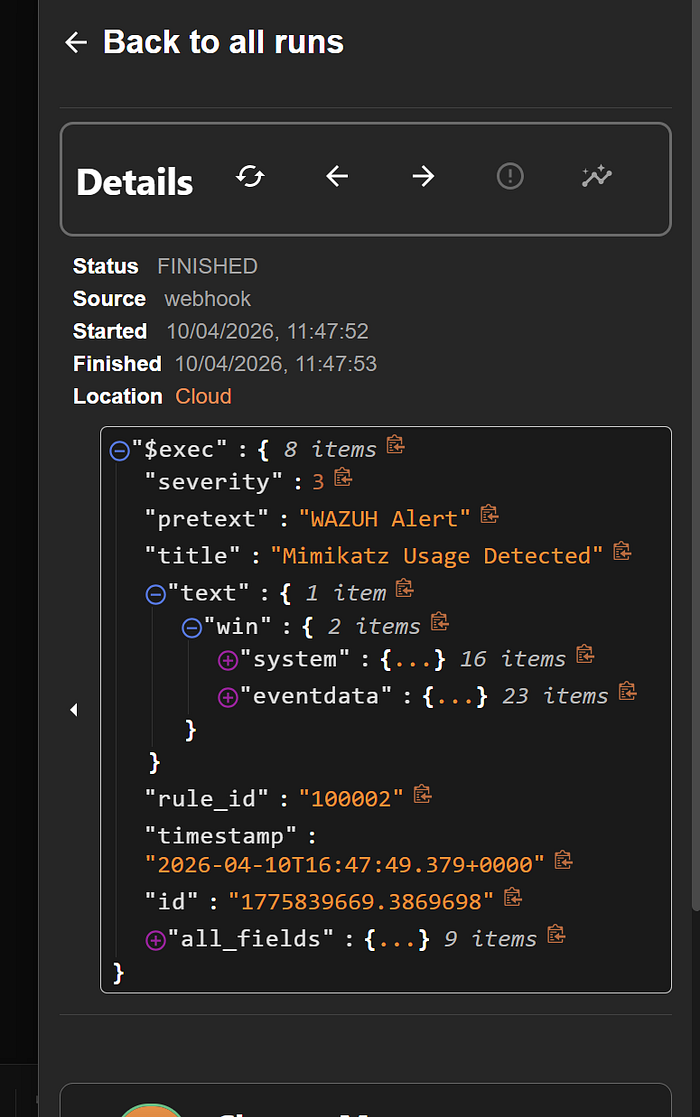
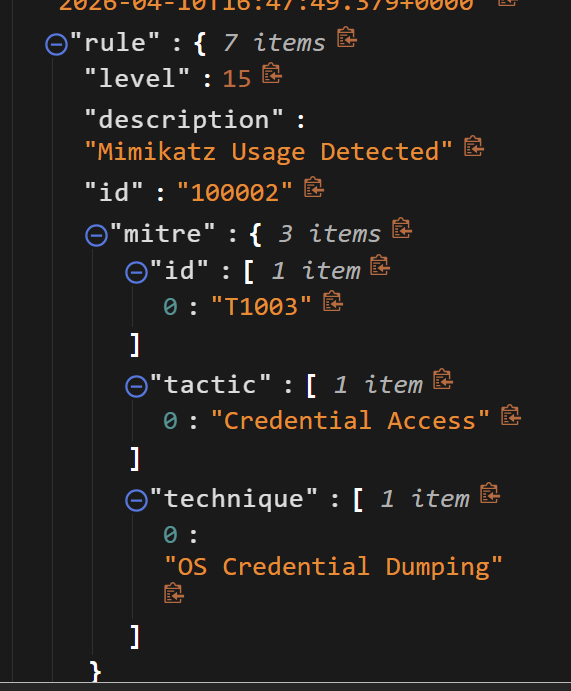
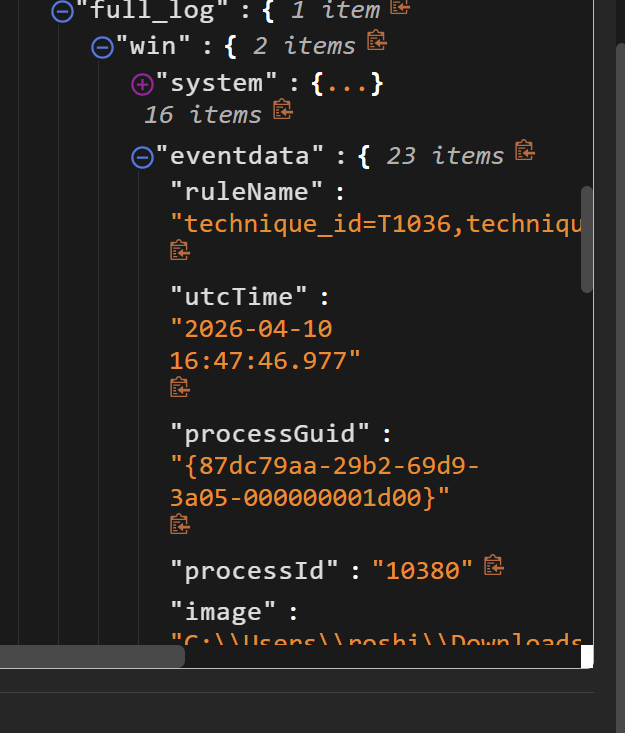
this would trigger an alert >and sent over to shuffler to our webhook >> click on explore runs we could see therwe could see our data finally >> expand all_fields to see the logs expand others an check the datawe also see TTP for more understanding of mimikatzby seeing all this details we can get to know our webhook uri is wokringlet's do some more changes in automation let extract sha256 and run into virus total
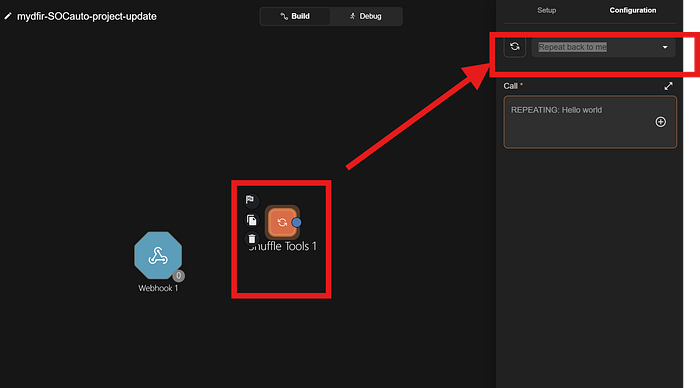
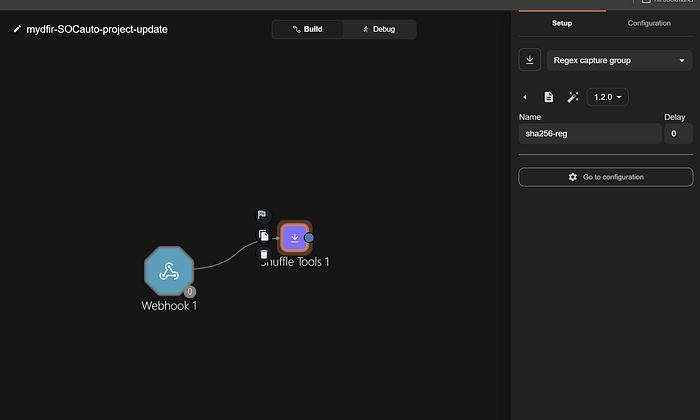
so first remove change me >>drag shuffle tool from the left side menu in you're screen below the you're apps
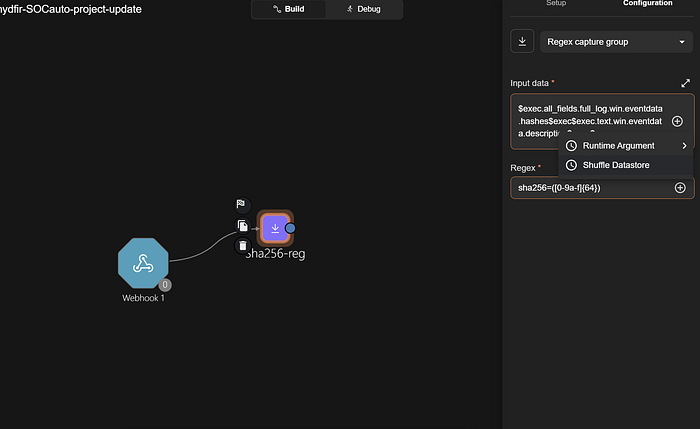
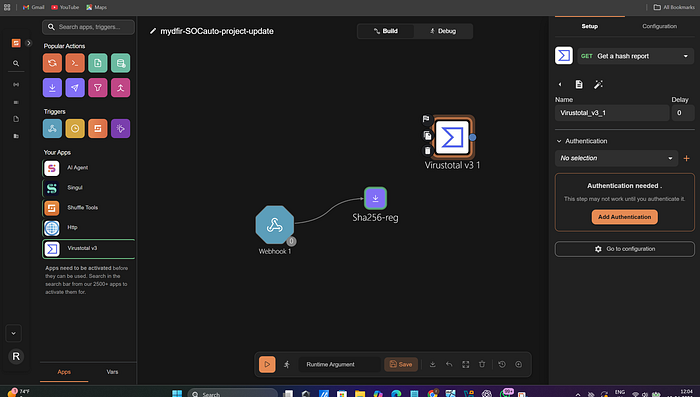
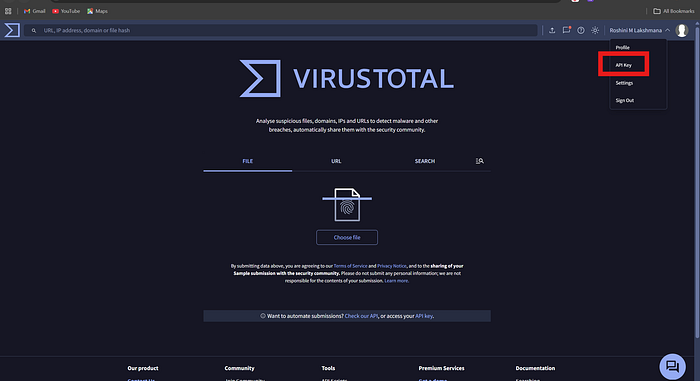
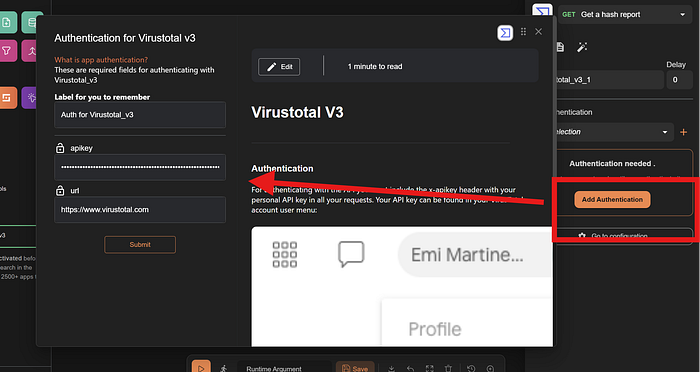
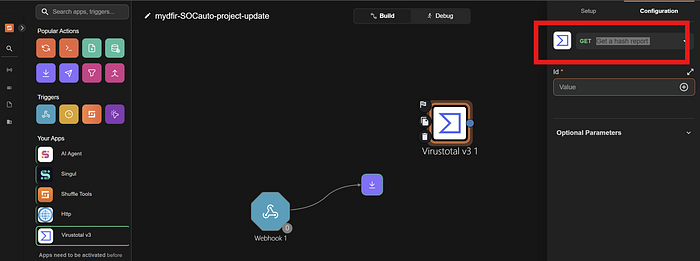
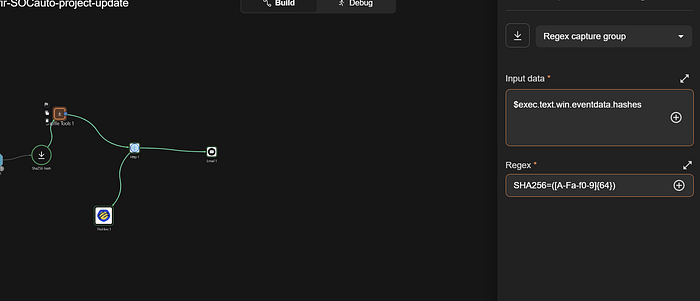
change repeat back to me to regex capture group>> and below in regex box when you get type sha256=([0–9a-f]{64})click on input data >runtime data >select hashes and also if you want anything else select that to >basically it is going to check in under the field of hashes and perform regex pull the value then we will pass into virustotalwe need to drag virustotal and authenticate so lets go to virustotal websitevirustotal link
https://www.virustotal.com/gui/home/upload
create an account
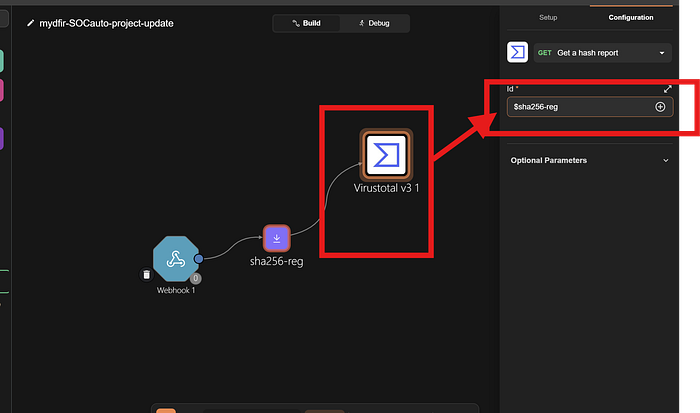
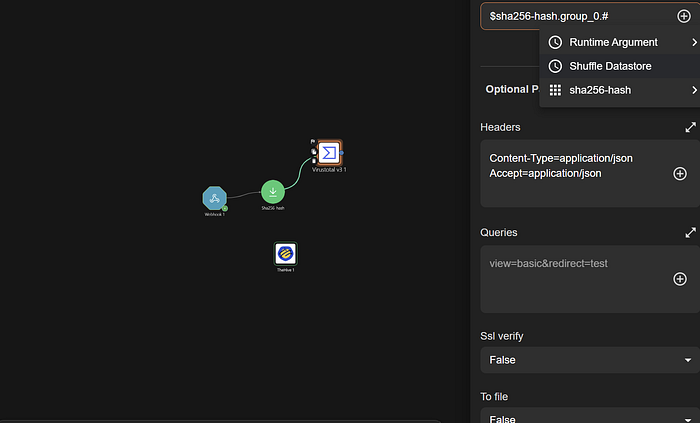
select the api key>>copy that api keypaste you're API key herechange the id value to sha256-reg>> below the page click save >> and then refresh the page and then click only list in group 0we could see it is working and also sha256 changed colour to green now let drag the hive before that go to hive and create an accountnow to link Hive we need to create an account or organization on it so restart all the hive services and login
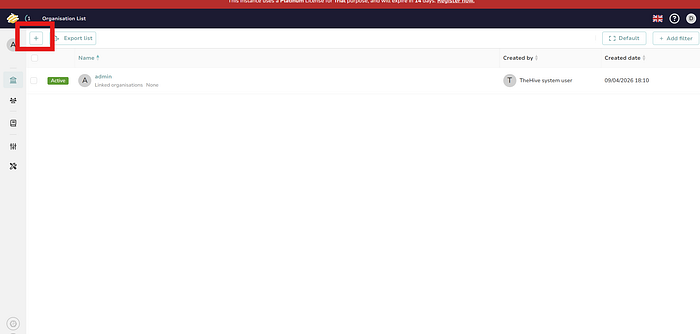
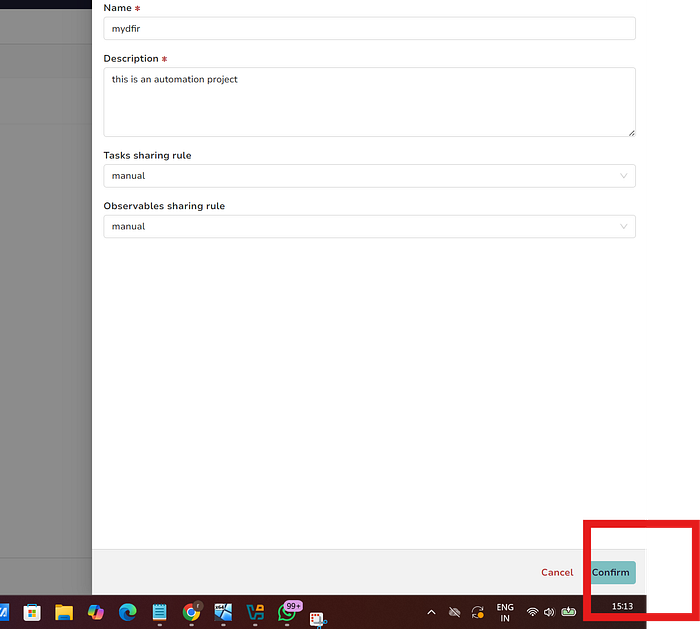
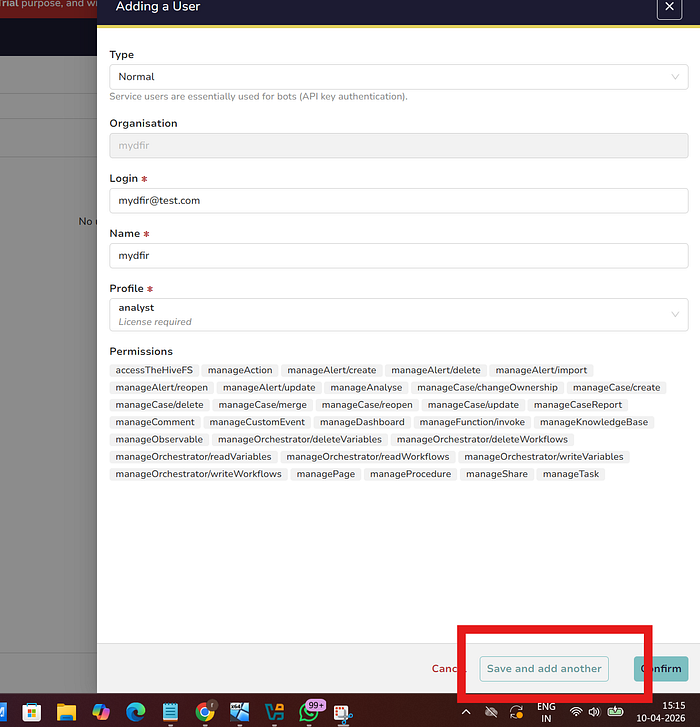
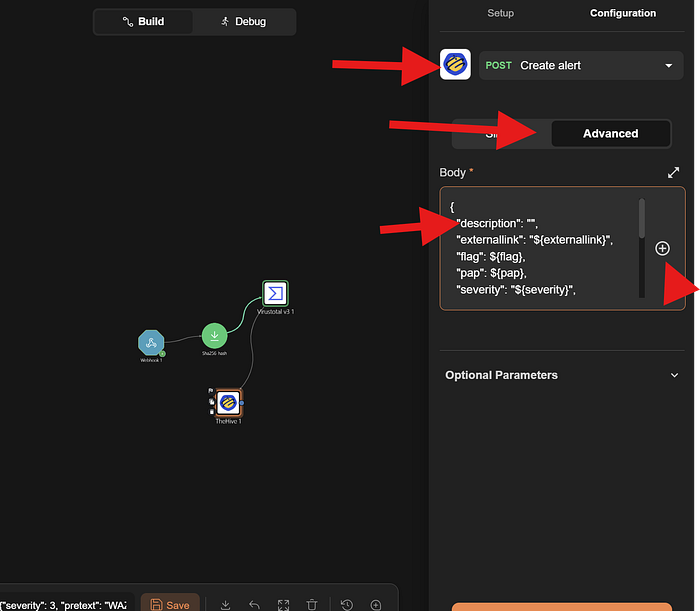
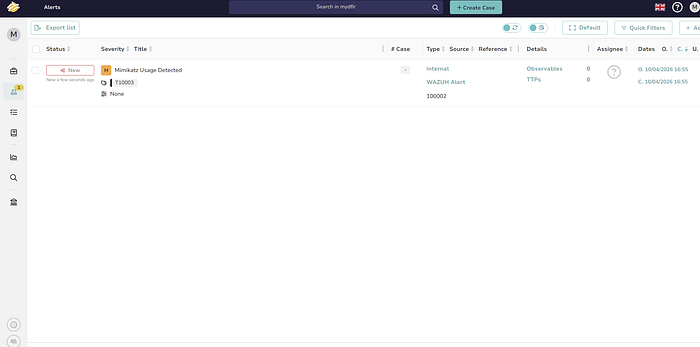
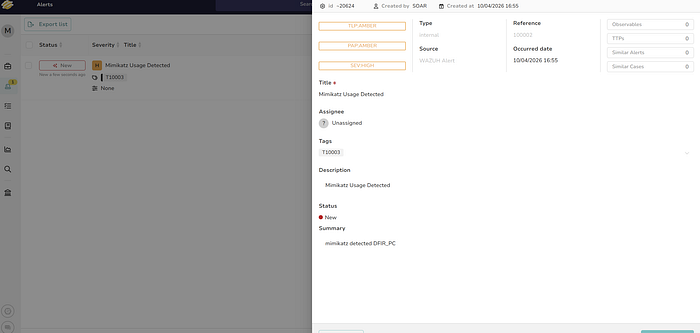
click on plus to add a new organisationafter creating it will appear on dashboard click on my dfir and let's go into it >click + >create the normal account and we need to do another service accountclick confirm> when find the both names on dashboard >select soar and hover on the eye>select create an API key and also don't forget to creat a password>add authentication paste the Api key >>paste you're hive IP with the port 9000>change get alert to creat alert>select advance>remove the character between " " of description >choose +>runtime argument and select title>scroll down u will find the title details been addedAlso in TheHive log in with the normal account mydfir@test.com
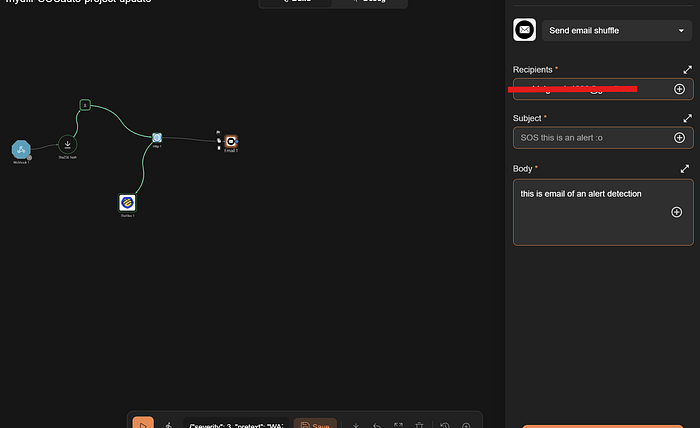
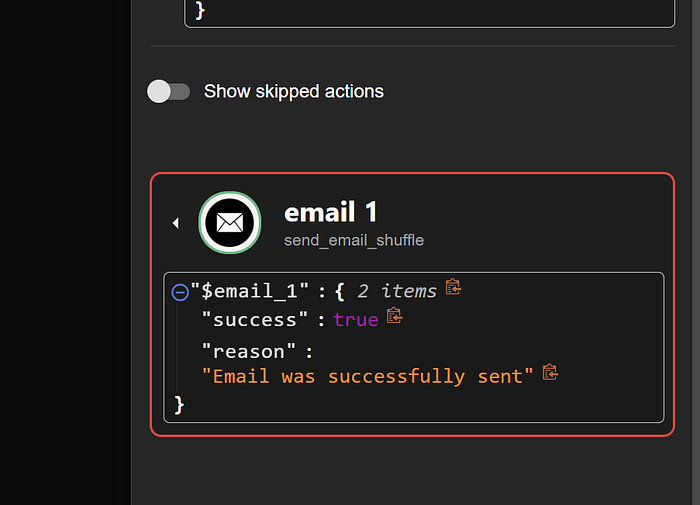
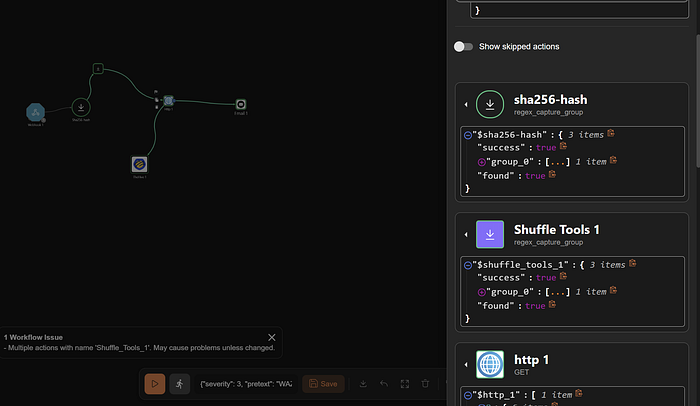
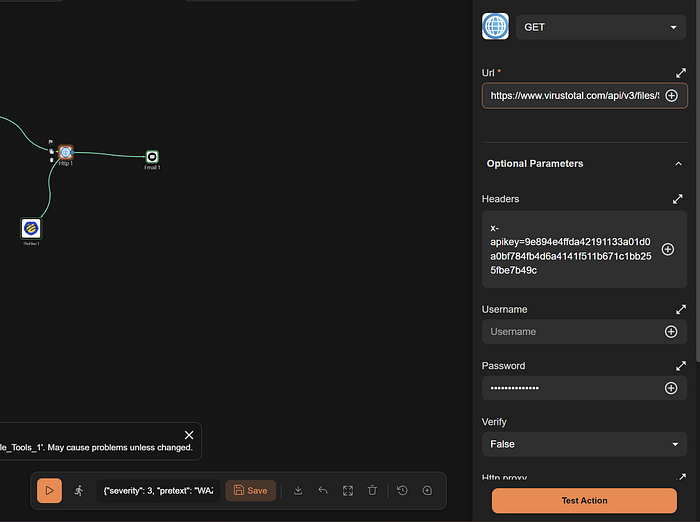
if everything work's great with virus total then you need to see an alert like this but my shuffler.io was crashing to connect directly with virustotal so I did it in different method of connect shuffle tools to http node and giving the virustotal url in it (i will include that corrections in the last )just explore by selecting other details to view more in depth on the rules given to itNow,finally if you have succeeded till here let's hop to the final part to send an email and let's configure that in shuffler.io.
Now let's rerun all the systems and verify if the automation is working properly. If everything runs smoothly congratulations! And for a beginner, truly impressive work great patience and persistence!
evrything worked Perfect!!the other version if incase virus total don't work directly
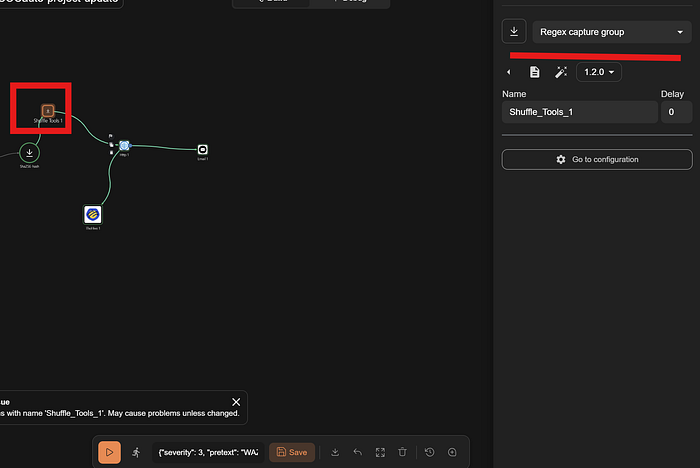
url :https://www.virustotal.com/api/v3/files/$shuffle_tools_1.group_0.#select shuffle toolRegex: SHA256=([A-Fa-f0–9]{64}),Input data:$exec.text.win.eventdata.hashesSummary of all the tools we used
Wazuh
- Collects and analyzes logs from endpoints to detect threats
- Generates real-time alerts based on security rules
TheHive
- Converts alerts into manageable security cases
- Helps track and investigate incidents efficiently
Shuffle
- Automates workflows between tools in the SOC
- Reduces manual effort in alert processing and response
VirusTotal
- Checks file hashes using multiple antivirus engines
- Identifies whether files are malicious or safe
Cassandra
- Stores data for TheHive including cases and alerts
- Ensures high availability and fast data handling
Windows 11
- Acts as the endpoint machine in the SOC lab
- Simulates real-world user activity and attacks
Sysmon
- Captures detailed system-level events (processes, network activity)
- Sends enriched logs to Wazuh for better detection
Mimikatz
- Simulates credential dumping attacks
- Used to test detection and alerting capabilities
This was a great learning experience definitely worth the effort!
Finally, the SOC Automation Project is complete!
I'm sharing the YouTube tutorial I referred to during the process:
https://www.youtube.com/watch?v=ahrSFdiWzis&t=862s