June 3, 2026
File Upload Attacks: Alternative Exploitation Paths (XSS, XXE, DoS)
What happens when the upload form is actually secure — and why that doesn’t mean you’re out of options. Part 6 of the File Upload Attacks…

0x4rt1st
4 min read
What happens when the upload form is actually secure — and why that doesn't mean you're out of options. Part 6 of the File Upload Attacks series.
Part 6 of the File Upload Attacks series. Every part so far was about getting code execution — bypassing filters, chaining techniques, getting a shell. This part is different. What do you do when the upload form is genuinely secure and you can't execute arbitrary code? You don't give up. You just change what you're going for.
A Different Kind of Target
Up until now, every lab had some bypass available. A blacklist that wasn't complete. A whitelist with a weak regex. A server config without an anchor. Something to exploit.
This lab is different. A new application — "Update your logo" — and when you click Upload, the file picker only shows .svg files.
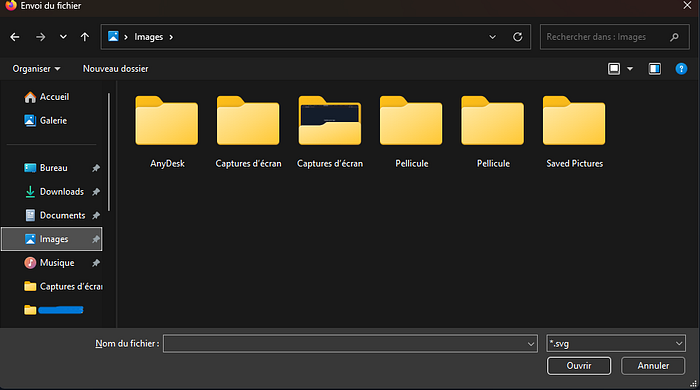
That's client-side validation, same as part 2. We could bypass it. But here's the thing — even if we did, the server-side validation is solid too. No extension tricks, no Content-Type manipulation, no MIME bypasses that work here. The upload functionality is genuinely locked down to SVG files only.
But SVG files are XML. And XML is... interesting.
What You Can Still Do
When you can't upload a PHP shell, you might still be able to upload something that:
- Runs JavaScript in a visitor's browser
- Reads files from the server
- Crashes the server under load
None of these give you a shell. But depending on what you're after — stealing session cookies, reading source code, proving impact to a client — they can be just as valuable.
Attack 1 — XSS via SVG
SVG files aren't like regular images. They're not pixel data — they're XML that describes shapes, which the browser renders. And XML can contain JavaScript.
This means you can create a .svg file that, when viewed by anyone in a browser, executes JavaScript on their machine. Classic stored XSS — upload it once, anyone who views it gets hit.
The payload looks like this:
<?xml version="1.0" encoding="UTF-8"?>
<!DOCTYPE svg PUBLIC "-//W3C//DTD SVG 1.1//EN" "http://www.w3.org/Graphics/SVG/1.1/DTD/svg11.dtd">
<svg xmlns="http://www.w3.org/2000/svg" version="1.1" width="1" height="1">
    <rect x="1" y="1" width="1" height="1" fill="green" stroke="black" />
    <script type="text/javascript">alert(window.origin);</script>
</svg><?xml version="1.0" encoding="UTF-8"?>
<!DOCTYPE svg PUBLIC "-//W3C//DTD SVG 1.1//EN" "http://www.w3.org/Graphics/SVG/1.1/DTD/svg11.dtd">
<svg xmlns="http://www.w3.org/2000/svg" version="1.1" width="1" height="1">
<rect x="1" y="1" width="1" height="1" fill="green" stroke="black" />
<script type="text/javascript">alert(window.origin);</script>
</svg>Save that as xss.svg, upload it through the form, and then visit the uploaded file. The browser renders the SVG and executes the script tag inside it.
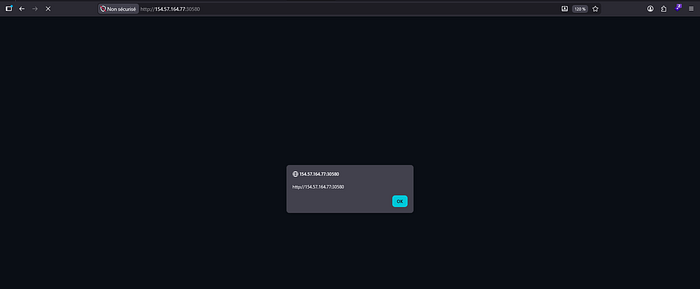
That alert box is proof of XSS. In a real scenario this wouldn't be an alert — it would be stealing session cookies, redirecting users to phishing pages, or performing actions on their behalf. Anyone who views this uploaded "logo" gets hit.
Attack 2 — XXE via SVG
This one is arguably more dangerous from a data exposure perspective. SVG is XML, and XML supports something called external entities — references to files or URLs that get resolved when the XML is processed. If the server is processing your SVG with an XML parser that allows external entities, you can make it read files from its own filesystem and include them in the response.
To read /etc/passwd:

Upload that. When the server processes it, the XML parser opens /etc/passwd, reads it, and inserts the content where &xxe; is. The file contents show up on the page.
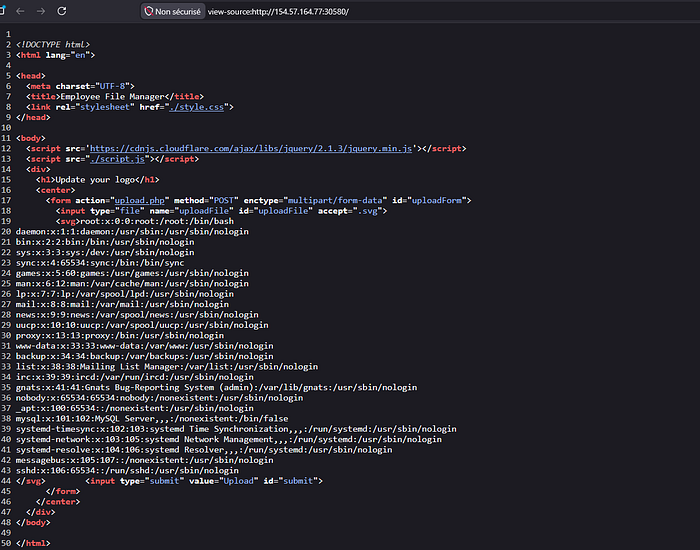
The entire /etc/passwd file is right there in the page source, mixed in with the HTML. Every user on the system — usernames, home directories, shells.
But reading system files is just the start. The really interesting thing is reading the web application's own source code. Use the PHP filter wrapper in the XXE payload:

Upload it, view the source, grab the base64 blob:
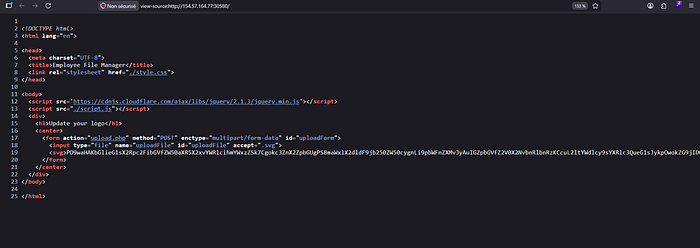
Take that base64 string to CyberChef and decode it:
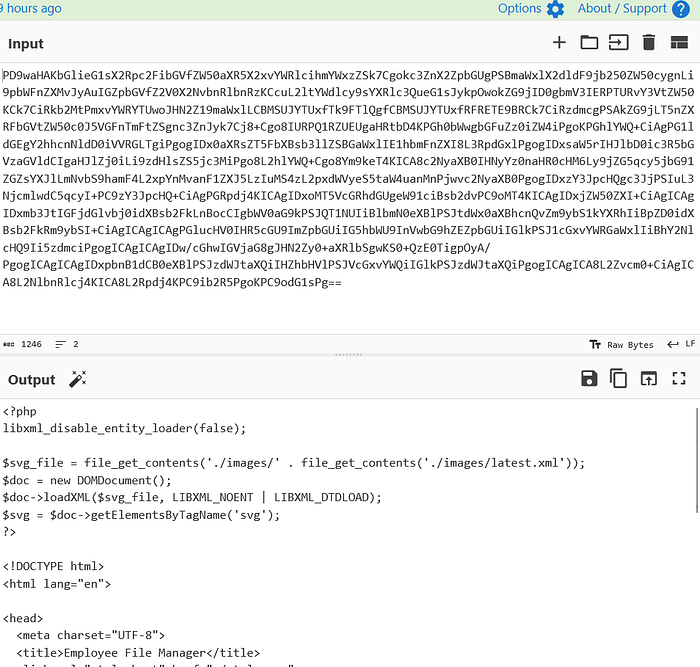
There's the full source code of upload.php. Every line of logic, the upload directory path, how files are processed — everything. This is white-box penetration testing through a file upload vulnerability. And from that source code you can find the uploads directory, identify exactly what filters are in place, and plan your next move.
Attack 3 — DoS
Sometimes the goal isn't information — it's disruption. File uploads can be weaponized to crash or severely slow down a server in a few different ways.
Decompression Bomb — if the application automatically extracts ZIP files, you can upload a specially crafted ZIP that contains nested ZIP archives inside ZIP archives. When the server tries to extract it, the decompressed size explodes to petabytes, exhausting memory and storage and crashing the server.
Pixel Flood — some image formats store their dimensions in a header separate from the actual pixel data. You can create a valid JPG with, say, 500x500 actual pixels, but manually edit the header to claim the image is 65535x65535. When the server tries to render or resize it and allocates memory based on those claimed dimensions, it tries to allocate 4 gigapixels worth of memory — crashing immediately.
Large File Upload — the simplest attack. If the server doesn't limit file sizes or validate them before saving, just upload something enormous. Fill up the disk. The server runs out of space and everything stops working.
Directory Traversal via Filename — if the filename isn't sanitized and you can control it, try uploading a file with ../../../etc/passwd as the filename. Depending on the server's configuration, this might overwrite a critical system file or crash the server when it tries to write to a path it shouldn't be touching.
The Bigger Picture
This part changes how you think about file upload vulnerabilities. It's not just "can I upload a shell?" It's "what can this upload functionality be used for?"
Even a perfectly locked-down upload that only accepts SVGs can still be an XSS vector, an XXE vector, a DoS vector. The moment a server processes the content of an uploaded file — renders it, parses it, stores it — there's a question worth asking: what happens if that content is malicious?
The answer is almost never "nothing."
Next part — file upload prevention. What developers need to actually do to lock this down properly.