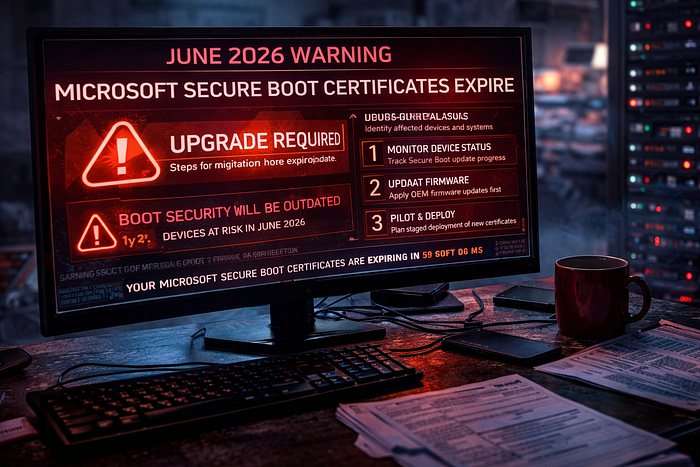

Microsoft has been warning about expiring Secure Boot certificates for months, and the real danger is not sudden collapse. It is the slow, quiet loss of boot-chain trust that too many organizations will notice only after they have drifted into a weaker security posture.
Read the Full Article for Free!
There are infrastructure problems that get attention because they are loud, and there are infrastructure problems that get ignored because they are boring right up until they become expensive. The Secure Boot certificate rollover lands squarely in the second category. Microsoft's long-running Secure Boot certificates, originally issued in 2011, begin expiring in June 2026, and Microsoft has been pushing organizations toward the newer 2023 certificates to preserve the trust chain used to verify early boot software. Secure Boot exists to help ensure a system starts with trusted firmware modules and boot components, not whatever malicious garbage an attacker would love to wedge into the startup path before your security stack fully wakes up. When those old trust anchors age out, this is not cosmetic maintenance. It is foundational security work.
The first thing worth clearing up is the part people will get wrong in meetings. This is not a doomsday clock where every Windows device turns into a brick the moment the calendar flips. Microsoft explicitly says that devices which have not received the newer 2023 certificates will still start and operate normally, and standard Windows updates will continue to install. That sounds comforting for about five seconds, until you read the next sentence. Those same devices will no longer be able to receive new security protections for the early boot process, including updates to Windows Boot Manager, Secure Boot databases, revocation lists, and fixes for newly discovered boot-chain vulnerabilities. That is the quiet horror here. Systems can look healthy on the surface while their ability to receive future boot security protections quietly degrades underneath them.
That is exactly why this issue is so easy to mishandle. A ransomware attack announces itself. A phishing wave leaves obvious wreckage. An expiring Secure Boot trust chain does not storm into your office waving a red flag. It sits in firmware, in registry values, in event logs, and in update dependencies most executives will never hear about unless something goes wrong. Microsoft's guidance makes clear that client devices and servers are not even on the same path here. Many Windows client devices, especially newer ones, can receive the 2023 certificate updates through Windows Update and Microsoft-managed mechanisms. Windows Server is less forgiving. Microsoft says the 2023 Secure Boot certificates on Windows Server do not arrive automatically the way they do for many Windows PCs, and administrators must take manual action unless the platform already includes the new certificates in firmware. That alone should make every mixed environment a little nervous.
And because no enterprise problem is complete without a little extra spite, Microsoft also says this is not something you should try to solve with blind faith in monthly updates. The company's own playbooks emphasize a staged approach: inventory the environment, monitor status, make sure firmware is ready, and pilot the deployment before expanding it. That sequence is not bureaucratic fluff. It exists because Secure Boot certificate servicing touches Windows, UEFI firmware, OEM support paths, deployment tooling, and hardware differences across the fleet. The machine that behaves perfectly in a lab can still sulk in production because it is running a different BIOS revision, an older firmware branch, or a vendor build nobody updated because everyone was too busy doing more glamorous things.
Step 1: Inventory and prepare the environment before you pretend you're ready
The first required mitigation step is to stop guessing. Microsoft's guidance tells organizations to inventory hardware and firmware and build representative device groups using attributes like manufacturer, model, BIOS version and date, and baseboard product version. That matters because Secure Boot certificate servicing is not just a Windows patch. It is a handshake between Windows and platform firmware, and that handshake can vary across hardware families in ways that will absolutely ruin your day if you discover them during a broad rollout instead of during preparation. Microsoft also points administrators to registry indicators under HKEY_LOCAL_MACHINE\SYSTEM\CurrentControlSet\Control\SecureBoot\Servicing, including values such as UEFICA2023Status and WindowsUEFICA2023Capable, which help determine whether a device is capable, updated, or stalled.
In practical terms, this means you need a real map of the estate, not the optimistic spreadsheet version. You need to know which endpoints are modern enough to be low drama, which ones rely on older OEM firmware, which servers are already on platforms that include the 2023 certificates, and which boxes are likely to become the kind of "special case" people whisper about in change control meetings. Microsoft says many Windows PCs manufactured since 2024 already include updated certificates, and Windows Server 2025 certified server platforms already include the 2023 certificates in firmware, but older or mixed hardware may require deliberate remediation. That is why inventory comes first. You cannot mitigate what you still describe with phrases like "probably" and "should be fine."
Step 2: Monitor device status like an adult, not like someone hoping green equals healthy
The second mitigation step is status monitoring, and Microsoft is very clear that this is not a one-and-done checkbox. You are not finished because Windows Update ran. You are not finished because a policy was assigned. You are not finished because somebody in desktop engineering swears the rollout "looked clean." Microsoft provides multiple ways to verify actual progress, including Windows Security app status for supported clients, registry values, event logs, and Intune-based monitoring for managed fleets. The company also calls out Event ID 1808 as the informational event indicating the required new Secure Boot certificates have been applied, while Event ID 1801 signals an error condition showing the update has not been applied. On the server side, Microsoft says a healthy end state includes UEFICA2023Status showing Updated.
This matters because the Secure Boot update process is staged and conditional. Microsoft's guidance also points to a scheduled task, \Microsoft\Windows\PI\Secure-Boot-Update, which runs at startup and then roughly every 12 hours to process these update flags. If that task is disabled, broken, or never actually runs, your environment can sit there looking patched while the certificate transition quietly goes nowhere. Microsoft even notes that administrators can manually trigger the task and verify part of the update by checking for the presence of Windows UEFI CA 2023 in the Secure Boot database, though event logs and status values remain the more complete way to confirm success. Monitoring is what separates real rollout progress from wishful thinking with a dashboard attached.
Step 3: Apply OEM firmware updates first, because firmware is where good plans go to die
The third mitigation step is the one many organizations will resent the most, which is probably why it is the one many organizations are most likely to botch. Microsoft says administrators should apply OEM firmware updates before Microsoft updates when needed, because updated firmware helps ensure the new Secure Boot certificates are accepted and can prevent compatibility problems. That is Microsoft being diplomatic. A blunter version is this: if your firmware is stale, your Secure Boot rollout may fail in ways that look random until you discover the platform itself was never ready to accept the new trust chain.
This is where enterprise habits collide with reality. Firmware updates are the infrastructure equivalent of cleaning out the attic. Everyone knows it should happen. Nobody wants to touch it. There is always some reason to delay, usually involving risk, inconvenience, limited maintenance windows, or a vendor who communicates like a haunted fax machine. But Microsoft's troubleshooting guidance explicitly says that when troubleshooting points to firmware limitations or defects, administrators may need to install the latest UEFI firmware update from the manufacturer before Secure Boot certificate updates can complete successfully. It also notes special prerequisites for some Hyper-V scenarios, where both the host and guest may need the relevant updates before the certificate path completes successfully. That is not edge-case trivia. That is Microsoft warning you that platform readiness is a gating factor.
A smart organization will validate firmware baselines on representative models, identify which OEM packages are approved, and document any hardware classes that need extra care before touching broad certificate deployment. A sloppy organization will skip that step, push policy anyway, and then spend the next week trying to determine whether the problem is Windows, firmware, hardware, virtualization, or fate itself. Only one of those is funny, and none of them are a mitigation strategy.
Step 4: Plan and pilot the deployment, then scale with the right method instead of spraying changes across the fleet
The fourth mitigation step is deployment, but Microsoft's guidance is explicit that this should begin with a pilot on representative devices, not a fleet-wide leap of faith. For clients, Microsoft provides several deployment paths, including Intune, registry keys, Windows Configuration System (WinCS), and Group Policy, and it has separate guidance for model-based targeting in Intune so organizations can assign the update more precisely to hardware that has already been validated. Microsoft also offers monitoring guidance through Intune remediations. That is your clue that the company expects this to be managed like a real rollout, not tossed into the environment like confetti and good intentions.
For servers, Microsoft is even more direct. The Windows Server playbook says administrators must identify which systems need the updates, choose a delivery method such as registry keys or Group Policy, and pilot that method on a small representative set before expanding. Microsoft also documents the AvailableUpdates setting and related servicing behavior, including the use of 0x5944 in Secure Boot servicing scenarios and the fact that the scheduled task processes those flags on the device. The point is not that every administrator needs to memorize hex values like a monk preserving sacred text. The point is that Microsoft has already laid out a structured path, and ignoring it is not bravery. It is laziness wearing a change ticket.
The reason piloting matters so much is simple. Secure Boot sits near the bottom of the trust stack, which means mistakes here are disproportionately annoying to recover from. You do not want your first real lesson in certificate servicing behavior to arrive during a rushed broad deployment against hardware you never properly categorized. You want it to arrive in a pilot group with known hardware, known firmware, known owners, and real rollback planning. Microsoft says to begin with a small subset, validate results, then expand as confidence grows. That is boring advice, which is precisely why it is the right advice.
The hard truth is that the four mitigation steps are not mysterious at all. Inventory the fleet. Monitor actual status. Update OEM firmware where needed. Pilot the certificate deployment and scale it deliberately. Microsoft has already published the warnings, the client playbook, the server playbook, the Intune targeting guidance, the monitoring guidance, and the troubleshooting guidance. At this point, the problem is not lack of documentation. It is lack of urgency. June 2026 is not scary because every machine will fall over at once. It is scary because a lot of organizations will keep booting normally while quietly losing their ability to stay current on early boot protections, and they will not notice until they are weaker than they thought. That is the kind of infrastructure risk nobody wants on the calendar, right up until it owns the calendar.